• Skip to primary navigation
  • Skip to main content
  • Login

IATSE Local 695

Production Sound, Video Engineers & Studio Projectionists

  • About
    • About Local 695
    • Why & How to Join 695
    • Labor News & Info
    • IATSE Resolution on Abuse
    • IATSE Equality Statement
    • In Memoriam
    • Contact Us
  • Magazine
    • CURRENT and Past Issues
    • About the Magazine
    • Contact the Editors
    • How to Advertise
    • Subscribe
  • Resources
    • COVID-19 Info
    • Safety Hotlines
    • MyConnext
    • Health & Safety Info
    • FCC Licensing
    • IATSE Holiday Calendar
    • Assistance Programs
    • Photo Gallery
    • Organizing
    • Do Buy / Don’t Buy
    • Retiree Info & Resources
    • Industry Links
    • Film & TV Downloads
    • E-Waste & Recycling
    • Online Store
  • Show Search
Hide Search

Features

Willow Jenkins, Key Video Assist

by Daron James

3S7C3755.CR2

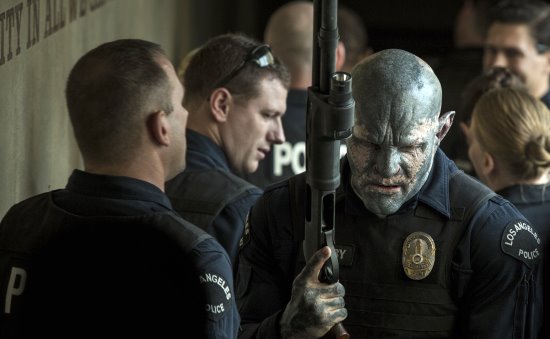
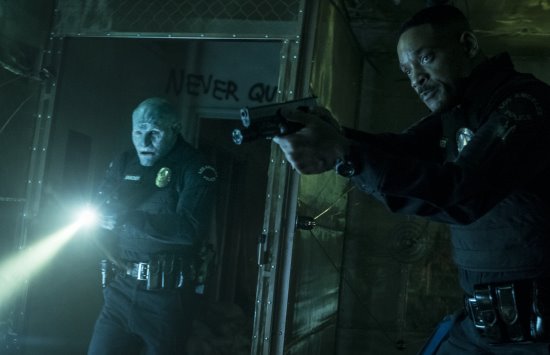
Will Smith in Bright, set in a world where mystical creatures live side by side with humans. A human cop is forced to work with an Orc to find a weapon everyone is prepared to kill for. (Photo: Scott Garfield)

Willow Jenkins’ first credit on a fi lm was “Master of Time and Space.” The joke title was given to him by Producer Butch Robinson and First Assistant Director Mike Ellis on The Original Kings of Comedy, a documentary directed by Spike Lee. But it was absolutely fi tting as his persistent hard work managed to catch the eye of Lee during production in San Diego, California. “I’m very thankful for the career I have now and I tribute a lot of it to Spike,” says Jenkins during a morning phone call.

A Madison Wisconsin, native, the film enthusiast was living in San Diego taking on free production jobs to get his foot in the door while his wife finished her master’s degree. “I remember getting a call for a two-week paid gig and I was so stoked to be there. I really worked my ass off and day one, a PA comes over and says, ‘Spike wants to see you.’ I thought there is no way this is true because I hadn’t even seen him yet, but it was. I went over and Spike motioned for me to lie down next to him as we surveilled the Navy beach set and then asked me to clean up some debris off the beach so I did. The next day, he sees me working and tells me to go get a car for lunch. When I did, he said, ‘Get in, you’re driving.’”

DSCF3404.raf

From that moment on, Jenkins continued to work on the project as his driver and assistant, traveling to Hawaii, then to Texas and New York, always being there for Lee when he needed him—a master of time and space. “He saw something in me and gave me an opportunity I didn’t want to spoil. It was my fi rst project with him and I’ve managed to work on almost everything he’s done since.”

Spike was the one who suggested Jenkins to consider becoming a Video Assist Operator. “Growing up, I was the kid who always wanted to set up your home entertainment system or plug things in. I honestly just enjoyed being on a film set but in retrospect, Spike nailed it. I absolutely love this job. You’re right in the middle of it all, seeing the director’s creative process and you still have these massive technical challenges that need to be overcome.”

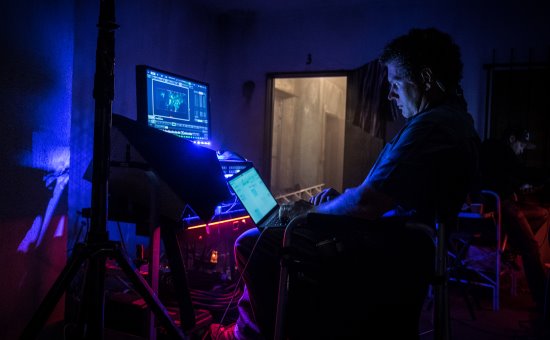
Willow Jenkins readies his system for a multiple stage shoot while Carlos Patzi sits in the background preparing a second system. Transferring footage and getting ready to handle two stages the following week. (Photo: Scott Garfield)

This year alone, you’ll see Jenkins’ name scroll by in the credits on four feature films as Key Video Assist or Video Assist. “It’s been busy to say the least,” says Jenkins, who’s schedule started to fi ll after finding himself on The Revenant, his most demanding project to date. “That was a film where you had to push yourself to a whole new level. We traveled to the southernmost part of Argentina to finish the movie, which was wild because the entire crew and our equipment flew together on a private 767 aircraft. It took about twenty-seven hours to get there because we had to wait six hours on the ground while refueling in Peru for fog to clear in Ushuaia,” he recalls.

When they did arrive, the camera crew wasted no time testing lenses in subzero temperatures well beyond midnight with Jenkins and Video Assist Rob Lynn following suit checking their own equipment. Cinematographer Emmanuel Lubezki ASC, AMC utilized five different cameras for the swift-moving production, making it necessary for Jenkins and Lynn to utilize a separate wireless system for each package. “We had no choice but to be quick, super mobile and keep batteries hot. It was important to have the wireless up at all times so they didn’t need to wait for our signal to lock.” While Lynn stationed himself at a briefcase running QTAKE, video assist software, and their own channel of headsets for constant communications, Jenkins was acting as a human tripod for a roving camera, holding a handheld monitor for Director Alejandro Iñárritu and Leonardo DiCaprio, who was very involved. “I had to stand five feet from them basically at all times,” laughs Jenkins.

The process trailer getting set to pull out.

While 2017’s releases of A Futile & Stupid Gesture (Director David Wain), The Evil Within (Director Andrew Getty) and The Circle (Director James Ponsoldt), starring Tom Hanks and Emma Watson had challenges of their own for the operator, larger obstacles loomed on Bright by Director David Ayer.

The big-budget Netflix original film set to be released December 2017 ushers viewers inside a present-day fantasy world where humans coexist with mythical creatures. Will Smith stars as Ward, a Los Angeles Police Department officer who patrols the night watch with an orc cop named Jakoby played by Joel Edgerton. When an evil darkness emerges, they fight to protect a young female elf (Lucy Fry) and a forgotten-yet-powerful relic she holds that can alter their existence.

Willow rigging a wireless feed for Jake Scott.

It was Production Sound Mixer Lisa Piñero who recommended Jenkins for the job. “When I met with David, we were having a great conversation when it abruptly stopped. When I was officially hired the next day, I was told we had a great interview and found that when he makes up his mind, he doesn’t spend anymore time on it. That quality translated well with him as a director on set which was a great thing,” says Jenkins.

For the first sixty production days, Jenkins operated seven days straight working Saturday-Wednesday on Bright and Thursday-Friday on another series he committed to, Wet Hot American Summer: 10 Years Later. “The turnarounds weren’t bad and the material we were doing on Wet Hot was completely different.”

The process trailer getting set to pull out.

Bright had a two-man team every day with a third filling several times during production. There was also a second unit with two additional video assist operators. “For the main unit, it was me and mostly, Willie Tipp, Carlos Patzi and Byron Echeverria swapping out week by week but we also had Michael Bachman, Chris Kessler and Anthony Perkins on days where we needed three,” says Jenkins. “I’m so thankful Damiana Kamishin, the Production Supervisor, allowed us to do this project properly. Major credit goes to her and Producer Adam Merims for being wise and approving my requests as much as they did.” Carrying out the second unit stunt test days was Dave Schmalz and the second unit shooting was handled by Anthony Perkins and Chris Kessler until Jenkins helped out during the last week of intense stunt work.

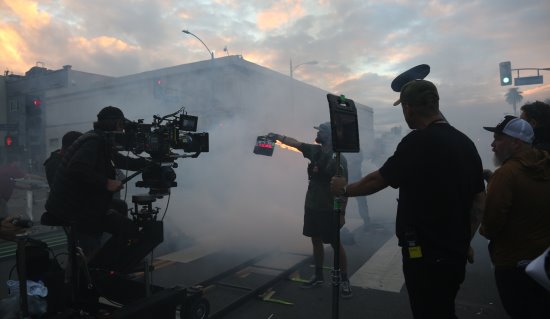
The schedule called for three months of night shoots without breaking for lunch, moving through practical locations in the rain and cold. Gear needed to be hidden and far away behind buildings while still offering viewing feeds for the director and Cinematographer Roman Vasyanov, who preferred to be right in the action.

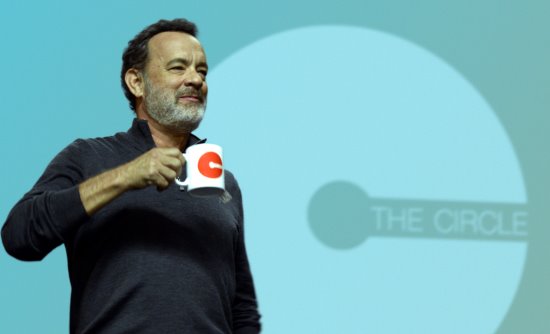
Tom Hanks stars in STX Entertainment’s THE CIRCLE. Photo courtesy of STX Entertainment Motion Picture Artwork © 2017 STX Financing, LLC. All Rights Reserved.

Tom Hanks stars in STX Entertainment’s The Circle. (Photo: Frank Masi/Courtesy of STX Entertainment) Photo courtesy of STX Entertainment Motion Picture Artwork © 2017 STX Financing, LLC. All Rights Reserved.

To prepare, Jenkins reads the script but it doesn’t tell him how the crew will operate. It’s important for him to adjust to the shooting methods of the director and cinematographer on each project. “During pre-production, I will talk to the ADs or anyone who’s worked with the director before to get as much information as I can,” notes Jenkins. “I’ll then try to find out how many cameras there will be, and on Bright it was two but a lot of times three. I’ll try to find out how the ACs work if there is somehow a focus monitor that sits off somewhere. I will also find out who the key grip is and see how they work. Then I’ll add up all the variables and find out what’s the best way we can approach the project.”

Since audiences will be watching on Netflix and it allowed Ayer and Vasyanov to be close to the action, they wanted to see the footage through an iPad. “Roman lived on the iPad Pro. He was actually lighting by it in many ways so he would know how it would translate to dailies later.” Wireless systems that transmit video like Teredek’s Bolt 3000 series were crucial to the work. On-set cameras would send a wireless feed to the DIT cart run by Arthur To. Then To would send a Rec. 709 or an image with a LUT to Jenkins’ cart where he could feed set monitors and video village. Four rotating iPad Pros had QTAKE installed on them for Ayer and Vasyanov to select one camera or split screen up to four to watch a live feed or playback footage. “Arthur and I had to figure out a system to get the iPads up and running as quickly as possible because a lot of the times Roman would want it even before camera was off the truck.”

Sound Mixer Lisa Piñero and Director David Ayers

The crew found that out on the second day while shooting a scene that closed off a busy Los Angeles intersection—Alvarado and 7th near Langer’s Deli. “We shut down the whole street in all directions and this was our first big setup with three hundred extras all outfitted in other-worldly makeup and dress. We quickly deduced where we needed to be and where video village had to go and it was pretty far from the action. And just as we got settled, Roman was already asking for his iPad. He really didn’t know who we were so we needed to make a good first impression. The first challenge was power. Then as soon as we connected to Arthur, the DIT, Roman instructed him to move about 175’ down the street toward the action and away from us. With every second counting, we were thankfully able to get our feed from the DIT by asking Arthur to move back six feet just in time. Once we got our system going, set decoration stepped in to hide our transmitter while Willie [Tipp] got electric to help us with power. When we handed off the iPads, we found out they were getting into a police cruiser and decided to back up further down the road to start the run—something we didn’t factor in. Luckily, the wireless system worked and we managed to pull it off,” Jenkins admits. “It was one of those moments where you say to yourself, so this is how it’s going to be? Wow, OK. But then you develop a system, find your groove and it makes things easier.”

The team became very efficient with the iPad system and particularly good adapting to challenging interference issues Jenkins looks forward to employing the system on future projects. “Our job is a lot about anticipation. We would try and read their minds and be handing them the iPad the moment they turned to ask us.”

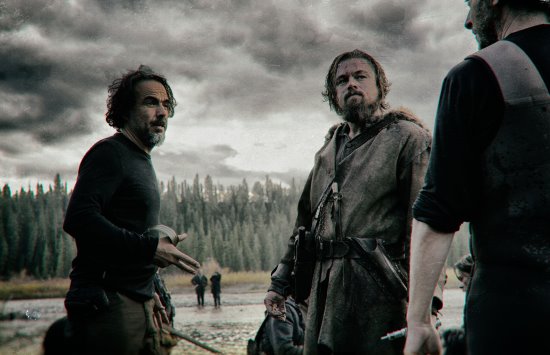
THE REVENANT Renowned filmmaker Alejandro González Iñárritu (“Birdman,” “Babel”) directs Leonardo DiCaprio on the set of THE REVENANT. Photo credit: Kimberley French Copyright © 2015 Twentieth Century Fox Film Corporation. All rights reserved. THE REVENANT Motion Picture Copyright © 2015 Regency Entertainment (USA), Inc. and Monarchy Enterprises S.a.r.l. All rights reserved.Not for sale or duplication.

In The Revenant, renowned filmmaker Alejandro González Iñárritu (Birdman, Babel) directs Leonardo DiCaprio on set. (Photo: Kimberley French © 2015 20th Century Fox. All rights reserved.)

Another demanding task came during the last week of shooting where an action unit directed by the stunt coordinator was on the stage next to the main unit. Echeverria handled the video assist on the second unit since Ayer needed to be involved in both sets at the same time. “The challenge for us was making sure he could see everything everywhere at any given time,” says Jenkins.

They ended up running snake cables and wireless between the stages and sent feeds in both directions to make the setups at L.A. Center Studios identical. “Doing this allowed David to run back-and-forth between sets with his iPads. We used a roving monitor with a live switcher attached to the top so he could manually choose the feed between the three main stage cameras and the two cameras from the action unit stage. It was a technological feat to give him the ability to review a shot next door, send approval to the action unit director or see a rehearsal or grab an iPad to view all the cameras at once or select them individually.”

When asked about working with Ayer, Jenkins says, “He’s a phenomenal person who surrounds himself with the best of the best as far as crew and talent goes. Once you get to know his sense of humor, which is very dark, and he starts saying hysterical things that bring the level down, you know you’re doing your job right because that’s his way of complimenting you.”

This is Us

by Michael Krikorian CAS

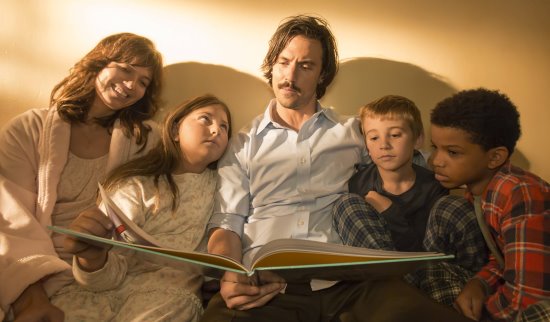
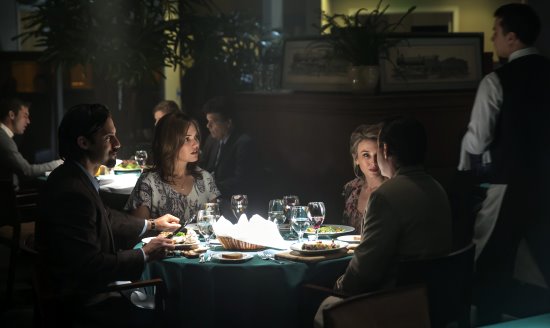
THIS IS US — “The Big Three” Episode 102 — Pictured: — (Photo by: Ron Batzdorff/NBC)

Studio photos by Ron Batzdorff/NBC

This Is Us is an hour-long single-camera episodic TV show produced by 20th Century Fox for NBC with wall-to-wall dialog. I received a call to work on the pilot last year late February and was blown away when I read the script. I’m a tough critic when I read through scripts but the pilot moved me. It was by far one of the best scripts I have read and I was extremely excited to be working on it.

I called Erin Paul to boom and Tim O’Malley for utility and lucky for me, they both were available. Erin, Tim and I had worked with each other on Agents of S.H.I.E.L.D., American Horror Story and a few other shows on their double-up units. We became fast friends, worked well together and got along great, which to me is a godsend. I can’t recall ever having a disagreement with Erin or Tim, except when Tim doesn’t let Erin and I know that crafty brought some hot food onstage. Erin and I give Tim the works but of course, it is all in fun.

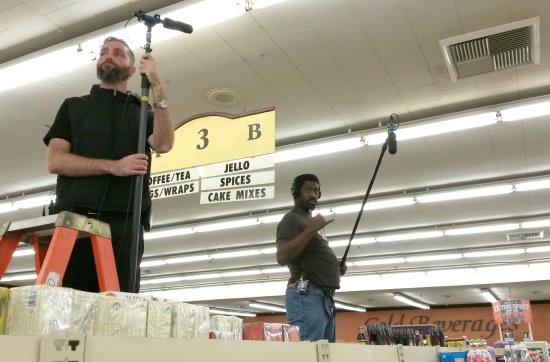
Erin Paul and Tim O’Malley at the grocery store.

The show was picked up with a scheduled start date for the and of July. We had a pickup order for thirteen episodes, but after our first episode aired, we received an order for sixteen episodes, then shortly after that, they bumped it up to eighteen.

Michael Krikorian CAS at the controls.

As with most TV shows, it is important that we capture the dialog with the best means possible in the environment we are given. Boom Operator Erin Paul is the frontman, he reads through the sides and nails down his cues. Erin is solid and smooth with the mic and in full communication with our camera operators working out the framing. Tim, sound utility, preps the wireless mics and handles all the wiring of our actors. His wiring skills are spot on and he is familiar with all the current equipment, making him invaluable to our sound team. On top of that, the actors love him. Erin, Tim and I talk through the scene after we have seen a marking rehearsal, and we stay alert and pay attention to what is up next. A well-informed crew will always be ahead of the curveball.

Mixing our night shot.

Our first season was shot on the Paramount lot on two stages and a swing stage. Randall (Sterling K. Brown) and Beth’s (Susan Kelechi Watson) house is on one stage while Jack and Rebecca’s (played by Milo Ventimiglia and Mandy Moore) house is on another. The exterior scenes of the houses are shot on location, while most of the Pennsylvania and New York exterior scenes are on the backlot.

Music playback day with Mark Agostino.

It is a fast-paced show, with lots of moves per day, and because of that, we have to have everything on the follow cart for our next location. To make our moves quicker, we often load up on a stake bed. Luckily for us, we have an AD Department that keeps us well informed.

There are times we need to take a stand for sound. In keeping with the style of the show that the producers want, Yasu Tanida, the Director of Photography, uses hard lighting and some practicals to light the set. The show is full of time jumps, flashbacks and present-day scenes, so the lighting changes depending on what time period we are in. For the most part, Yasu does accommodate our requests and stays away from wide and tights and helps with the lighting where he can. When Erin can’t get what is needed with one boom because he will have to cross through some lights, Tim will come in and utilize a second boom. We zone-out the booms and at times, fl y a wire in the mix until the actor crosses the lighting threshold into our booming zones. It gets tricky in the larger scenes but we are always able to come up with some creative way to get what is needed. I find we can get the dialog a bit tighter sounding with two booms, especially with all the overlapping we do. Our directors like the natural feel of the acting with overlaps. We don’t stop or redo a take for sound, though there are times when I’ll request to record a certain line clean. I’ll bring up my concerns to the director if the line gets buried and more often than not, we will do another take to get the line cleaner. This is a show with wallto- wall dialog and our objective is keeping the actors out of the ADR stage. If we can make a simple adjustment to get what we need, I’ll be sure to request it. Yasu and our directors have been pretty fl exible and easy to work with.

THIS IS US — “A Handful of Moments” Episode 114 — Pictured: — (Photo by: Ron Batzdorff/NBC)

An interior scene with Milo Ventimiglia and Mandy Moore “A Handful of Moments.”

We wire everyone who has scripted lines when we aren’t restricted by wardrobe or a shirtless actor and on occasion, we will wire actors even if they don’t have any lines. We communicate with our directors to see if they are expecting any dialog adjustments and try to get a jump on it and wire that actor. We often get some great reaction sounds that make it to air. When it comes to mixing the show, the actors generally stick to the script but when they change it up, we have enough time to make the needed adjustments. The actors have been great to work with and we have had no pushback when it comes to putting mics on them.

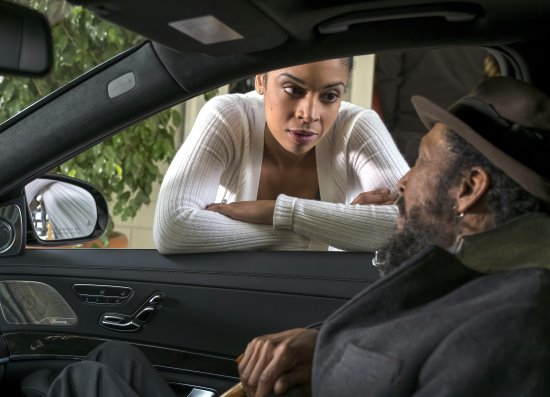
THIS IS US — “Memphis” Episode 116 — Pictured: (l-r) Susan Kelechi Watson as Beth, Ron Cephas Jones as William — (Photo by: Ron Batzdorff/NBC)

Susan Kelechi Watson as Beth, Ron Cephas Jones as William.

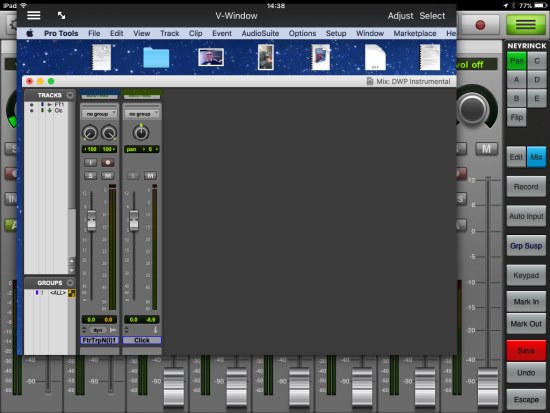
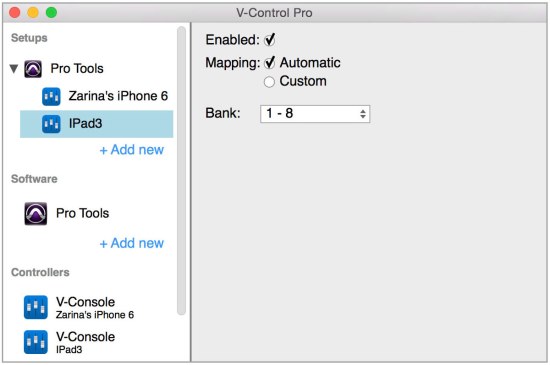
While This Is Us is a straightforward show when it comes to recording the dialog, we sometimes have music playback with our Pro Tools 11 rig. The playback cart has a MacBook Pro running PT11 with a MOTU 828x interface. We use a Mackie 1204, Phonak Earwigs, QSC 2450 amps and JBL SRX715 passive speakers. We’ve had Jeff Haddad, Mark Agostino and Gary Raymond in to run the playback. For non-sync atmosphere, we get a handful of stems to suit what our actor wants to hear. Primarily, it is Mandy Moore needing playback, but we also had a live record with Chrissy Metz (Kate) and also Brian Tyree Henry (William’s cousin Ricky). We use speakers onstage and earwigs for the band during scenes that have dialog over music. This gets us the best results for capturing the band and the dialog simultaneously. I started in music recording, so anytime we do live music records, it makes for a fun time and a great challenge.

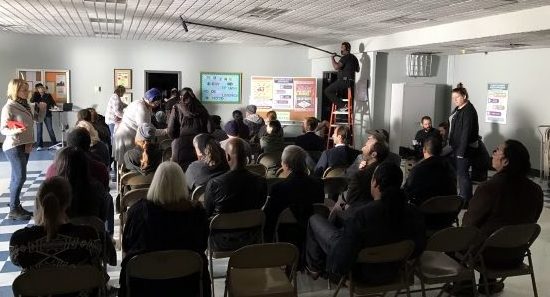
Erin Paul at William’s AA group.

When we do driving scenes, it is a mix of free driving and process trailers. I’ll pull my recorder off the cart and Tim will start wiring up the car. I love the sound of my trusted Schoeps BLM. We mount it to the header between the two actors in the front seats. It works well in our modernday vehicles but not so great on our vintage automobiles, which tend to be louder and less helpful acoustically. Randall’s current Mercedes-Benz sounds like a sound booth. It is one of the quietest cars in which I have ever recorded. I wish that were true for the older vehicles because they are noisy! We make sure we give Post the options they need to make the scene work.

In the episode after William’s death (played by Ron Cephas Jones), the cast had a celebration of his life. The whole family decided to go on a long walk down Randall’s street, because that was something William did every day. We wired all eight actors with Erin and Tim booming. I got together with our transpo team and the grips, and they helped me rig my sound cart in the back of our video village Sprinter van with the antennas on top of the roof. We were able to drive the van far enough in front of the action to keep the van’s engine out of our mics. We got everything that was needed for the scene to work and I was really happy with the outcome. There are also those moments when going mobile is the only way to go. We had a subway scene with Kevin (Justin Hartley) and Sophie (Alexandra Breckenridge) that had them going on and off a subway car. Production closed down the track around Wilshire and Western. We had to squeeze into the back of the subway car. I used my upright Magliner with two shelves, putting my recorder on top and wireless mics below. It made moving in and out of the subway car much easier.

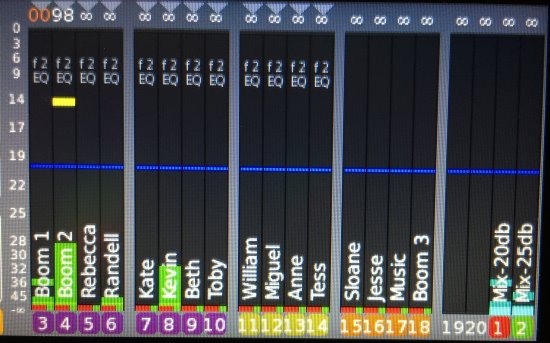
My sound package isn’t out of the norm, except for one piece of equipment that I added last year to my sound cart: the Aaton Cantar X3 with the Cantarem II. Having this brought me a level of security and allows me to not worry about track count since the X3 can record up to twentyfour tracks. On average, we will have between two to six actors wired. There are times when we will have eight to twelve actors wired as well as music playback. Our Thanksgiving episode had twelve actors wired, three booms and music playback for a total of eighteen tracks, the most I have had to record that season. It was nice to be able to accommodate the scene without having to piecemeal the wireless mics or rent more gear.

This Is Us is a fast-paced show shooting seven-day to eight-day episodes with reasonable hours. There are no late calls with maybe two to three split days all season, which for me is gold. I like to see my family at night and sometimes, I even make it home for dinner. This Is Us is a fun and enjoyable show and I’m hoping it has a long run. I can’t wait to see what season two brings.

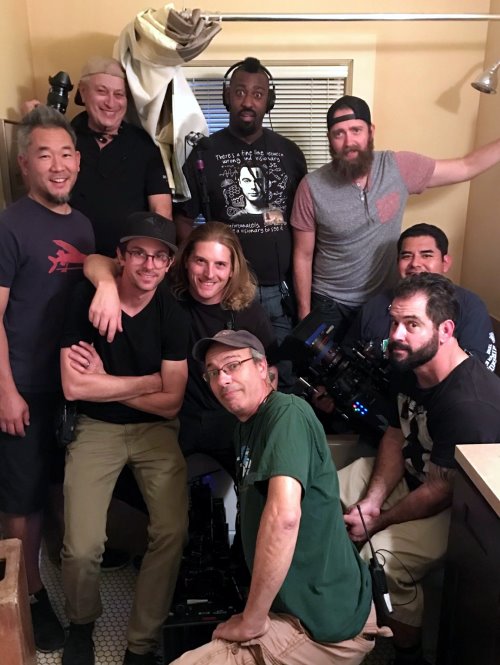
The crew in Jack and Rebecca’s master bathroom

Young Workers Committee Report

by Eva Rismanforoush & Timothy O’Malley

We live in an era where labor unions are facing a global decline, yet in recent years, the I.A.T.S.E. has managed to increase its membership against the odds. This is in part due to political activism programs. The Young Workers Committee (YWC) is one of those institutions. Created by President Matthew D. Loeb, it aims to welcome new members and to get workers under the age of 35 politically involved. Most committees have been active since 2012 and the numbers are growing in each Local. Every two years, YWC members from all over the United States and Canada have a chance to meet at the biennial Young Workers Conference, an opportunity for receiving educational training, sharing experiences and networking.

As part of our Local 695 Young Workers political action agenda, we will provide you with quarterly reports on current legislative trends that directly affect the I.A.T.S.E. and Local 695.

right-to-work
,_rt,_ta ’werk/
adjectiveUS
adjective: right-to-work
relating to or promoting a worker’s right not to be required to join a labor union. “Kansas is a right-to-work state.”

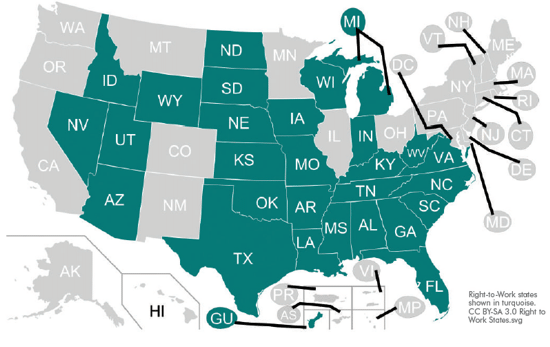
Parts of the Taft-Hartley Act restrict striking rights of labor unions and their negotiating power. They also prohibit unions from requiring a worker to contribute fi nancially, even when the worker is covered by their collective bargaining agreement. In a right-to-work state, the union provides all legal funds and protections to negotiate a fair contract. Any employee may receive those benefi ts, but without the obligation of joining and paying dues.

According to contemporary right-wing think tanks, such as the Legal Defense Foundation and the Heritage Foundation, “Every American worker should be able to pursue employment without the obligation of joining a union.” While this notion may sound like a noble cause—perhaps due to the fact that the word “Right” is in the title—it is much rather a semantic disguise for a bill solely purposed to bankrupt organizations such as the IA.

WHY SHOULD YOU CARE?

American labor unions are organized associations of workers formed to protect and further workers’ rights and interests. Collectively, workers have a much greater chance on improving workplace safety, earn a living wage, and collect health & pension hours. The collective buying power of its members is also used to negotiate consumer benefi t programs for working families.

The burden of asking an employer for such basic needs is thereby lifted from the individual. Unions set a fair bottom line for everyone in the form of a contract.

California productions operate under a closed-shop contract. Our IA union security clause ensures only vetted members in good standing are eligible to work on projects under contract. It is a mutually benefi cial system that ensures a level of job security and benefi ts to employees, while providing employers with a well-trained & highly skilled workforce.

To declare a union membership optional is a predatory strategy to fi nancially weaken the bargaining power of the entire workforce.

The rate of workplace fatalities is 49 percent higher in right-to-work states.

Infant mortality is increased by 12.4 percent and educational spending per pupil is 32 percent lower than in states that harbor strong unions.

WHAT IS THE STATUS OF THE NEW BILL?

The bill was introduced to Congress on February 1, 2017. H.R.785 has since been referred to the House Committee on Education and Workforce. It has since gained twentytwo Republican co-sponsors. To view the most current details and actions on H.R.785, please visit congress.gov

WHAT’S THE FISCAL IMPACT OF RIGHT-TO-WORK?

Since 1947, twenty-eight states have adopted right-towork laws, including Kentucky joining in 2017. Over the past fi ve decades, US Census reports have shown signifi – cant economic disparities between union-secured and right-to-work states. The American Federation of Labor [AFL-CIO] lists an average wage decrease of 13.9 percent in a median household income ($50,712 to $58,886 per year). This translates into an average loss of $8,147 annually per household.

WHAT CAN WE DO?

A short-term strategy proven successful is to directly contact your congressmen and congresswomen. California holds fi fty-three seats in the House of Representatives. You can visit house.gov to obtain your representative’s detailed contact information. Should H.R.785 pass in the House, California senators Dianne Feinstein & Kamala Harris can be reached through senate.gov. Simply calling and leaving a voice-mail stating your concern can have a direct impact.

A great long-term plan to combat anti-union legislation is to contribute to the IA’s new Political Action Committee (PAC). The PAC fund is completely voluntary and enables the IA to have a seat at the table in Sacramento and Washington, D.C. Visit iatse.net to sign up for a monthly donation.

The United States is a democratic republic. Citizens can choose their political representatives. So take part in local elections. Even though most of us work extra-long hours, California lets you register to vote online and mail-in ballots are available for each election.

Most importantly, educate and embrace new members!

Stay informed, care and make your voice heard!

REFERENCES:

“IATSE Labor Union, Representing the Technicians, Artisans and Craftpersons in the Entertainment Industry.” IATSE Young Workers | IATSE Labor Union. IATSE, 2012. Web. 28 Apr. 2017.

Sherk, James. “Right-to-Work Laws: Myth vs. Fact.” The Heritage Foundation. The Heritage Foundation, 12 Dec. 2014. Web. 28 Apr. 2017.

NRTW. “National Right to Work Foundation » Your Right to Work Rights—In Three Minutes.” National Right to Work Foundation. NRTW, 2017. Web. 28 Apr. 2017.

Isbell, Jesse. “Right to Work Is Wrong for Your Family— Whether You Are Union or Not. Here’s Why.” AFL-CIO. American Federation of Labor, 4 Feb. 2017. Web. 28 Apr. 2017.

Ungar, Rick. ‘“Right-to-Work’ Laws Explained, Debunked and Demystifi ed.” Forbes. Forbes magazine, 13 Dec. 2012. Web. 28 Apr. 2017.

Eidelson, Josh. “Unions Are Losing Their Decades—Long ‘Right-to-Work’ Fight.” Bloomberg.com. Bloomberg, 16 Feb. 2017. Web. 28 Apr. 2017.

Offi ce of the United States Attorneys. “2413. Outline of 29 U.S.C. 186 (Taft-Hartley Act Sec. 302).” The United States Department of Justice. United States Department of Justice— U.S. Attorneys Manual, 1997. Web. 28 Apr. 2017.

National Labor Relations Board. “NLRB.gov.” The 1935 Passage of the Wagner Act | NLRB. NLRB.gov, n.d. Web. 28 Apr. 2017.

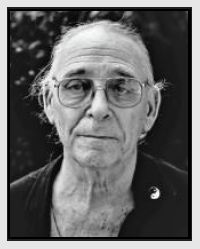
In Memoriam – Richard Portman

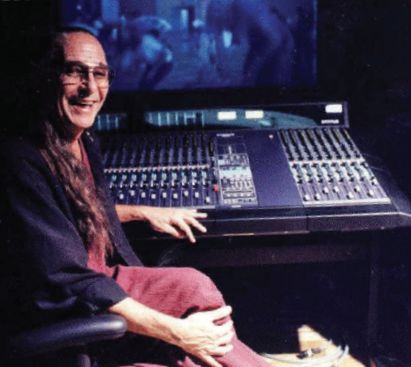
Richard Portman, Re-recording Mixer
April 2, 1934 – January 28, 2017

Everyone knew Dick Portman. He was a major presence in the Post Sound world for three decades with a list of credits to prove it. I guarantee that anyone who met him has a Portman story; we heard quite a few of them when he was honored in 1998 by the CAS with the Career Achievement Award. Unlikely as it seems, most of them are probably true. And everyone knows the magic he brought to the soundtracks of the movies he mixed, his mad skills and dexterity, covering the console in a flamboyant solo act.

I never spent time with him on a mix stage with the candles, the incense, crystals, the sorcerer’s cloak and all that legendary weirdness, but I will always remember the first time we met. I was a big fan of the groundbreaking Robert Altman films of the ’70s, Nashville, California Split, as well as The Godfather and The Deer Hunter. I was very excited when the re-recording mixer of those masterpieces of sound was to be teaching his specialty at the UCLA School of Motion Pictures and Television back in 1980.

My fellow students and I awaited his arrival in the mix stage in Melnitz Hall, a room full of baby auteurs and future rulers of Hollywood, expectantly wondering what magic this genius would bring to our projects. Finally he showed, just a little late, and our expectations were exceeded, if not shattered. A tall, lanky fellow burst into the room, long straight pony-tailed hair held in place by a red, white and blue headband, tie-dyed T-shirt, jeans and flip-flops, bounding over the seats, all the while cleaning the seeds and stems from a small box of weed from which he proceeded to roll a joint. Stopping short of the front of the room so we had to turn to see him, he certainly had our full attention and the lesson began. The man knew how to make an entrance.

Not everyone in that class aspired to a career in sound, I certainly didn’t; we just wanted to make our films sound better. Nevertheless, everyone was treated to a journey to a heretofore undiscovered realm of filmmaking, the world of sound. We were dazzled by his knowledge, his stories, his passion and creativity. Comforted by his generosity, his patience and his desire to teach us at least a little of what he knew; kind of like filling a water balloon with a fire hose.

Beneath all the wild flash and mad genius, one could not help but be blown away by his profound understanding of the science, the engineering and all the underpinnings of sound recording and mixing. He was after all, born into the business. His father, Clem Portman, was one of the major re-recording mixers of the previous generation, that is, from the very beginning of the Sound Era. Richard’s rigorous and creative application of those principles, with his natural ability to share his excitement about his life’s work, inspired his students to hear and see in a new way. As loaded as he might be (or was he?), he knew that shit cold. He said at least once, that the Nagra was the worst thing to happen to sound because it made it too easy; any knowledge-free undisciplined idiot could now record sound. You could never mistake Porto’s freewheeling style for a lack of discipline and attention; five years in the Marines brought a sense of order to the proceedings.

If you were willing to hold on and follow him, man, you could learn a lot! Something he talked about constantly, signal path and integrity, unity gain, impressed us so much that my partner and I later named our new company One To One Sound. He made a big point that sound should be treated on par with camera. He said that we were not “recording” sound, rather that we were “shooting” sound, and we deserved the same respect that camera received and could get it if we spoke of it similarly. Then there were the fringe benefits and extracurricular activities, including going out to the desert to record stereo bus-bys for Honeysuckle Rose, sailing trips in Santa Monica Bay on Richard’s boat (don’t show up empty handed!) or hanging out at his place in Venice, soaking up wisdom or whatever.

It wasn’t just the incredibly deep reservoir of knowledge that he offered for a few of his first students, it was the opportunity to observe a sound professional at the height of his passion, skill and creativity. Demonstrating that this was not just a viable career path, but respectable and satisfying as well. We were all going to be great and successful filmmakers, we were sure of it. But here was a glimmer of another way, combining art, science, craft and filmmaking that also was a lot of fun. You could even win an Oscar!

I finished film school, encouraged by Richard to further develop my skills by doing sound on several more student since no one wanted to do sound at UCLA, there must be plenty of openings out there. While we worked on our scripts and waited for Hollywood to call, my partner and I bought a Nagra, some mics and radio mics, put up a shingle … and waited … and waited.

I met a wonderful new mentor, the late, great Production Mixer David Ronne, who also pointed the way to sound. He gave me my first job in the business (thrown off the set by Bob Fosse!) and sold me that first Nagra. David and Richard collaborated memorably on the Oscarnominated On Golden Pond—two masters at their best. I always figured that if you were making a movie and it wasn’t certain that the cast would be around (as in alive) for looping, you’d hire David on the front end and Porto to finish.

Eventually, the jobs started coming, not writing and directing, and thirty-six years later, One To One Sound lives on while I record and mix movies and television. I did production sound on several projects that Richard re-recorded. Early in my career, I visited him on the dub stage where he was mixing Sam Shepard’s directorial debut, a very challenging but inconsequential little movie. When I entered the sanctum sanctorum, he made a point of effusively greeting me so that Sam would notice, as a hero and the savior of the soundtrack. It wasn’t a very good movie but it sounded great!

I am incredibly lucky to have encountered Dick Portman at such a formative moment in my life. Not just for the chance to bask in his genius and enjoy his company but even more because he was such a fantastic, inspiring and encouraging teacher who always challenged us to dig deeper and go further. It is fitting that he transitioned into full-time teaching at Florida State University, where he would influence several generations of filmmakers at a program that was essentially built around him. As a mixer, Richard Portman changed the way movies sound, as a teacher, he changed lives. I can’t think of a better legacy for this great man.

–Steve Nelson CAS

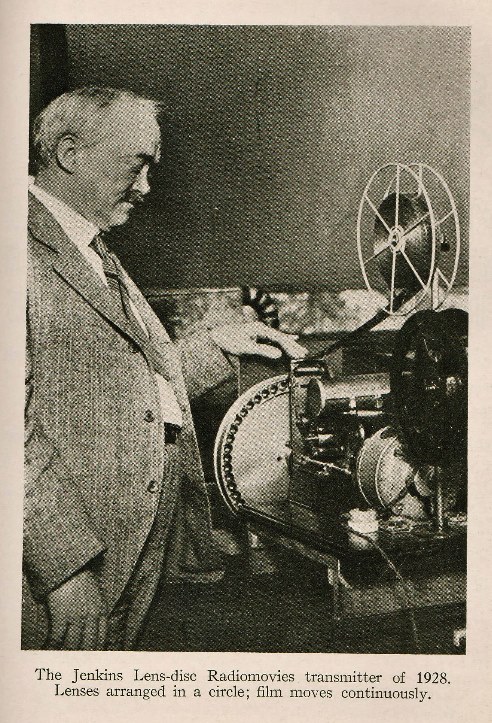
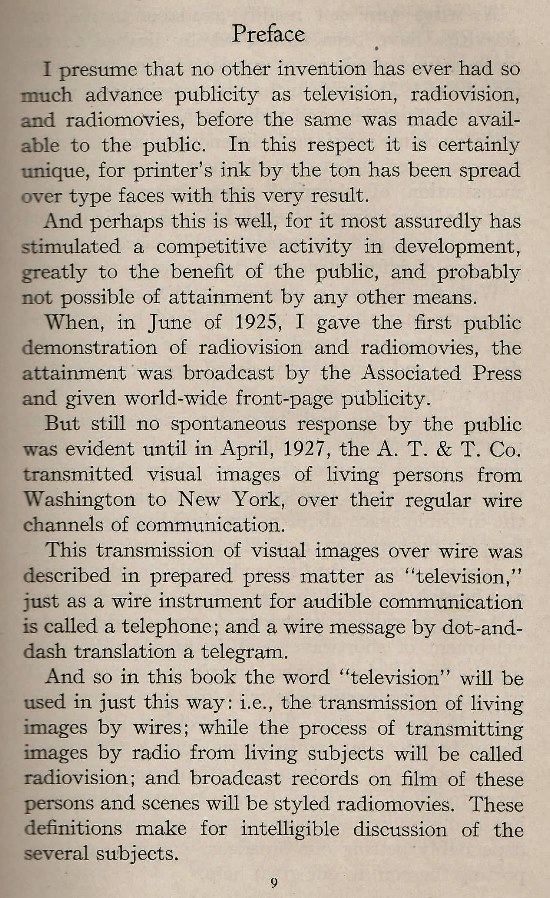
The History of Sound in Motion Pictures

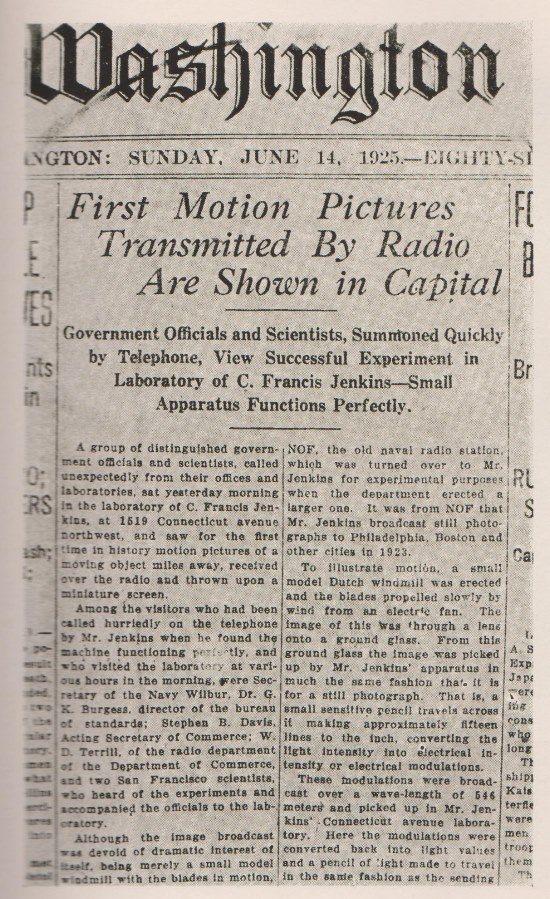
by C. Francis Jenkins 1929

This is a small extract from an early text on television from the 1920s, written by C. Francis Jenkins. Jenkins was instrumental in the birth of motion pictures in the 1890s. As an inventor, he built and patented one of the earliest prototypes of the motion picture projector which, by the time this book was published, was delivering entertainment in movie theaters throughout the world. He claimed to produce the first photographs by radio and mechanisms for viewing radiomovies for entertainment in the home. By 1929, he held more than four hundred patents, foreign and domestic, and maintained a private R&D laboratory in Washington, D.C. He was also the founder of the Society of Motion Picture Engineers or SMPE, the precursor to SMPTE.

Fences

by Willie Burton CAS

In late February 2016, after returning from my morning walk, I turned my cellphone on to check my messages. There was a voice mail from Molly Allen wanting to know if I was available to work on a project starting mid- April to be filmed in Pittsburgh, Pennsylvania. I was excited and immediately returned the call. The voice on the other end said hello and it was Denzel Washington. I announced myself and his first words were, “I want you to work on my film.” I said okay and Denzel joked that he was the Secretary, Director, Producer and did many other office tasks.

Usually, it takes a lot more than “I want you to work on my film” before you have the job. Most of the time, you have to go in and meet the Producers, the Production Manager and the Director. After the meeting, it’s “thank you for coming in and we will be in touch.” However, it helps when you have done five films with the Director. Denzel was so excited about the project and that the script was adapted from the hit Broadway play Fences. I had not seen the play, but had heard a lot about it. I was just as excited as he was and could not wait to read it.
Denzel was the star, Director and one of the Producers of Fences, along with Molly Allen and Todd Black. This was my first time doing a film that was developed from a play. My first step is to read the script and have a good understanding of the story. I was thrilled to be involved with such a great project and to be working with a great team. I knew this would be challenging, a period film, practical locations and a lot of lengthy dialog scenes. My task was to assemble the best sound team possible. Douglas Shamburger had agreed to be my Boom Operator and the next step was to find a qualified local Utility Sound person. I reached out to my friend, Jim Emswiller, a fellow Sound Mixer who resides in Pittsburgh. He agreed to make some calls on my behalf, and a few days later, as he had promised, Jim recommended Kelly Roofner for my choice for Utility Sound.

In early April, the production office called to inform me that I should prepare my equipment for shipping and make plans to travel to Pittsburgh for location scouting. Location scouting is so important for the Sound Mixer, it allows you to identify potential sound problems early on and come up with solutions.

The majority of filming was in and around the house. It was most helpful to work with Ed Maloney, the Gaffer, and Steve Cohagan, his Best Boy, for placement of the generator. Oftentimes, the generator is too close to the set and there is never enough time to move it because all the cables are already in place.

I use a Zaxcom Mix12, two Deva 5s, set up for ten tracks each, one as the master recorder and one for backup. Two Lectrosonics Venue receivers and an assortment of lav mics; Sanken COS 11, Countryman B-6 and DPA. For the boom poles, I use Lectrosonics UM400 plug on transmitters with Sennheiser MKH-50 and Schoeps for interiors and a MKH-60 for exteriors, plus twenty Comtek receivers for IFB.

During scouting, one of the problems I encountered was that a period garbage truck was to be used; needless to say, it was loud and noisy. It was suggested that we could turn the engine off and let it coast down the hill while recording the dialog. Sounds good so far and I went to the sanitation yard where the trucks were parked and recorded wild tracks of crushing garbage.

The day we filmed the scene, it was not possible to shut the engine off, due to starting and stopping at a fast rate of speed. You always have to be prepared for the worse. Lucky for me, the actors projected their lines over the engine noise. It is amazing to watch Denzel work and how he prepares for each scene. He arrives well before crew call, before me and sometimes blocked the scene with the stand-ins.

At Call, the cast is brought in for a private rehearsal and then the crew for a marking rehearsal. Denzel wanted the actors to overlap their lines in many of the scenes to build intensity and emotions. Each cast member was miced with a Sanken COS 11 lav, while the boom was used overall for the master shots and close-ups. After a couple of scenes with Viola Davis, I wasn’t happy with her sound using the Sanken COS 11, so we switched to a DPA lav which was better suited for her voice.

Our main location was at the house in a suburban neighborhood, where we were able to block off the streets and control traffic. The neighbors were loud, from time to time, but when asked to be quiet, they were very considerate and accommodating. Some of the neighbors even baked pies, cakes and cookies for the crew. Unfortunately, the birds were not so considerate. They were very noisy forcing us to cut takes several times and try to scare them away. After some research, we ordered a couple of electronic bird-repellent devices to try and get rid of them. I still have my doubts if the units really worked. We also bought several fake owls and placed them on the rooftop.

All the rooms inside the house were very small, which made it difficult for the camera crew and Douglas to work. In order to film some of the master sequences in the living room, the front window glass was removed and the camera and dolly were placed outside on the porch. This was no help to us, as we now heard all the exterior noise.

My technique for mixing is always to use the boom with a blend of wireless mikes even on the wide-angle shots to capture the room and have the actors on the isolation tracks for the tighter camera. The actors moved from room to room in many scenes in the house and we accomplished this with both a second boom and a blend of the wireless mikes.

In the bar sequence, there were a lot of mirrors, which meant the boom mike was very high over the actors’ heads. In this set, the boom was my primary mike and the wireless mikes were used to give the sound some presence. In one shot on Denzel, in the mirror behind him, we see Bono walking toward the door. Here, we planted a MKH-50 and I also blended Bono’s wireless mic to make it sound more natural. For the many backyard scenes, two booms were always used with a blend of wireless to give it a rich full sound. Some of the scenes were eight to ten pages in length. I assumed we would break the more lengthy scenes up. However, there were times we would film the entire master of eight or nine pages in one setup. I ran out of space on my sound cart trying to place all the script pages. Lucky for us, only one or two cameras were used throughout, and we shot on 35mm film, therefore, we could only roll ten-minutelong takes. Shooting on film offers another benefit; Fences has a great look.

We had great cooperation from Charlotte Christensen, our DP, Camera Operators, Set Lighting, Grips, Art Department, Props and our location team. Thanks to Denzel for caring about the sound quality and allowing us to do the best job possible. The cast was very cooperative, allowing us to put radio mikes on and make adjustments as necessary.

A film is always a collaborative effort. A special thank you to my sound team, Douglas Shamburger on Boom, and Kelly Roofner, Sound Utility. Our film editor, Hughes Winborne, and his staff, along with a great talented Post Sound crew for their work. The Post team was superb in enhancing the production soundtrack, along with creating a brilliant sound design and final mix.

Producer Molly Allen, along with the production staff, threw a block party for the neighbors to thank them for their thoughtfulness and cooperation while making this film. One caveat; I gained a couple of pounds from the treats the neighbors provided. Well, that’s it and that’s a wrap.

La La Land Sound

By Steve Morrow CAS

Working on La La Land is an experience that I’ll never forget. Not only did the movie turn out splendidly, but we all enjoyed making it, too. From pre-production planning through shooting, it was a constant flow of fun technical challenges, which is my favorite kind of project.

In the first meeting, Director Damien Chazelle, myself and the Music Department got together to discuss what the vision was for the project. We figured out a plan for which vocals would be recorded live on set, how they wanted to blend live vocals and playback, and what needed to be straight vocal playback. We were able to keep the production sound team to four people; myself, Craig Dollinger on boom, Michael Kaleta as utility and Nick Baxter as our on-set Pro Tools Engineer.

A new idea was floated just before the start of filming that we should be prepared to record everything live, vocals, instruments and crowds. We gathered back to discuss every musical moment in the film and figure out how to best achieve what Damien had in mind. Prop Master Matthew Cavaliero joined the meetings to ensure we would have all the instruments needed, and ready for live recording. Counting this all up, I needed to record up to thirty-two channels of analog audio. How on Earth was I going to achieve that portably, reliably and affordably? Running two Sound Devices 970s with a Mackie 1604 gave me sixteen analog inputs. Now, how to get sixteen more channels. Ryan Coomer of Trew Audio was a huge help and suggested a RedNet2 Analog to Digital Converter, which would give me sixteen tracks of Dante Audio. I ended up using two Mackie 1604s on my cart to run all the channels and get me the needed thirty-two inputs.

It was exciting to get into work and put all of our plans into motion, each musical scene was like a new technical adventure.

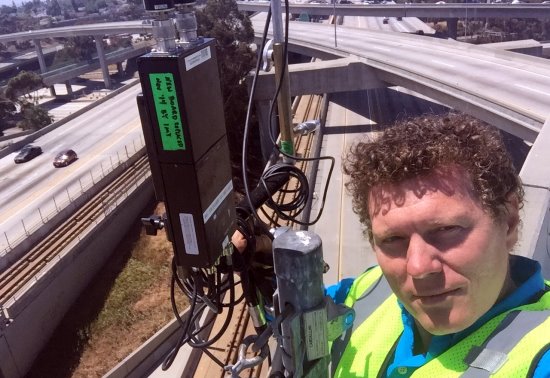
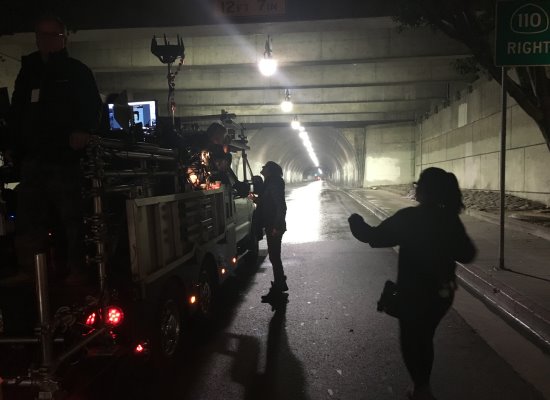
The first scene up was the big movie opener, which required shutting down the freeway Express Lanes connecting the 110 to the 105. At midnight on a Friday, the freeway was shut down so Gino Hart and the transpo team could fill the road with cars to create our very own LA traffic jam. Our call was four a.m. to set up speakers and prep with the rest of the crew for a Saturday-morning rehearsal. There were one hundred and twenty cars, at least sixty dancers and one day of rehearsal for production to find and fix any issues over the next week. The following weekend, the roads were closed again, refilled with cars, this time to shoot.

This was all to be playback, and this normally simple task had become a big challenge on an overpass. The active set was a quarter-mile long, with nearly everything in frame and a ton of dancers at all times. With nothing for the sound to bounce off of and a center divide down the middle of the lanes, we were teamed up with the entire Electrical Department to help get the music to the dancers and bring this dream to life. Every other car had a speaker set behind the bumper on each side of the freeway. To keep on-screen actors in sync with the camera moves, Craig Dollinger pushed a cart with two speakers, a wireless receiver and a generator alongside the camera. We had a blast playing safely on the freeway. The opening shot appears as one long take, but it was actually three different shots masterfully blended together to achieve the look of one continuous one.

We had lots of fun working live recorded lines into playback scenes. In order to capture the essence of a live musical, we made sure to record all of the spoken lines and actor nuances whenever possible. We achieved this in several ways. Sometimes it was just dipping the playback down and catching the sighs or scripted lines with a boom and then popping the playback back up, and other times we’d do a full live vocal record with the music being heard through earwigs. It was all part of a choreographed dance.

Recording the instruments was the easiest part. In my experience, wireless microphones never sound quite right on musical instruments, so we ran hard-lines to every possible instrument. We also knew that at any moment, we could be asked to switch to live record, and we didn’t want to hold everyone up to accomplish this. Damien definitely has a very specific vision in mind, and truly believes that the crew he has can accomplish whatever he needs. We were constantly inspired to live up to that and needed to be ready at all times. Knowing what Damien wanted the scenes to feel like made it much easier for us. My team and I quickly figured out a shorthand for communicating the room acoustics for post by placing wireless mics around the set to create reference points that could later be used to apply convolution reverb. In communication with Marius De Vries, Executive Music Producer, I was able to ensure that we all had what we needed from the production side to help achieve the feeling that Damien was looking for.

Ryan Gosling spent months learning to play the piano for his role, so you could actually see him playing in each scene. In the piano scenes, we would hard-line two mics in stereo to match keys in post. Ryan is a fantastic piano player, however, they wanted to use the recorded studio tracks in the film. Every scene of him playing was shot as one long take, so any variation in his performance would potentially limit them in post. Having the live recorded piano in stereo, allowed them to shift the track as needed to match his playing on screen using the studio track.

One of my favorite scenes to record was the duet of “City of Stars” by Ryan and Emma in his apartment. They both sang this live, and in order to get the vocals clean, the piano was muted, and they sang to a playback track fed to them by earwigs. The same playback was also fed into the Comteks and the video assist feed so James Brown, Video Assist, could play back takes with the proper mix of piano and vocals.

Emma’s audition song was also sung live, in one long shot and had no prerecording at all. She was accompanied live by Justin Hurwitz, the Composer, on a digital piano played in the next room with the audio fed to her through an earwig. This allowed Emma to set the pace of her song instead of following a prerecorded track. Justin’s piano was also recorded in stereo on its own iso tracks to be used as reference later.

This film was an incredible challenge and immensely satisfying to make. Even though this was my fourth movie that incorporated music, it was the first true musical filled with live singing, dancing and musical instruments. The long sweeping shots throughout that creates so much of the movie’s magic, required a lot more preparation from our team than a usual show. We were almost always the first ones in and the last ones out. We had a large amount of equipment out and being used, as there was a lot of music that needed to be played back invisibly to actors and dancers, whether it was through earwigs or hidden speakers. I live for the challenges that production mixing provides and I am thrilled to have been a part of the making of this movie. For all of us on the sound team, it was an honor to be a part of a project filled with people pushing to create something unique in a way that hadn’t been done before.

The History of Sound in Motion Pictures

The History of Sound in Motion Pictures

Hulfish

The Hulfish material is from David S. Hulfish’s 1909 book, The Motion Picture: Its Making and Its Theater.

It’s an early 20th-century reference to the ongoing development and attempts to create a viable cinema with sound. It also highlights the focus at that moment on synchronization in a primitive mechanical form, ultimately recommending “playback” during filming as the best solution for the time. The bigger technical obstacle still to be solved is amplification, and some very interesting aspects of that technical journey are to come in future additions to this column.

Sound Apps

Sound Apps

by Matt Price

With the proliferation of iPhones, iPads and Android devices, there are many new and powerful apps that help us each day. In this edition, we feature a free app designed by Matt Price in Great Britain, called Soundrolling.

Matt explains, “Soundrolling app is basically a natural progression of my blogs and other ventures over the past five years. Gear was coming down in price and more people were buying equipment and getting started, so I felt as a community, we need to better communicate the values and unwritten rules.

I decided to make the app free because to me, the real value is the community; with more people, there are more ideas that have a multiplier effect of helping the people and attracting a wider audience. There are some great ideas coming out of Soundrolling I will eventually incorporate other departments such as editorial and post production sound to essentially be a central source that is as fluid as the community it serves.

“I’ve spent around £2,000-f3,000 on the app with failed attempts and even trying to unsuccessfully outsource it a few times, so I decided just to do it all myself and found an interface that works really well along with £60 a month going to support from others to help implement some features and keep the app with as little bugs as possible. I will be spending about £800 a year in outsourcing some tasks and £97 goes to Apple every year for being a developer.”
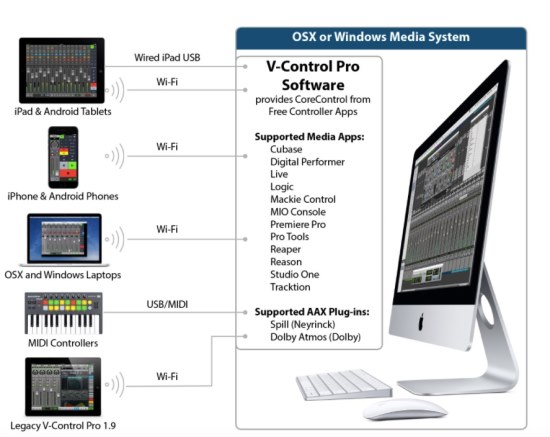
Despite his own expenses, Matt is determined to keep the app free.

“I have had over two thousand downloads and plenty of suggestions for more features. I’m really looking forward to how it develops, and I’m currently getting between 1,000-2,000 page views a day.

The more people get involved, the better it will become and I am more than happy to fit pieces of this giant puzzle together.”
HERE ARE ITS FEATURES:

1 – CAMERA CHEAT SHEET

This is where you can view the timecode inputs and audio inputs for major digital production cameras (Arri, Blackmagic, RED, Sony, Canon …)

2 – YOU TUBE VIDEOS

From tutorials on how to recover formatted cards to comparing £1.20 lavalier to a £270 lavalier. I’ve been on You- Tube for more than five years doing tutorials and sharing what I do.

3 – SOUND CHATS

I have more than forty interviews with Dialog Editors, Sound Mixers, Re-recording Mixers, Foley Artists and Boom Operators on some of the world’s biggest blockbusters and Oscar-winning films. These are also available as podcasts and videos.

4 – FINDING LOCAL AUDIO VENDORS AROUND THE WORLD

Finding audio vendors local to where you are at the moment is going to vastly cut down your research time and get you on with the job at hand.

5 – BOOM POLE CHEAT SHEET

This compares more than 125 boom poles in min height/max height/weight/material/locking mechanism and units are in imperial and metric measurements. There is a view to sort them all by weight as well.

6 – FREQ FINDER

Find legal frequencies for countries around the world as sourced by mixers who live or work there, with links to government websites for extra reading. Meaning you can travel around the world and recommend the best ones to build up a better picture. You can also submit scans using your phone camera.

7 – BLOG (BETA)

Over the past five years, I’ve added more than three hundred- plus blog posts to soundrolling.com and I’m in the process of making it easy to find them through this app.

8 – SOUND MANUALS/TIMECODE MANUALS

PDF versions of some popular products along with a firmware checklist with links to manuals and firmware notes. Timecode manuals link directly to manuals and firmware pages also.

9 – FOLEY CHEAT SHEET

I’ve added more than two hundred items and ideas for Foley you can do to make awesome sound effects. I’m building more and more Foley-related material out of my previous articles.

10 – SOUND EVENTS ONLINE AND AROUND THE WORLD

This is a list of sound Meet-ups and industry events for sound people so you can connect with other mixers around the world and in your local area. It’s really simple to submit new listings.

11 – POST PRODUCTION HELP AND FAQS

Here are useful docs for importing and exporting AAF/OMF’s and more, to help explain post to others. The idea is to better integrate editorial and other members of the team with the Sound Department and vice versa to solve those pesky communication errors that can occur with different deliverables.

12 – SOUND TRIVIA/ JOKES

This is a collection of articles I’ve collected from around the web, of trivia for the sound world. Just a bit of fun and light reading, along with some on-set banter.

13 – POCKET SOUND DICTIONARY

Two hundred-plus sound terms explained right on your phone.

14 – WIRING DIAGRAM ARCHIVE

This is a collection for all those who DIY and make their own cables or you want to make sure you are wiring them correctly. This is also useful for different connections to different cameras like the RED.

15 – FACEBOOK GROUP

There is a Facebook group setup for those with the app to easily make suggestions and connect with each other and build a community. I’m also trying to incentivize feedback with polls and prizes.

16 – BUY/SELL FREE

List your used gear and get in front of more than two thousand sound professionals for free. In 2017, listings will be no commission and just £1 to submit. All organized into categories.

Matt is very happy to have all feedback emailed to him at matt@soundrolling. com. Check it out. It’s a free app, so you can’t lose.

Passengers: Video Playback

When I started my career in playback, the job consisted of playing back pre-rendered video content into TV and computer monitors. Fast-forward sixteen years and our culture has become saturated with display technology. With the majority of people walking around carrying at least one, and often a few screens, on their various personal devices at all times, it’s becoming commonplace to take for granted that images and video should just magically appear on demand. So often the question we’re greeted with on set becomes “We have this new mobile device, can you make it work before it plays tomorrow?” While the playback job has always required creativity and flexibility, the pace of modern technology has pushed things to a new level where, to remain viable in this age of rapid growth, we must blend the roles of traditional playback operator with a hefty dose of software engineering.

Having grown up enamored with technology and gaming, I have a natural tendency to want to figure out how things work. This has been a real blessing in my professional life as I’m driven to want to experiment with and develop for new devices as they appear on my radar. Up until recently, we’ve been making do with pre-made mobile apps and a basic video looping program I developed a few years ago. Now that devices and technology have both evolved to a point where people are able to enjoy advanced video gaming on their phones, it’s become apparent to me that leveraging video game engine software will allow me to become more agile and able to work with new devices as they hit the market. Building content across platforms (iOS, Android, Mac, Windows, etc.) has been a major challenge when working with the current tools used in computer playback. Adobe’s flash program works on some mobile devices but is limited and cannot take full advantage of the device’s hardware and their Director program (which hasn’t been updated in years) can only function on Mac or PC and has very limited support from Adobe.

To excel in the fickle gaming community, game engine developers know that they must harness every bit of a device’s hardware capabilities in order to give the player the best graphics experience possible. To maximize profits, they also need their games to function in a cross-platform environment. Knowing that the graphics I need to build for playback work essentially the same way as a game, it made sense to me to move my development work into a game engine and the one I ultimately chose was Unity 3D. It allows me to be able  to display interactive graphics that can be deployed cross-platform and controlled either remotely or by the player/actor in the scene. While I’ve gotten a few funny looks on set for triggering playback with what looks like an Xbox gaming controller, at the end of the day, the only difference between gaming and this kind of playback is that my software does not keep score … at least not yet!

When Rick Whitfield at Warner Bros. Production Sound and Video Services approached me to do the Sony Pictures movie Passengers, we both felt that it would be the right fit for what I had begun to develop in Unity. The sheer number of embedded mobile devices that required special interactivity with touch as well as remote triggering necessitated a toolset that would allow us the speed and flexibility to manage and customize the graphic content quickly. Early in preproduction, Chris Kieffer and his playback graphics team at Warner Bros., worked with me on developing a workflow for creating modular graphic elements that could be colorized and animated in real time on the device as well as giving us a library of content from which we could generate new screens as needed. Along with this, we were able to work closely with Guy Dyas and his Art Department on conceptualizing how the ship’s computer would function, which allowed us to marry the graphics to the functions in a way that made sense. This integration with the Art Department’s vision was further enabled by their providing static design elements to us so that we could create a cohesive overall aesthetic.

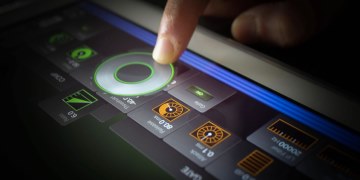
As part of the futuristic set, there were tablets embedded in the walls throughout the corridors. Everything from door panels to elevator buttons and each room’s environmental controls were displayed on touchscreens. Due to the way the set was constructed, many of these tablets were inaccessible once mounted in place. This meant that once the content was loaded, we had to have a way to make modifications through the device itself in case changes were needed. The beauty of using a game engine is that it renders graphics in real time. Whenever color, text, sizing, positioning or speed needed to be changed, it could be done live and interactively without causing the kind of delays in the shooting schedule that would have resulted if we’d had to rip devices out of the walls. This flexibility was so attractive to both the production designer and director that tablets began popping up everywhere!

Screen shot of Unity development software of a hibernation bay pod screen

When we got to the cafeteria set, we were presented with the challenge of having a tablet floating on glass in front of a Sony 4K TV that needed to be triggered remotely as well as respond to the actor’s touch. As the storyline goes, Chris Pratt’s character becomes frustrated while dealing with an interactive fooddispensing machine and starts to pound buttons on the tablet. We needed that to be reflected in the corresponding graphics on the larger screen as they were part of the same machine. Traditionally, this would involve remotely puppeteering the second screen to match choreographed button presses. With the pace at which he was pressing buttons, it made more sense to leverage the networking capabilities of Unity’s engine to allow the tablet to control what’s seen on the TV. This eliminated the need for any choreography and allowed for Chris to be much more immersed in his character’s predicament as well as eliminated any takes having to be interrupted by out-of-sync actions.

From a playback standpoint, one of our most challenging sets was the hibernation bay. With the twelve pods containing four tablets per pod plus backups, there were more than fifty tablets that needed to be able to display vital signs for the characters within the pods. Since extras were constantly shifting between pods, we had to have a way to quickly select the corresponding name and information for that passenger. This was accomplished through building a database of cleared names that could be accessed via a drop-down list on each tablet. Doing it this way, Rick and I could reconfigure the entire room in just a few minutes. Because the hero pod that houses Jennifer Lawrence’s character was constructed in such a way that we could not run power cables to the tablets, we had to run the devices solely on battery power. This required me to build into the software a way to display, without interrupting the running program, the battery’s charge level as well as Bluetooth connectivity status so that we could choose the best time to swap out devices so as not to slow down production.

One of the bonuses to working in most 3D game engine environments is having the tools to write custom shaders to colorize or distort the final render output. This gives the ability to interactively change color temperature to match the shot’s lighting as well as adding glitch distortion effects in real time without needing to pre-render or even interrupt the running animation. Many of our larger sets like the bridge, reactor room and steward’s desk needed to have all the devices and computer displays triggered in sync. Some scenes called for the room to power down, then boot back up, as well as switch to a damaged glitch mode based on the actions within the scene. Although I had been developing a network playback prototype, due to the production’s time constraints, we ultimately ended up having to trigger the computer displays and mobile devices on separate network groups.

Though I’ve since worked out the kinks in crossplatform network control, this served as a reminder that when working with new and untested technology, things can and will fail you. Especially when you’re using development tools that weren’t designed to function as an on-set playback tool. However, the growth of technology is only getting faster. Soon, we will be seeing curved phone displays, flexible/bendable and transparent screens, as well as all manner of wearable devices. And that’s only in the next few years. What happens beyond then is anyone’s guess.

All that said, you can have all the technology in the world but without a great team, it doesn’t matter. Having Rick Whitfield as a supervisor with his wealth of experience and decades of knowledge was invaluable. His years of having to think way outside the box to accomplish advanced computer graphic effects in an age in which actual computers couldn’t create the necessary look allowed him to break down any issues into their simplest, solvable forms. The talented graphics team at Warner Bros., Chris Kieffer, Coplin LeBleu and Sal Palacios, pulled out all the stops when it came to creating beautiful content for the film. The sheer amount of content they produced and the willingness with which they built elements in such a way that made real-time graphics possible borders on being a heroic feat. I consider myself extremely fortunate to have been a part of their team on Passengers.

As much as I am thrilled to be standing on the bleeding edge of technology in getting to merge what I do in playback with new advances like gaming engines, I’m even more excited to think of the day when this will all be old hat and we’ll be on to something newer and even more exciting.

Live-Record for ROADiES

Live-Record for ROADiES

by Gary Raymond

When Jeff called me for Roadies, I was very excited to be working with him, Don and Cameron again. This would be my fourth project with Cameron Crowe. Several of the other department heads were also veterans of Cameron’s films; such as Production Designer Clay Griffith, who I had worked with on Almost Famous, Vanilla Sky and Elizabethtown.

Live Record for Roadies At our first pre-production meeting, Bill Lanham was introduced as the technical consultant. I had planned on providing a simplified stage monitor mix which I had used for similar situations, but Bill wanted to use the bands full rider contracts verbatim. We upped the technical gear to handle thirty-two inputs and a dozen stage mixes with house and side fills in addition to my eight-track sub mixes for Post. Depending on the bands riders, we provided several stage monitors as well as In Ear Monitor mixes, side fill and house stereo mixes as needed. All inputs were split before the mixers and I created two eight-track sub mixes for Post. These were recorded on two Pro Tools rigs, one for backup.

During the pre-production phase, I contacted the Post Editor, Jenny Barak, to determine what they wanted. Although the live records on the pilot episode had been done as full multitrack recordings, Post used an eight-track sub mix to capture the essence of the performances and greatly speed up the mix-down process, and this is what they wanted me to deliver. With the time constraints of television being what they are, they felt they could trust me to give them the elements in a partially mixed format.

This was fun as I have more than twenty years of experience mixing more than four hundred top livetouring bands, starting back in the ’70s with War and Earth, Wind & Fire. My concept with the sub drum mixes was to get a fat sound with plenty of low-end, presence on the snare and air on the cymbal. Essentially, to target different frequency bands with each instrument so the Re-recording Mixer could still manipulate the separate instruments by frequency ranges. I also panned everything to different degrees, which facilitated the separation. At the recent Mix magazine MPSE CAS event at Sony, I had Re-recording Mixers come up to me after our Music Playback Panel to tell me that is often what they will do with summed tracks, which was very cool to find out.

Gary Raymond back in the day on Rock Star I did the drums as a stereo sub mix and all the vocals and solo instruments as iso tracks dry. Some of the bands had very large track counts, so in some cases, I provided guitar and keyboard sub mixes as well. We also had multitrack iso’s on everything, so Post was able to mix efficiently and still have complete control over levels and effects on vocals and key instruments. The entire recording we did was the onstage concert performances. As Jeff and Donovan explained, we decided to have all the offstage “acoustic” performances recorded by them with conventional boom microphone techniques. The only crossover was that we had Don Coufal with his boom to record the room sound during the stage performances so Post had some to play with. For dailies, we fed production the stereo mix that also went to the house speakers.

I had about sixty hours of prep time before we started shooting as there were many aesthetic decisions regarding the look of the equipment. I had provided all the dress and practical concert sound equipment for Almost Famous as I have a lot of Pro Sound gear from my concert-touring days. It was decided that the look would be contemporary, so that dictated flown arrays with digital boards. However, the Art Department took liberties based on aesthetics.

The current digital boards seemed too simple in their looks; instead, production purchased a Yamaha analog mixer, circa 1990s, as it had about a thousand colorful knobs. As far as dress verses practical, there were several decisions regarding the EQ, racks, wedge monitors, side and drum fills.

We did full live recordings of all the bands with their complete rider requirements. The difference in manpower and time is half-day with one music Playback Operator for straight music playback versus a three-person crew and two days of prep and recording for each band with live records. Clearly, efficiencies were improved when we used the same stage for all the band recordings and it was redressed to represent the different concert tour venues. We did do two episodes “on the road,” Halsey at the Honda Center and Phantogram at the Roosevelt Hotel.

There were very few turnarounds as the shots looking at the audience were actually done at the real venues, the LA Forum and Staples Center, and all the stage views were done on Stage 25 at Manhattan Beach Studios, with the exception of Halsey and Phantogram. The Honda Center and Roosevelt Hotel episodes were smartly scheduled after the first few episodes, so by then, we had our system down.

The live recordings resulted in absolutely real and authentic performances with excellent sound quality by all the bands. Timing and other potential problems were avoided because all the dialog was before or at the end of each performance. In addition, dealing with seasoned bands that had been doing the same songs for months or years is a lot different than “cast” bands that are put together for a scene and may not have worked together before the shoot date.

I’m very proud of the fact that the concert performances we recorded; every episode, every scene, every band, every song, every take and every track, we had good recordings. Production never had to reshoot because of our recording team. This included dealing with a citywide power outage at one point, and in some cases, the musically excellent “younger” bands showing up to set with several pieces of gear not working or missing.

We had a great team effort and I want to thank Jeff Wexler CAS and Donovan Dear CAS and their crews plus our team of Bill Lanham, Steve McNeil and James Eric, who worked with me on Almost Famous and Steve Blazewick for their great teamwork and excellent efforts. I also want to thank Prop Master Matt Cavaliero and Head Set Decorator Lisa Sessions for their huge help sharing information during the initial decision-making process and of course, a thank-you beyond words to Cameron Crowe for creating this fictional based on a reality world, that so many of us were able to share creatively with him, the entire production and the audience who watched the show.

ROADiES: A Sound Experience

by Jeff Wexler CAS and Donavan Dear CAS

Jeff Wexler: When the call came in for Roadies, I knew I had to do it. I was not available to work on the pilot, which they shot in Vancouver, Canada, as I was on a feature. Showtime gave it the green light for a full season and though I was pretty much semi-retired, I really wanted to do the show. Don Coufal and I have done six movies with Cameron Crowe and Roadies would be Cameron’s and my first television episodic. I was a little worried since I had not done any episodic television and heard all the horror stories. But there was no need to worry, Cameron had not developed any of those awful habits, and shooting the first two episodes with Cameron directing was wonderful— just like working on any of the movies with him. It was a bit of an adjustment for me to be doing nine pages a day instead of the one and a half I was used to.

Each episode was to have one or more music scenes and in preproduction, we had lots of discussions about how to do these things—shoot to prerecorded playback tracks, shoot to playback but live vocals or do it all live. Many of the scenes took the form of impromptu songs performed in dressing rooms, hotel rooms, rehearsals, music and dialog, starting and stopping; the sorts of scenes that are best done live. The final decision was to do all the music live record.

I have done lots of music in movies, playback, live recording, concert recordings with remote truck and so forth, and I already knew that the Production Sound Mixer needs to have help doing all of this, whether it is as simple as hiring a Playback Operator or as complex as interfacing with a remote truck for a full on concert recording. I requested that Production hire Gary Raymond and an assistant for any of the live record. We added Bill Lanham to Gary’s crew, a veteran concert engineer who proved to be a vital part of the music crew. Gary was set up to record directly into Pro Tools with all sources in use for the scene. Some of the performances were fairly simple, one person, solo guitar, but others were quite a bit more complex, full on concert setups. I was so pleased to be able to record Lindsey Buckingham singing “Bleed to Love Her,” just Lindsey and his amazing guitar playing, recorded with just one Schoeps overhead. Like so many of the things we have done together, all the “mixing” of this beautiful sound was done by Don Coufal with his fishpole.

It was always the plan that I would do the first two episodes that Cameron was directing— I was really not up to doing the full season so I asked Donavan Dear to come in and replace me. Donavan was so pleased to come onto what turned out to be one of the best TV experiences ever. Don Coufal stayed on the job which helped immensely in terms of preserving continuity on the show, and Donavan was pleased of course, for the chance to work with Don. After the first two episodes, new directors were brought in as is usually the case with episodic, but Cameron was there most days and directed the last episode.

I’m just so pleased that I got to do the two episodes, and be able to work with Cameron Crowe again.

Donavan Dear: When Jeff Wexler asked me to take over for him on Roadies, I said I’d love to do it. A few weeks later, Jeff introduced me to Cameron Crowe. Cameron took a lot of time talking and getting to know me. I’ve done many television shows and never seen a director actually take more than a minute to meet the new Sound Mixer. We talked about our love of music and how it could be used to mold the performance of the actors. This was the first clue Roadies was going to be different. Taking over for Jeff Wexler was very flattering and getting to use Don Coufal on the boom was also something I was really looking forward to.

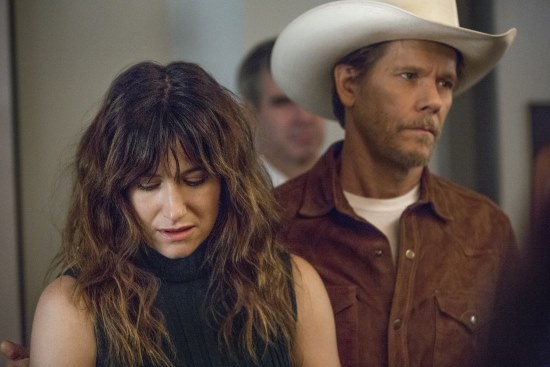
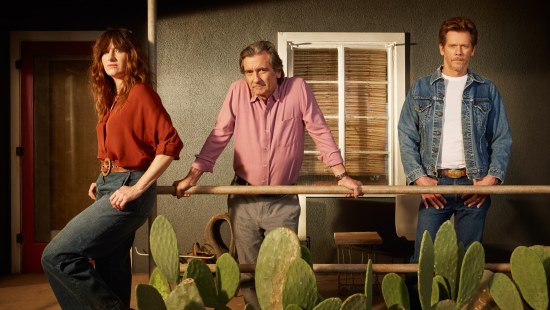
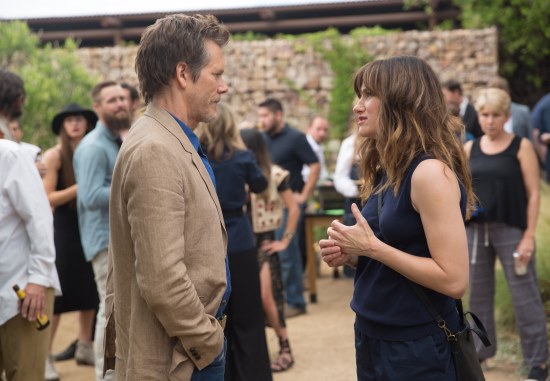
Roadies Was Different
Roadies was different; from the start, it was essentially a very long feature about music and the people who made it happen. Cameron had decided that he wanted live music performances, which not only meant the performers would perform live, but the sound system would be real from the arena speakers to the concert desk, monitors and amps. Jeff Wexler smartly decided the PA system should be managed and set up by concert-sound experts, so he hired Gary (Raymond) and Bill (Lanham), who set up the entire PA systems a day or two before each performance. I would simply take a stereo left/rght mix directly out their console; the loudness of the speakers was always set to not interfere with the multitrack recording.

One of the other interesting facets of Roadies was the live recordings that weren’t stage performances. There were usually a couple in each show, the artist would start “noodling” on a guitar throughout the scene with one of the roadies, or they would just be singing a song trying to tell a story. This was a lot of fun. We recorded Halsey with one of the roadies, Machine Gun Kelly (aka Colson Baker) playing and singing with two electric guitars beneath the stage. What was most challenging was to get a consistent mix with multiple cameras and different angles in such a poor acoustic environment. This is where Don’s listening was so important. It’s simple to play back a prerecorded track and have the actors lip-sync, or even to live record the first take of a performance, then play back that recording to keep things consistent in future takes. We recorded every shot and every angle live. When the cameras would turn around and change the position of the actors and amplifiers, it changed the properties of the sound. The actors usually could not sing and play the music the same way from take to take. This is why it’s so important for the Boom Operator to listen. There is no formula for positioning a microphone and capturing the same musical tonality, there is only your memory of how the last setup sounded and how to place a microphone for the best sound and consistency. Don Coufal and the editors did an outstanding job in preserving great live performances. More often than not, our biggest problem was the balance between the louder acoustic guitars and soft singing voices—often nudged by Don to give us a little more voice.

Boom Philosophy
There are two kinds of Boom Operators: ‘hard cuers’ and ‘floaters.’ Don Coufal and I are on opposite sides of these philosophies, but I had so much respect and trust of Don that I let him do what he does best. My regular boom operators are always aggressive and cue very hard while getting the mic as close to the frame line as possible, while Don concentrates on listening very diligently to the background ambience and cueing to the voice, creating a smooth, consistent background. Don Coufal is probably the only boom operator I know whom I would trust to use his method.

Don and I had some great conversations about microphones and technique, but when we talked about microphones, acoustics or the tone of a particular actor’s voice, I could see the excitement in his eyes. I knew he was someone I could trust completely. A sound man needs to be excited about equipment, about learning and about ways to approach an actor with a sound problem in a way that will make the actor feel comfortable to accommodate that request.

Don made a believer out of me. Boom Operators have to learn every line in the script and point the mic at the actor’s sweet spot no matter what technique they use. There is a movie/TV difference; in general, a sound crew on a feature has more opportunities to quiet the set whereas a TV crew often doesn’t have time to put out all the ‘noise fires.’

When it comes down to it, the floating style cuts nicely with a bit more background noise, where a hard-cue technique has more proximity effect and less background noise but with a more inconsistent background ambience. All in all, the most important things about boom technique are listening and experience. Don Coufal excels in both of those.

Cameron Crowe: Roadies was very special because of Cameron Crowe, and music is very special to him. There were times during a take that an AD would run over to me and say Cameron wants you to play one of these four songs between the lines or in that moment, at the end of the shot. We always had a playback speaker ready, several music apps and 150,000 of my own songs ready to go at all times. Cameron has his own playback/computer desk that Jeff built for him so he could play music and set the tone for an actor’s performance or set a mood for the crew before a scene. Cameron uniquely communicated with music, he wasn’t a very technical director but he did have an amazing way of tuning and changing a performance with his choice of music. The goal of Roadies was to move people with great music and sound. I was so happy to be a part of such a special show.

Sound Apps

by Richard Lightstone CAS AMPS

An Interview with James LaFarge, the developer of LectroRM, FreqFinder and Timecard Buddy.

ABOUT ME AND APP WRITING
WHAT’S YOUR BACKGROUND?

Primarily, I’m a Sound Utility that has been in the film industry for a little more than ten years. I joined NY IA Local 52 in 2008 and just recently joined Pittsburgh IA Local 489. Programming has always been a hobby of mine, but I didn’t really have experience with anything truly commercial until LectroRM.

WHAT MADE YOU START WRITING LECTRO RM?

At the time, it was just a fun experiment. One of the most interesting things to do for me is to decypher protocols. At the time, I was day playing on a movie, Nature Calls, and I asked my sound mixer to borrow his RM device just to see if I could figure it out. Once I saw what the protocol was, I figured it would be useful to have it on my Android phone. Then, I figured it would be useful to have on everyone’s phone. I was already familiar with Java, which is what Android developers use. I learned Apple’s Objective-C just to develop LectroRM for iPhone.

DID YOU HAVE ANY HELP? LIKE OUTSOURCING OR ANYTHING?

I had help with the graphics, but that was by a friend. The rest was all self-taught programming skill. Probably why there’ve been so many bugs over the years.

WHEN YOU HAVE AN IDEA, DO YOU REALLY HAVE TO LEARN TO PROGRAM TO MAKE AN  APP?

The path I took, yes. But Apple and Google make billions of dollars on apps that other people create. Really, what I can attribute my ability to put out a sellable product to is that Apple and Google work very hard to make the tools and information available for people willing to put in the work. Apple developed a relatively new programming language that it very much wants programmers to use; it has a lot of great resources on how to program in it.

YOU SAID SOMETHING ABOUT ‘WORK.’ ARE YOU SURE?

Yes, and ideas can be deceptively simple. LectroRM is probably as simple as it gets. It doesn’t require any sort of web service or online support (most ideas do). The UI is relatively simple. Even updating the remote controls for a new product is relatively simple (although reconfiguring the UI can be tricky).

But every year, Apple releases a new version of iOS. Often, it causes an incompatibility with the previous versions, and maintaining backward compatibility means branching the code in multiple paths. And it is only harder with more complicated apps. This year, for example, Apple changed a large portion of its new Swift programming language. LectroRM and Freq- Finder aren’t written in it, but my new app, Timecard Buddy, will have to be reprogrammed in large part to accommodate the changes. Long story short, ideas do not have value without the time and effort spent making it a reality.

THAT SOUNDS ROUGH! IS IT WORTH IT?

For me and the comparatively simple apps I make, I believe I earn a reasonable sum. I try to set prices to reflect the work, skill and value. The market is small but substantial, and there is still a constant stream of new users. It is enough that I feel free to take time off from work to program, particularly in the winter months. More important than money though: I have experienced no greater feeling of fulfillment in my life than releasing something I have created to be used by the greater community.

SO YOU SPLIT YOUR TIME BETWEEN FILM WORK AND PROGRAMMING. DOES THAT MEAN YOU’RE REALLY NOT GOOD AT EITHER?

Ha ha, I don’t know. Splitting my time that way has the fantastic effect of providing a certain balance to my life. Film work can cause a person to disappear from the rest of the world for lengths of time, but I don’t want to stare at a computer screen my whole life either.

That said, I wasn’t formally trained in either field. I matriculated from a music program at NYU: one that focused on recording engineering but did not translate into the majority of skills I use on set. I have great appreciation for the everyday struggle of continually learning and improving.

WHERE CAN WE FIND YOUR APPS AND HOW MUCH DO THEY COST?

LectroRM, FreqFinder and Timecard Buddy are all available on the Apple App and Google Play stores. LectroRM and FreqFinder sell for $20 and $30, respectively. FreqFinder’s TVDB add-on sells for $15. Timecard Buddy is free but will have a paid ad-free version in the near future.

ABOUT LECTRO RM
SO HOW DOES IT WORK?

The transmitter recognizes two audible frequencies as a 1 and a 0, respectively. When the remote is activated, you can hear the tone shift between those two frequencies as the data is communicated. The actual data is only two bytes, but there is some padding and error checking that helps the transmitter know that the data is what you want it to be.

HOW DID YOU FIGURE OUT THE DATA BEING SENT?

Well, I’m a nerd of sorts, so allow me to explain it in nerd terms. Some of you might remember a thing called Game Genie for popular 8-bit and 16-bit game systems like NES and Super NES. What it did was change pieces of memory in a game to make the player jump really high or have more lives. When Codemasters developed it, they had to look at a picture of the memory in the game and see how the memory changes while playing. From there, it’s pretty easy to see when four lives turn into three.

Looking at the RM remote control sound was like looking at the picture of memory. I could play the control sounds for two different settings and see what parts of the control sound changed. There are other parts to the equation, but most of them, like start and stop bits, still can be figured out just by comparing the control sounds to each other. The hardest part of reverse engineering a protocol is usually figuring out the checksum as it usually takes a lot of guesswork. The remote control tones use a somewhat obscure checksum algorithm that took a while to find.

SO YOU HACKED THEIR TRANSMITTER REMOTE CONTROL. DOES THAT MEAN YOU CAN MAKE IT DO COOL NEW THINGS?

Sadly, no. A few people early on, asked me if I could add features like low-cut filter control or incremental gain changes. But the remote just sends a signal. Lectrosonics has to build the interpretation of that signal into the transmitter, which is why not every transmitter supports every tone.

ALL OF THIS IS VERY BORING. WAS THERE SOME SORT OF POLITICAL SCANDAL WITH LECTROSONICS?

Scandal, no. But I still found it exciting. Lectrosonics has been stellar with me, and I’m sure they would be with anyone else who wanted to create a competing product. Understandably at first, Lectrosonics was cautious about being associated with a product they did not control. But it’s clear they appreciate that LectroRM makes their transmitters more flexible and useful. They do contact me when they want to see new functionality built in, and I am more than happy to oblige. And the remote functionality is a selling point for their transmitters, so they do use LectroRM when promoting it.

LECTROSONICS JUST RELEASED THEIR PDR DEVICE. DOES IT HAVE LECTRO RM SUPPORT?

Yes and no. Instead of adding the PDR controls to LectroRM, I created a standalone app called PDRRemote. It is a near clone of LectroRM, except that it only works with the PDR device, and it’s free.

ABOUT FREQ FINDER
WHAT IS FREQ FINDER?

FreqFinder is a calculator that is designed to make transmitter channel selection with respect to intermodulation more user-friendly. When many transmitters are used in the same area in the same frequency range, the combination of their transmissions can cause interference in ways that are not easily determined by the radio operator. FreqFinder makes accounting for that interference more manageable.

HOW DO YOU KNOW ABOUT THE INTERMODULATION EFFECT?

Shared wisdom at first, experience after that and then studying when I went to write FreqFinder. When it comes to the algorithm itself, there is a common equation and set of practices employed by other software for this purpose. I’ve used Intermodulation Analysis System (IAS) fairly extensively in my work, but always for installs. I figured I could use a mobile version of the algorithm in my location jobs.

FREQ FINDER LOOKS AND WORKS VERY DIFFERENT FROM IAS THOUGH…

One of the most important parts of app writing is developing the right user interface. IAS is designed to provide a large number of compatible channels upon order. Their default calculation allows for large channel counts. While a scan can be imported, the frequencies provided do not account for the scan. For installs, large channel counts are needed, the radio atmosphere doesn’t change, and there is time to finetune and test the resulting channel lists. FreqFinder is meant to be on-the-go. Fewer channels are needed, and generating channels quickly are sacrificed for more deliberate channel selection.

YOU SAY THAT USER INTERFACE IS IMPORTANT BUT I CAN’T FIND A MANUAL ANYWHERE…

I’m often asked why I don’t have a manual and my usual answer is because by design, the user interface should be self-explanatory, and if it is not, I should redesign it. Then I offer to explain any part that doesn’t seem intuitive, and that helps me know what needs to be redesigned. I also encourage users to explore. Virtually, all functions have immediately understandable and reversible effects so you won’t break the app just by pressing buttons.

WHAT WOULD YOU SAY YOU THINK ABOUT WHEN DESIGNING A USER INTERFACE?

I usually think about user interface on two levels. The first level directs people where to go. Take the iPhone version of FreqFinder for example. A fresh install has an opening screen with three buttons. The left slide menu button and title bar button navigate away from that screen but very quickly navigate back to the home screen. The ‘+’ provides the immediate feedback of adding a new button to the screen with transmitter information and an arrow on the right, indicating progression. Pressing that button moves the configuration process forward and tells the user that his goal is to configure his transmitters.

The second level of user interface requires exploration. Nonessential functions are kept behind deeper menu trees and less intuitive user controls. The title button allows multiple profiles to be made. Long pressing on a transmitter in the list will bring the user directly to the Compatible Channels list, instead of the intermediary page. These functions are not needed to use FreqFinder, but they provide welcome advanced functionality. The left slide menu provides most of the smaller configuration items, but the default settings do not need to be changed in most scenarios.

OK I’VE CONFIGURED MY TRANSMITTERS. WHAT DOES FREQ FINDER DO WITH THEM?

The meat of FreqFinder is the Compatible Channels list. Selecting channels from this list assures users that their transmitter channels are compatible with each other. To determine this list, FreqFinder works in two stages. First, it takes every combination of two or three transmitters in your profile and calculates their intermodulation products. Then, it removes from the All Channels list the channels that are close in frequency to any of the intermodulation products calculated in stage one, leaving only compatible channels. There are variations to that theme in FreqFinder, but that is the broad concept.

THAT SOUNDS LIKE A LOT OF CALCULATIONS. IS IT SLOW?

At first, yes, and I had to do some UI magic to make it seem fast. For example: previously, when a user selected a transmitter and the configuration page appeared, the Compatible Channels calculation would start for that transmitter before the user navigated to the Compatible Channels screen. Now, devices are much faster and I’ve optimized the calculation quite a bit so the Compatible Channels list is generated more on demand.

THAT’S PRETTY COOL! GOOD JOB!

Thanks! Unfortunately, optimizing the calculation does make it difficult to alter it later. The speed boost in hardware has helped with some changes I felt were necessary later on.

SO WHAT ABOUT THIS TVDB THING I KEEP HEARING ABOUT?

Honestly, I think it’s the most useful part of FreqFinder. In all the experience I have with radio, the most critical aspect to performance beyond intermodulation and nearby operators is competing TV stations. TVDB provides a calculation of the field strength based on location, and in my experience, that number generally correlates with how happy I am with radio performance on a given day.

HIGH PRAISE FOR THIS EXTRA IN FREQ FINDER.

Don’t get me wrong, one should look out for anything that can go wrong. But intermodulation and the random taxi dispatch aren’t always factors. TV stations are the first thing to show up on a scan. At least in the United States, our legal operating ranges are TV station channels. Knowing how strong they are for a given channel is paramount.

SO WHY IS TVDB ONLY AVAILABLE IN THE UNITED STATES?
The FreqFinder app downloads directly from the FCC for its TV station data. I don’t run any servers or collect data to support TVDB, and it is important to give users up-to-date and authority-provided data. I’ve looked into other government agencies for other countries. Their data either needs to be translated or is not as complete or easy to access as the FCC’s. They even provided me the code I use to calculate field strength.
ABOUT TIMECARD BUDDY
WAIT, WAIT, WAIT. ANOTHER TIMECARD APP?

Yes, but this one has a meaning. The premise is to make the transition away from paper as innocuous as possible. Also, Android hasn’t gotten much love in this respect. As such, I have centered everything around images of payroll timecards themselves. The fields are all the same, including signature pads. And the result is a PDF of the original timecard for a given payroll company complete with entered fields. From there, we add some digital trappings.

DOESN’T EVERYBODY LOVE DIGITAL TRAPPINGS?

I certainly do! Fields can be stored in templates to be used from week to week (I call it, Autofill). Multiple employees can be managed at a time. And of course, no paper!

WHAT ABOUT AUTOMATICALLY CALCULATING HOURS AND MEAL PENALTIES FOR ME?

OK, so here’s the thing. Paper timecards don’t do that. And the entire premise is to make people comfortable switching to digital. So here’s the rule: we don’t automatically enter in anything. Users must be responsible for what goes on their timecard. However, there are hints provided. And to demonstrate why it is important to require users to enter in their own fields, here is one example of a hint. The Total Hours field provides three suggestions: No Lunch, 30- Min Lunch and 60-Min Lunch. The suggestion calculates the time from Call to Wrap, but it doesn’t know how much time to take off that total for Lunch. Nuances like this are rampant per location, per contract and per job. Timecard Buddy is in its early stages, but there are plans for calculations to check your pay totals.

YOU SAY TIMECARD BUDDY IS IN ITS EARLY STAGES. WHAT ELSE CAN WE EXPECT?

I don’t want to make promises, but there are ways that Timecard Buddy still feels incomplete. More calculation is one. Also, having used it for the last job, it seems clear that more work should be done for managing multiple people. A daily times email seems like a clear winner. And a little more polish. After which, I’ll release a paid version.

WILL THERE STILL BE A FREE VERSION?

Yes. My goal is to make Timecard Buddy ubiquitous, and people have a right to be cautious when it comes to their timecard. It will be the same as the paid version but with ads.ååå

The Radio Frequency Spectrum Puzzle Part 2

The Radio Frequency Spectrum Puzzle Part 2

by Bill Ruck, San Francisco Broadcast Engineer

In order to understand what is happening with the UHF television band and how it has an impact on the use of this band for wireless microphones, one needs to take a look at several different aspects of the situation.

WIRELESS MICROPHONES

A wireless microphone is nothing more than a small radio frequency transmitter; and it has been around for a long time. The oldest example I’ve found is an “RCA RADIOMIKE” Type BTP-1A from about 1950. It weighed six pounds and had handles on both sides of the 11” high x 4 1⁄2” wide x 3 1⁄2” transmitter. Stated battery life was four hours but it took a strong person to hold that transmitter for that long a time!

Those of us of a certain age remember—and not too fondly— the Vega systems from the 1960s. These units had a much smaller transistorized transmitter but the main problem was that the transmitter was not crystal controlled. The receiver had a strong Automatic Frequency Control (AFC) circuit to track the drifting transmitter. The problem was that the AFC would also respond to a stronger frequency and it was commonplace to hear police or taxi cab transmissions in the middle of an event. And while the worked, they never sounded very good.

The next generation had crystal-controlled solid-state transmitters and used the 169 MHz–171 MHz VHF spectrum allowed under FCC Rules Part 90.265. Eight channels were specified at 50 kHz bandwidth in a band shared with hydrological systems (such as rain gauges). These worked well although the narrow bandwidth had a relatively high noise floor. The main problem was that there were only eight channels to use.

As transistor technology improved, systems in the UHF TV band started to appear. These had a higher 200 kHz bandwidth and lower noise floor. They also had relatively decent frequency response and low distortion, which was an improvement over previous systems. The first generation of UHF wireless systems was crystal controlled. If you stayed in one area, you could pick frequencies that were on unused UHF TV channels but if you moved around the US, it was always a risk that your wireless microphone systems would bump into a UHF TV station in another city.

Again, technology improved so the next generation of UHF wireless microphone systems was synthesized and could move around several UHF TV channels. Now, mixers that moved around, had a good chance of finding frequencies that could work no matter where they were located.

The combination of higher fidelity, reliable medium-range operation and robust construction completely changed the industry. Instead of plant microphones and boom microphones, now every actor could wear a wireless microphone. Instead of one or two microphones in use, more and more wireless microphone systems were necessary.

As long as there were lots of unused UHF TV channels, there was no problem finding enough radio frequencies to use for production. But, as explained in the introduction, those unused UHF TV channels have been greatly reduced and may go away entirely.

The FCC was forced to recognize the existence of thousands of wireless microphone systems during the 700 MHz planning. Their first response was “We looked at the database and only found a few hundred licensed users.” One needs to understand that from their perspective in a band that required licenses—and licenses have always been required—only licensed users count. Since very few eligible users actually held licenses, the vast majority of users were not considered.

REPORT AND ORDER FCC 15–100

Wireless microphone manufacturers, Broadway musical shows, the NFL and other major high-profile users forced the FCC to at least acknowledge the existence and need for wireless microphones. Finally, the FCC released the Report and Order (R&O) FCC 15–100 on August 2015 titled “Promoting Spectrum Access for Wireless Microphone Operations.” In the R&O, they did their best to tap dance around the problem, acknowledging the loss of UHF TV channels, with proposing only a few really usable options.

The changes in the R&O will become effective thirty days after the R&O was published in the Federal Register on November 17, 2015.

169 MHZ–172 MHZ BAND

The FCC proposes to combine a few of these channels to make four 200 KHz channels (169.475 MHz, 170.275 MHz, 171.075 MHz and 171.875 MHz). Licenses have always been required and users will continue to be licensed “pursuant to Part 90” and “applications will be subject to government coordination.”

944 MHZ–952 MHZ BAND AND ADJACENT 941 MHZ–944 MHZ AND 952 MHZ–960 MHZ BANDS

944 MHz–952 MHz is in Part 74, Subpart H and is primarily used for Studio to Transmitter Links (STL) and Inter City Relay (ICR) links stations. This band is already available to Part 73 licensees (AM, FM and TV stations) for wireless microphones. The FCC in this R&O expanded the eligibility to all current eligible Low Power Auxiliary Station (LPAS) entities such as Motion Picture Producers (MPP) and Television Program Producers (TPP).

The other two bands, 941 MHz–944 MHz and 952 MHz– 960 MHz, are primarily used for Private Operational Fixed services. The FCC will allow licensed secondary use in these bands with the provision of not causing interference to licensed Part 101 stations.

For the entire band frequency, coordination is mandated with the Society of Broadcast Engineers.

UNLICENSED OPERATIONS IN THE 902 MHZ–928 MHZ, THE 2.4 GHZ AND 5 GHZ BANDS

The FCC allows unlicensed operation of radio frequency devices under Part 15 in these bands. The problem is that nobody really knows who is using what at any place and at any time and all devices must accept interference. Since unlicensed operation is already allowed in Part 15, the FCC decided not to make any changes for wireless microphones in these bands.

1920 MHZ–1930 MHZ UNLICENSED PCS BAND

This band is designated for use by Unlicensed Personal Communications Service (UPCS) devices under Part 15. The FCC recognized that wireless microphones are presently made that use this spectrum and decided not to make any changes in this band.

1435 MHZ–1525 MHZ BAND

This band is shared by the federal government and industry for Aeronautical Mobile Telemetry (AMT) operations such as flight testing. It is also used often with Special Temporary Authorization (STA) for event videos. After much discussion, the FCC declined to establish a process for permitting wireless microphone use.

3.5 GHZ BAND

This band allows General Authorized Access (GAA) tiers of service for commercial wireless use. The FCC decided that this band had potential for wireless microphones.

6875 MHZ–7125 MHZ BAND

This band is primarily used for TV BAS stations and also has been opened up to Part 101 Private Operational Fixed stations. The FCC decided to allow Part 74 eligible users to use this band for licensed secondary use with coordination. No systems are available today in this band.

Of all of the mentioned new bands, the one already with equipment in production with useful, reliable range, is the 941 MHz–960 MHz band.

RECOMMENDATIONS

1.  Although exactly how much of the “600 MHz band” will be taken away from UHF TV and exactly how many unused UHF TV channels will remain, cannot be predicted at this time. It would not be wise to purchase new equipment in the 600 MHz–700 MHz band unless it will pay for itself in a year or two.

2. If one desires to purchase new systems in the near future, the 941 MHz–960 MHz band is likely the better choice.

3. If you use or own wireless microphone transmitters and work in film or television production, obtain a Part 74 Low Power Auxiliary Broadcast License.


Editor’s note: Due to the efforts of the AMPTP, along with IATSE Local 695 brother Tim Holly, the FCC Report and Order (FCC 02–298) of October 30, 2002, changed the language of the Codes and Regulations to allow persons to hold a Part 74 license, previously open to only producing companies.

Cantar-X3

by Richard Lightstone CAS AMPS

[NOTE: In June 2013, TRANSVIDEO’s holding Ithaki acquired AATON, the French manufacturer of cinematic equipment, now Aaton Digital. Since this time, Jacques Delacoux with his team developed the Cantar-X3, the most advanced on location sound recorder that received a Cinec Award in 2014.]

JP Beauviala, aka “Mr. Aaton,” started the design of the AatonCorder back in 2000; the first working model arrived by 2002. In 2003, the fully functional Cantar-X was released and I still remember the excitement of seeing it demonstrated at NAB that year.

The Cantar-X could record eight tracks and was far from box-like, looking like a modern sculpture, as if from the imagination of Jules Verne. What set it apart was its excellent microphone preamps, rivaling the quality of Stefan Kudelski. Even better, the Cantar was both waterproof and dustproof. Also unusual, were the six linear, magnetic faders on the top and the four screens on its hinged front panel. The inner electronics were flawless and it utilized the excellent Aaton-designed battery system, allowing it to deliver twenty hours of continuous use.

The Cantar-X2 was released in 2006 with major hardware changes, and added software features such as AutoSlate, PolyRotate and PDF Sound-Reports, as well as a Mac and PC software called the GrandArcan that could control all the parameters of the machine. The Cantarem, an eightchannel very portable miniature slide fader mixer, was also new to the market.

In 2014, Aaton introduced the X3 with major changes in design and features. The X3 is capable of recording twentyfour tracks. Featuring forty-eight analog and digital inputs; eight AES, two AES42, twenty-four via Dante, eight analog microphone inputs and four analog line inputs. As a companion, the redesigned Cantarem 2 is equipped with twelve faders.

Production Mixer Chris Giles was introduced to the Cantar-X2 by Miami base mixer Mark Weber. Chris regales, “When I was covering for Mark on Bloodline (Netflix), a scene took us from a boatyard and then into the mangroves after nightfall. Not a problem for us! Rain or shine, grab the Cantar, put it in a bag with a few receivers, something to cover it when it rains, my boom pole and we are off!”

Chris describes the versatility of his Cantar-X3, combined with the Cantarem 2 mix panel in his current configuration.

Whit Norris is a recent convert to the Cantar and his reasoning was twofold; he could interface the X3 with his Sonosax SX-ST8D and record twelve channels with the Cantar’s built-in mixer. Whit describes the other positives: “I could record on four drives at one time all within the X3. There’s the SSD drive, two SD cards and a USB slot. The redundancy is unique to our field.”

Whit gave the machine a real ‘test drive’ on Fast & Furious 8. With the help of Chris Giles, they came up with a suitable routing plot. Whit assigned the mix to track 1, a combine of the mix out of the Sonosax and the internal X3 inputs. The AES inputs on the X3 to tracks 2-9, from the Sonosax AES outputs 1-8. The mic/line inputs directly in on the X3 are assigned to tracks 10 through 17. The line inputs 1-3 are assigned to tracks 18 through 20 and line 4 from the ST8D Mix out to the mix track on the Cantar.

For the locations in Cuba, Whit wanted a smaller footprint: “I went to a very small SKB case, where the Cantar was the mixer and the recorder. I had ten tracks with the Cantar, using it as a mixer. We needed to be very portable and I could just break the Cantar off and go with it when needed.”

Michael ‘Kriky’ Krikorian recently moved to the X3 and the Cantarem 2. “As a twenty-four-track recorder, I’m not worried about running out of ISOs. I record two mix tracks on channels 1(Xl) and 2(Xr). Xl is at -20db while Xr is at -25db. My wireless mics are assigned to ISO tracks 3-14 and are also post fader to Xl and Xr mix tracks. There is a menu setting that allows you to move your Xl and Xr metering to the far right of the display screen. This aligns metering on the display to match my fader assignments and place the mix tracks separate from my ISO tracks.” Michael continues, “On the Cantarem 2, faders 1 and 2 are boom 1 and 2 respectively, while faders 3-12 are for my wireless lavs. I assign the ten linear faders and the first two line in pots on the X3 as my trims.”

The display screen is the largest of any HD recorder on the market and the brightness range can be controlled for any environment.

The main selector, reminiscent of the Nagra, controls many features of the X3. For example, the one o’clock position takes you to ‘Backup Parameters.’ This function allows you to copy files from one media to another, restore trashed takes or create polyphonic files from monophonic ones. Since its introduction, the Cantar defaults to recording monophonic wave files but it allows you to create polyphonic files to any other media.

Two o’clock is ‘Session,’ which includes the project and which media you record to, as well as the sound report setup. Three o’clock is ‘Technical,’ such as scene & take, metadata, file naming and VU meter settings. Four o’clock ‘Audio & Timecode,’ including sample rate, bit depth, pre-record length and of course, all Timecode settings. Five o’clock is ‘In Grid Routing,’ Six o’clock ‘Out Grid Routing,’ Seven ‘Audio File Browser,’ Eight ‘Play,’ Nine ‘Stop,’ Ten ‘Test,’ Eleven ‘Pre-Record’ and Twelve o’clock is ‘Record.’

There are also six function buttons that take you to numerous shortcuts depending on what position the main selector is in.

Michael Krikorian states, “One of the major positive things I have experienced with the Cantar-X3 is the responsiveness of Aaton when it comes to firmware requests. They listen and respond. When you’re buying a recorder like this, you get the folks that built it, not just product specialists.”

Whit Norris adds, “They have been one of the most responsive companies as far as coming out with software. Despite being in France, Aaton responded to any issues or to anything I wanted to change. They addressed it very quickly and would have beta software within a couple of weeks. But they really were listening to myself and to others on improvements we wanted and acted very quickly on that.”

Michael talks about the sound report features. “I have been using the sound report function on the X3. It gives you the option to lay out your sound report to suit your preferences. You can change and move around your header info, not unlike doing a spread sheet. It lays out your scene, take, file name and tracks in a standard sound report format. I have been debating about using the sound report from the X3 only but for now, I will snap a report as a backup in each recorded folder as I still continue to use Movie Slate.”

One of the criticisms of the early Cantar-X1 and two buyers in North America was its Euro-centric functionality. The design of the Cantar-X3 seems to certainly address this market and goes beyond.

Lee Orloff CAS explains, “Coming to the end of long stretch as a Nagra D user, it was apparent that the writing was on the wall, the days of linear recording in our industry, digital or analog, were numbered. I, like many, were intrigued by Aaton’s new Cantar design. It moved on and off the cart seamlessly, felt good in the hands with its hybrid retro layout and was very easy on the ears.

Early adopters I imagine, started using it for similar reasons. But it never captured a wide audience here in the States. Was it just a bit too French? There were issues that didn’t fit our production workflow, not the least of which was the lack of realtime mirroring, that in the days of slow DVD dailies delivery brought about real challenges for the production mixer. Its native monophonic file format created another one. The beauty of the evolution of the recorder in its current incarnation, is that Aaton has addressed the early design challenges of the first and second-generation machines, keeping the qualities which made it so attractive, while adding current and future leaning functionality in a package with far more intuitive user interface than ever before.”

I marvel at the design team’s logic in being able to put so much and more in one highly technical recorder in Aaton’s Cantar-X3.

You Tube videos on the X3

Newly Renovated Offices of Our Local

by Peggy Names
All photos by Julius Metoyer & Mark Ulano

​

WHERE DO I BEGIN?

I guess it was after the last election new officers were sworn in, new committees were formed and one of was a Social Committee. Among the activities suggested was a Pizza Friday. I think I piped up with one of my sarcastic remarks like “Not until we get a mirror ball in the boardroom.” Me and my big mouth! The next thing I knew, a Building Committee was born and I volunteered as Chairperson.

A LITTLE HISTORY

There was a great desire to move to a different building where we could host meetings, hold larger classes and offer more parking. We enlisted the help of Chris Baer (a real estate agent at Colliers and an agent for many other locals) to assess the worth of our building and show us properties that fit our requirements. We promptly found that a new building was out of our reach so the focus shifted to upgrading the building we currently own. Our sad old offices needed some serious TLC. We enlisted Chris to help us decide which upgrades would most improve the resale value. Patrushkha Mierzwa (former Board member and boom operator) and Laurie Baer (design consultant) put together designs and ideas that inspired us in making our pig of a building into a silk purse.

The Building Committee agreed that the design should reflect the creativity, competency and classiness of the 695 membership. It should be welcoming, open, inclusive and reflect a positive, forward-thinking atmosphere. With that idea in mind, a coherent plan was formulated with the downstairs reflecting our history and saluting the membership. The journey upstairs could give a nod to the past and then launch you into the future. To heck with just resale value, we wanted to have a place to be proud of until that day when relocating becomes a reality.

FORMING A PLAN

Before we could begin anything, we had to form a plan and a budget and set our priorities. We spent many hours with due diligence research, choosing materials and gathering bids from contractors. There were trips to other locals for inspiration. It was hard to know when to include the entire committee because the project was so time-consuming and involved so much legwork. With every sample brought in, new ideas emerged. It became a very fluid process and an enormous amount of faith and trust was required by all to pull it all off. After working through stacks of ideas and suggestions, the concept was taking shape.

CLEANUP

The staff culled through all boxes and purged office furniture that no longer rendered itself useful. Spaces were arranged to be more efficient. We were able to keep, update and repurpose many of our case goods and cabinets, but the staff desks and chairs had to go. When I approached the liquidator around the corner to see if he was interested, he laughed and said, “Your office bought most of those pieces from us years ago!” That is a testament to how frugal the prior management was and how painfully clear that change was long overdue. We wound up being able to sell many pieces and we donated others to nonprofit groups. Thanks to Crest Office Furniture every office now has new matching desks and chairs that don’t squeak, creak and moan.

SCHEDULING

Figuring out time schedules to have the work done was no easy challenge. With Cindy being pregnant, we tried to wait with the noxious stuff until she was gone for the day. We scheduled as much work as possible after hours and on weekends. At one point, the entire office set up shop downstairs in the boardroom and file room. The staff were real troopers putting up with four months of mess, noise and disruption to complete the interior phase of the project. The staff has expressed that they are very pleased with the new space and are indeed happy to come to work in their new environment.

MAKEOVER

As with any project when one thing gets an upgrade, it only pulls focus to the ones that did not. It is amazing what a new coat of paint reveals. Now the ceiling tiles, window coverings, faceplates, flooring, lighting and just about everything looks dingy, dated and worn, even down to the smallest detail of a door stop. I like to think of the small details as jewelry. The outfit is not complete without it. We dealt with the unexpected, scratched our heads at the challenges and put our minds together to solve the conundrums. Yes, the project snowballed and yes, we did more than we had originally planned but we think we got a big bang for our buck and the membership can be proud of our new building. And to think we did it all without using any of the member’s dues!

CREATIVITY

I am grateful for being given the opportunity to chair this committee and to bring my passion for design together with my passion for my career resulting in one beautiful building for our local. My mother would have been delighted to see that I finally got to use that BFA from USC! I love getting down and dirty, with my hands on projects, especially if I am trying to stay on budget. I think I used all the tools in my toolbox at one point or another. There were times when I lead the charge and times I wanted to throw in the towel. Thank you to Scott Bernard for your faith, trust and support in helping me see this project through to the end.

SPECIAL THANKYOU’S

I could not have done this project without the amazing Linda Skinner (Local 695’s Executive Assistant and Membership Services Coordinator), who was by my side every step of the way with the design, keeping the ball rolling, juggling all the pieces, balancing the budget and keeping me focused. I would like to thank the members of the committee for all of their input and support: Chris Howland, Richard Lightstone, Carrie Sheldon, Linda Skinner, Mark Ulano and Jennifer Winslow. Thanks to the Local 695 staff for their help with all those IKEA cabinet assemblies. Thanks to member Bill Kaplan for his help with the landscaping. Thanks to members Joshua Cumming and Michelle Guasto for their help replace ceiling tiles. Thanks to committee members Carrie and Jennifer for their help in capturing the membership on the walls of the boardroom. And to Laurence, you have been so helpful in so many areas I wouldn’t know where to begin but most of all, we could not have done any of this without the genius sale of our web domain name!

IF YOU GET A CHANCE, PLEASE STOP IN AND CHECK OUT YOUR NEW DIGS!!

Balance Is the Word

The Wireless Microphone and IEM Systems for Grease Live!

by Dave Bellamy

It started as it usually does with a simple phone call. The call was from longtime friend Bruce Arledge. He said that there would be a production of Grease and that he was the Sound Designer. The show would be produced at Warner Bros. Studios Burbank and it would air live January 31, 2016.

He went on to say that there would be fifty-three wireless microphones required and as yet undetermined quantity of IEMs. The show would take place on multiple stages and that the microphones have to be supported by one antenna system regardless of where they were being used during the show. He also noted that Jessie J would open the show with a walk, singing live, with ear monitors and that she would begin on Stage 26 and end in front of the set of Rydell High School traversing a distance of more than six hundred feet. He knew that we had an antenna system (the Phoenix system) that was capable of successfully doing this type of project. He also said that he and Mark King, the Production Audio Mixer, had conferred and agreed that Soundtronics was probably best suited to do the show. Would we be interested? Jason Bellamy, the Managing Partner of Soundtronics, took the call, thanked him for the opportunity and said we were.

He went on to say that there would be fifty-three wireless microphones required and as yet undetermined quantity of IEMs. The show would take place on multiple stages and that the microphones have to be supported by one antenna system regardless of where they were being used during the show. He also noted that Jessie J would open the show with a walk, singing live, with ear monitors and that she would begin on Stage 26 and end in front of the set of Rydell High School traversing a distance of more than six hundred feet. He knew that we had an antenna system (the Phoenix system) that was capable of successfully doing this type of project. He also said that he and Mark King, the Production Audio Mixer, had conferred and agreed that Soundtronics was probably best suited to do the show. Would we be interested? Jason Bellamy, the Managing Partner of Soundtronics, took the call, thanked him for the opportunity and said we were.

At the first production meeting, with stage plots and a map of the Warner Bros. lot in front of me, I began to become aware of the overall scope of this project. The show would encompass fourteen sets over twenty acres of real estate. I remembered having a conversation with Mr. Arledge and hearing him say that most of the scenes take place on Stages 23, 26 and the Rydell High School set, which on the Warner Bros. map was known as the K building located on the backlot. Another look at the map showed that Stage 26 was almost equidistant between Stage 23 and the K building. The next step was to schedule a site survey where detailed measurements could be taken.

The findings of the survey were far from being favorable, at least from an RF spectrum perspective. The RF environments in Stages 23 and 26 were relatively friendly. Both stages fairly well shielded with wire mesh on the walls and ceiling, Stage 23, being the better of the two. In the K building/Rydell High School, we were not as fortunate. There was next to no RF shielding in this building. The structure offered protection from the sun and very little more. The RF environment in the open areas outside of the structures can only be described as hostile. LA is a huge market with wall-to-wall DTV channels in the 500 MHz to 700 MHz frequency ranges. Channel 19, 500 MHz–506 MHz was the only exception. Every other channel had DTV in it at some level. Additionally, Channel 19 is no bargain. At that frequency, there is usually enough local interference caused by other electronics on stage to raise the noise floor 6 dB to 8 dB or more. In some cases, Channel 19 can be more difficult to work in than a low-power DTV channel.

Luckily, more than seven of the DTV channels that registered on my spectrum analyzer were from out of the area and were legal to use at the Warner Bros. location. I selected the best three of those and that is what we went with. That netted us 24 MHz of dirty spectrum in which we need to get twenty-four microphones to work seamlessly. I remember feeling confident at the time that we could do that, but we needed fifty-three, leaving us twenty-nine microphones short. To make up for this shortfall, we had to find more usable spectrum. The first thing we did was apply to the FCC for special licensing so we could gain access to the spectrum between 944 MHz and 960 MHz. This would buy us 16 MHz of bandwidth that would yield eighteen usable frequencies. The second thing we needed to do was gain at least partial use of the ISM band. This is the band between 902 MHz and 928 MHz. To be able to successfully operate in these frequency ranges, we would need to have the full cooperation of the Warner Bros. frequency coordinator, Ara Mkhitaryan, and that is exactly what we got. He could not have been more helpful. Thanks to him, we were able gain access to 11.5 MHz in the ISM band that would yield fifteen usable frequencies. Let’s see now, 24 + 18 + 15 = 57 and we needed 53.

About two weeks after the RF survey, we conducted another survey purely for the purpose of measuring the property. Every stage; the distance between stages, every performance area and the distance between performance areas and every potential cable run. After reviewing my measurements, I decided that along the north wall of Stage 26 would be the best place for the master RF rack. The satellite rack on Stage 23 would also be placed along the north wall near the cable access ports for that stage. The satellite rack for the K building would be located in the tech center behind the Rydell High School hallway set.

There would be four intermediate cable runs that would link the satellite antenna rack on Stage 23 to the master rack on Stage 26. These cable runs were six hundred feet in length each. There also would be five intermediate cable runs that would link Stage 26 to the K building; four for the satellite system and one of them for the Jessie J in-ear monitor system. These runs would be seven hundred and fifty feet in length each.

The design of the system would be straightforward. We would break the project into four zones: Stage 26, the Dressing Rooms, the K building and Stage 23. Each zone would have a discreet Phoenix satellite antenna system that would operate independently of the other three satellite systems. All four systems would be combined at a master system rack location on Stage 26. Each system would be assigned an RF technician with a spectrum analyzer. I would be responsible for the systems on Stage 26 which would include the Stage 26 satellite system, the Dressing Rooms satellite system and the master antenna system rack which would also be the home of all of wireless microphone receivers. Corey Dodd would be responsible for the K building system and Grant Greene would be responsible for Stage 23 system. All four systems could be monitored from the master rack location on Stage 26. The K building and Stage 23 systems could be monitored locally.

Before we go any further, I think it would be appropriate to provide a brief description of the Phoenix system and some of the advantages of using it, especially in view of the fact that we will be using four of them on this show. We will begin at the antenna. The antenna is connected with a short piece of coax to a four-channel gain adjustable filter set, capable of providing 15 dB of gain. The gain is used to compensate for cable loss and nothing more. The filter set is connected to a much longer piece of coax that runs back to the RF rack where it is connected to a control module. The control module can power the filter set via the coax or power it down if necessary. The control module then feeds a band past antenna distribution amplifier (DA) which can feed up to thirty-two receivers. Since the filter is capable of supplying gain, the length of the coax is all but irrelevant. Two hundred and fifty feet is not considered to be a long cable run. The antenna can now be optimally placed virtually without cable length restrictions. A Phoenix VIII control module is capable of supporting eight filter set/antenna locations. If two Phoenix VIII control modules are used, one feeding the “A” side of the antenna distribution amplifier and the other feeding the “B” side of the antenna distribution amplifier, the system is capable of supporting sixteen filter set/antenna locations. Because each antenna can be optimally placed, the Phoenix system can be tailored to the show and the antennas focused on where the transmitters are actually working during the show. When balancing a Phoenix system, the frequencies in the 500 MHz to 700 MHz range are set at 8 dB below reference gain, the frequencies in the 902 MHz to 928 MHz range are set at 4 dB below reference gain and the frequencies in the 944 MHz to 960 MHz range are set at 2 dB below reference gain. The gain can be further reduced if necessary, either globally at the antenna DA or at individual antenna locations.

Our first official installation day was December 16, 2015. The schedule called for ESU of the entire property by the end of the day on December 17. There would be two dark days, then on-camera rehearsals would begin on Stage 23 on December 20 and continue through the 21st. Two days wasn’t nearly enough time for all that needed to be accomplished. But beginning rehearsals on the 20th was doable. Luckily, the antennas on Stage 23 had already been flown and the intermediate cables had been run. All that remained was to move the satellite rack into place on 23, move the master rack into place on 26 and balance the system through to that point. Stage 23 would require two Phoenix XIII systems. The highrange system would manage the bandwidth between 902 MHz and 960 MHz and the low-range system would manage the 500 MHz to 700 MHz bandwidth. At each antenna would be a dual-range filter set with two discrete antenna inputs. The high side would be fed by a Sidewinder antenna tuned to the 870 MHz to 900 MHz bandwidth. The low side would be fed by a Widowmaker antenna tuned to the 500 MHz to 700 MHz bandwidth. (Both of these antennas are proprietary Phoenix system designs.) This would be a twelve-antenna array system employing twenty-four antennas in all. The satellite rack itself would contain two control modules that fed two 30 dB line amplifiers for the high-range system and two control modules that fed two 20 dB line amplifiers for the low-range system. The outputs of each of the four line amplifiers would feed the corresponding inputs at the master control modules in the main rack on Stage 26. To balance the system would require the implementation of two devices, a Reference Transmitter Kit (RTK) and a Live Motion Simulator (LMS). The RTK is an assortment of transmitters tuned to the center frequency of the passbands being used. The transmitters are built into a small road case within two outputs; a high range and a low range. The RTK is then patched directly into a spectrum analyzer and the amplitude of each transmitter is noted on a system test form. The RTK is then unpatched and an output of the antenna system is patched in its place. The RTK then moves to one of the filter set locations. The antennas are unpatched at that location and the RTK is patched in. The gains are then adjusted until they meet the afore mentioned specifications, 8 dB below reference in the 500 MHz to 700 MHz range, 4 dB below reference in the 902 MHz to 928 MHz range and 2 dB below reference at the 944 MHz to 960 MHz range. The RTK is then unpatched and the antennas reconnected. This is repeated at all antenna locations. The same RTK is used throughout all of the antenna locations on the show. The RTK is also used to balance the intermediate cables between Stage 23 and 26. The specifications for these runs were reference plus 0 dB or minus 1 dB.

Now we know that all of our lines are balanced but we still do not know how well the antennas are working. To qualify the performance of each antenna, we implement the LMS. This device is placed on the set well within the beam width of each antenna to be tested. Reference transmitters are mounted on the LMS where they are rotated continuously 360 degrees in a circle four inches in diameter. Utilizing the peak hold setting on my analyzer, I can determine if I am receiving the amplitude that I expect to see and if there is parity among all of the antennas in the system.

Looking from more of a theatrical perspective, Stage 23 would be the location of the Frenchy’s House, USO, Auto Shop, Lovers Lane, Drive In and Thunder Road sets. Rehearsals would begin on time and go well. Now it became a matter of installing the rest of the systems while staying ahead of the rehearsal schedule at the same time. Rehearsals would begin on Stage 26, the hub of the design wheel, on the 22nd. That gave two days to complete our work there.

The installation of the satellite systems for the stage and the dressing rooms was fairly routine. Both systems were tuned and balanced to the exact same specifications as the system on Stage 23 had been. There were more antennas involved, thirty-one in all. But that was because both systems shared responsibility for the streets on the east and south sides of the building. The main system on Stage 26 was twelve arrays and twenty-four antennas, just like the on Stage 23. Our primary concern and top priority was the performance of Jessie J’s ear monitors during her opening walk from Stage 26 to Rydell High. The walk wouldn’t be rehearsed until the afternoon of the 27th, but the 25th and 26th were dark days. This meant that the system had to be performing to the satisfaction of the monitor audio boys by the end of the day of the 23rd. This way, if there were issues, we had the day of the 24th to fix them. There were no issues. The system worked seamlessly the time it was first tried and every time thereafter. We could now move onto the K building.

The K building satellite system was the largest of the four systems. It covered the second half of the Jessie J walk (the first half was covered by the Stage 26 and Dressing Rooms systems), the Boys to Men vocals at the halfway point of the walk, the front of Rydell High, the interior hallway of Rydell High, the principal’s office, the carnival set located beyond Rydell High on Midwest Street and Sandy’s house where Sandy would perform “Hopelessly Devoted to You.” The system and the seven hundred and fifty foot intermediate cable runs were balanced to the same specification as the system on Stage 23.

On January 29, we learned that the plans for the finale of the show had been realized. The cast would exit the Carnival set on Stage 26 through the west elephant door singing live. They then would board three awaiting trams that would turn left and drive along the east side of the building, then turn right and drive along the same route as the Jessie J walk was taken, drive past the Rydell High set to the Carnival set on Midwest Street. There they would then step off the trams and dance their way to the center of the Carnival set. They would be singing live the entire way traveling a distance of more than one thousand feet. There were sound systems on each of the trams that were fed track by ear monitor receivers located on each tram. These receivers were set to the same frequency as the transmitter that was used for the Jessie J walk. The antenna system coverage for both the wireless microphones would have to be expanded but not very much. We knew that something would be happening on the east side of the building and we were already covered for that. This meant that only two receive antenna locations would need to be added on the south side of the building to cover the wireless microphones. There was already an ear monitor antenna in place at the southeast corner of the building which covered the south side of the building nicely, which meant that the ear monitor coverage would not need to be expanded.

In the end, our balancing acts payed off. During the dress rehearsal and show, the receive antenna system worked beautifully, all four satellite systems performing in unison. In all, forty-eight filter sets, ten line amps, eighty-two antennas and twenty-two thousand feet of antenna cable were in use by the time the system was completed. It gets better. There were no complaints about the ear monitors, not one. Not bad when you consider that it took only six antennas and seventeen hundred and fifty feet of antenna needed to round out the system.

In closing, I would like to say that Grease Live! was a very worthwhile project and all of us at Soundtronics Wireless would gladly do it again.

The Jungle Book

The Evolution in Motion Capture on THE JUNGLE BOOK and Beyond

by Richard Lightstone CAS AMPS

In 1937, Walt Disney began experimenting with methods to realistically portray characters in the movie Snow White. They adopted a technique called rotoscoping, invented earlier by Max Fleischer, where individual frames of movie film were traced onto animation cells as a means of speeding up the animation process.

Leaping forward four decades with the advance of computer processing, 3D animation was used in the motion picture Futureworld (1976). As technology and computer speeds improved, new techniques were sought to capture human motion. A more sophisticated, computer-based motion tracking technology was needed, and a number of technologies were developed to address these developing human images.

What Is Motion Capture, written by Scott Dyer, Jeff Martin and John Zulauf in 1995, defines the process as “measuring an object’s position and orientation in physical space, then recording that information in a computer-usable form. Objects of interest include human and nonhuman bodies, facial expressions, camera or light positions, and other elements in a scene.”

The majority of motion capture is done by our Video Engineers of Local 695 and requires high technical skills at problem solving often in the form of writing new software.

Glenn Derry and Dan Moore are perhaps the busiest and most experienced in the field of motion capture with credits such as Avatar, Tin-Tin and The Aviator. I spoke with Dan at their new seven-thousand-square-foot facility in Van Nuys and Glenn and Dan a week later via a phone conference in Vancouver and Atlanta respectively. Their most recent screen credits include the sophisticated and elegant imagery seen in Disney’s The Jungle Book.

Glenn Derry describes the unique challenges of their work on The Jungle Book. “We’ve got the character Mowgli, played by Neel Sethi, and he’s the only live-action element in the entire picture. All of the work in terms of shot design has happened months before in a completely virtualized environment with the Director of Photography, Bill Pope, holding the camera and creating the shots, and working with the CD (Computer Design) team to come up with the look. We were lighting our physical elements to match the CD in contrast to the traditional shooting of live action driving the computer graphics.” Dan continues, “We designed a way to track the camera in real time so that we could overlay their hyper photo realistic virtual scenes, shot months before and mix it with the live action as we were shooting in real time.”

They shot on multiple stages requiring video feeds in every location, interfacing all the tracking cameras, deliverables and dailies for editorial. Dan and Gary Martinez managed a large server with the master footage while designing solutions for Director Jon Favreau. Derry, Moore and Martinez came up with an elegant solution to project shadows in real time on Neel, who was walking on a forty-foot turntable.

“We were always developing software,” Derry continues. “On The Jungle Book in particular, we wrote a few different applications including a delivery tool that enabled them to view all of the material. One piece of software that we at Technoprops wrote for the show dealt with color reconstruction of the camera raw images.” ‘Debayering,’ a common term used for this process, was named after Dr. Bryce Bayer at Eastman Kodak. “Once the software was written, we titled our process the ‘De Bear Necessities,’ and delivered this to editorial and production. Normally a convoluted, complicated and expensive process now was estimated to save production between one and two hundred thousand dollars.”

Previously, the director and producers would need dailies starting from a specific beginning and going to an end point, which was complicated, time-consuming, and expensive to load and combine with essential data. Because of the need to generate the visual effects in the deliverables, they wrote new code that any editor could use to drag an EDL (edit decision list) into a folder and automatically generate exactly what visual effects were needed in their deliverables.

Using a system from the company Natural Point, and their OptiTrack cameras, they built a half-dozen moveable twentyfive- foot towers containing six motion capture cameras each. Glenn explains, “The system that we built integrated the OptiTrack motion capture system with our own camera hardware and software, this was high-end inertial measurement unit data that was on the cameras. We created a hybridized optical inertial tracking system allowing them to choose how much of this was coming from the inertial center versus the optical motion capture system.

“Further, in-house, we developed infrared active markers that allowed production to work in an environment where you could do real set lighting and still be captured by the motion capture (Mo-cap) cameras; a big breakthrough in our industry. If we could register the live-action camera from at least three of the six movable towers, then the live movable object (prop and or actor) within the volume and the virtual Jungle Bookworld would be aligned or calibrated.”

“On the performance side,” adds Derry, “what we’re really doing is capturing the actors and trying to record the essence of what they do and combine that with the ‘jungle’ world as quickly and efficiently as possible. We need to visualize the image for the director and the DP.”

Moore adds, “How do we figure out how to have a virtual bear (Baloo) walking next to the actor within the confines of a stage, so it looks like they’re walking through the woods? These were one of many challenges that would come up frequently during the course of production. We also needed to have the virtual and live-action elements combined and represented on the monitors, which were placed around the set. Glenn Derry came up with the solution for the ‘Baloo and Mowgli’ challenge and decided on a turntable, with the ability to articulate the movement along with his motion control base to make it all come together.” “We worked with Legacy Effects, who make really well articulated animatronics,” explains Robbie Derry. “Their job was to make Baloo, a bear, so they manufactured a shell that rides on a motion control base. Neel would sit on it as if he was riding Baloo. The motion base has a 360-degree rotational top as well as a 30-degree tilt, pan and roll.” They could import the final animation data into the onset computers and drive the camera and the motion base simultaneously to get the true movement of what Neel should be doing in the scene. Robbie Derry continues, “When we played back the animation on top of the real-world scenario, through camera, you could see Neel riding on it, with the full background, the bear was moving, the bear was turning, and we were capturing all this in real time, which was a really cool thing to be able to do. It allowed the director to be able to line up shots correctly; and move the camera on the fly. We could track where that camera was in 3D space, on the stage, at any time, and then back feed the animation cycles through the lens. So, when you’re looking through the camera, you could see the bear. I could walk around with the camera and see the bear from all sides. This is something you couldn’t do prior to being able to track camera data like this.” The heart of Technoprops and Video Hawks operation is at a facility in Van Nuys. Its two floors are crowded with equipment. Dan is very proud of the machine shop managed by Kim Derry, his son, Robbie. Angelica Luna, Gary Martinez, Mike Davis and others are also an integral part of their companies. The shop contains three Computer Numerical Control (CNC) machines where they can fabricate whatever they might need for a project, from custom head rigs to the carts and the frames that hold components. Dan explained, “Having the metal shop here, and the talent just allows you to respond very quickly to what’s needed, rather than having to sub all this work out.”

One of the many creative technologies available in their facility is a Vacuform machine that makes precision molds of actors’ faces, enabling the green registration marks to be placed in exactly the same place day after day. The green tracking markers are used by the Computer Graphics house to track the movement of the facial muscles.

They also manufacture the active markers with surface mount LEDs that can glow green or emit an infrared signal that can be used in exterior light. Computer gaming and motion capture films often use actors in black suits who wear reflective markers over their body. This allows a computer to see the movement of the actors and later reconstruct the movement with the character from the story (i.e., Neytiri from Avatar). This often would take place in an indoor environment with even overall lighting. With Active Markers, virtual actors can interact with live actors, in an outdoor or indoor environment, and use traditional set lighting.

Robbie Derry does the 3D CAD design and the 3D printing of the custom-fitted head rigs with a single arm holding the 2K high-resolution cameras that are capable of shooting at 120FPS for facial capture. Each actor wears a small custommade computer serving as a video capture recorder. They can tap into these recorders wirelessly, on their own Wi-Fi network using Ubiquity routers built into Pelican cases. With their Web application, they can use a cellphone, iPad, or any device to watch the video back and also function as a confidence monitor.

Before the technological advances developed by the motion capture industry, the old paradigm of Mo-cap involved an animator sitting at a computer with the director, or the DP, having to decide what live-camera shots were needed, and what set construction was required. Now we are capable of putting new tools in the hands of directors and directors of photography, enabling them to create scenes from their imaginations in real time instead of waiting for the animators and the computer modelers to generate their environments.

Glenn Derry sums it up, “The end result is the creation of a virtual reality, where the director can interact with all the actors and elements in real time. Teamwork is key because there’s so much integration between pre-visualization, live action and post production. Ninety percent of our entertainment will be generated in virtual reality in the near future. We are doing the groundwork for what will be the norm in ten years.”

“Walt Disney would be impressed with today’s technology,” says Moore. “On Jungle Book, Technoprops and Video Hawks served a creative team of filmmakers and a director’s imagination. Virtual reality technology will have an impact on our entire industry and the members at Local 695.”

The Radio Frequency Spectrum Puzzle

The Radio Frequency Spectrum Puzzle – PART 1

by Bill Ruck, San Francisco Broadcast Engineer

In order to understand what is happening with the UHF television band and how it has an impact on the use of this band for wireless microphones, one needs to take a look at several different aspects of the situation.

THE RADIO FREQUENCY SPECTRUM

The Radio Frequency (RF) spectrum is generally considered the band of electromagnetic energy from 3 KHz to 300 GHz. For the first forty years or so, only the lower frequencies were considered useful, and frequencies above about 30 Mc/s (the older term “Megacycles per second”) were considered “useless.” However, developments in the 1930s and especially the technology developed during World War II, expanded the useful spectrum through the microwave frequencies. By about 1970, almost the entire radio frequency spectrum was allocated to some use.

The important picture is that there are no unused bands of frequencies shown on Figure 1. Any new use of RF has to take spectrum away from someone else. The rest of this article will describe how cellular telephones and wireless personal devices have been taking RF spectrum away from traditional RF uses.

TELEVISION HISTORY

In the 1930s, television experiments were demonstrated and proponents were asking the FCC to allow them to begin transmitting pictures to the public. The Radio Manufacturers Association (RMA) proposed a television standard but not everyone accepted the standard. Finally, the FCC declared that until there is a nationwide standard, there would be no public television.

The National Television System Committee (NTSC) was formed in July 1940 to create such a standard. Meetings were held and every part of television broadcasting was reviewed. In March 1941, an FCC hearing was held and a consensus standard presented by the NTSC. The FCC adopted those standards and allowed television broadcasting to start with what is known today as NTSC 525-line television.

Different incompatible television channel plans had been proposed but in April 1941, eighteen television channels were assigned in low-band VHF (50 MHz–108 MHz) and high-band VHF (162 MHz–294 MHz).

World War II stopped all television progress as all of the VHF and UHF bands were assigned to the military for “the war effort” and consumer manufacturing was converted to military needs. After the war ended, the TV channel plan was changed again to make space for high-band VHF FM broadcast 88 MHz–108 MHz, leaving thirteen television channels in lowband and high-band VHF. The FCC was also pressured to make more frequencies available for land mobile communications so television Channel 1 (44 MHz–50 MHz) was taken away from broadcasting and assigned to land mobile communications. That’s why with the exception of the very first-generation television sets, all US televisions start at Channel 2.

Very quickly, TV stations went on the air and the thirteen channels were filled in major cities. Around 1950, the military returned most of the UHF spectrum to civilian use and in 1952, UHF TV Channels 14 (470 MHz–476 MHz) through Channel 83 (884 MHz–890 MHz) were made available for television.

Note that UHF TV Channel 37 is reserved through international agreement for astronomical radio telescopes. No high-power transmitter is allowed on this channel to protect those observations.

UHF TV stations had a problem because TV receivers only received VHF TV Channels 2–13. To receive any of the UHF channels, one needed to purchase a special “set top” converter. This required user-proficiency because the UHF tuner didn’t have click stops and the user had to carefully tune in the UHF channel. Generally, TV antennas were VHF only and did not pick up UHF stations well. Another problem was that the UHF band had a lot more loss and first-generation UHF television transmitters had relatively low power.

Many new UHF stations went broke in a year or two and disappeared because viewers were unable to find the stations and without an audience, the station had no cash flow.

Finally, Congress passed the All-Channel Receiver Act of 1962. It required all television set manufacturers to include built-in UHF tuners in television receivers sold after 1964. Gradually, more television sets could receive UHF channels and with improvements in UHF transmitters for much higher power, UHF TV stations started to gain an audience and stay in business.

“T BAND”

By the mid-1960s, in many major metropolitan areas, land mobile communications, both public safety and industry and business, completely filled the available radio spectrum and started to pressure the FCC to make additional spectrum for their purposes. They proposed that several “unused” UHF TV channels be reassigned to land mobile communications. Finally, the FCC issued a Report and Order in May 1970 and in thirteen metropolitan areas, UHF TV channels were reassigned to land mobile communications. Since that time, there have been many rule makings fine-tuning the use of UHF TV frequencies in those areas.

“800 MHZ”

Two different forces converged to get the FCC to reassign UHF TV spectrum. The first was land mobile communications, which needed even more spectrum for their needs and the second was a new service called “Cellular Telephones.” They proposed to the FCC that the upper UHF TV channels were lightly used and could be reassigned for their purposes. The FCC ultimately agreed and effective October 18, 1982, reassigned UHF TV Channels 70 (806 MHz–812 MHz) through Channel 83 (884 MHz–890 MHz) to these purposes. Because there were only a few UHF TV stations operating in these channels and there was plenty of otherwise unused UHF TV spectrum, this had little impact on television broadcasting.

Figure 3 shows the upper channels lost to UHF TV.

DIGITAL TELEVISION

In the 1980s, television set manufacturers started clamoring for “digital television.” Their goal was to make all of the television receivers in the United States obsolete and sell new ones to consumers. Television broadcasters pushed back because (1) none of the proposed digital television systems actually worked; (2) it was going to cost stations lots of money to convert; (3) television stations realized that they could not charge more for a commercial delivered digitally; and (4) until the majority of viewers had new digital television sets, they would have no audience.

It became obvious that a nationwide standard needed to be adopted. The manufacturers remembered the Beta vs. VHS debate and did not want to go through incompatible systems again. So the Advanced Television Systems Committee (ATSC) was created in 1982 to take the competing digital systems and create a consensus standard. Ultimately, what is called the “Grand Alliance,” developed a specification for what is known today as “ATSC 1.0.” This standard included standard-definition format (NTSC) as well as high-definition (HDTV) standards. HDTV allowed a widescreen 16:9 image with about six times the resolution of NTSC.

The problem now was convincing the television broadcasters to convert to digital. In 1996, Congress authorized the distribution of an additional broadcast channel to every full-power TV station so that each station could launch a digital broadcast channel while simultaneously continuing analog broadcasting. Existing analog NTSC stations could have a second digital ATSC channel until enough digital receivers were in use in the United States. When this process was over, the television industry had to give up about 100 MHz of spectrum, the “700 MHz band” from Channel 52 to Channel 69. This process took a lot longer than expected partially because the new digital transmission and reception technology had to be developed, new transmission systems had to be purchased and installed (at a typical station cost in the range of $1 million), and viewers had to purchase new digital ATSC receivers. The viewers had some help in that free converters were made available to the public funded by the sale of the “700 MHz band.”

Originally, the transition date was February 2007 but it was clear at that time that not enough TV stations were ready to transmit digital and not enough viewers were ready to receive digital TV. The date was extended several times and finally on June 12, 2009, digital ATSC replaced analog NTSC throughout the United States. When this happened, the UHF television band was reduced to Channel 14 through Channel 51. But the carriers started to complain about interference from Channel 51 so TV stations on this channel had to move to another unused TV channel. Although Channel 51 still exists, in practice it is not used by TV stations.

Figure 4 shows the UHF TV spectrum as it exists today in 2016.

THE SPECTRUM ACT OF 2012

Buried in the Middle Class Tax Relief and Job Creation Act of 2012, Congress directed the FCC to sell about 100 MHz of the UHF TV band, now commonly referred to as “600 MHz.” This legislation came as a complete surprise to the FCC, the broadcast industry and the mobile carriers.

Since that time, there has been considerable debate over exactly how this can be done and how this should be done. There are competing issues at stake. First, enough UHF TV channels must be cleared of existing television broadcasters nationwide to make a nationwide block of frequencies available to carriers. Second, new channels have to be found for these TV stations to move to. Third, the block of frequencies must be sold at a high-enough price to pay the TV station’s cost to move and leave a profit to the United States.

Keep in mind that the Spectrum Act requires that the auction provide positive cash flow to the US Treasury. Not all FCC spectrum auctions have been successful. In this case, if the UHF TV stations demand premium dollars for their channels and the carriers hold back, the auction fails. Then the FCC has to revise its plan unless Congress changes the law. When this is over, a significant amount of UHF TV spectrum will be lost and it is likely that there will be no “unused” UHF TV channels.

WHITE SPACES

Several groups, including Microsoft, Google, Dell, HP, Intel, Philips, Earthlink and Samsung, proposed technology to use “unused” UHF TV channels for high-speed Internet access. These devices were termed “White Space Devices” (WSD).

After testing and lawsuits, the FCC approved the unlicensed use of white space on November 4, 2008. However, there were several limits imposed on the use of WSD that has limited their use. The major issue is that after the 700 MHz band was taken from broadcasting, there were few unused UHF TV channels or “White Spaces” left. Because these devices are unlicensed, FCC Rules require that they must operate without interference to licensed devices. The FCC mandated a system where licensed users and locations that use Broadcast Auxiliary Services like theaters or sports complexes can register that location and TV channel and all WSD in that area must shut down. While there have been a few demonstration systems installed, in general, WSD is a dead issue with no profitable business model.

ATSC 3.0

The digital television standard now in use is about twenty years old. Technology has greatly improved since that time and today there is an active research effort to define improved television quality with a new standard. Higher definition video, known as “4K,” and an improved RF transmission system known as “COFDM,” has been proposed. However, the proposed standard, termed “ATSC 3.0,” is incompatible with the existing system and exactly how the US can transition to a completely new television transmission system has not been decided. The primary obstacle is that there are no “unused” UHF television channels today and after the 600 MHz band is taken away, it will be even more difficult to make the transition.

THE MOBILE TELEPHONE INDUSTRY

There have been mobile telephones since the 1950s. The first generation of mobile telephones used land mobile technology with high-level transmitters. This limited the number of mobile telephone users in any area. The hardware itself was large and required a lot of electrical power so the use was limited to automobiles.

In spite of the problems, there was considerable demand for mobile telephones by the 1960s. A user had to wait a considerable amount of time for a channel to become available to use their mobile telephone and because the number of users was limited, there was also a long waiting list of prospective users that wanted a mobile telephone number. Engineers at Bell Labs came up with a completely different type of mobile telephone system, which instead of high-level transmitters, used a network of low-level transmitters. The goal of this system was frequency reuse so that more active mobile telephone users could be accommodated in limited spectrum. A lot of intelligence was necessary to make this work, both at the network level and at the subscriber level because as one moved around, the call would be “handed off” to a different transmitter and frequency. Because diagrams of this system showed a neat arrangement of octagons, it became known as “cellular” telephones.

First-generation cellular telephones were analog and took advantage of 800 MHz spectrum taken away from UHF TV channels. Although the first-generation electronics were large enough to require trunk mounting in automobiles, the demand for these telephones was huge. The cellular providers quickly were behind in installing more and more network equipment to handle the demand.

Eventually, the network caught up with the demand and the service became highly profitable. Technology improved to the point where one could have a handheld cellular telephone. First-generation handheld cellular telephones were big and heavy and were known as a “brick” because they resembled a brick in size and weight.

The industry also recognized that they needed more spectrum to carry the demand so they petitioned the FCC to find more. The next generation of cellular systems was at a much higher frequency, around 1.8 GHz–2 GHz. Both US government stations and private microwave stations were relocated to other spectrum with the costs being paid by the carriers. These new cellular systems were digital and much more spectrum-efficient than the first-generation analog telephones.

The industry learned that the key to keeping up with the demand for capacity was to keep reducing the size of the cells. Today, one sees references to “micro-cells” and even smaller “pico-cells.” To make this happen, antennas must be designed to minimize coverage and the higher 1.8 GHz–2 GHz frequencies are preferred.

Also, the industry having completely converted to digital found itself providing data services as well as voice services. At first, short text messages were supported but as technology improved, full Internet access and email became available. Combined with much improved handsets, known as “smartphones,” a user today has much more communications ability than just making voice calls.

This also dramatically increased the need for capacity. The cellular industry simply cannot install new equipment fast enough to keep up with the demand. The industry continues to ask for more spectrum for additional capacity. They have learned that the higher frequencies work much better for small cells and are looking at frequencies up to 5 GHz.

But Congress, with the Spectrum Act of 2012, proposed to make 600 MHz available for this purpose. The lower frequency is not as attractive to the cellular industry for several reasons. The first reason is that the handheld antenna becomes too long to fit into today’s small handsets. The second reason is that the coverage is too good for efficient spectrum reuse. The third reason is that transmit antennas become much larger for equivalent performance than the higher preferred frequencies.

Exactly how the cellular industry will respond to the 600 MHz auction is not known. Already, one carrier, Sprint, declared that they would not participate in the auction.

The FCC has spent a lot of effort working on the auction and at the present time, no final road map for the auction has been proposed. They did publish a chart of potential frequency use, which has a range of potential scenarios from only two broadband blocks to twelve broadband blocks. The scenarios are messy because the broadband blocks are 5 MHz wide while TV channels are 6 MHz wide; TV Channel 37 must be protected; and the broadband blocks must have an 11 MHz guard band between the uplink and downlink blocks. Depending on the scenario, there is a minimum of 3 MHz of unused spectrum to a maximum of 11 MHz of spectrum that might be available for wireless microphones.

Figure 5 illustrates the complexity of the Spectrum Act’s requirements. The very top line shows the UHF TV spectrum as it exists today. But then the figure shows eleven different scenarios with two to twelve blocks becoming available for auction. What nobody knows today is how many UHF television stations will desire to sell their channel; how many carriers will bid on potential blocks; and what may be left for low-power auxiliary devices like wireless microphones. Since the downlink and uplink block pairs will be sold on a country-wide basis, the market with the fewest UHF TV stations that decide to sell out will define the scenario throughout the United States.

There is an active debate on whether the 11 MHz guard band will allow one UHF TV station to operate in the guard band. The carriers do not want a high-power UHF TV transmitter to interfere with their customers. There is also another guard band between downlink blocks and UHF TV channels. This is an attempt to reduce potential interference from nearby carriers’ transmitters and UHF TV reception. The guard bands have the potential for wireless microphones but one must consider that a nearby cell tower could make use of these guard bands for production very challenging.

Part 2 of “The Radio Frequency Spectrum Puzzle” will continue in the summer edition.

Sicario

by William Sarokin CAS

Sicario began with a bang. Literally. Shot one was a stunt/special effect of a booby-trapped shed exploding. The efx guys said it would be big and they are known as masters of understatement, so I set up my cart as far as possible from the blast, placing a house between me and the shed. My Boom Operator, Jay Collins, was closer, behind a cinderblock wall. My Third, Andrejs Prokopenko, was at the sound truck pulling goatheads out of our flat tires. More about that later.

The efx guys weren’t kidding. The shock wave went around both sides of the house and hit me on both sides of my face. I couldn’t imagine what it was like for the stunt guys in the midst of it. The scene in the film is harrowing. I had a boom with a Sennheiser MKH50 and the pad enabled fairly close to the blast, pointed away to favor reverb. There were also a couple of Sanken CUBs into Zaxcom transmitters scattered about. After everything was slated, I dropped my mic preamps as far as they would go, using Zaxnet remote control and hoped I would get something useable.

Here’s where I have to apologize to the transfer guys. I heard later that in the transfer session, after I dropped my gains, they thought something was wrong, so they raised all their gains … on the board, their power amps, whatever they could pot up. The bad news for them is that the recording of the blast did not clip. It sounded pretty cool in fact. But I should have warned post more forcefully. You can imagine what it sounded like in the transfer bay.

As groundbreaking Sicario is as a film, it was relatively simple for me. It was shot by the ‘governor,’ Roger Deakins. Roger operates himself and takes responsibility for every frame, so there are no ‘splinter units,’ six camera action shots, B units, tandem units, simultaneous wides and tights, etc. There wasn’t even a B camera. Filmmaking is a much saner endeavor when there is one camera and a smart, knowledgeable director. We pretty much knew exactly what every shot was. Roger would give a frame line that was terrifyingly accurate. I’d watch on the monitor, as he’d bring the mic down right to the edge. I can’t tell you how many times I’ve seen insecure operators tilt up until they see the mic and say ‘that’s good.’ Not Roger. The onus was totally on Jay and frequently on Andrejs as Second Boom. This was my first time working with Jay as my principal boom. He’d been my Third/Second Boom for years, but his mentor and the person who always made me look good, the legendary Joe Brennan, had just retired so it was time for Jay to bump up. He was nervous but I wasn’t. He’d learned from best.

The difference between a good boom person and a great one is their command of the set. It’s easy for a younger boom op to be intimidated by the camera crew, especially when a world-famous DP is also the operator. Numerous times I heard Roger tell Jay there was no way he could get the mic in, in a particular shot, and every time Jay would go for it and find a way. The finale of the film, where Benicio del Toro catches up with the cartel head while he’s eating dinner, was lit with bare incandescent bulbs. Roger just laughed as Jay worked his way in, telling him there are a hundred bulbs and a hundred shadows. But Jay pulled it off. We actually used two booms and a couple of plants. So, as I said, the job was relatively simple for me … but very rough on my crew.

And then there was the arroyo. Three full nights of shooting dusk until dawn as the Delta squad enters and returns from the cross border drug tunnel. The tunnel itself was a set at Albuquerque Studios … thank God. The arroyo was a steep-walled sandy canyon with only a few points where there was safe access to carry in equipment. I went in handheld mode for these scenes. To complicate matters, those scenes were shot with either night vision or infrared, so there was very little, if any, light. Our eyes got so used to the dark that the display on my Nomad was blinding. Fortunately, there are software commands to turn down the display and LED brightness.

There was one 9 light on a Condor two hundred yards away from the set. The generator for that was placed by the Rigging Electric, Lamarr Gooch, who always cares about sound, so it was inaudible. But, power was needed in the arroyo so electrics brought putt-putts down for DIT and video village. Fortunately, I was saved by our Greens Department who were able to scramble up a dozen hay bales and would follow the electrics every time they moved their generators. They’d build a wall of hay surrounding the putt-putts on three sides with the sandy wall of the arroyo as the fourth. That did the trick. I had an amazingly quiet location to work with. Once again, I had it easy while Jay had to scramble around in the pitch darkness with the boom, Zaxcom 992 transmitter and Schoeps CMIT. Andrejs was busy with the aux cart, wiring actors and changing batteries. Most of the wires were in their helmets, which worked very well. At least until Emily decided to take her helmet off mid-scene.

Almost the entire film was recorded with boom mics, Schoeps CMIT and CMC6/41. Plant mics were mostly Sanken CUBs and the Audio Ltd HX/Schoeps ‘stick.’

The interview scene where Emily is chosen for the mission was shot in an all-glass conference room built within an all-glass office. There were five speaking characters spread out around a large conference table. Being a coward, I wired a couple of the actors, which I only ended up using for a line or two. The rest was done on booms and plants. Even Roger seemed impressed that we got the boom in since the camera always took the only position that was not reflected in any of the windows. Again, my guys made my job easy and kudos to Roger. He knows the exact dimensions of his frame and allows the boom guys to bring the mics or their reflections right up to the edge. Perhaps it was the hot New Mexico sun, or the previous day’s tequila, but I could have sworn that once or twice I saw Roger slightly correct a frame to help my guys out. If pressed, he’d say it was the hot sun.

In the end, there was only one scene that played entirely on wires. After the firefight at the US/Mexican border, the team arrives back at their base. Emily Blunt jumps out of her vehicle and has a confrontation with Josh Brolin. The first setup was a wide master with Emily and Josh playing deep in the background. It was late in the day and everyone was wondering how we’d get the coverage before dark. But after two or three takes, the AD shouted “wrap!” I love directors who know what they want and have the guts to do it! Later on, when the film premiered at Cannes, I read a couple of reviews that specifically mentioned how well this scene played as a wide master.

We filmed in and around Albuquerque, NM, with one day of convoy driving shots in El Paso, TX, right beside the border fence. One very unusual location was the old village at the Laguna Pueblo, an ancient Native American village forty miles west of Albuquerque. It’s common for productions to film on pueblo lands, but no one had ever been granted permission to film in the village. Our illustrious Location Manager, Todd Christensen, pulled it off. We spent three days, doubling the Pueblo for a small village in Mexico. During the shoot, some of the Pueblo leaders would hang out by the sound cart. I had monitors, numerous Comteks and most importantly, an umbrella, so my cart was a popular destination. I was also fairly close to Craft Services.

On the third day, one of the Pueblo chiefs asked me if I had noticed their village elder. I had. I previously saw him walking by the set with an aide rolling an oxygen tank. He appeared close to one hundred years old. The chiefs started asking me questions about recording. The elder was the last person in the Pueblo who knew their creation myth in their own language, Keresan. The leaders of the Pueblo were worried the young ones were losing the language, so they wanted to record the old man telling the tale. I was about to volunteer when they told me it takes three full days to tell the story. Couldn’t do that on our production schedule, but I had a plan B. I carry a beautiful Nagra SD handheld recorder that I used for ambiences. It has an excellent built-in mic and easy one-button operation. I left them the recorder with instructions on how to use it and a request to mail it back when they no longer need it. I think my grandchildren will receive a mystery package from the Laguna Pueblo many years from now!

I can’t say enough about our Director, Denis Villeneuve. He’s calm, quiet, focused, good-natured and incredibly talented. Two years ago, I was flipping channels in Taos as a movie started. It was Prisoners. Within a minute I was saying to myself, ‘Who shot this?’ after another minute it was, ‘Who directed this?’ So when I got the call for Sicario, I realized it was the same director and DP. It didn’t take long to say yes!

Sicario was that rare perfect storm of script, cast and crew. Emily Blunt, Benicio del Toro and Josh Brolin are superb actors and consummate professionals. My crew, Jay and Andrejs, are young but incredibly talented, hard working and unflappable. The Key Grip, Mitch Lillian, can put anything anywhere seemingly by magic. And the Gaffer, Chris Napolitano, was a master at sympathy whenever Roger lit a scene with bare bulbs. Thank you to Prop Master Keith Walters and Wardrobe Jennifer Gingery, for their help in wiring actors in full Delta team gear. Although I never met him, my thanks to Mexican Mixer Fernando Camara, who came in for the few days when the company shot drive-by scenes in Mexico City, doubling for Juarez.

After working on a number of movies and television shows that seemed a bit divorced from the art of filmmaking, Sicario was immersed in it. Films like this are the reason, I suppose, that most of us are in this business.

Oh yes, the goatheads. I think they appeared in New Mexico shortly after the Atomic bomb tests in Alamogordo. They are incredibly hard and sharp seedpods that attach to everything and love to puncture pneumatic cart tires. They are at their diabolical best when they stick to your boots and fall off in your hotel room eagerly awaiting your bare feet. A subtle reminder of the previous day’s location.

  • « Go to Previous Page
  • Page 1
  • Interim pages omitted …
  • Page 10
  • Page 11
  • Page 12
  • Page 13
  • Page 14
  • Interim pages omitted …
  • Page 16
  • Go to Next Page »

IATSE LOCAL 695
5439 Cahuenga Boulevard
North Hollywood, CA 91601

phone  (818) 985-9204
email  info@local695.com

  • Facebook
  • Instagram
  • Twitter

IATSE Local 695

Copyright © 2025 · IATSE Local 695 · All Rights Reserved · Notices · Log out