• Skip to primary navigation
  • Skip to main content
  • Login

IATSE Local 695

Production Sound, Video Engineers & Studio Projectionists

  • About
    • About Local 695
    • Why & How to Join 695
    • Labor News & Info
    • IATSE Resolution on Abuse
    • IATSE Equality Statement
    • In Memoriam
    • Contact Us
  • Magazine
    • CURRENT and Past Issues
    • About the Magazine
    • Contact the Editors
    • How to Advertise
    • Subscribe
  • Resources
    • COVID-19 Info
    • Safety Hotlines
    • MyConnext
    • Health & Safety Info
    • FCC Licensing
    • IATSE Holiday Calendar
    • Assistance Programs
    • Photo Gallery
    • Organizing
    • Do Buy / Don’t Buy
    • Retiree Info & Resources
    • Industry Links
    • Film & TV Downloads
    • E-Waste & Recycling
    • Online Store
  • Show Search
Hide Search

Features

The Comeback After Surgery 

The Comeback: Recovering From Rotator Cuff Surgery

by Bryan Cahill

Act 1:

“Mr. Cahill,
Unfortunately, your MRI shows you have a full tear of your supraspinatus tendon, along with a partial tear of your biceps tendon. Please schedule an appointment with an orthopedic surgeon as soon as possible.”

Crap! I had a pretty good notion even before the diagnosis with the way my shoulder was feeling but I was hoping for the best. The diagnosis clearly doesn’t sound good. But, what does it mean? Time for a little exposition.

The supraspinatus is part of the rotator cuff of the shoulder. A supraspinatus tear is a tear or rupture of the tendon of the supraspinatus muscle. I get opinions from two surgeons. Both tell me the only option for a full tear is surgery as the humerus bone will start pushing upward past the shoulder joint which is not very funny (Dad joke). Like it or not, I’m heading to surgery.

So, this is my story and everyone else’s will be a little or even a lot different. I’m hoping that sharing my experiences here might be helpful to others facing similar situations to my own.

Cut To: The surgeon refers me to a pain management physician. This is new to me but it seems quite common now to have someone on the team who only deals with post-op pain. My surgeon confidently states that with the pain management physician, my recovery process should be relatively painless. How wrong he is! Even so, you’ll want to make sure you have all your prescriptions at home, ready to use once you’ve had your surgery.  

The surgeon’s office sells me a cold therapy system to ease pain and swelling. Later, I find that I could have paid a lot less by shopping online. They also sell me a sling that I will be wearing most of the time, including while I sleep for the first four weeks.

My surgeon also recommends a Rengenten implant made from sterilized bovine tendon. Smith Nephew, maker of the implant, claims that it accelerates the healing process over traditional surgery by six weeks, allowing patients to begin physical therapy almost immediately. The implant costs $3,000 and is not currently covered by our insurance. I felt the benefit of being able to boom six weeks earlier outweighed the cost and opt for the implant.

I am advised not to push, pull, or lift anything weighing over a pound for the first six weeks following surgery! I’ll also need loose-fitting shirts that open in the front as it will be impossible to pull a shirt over my head for quite a while.  

The simplest tasks can become incredibly complicated especially if the affected shoulder is on your dominant side (I was fortunate to have torn my non-dominant cuff). I’ll need a lot of help from wife and kids after surgery. Post-surgery sleeping will take place either propped up in bed or in a recliner. I buy the ugliest recliner in the world off of Craig’s List and put it out for bulky item pickup when I no longer need it.

Most sources will tell you that driving isn’t recommended for the first few weeks after surgery. My surgeon told me driving was fine, but I won’t be driving with my hands at ten and two as the repaired shoulder won’t allow my left hand to get to “ten” for many weeks.

Act 2:

I go under the knife on March 1, 2019. My surgeon finds not only the torn supraspinatus and biceps tendon, but also a torn subscapularis along with tendinosis, and bursitis in the joint. Two anchors are screwed in my shoulder to hold the repaired tendons in place. The surgeon finishes the job on my biceps tendon, cutting it loose, and reattaching it to one of the anchors with sutures that look like thin, braided nylon rope. The other two tendons are also reattached in a similar fashion.

How could my shoulder have gotten so messed up? Rotator cuff tears often occur from wear and tear of the tendon over time. The likelihood of such injuries increases with age and from performing work overhead. Does this remind you of any boom ops you know?

After only a few hours in an outpatient surgical facility, I am sent stumbling to my car so that my wife can drive me home. Now, I’m no greenhorn when it comes to pain. I have been riding and falling off of motorcycles for more than forty years. When I decide to do something, I go all in.  I’ve had more broken bones, stitches, sprains, compressed vertebrae, etc., than I can count. And, this surgery is an arthroscopy. Little incisions should equal little pain, right?  

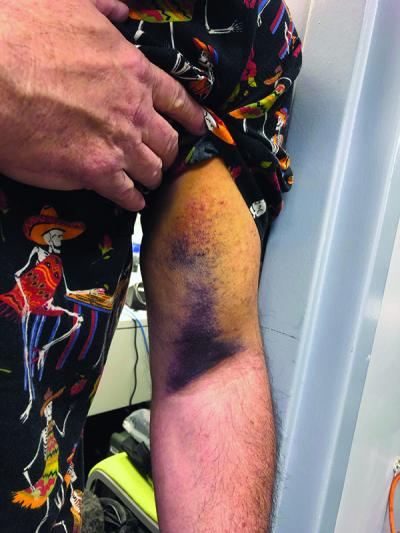
The pain management doctor prescribes a cornucopia of medications, including Lyrica, Tzanidine, Tramadol, hydrocodone, and 600mg Ibuprofen. Even armed with my own little pharmacy of meds, I constantly fantasize about cutting my arm off for the first six weeks. I’m also icing hours every day. I add topical, over-the-counter remedies like Aspercreme, arnica, and then CBD oil to the mix but still have intense stabbing omnipresent pain from my neck to my elbow.  

Sleeping propped up, with my arm on a pillow, in the recliner, or on the couch is almost impossible. I pace the house at all hours of the night moving from one spot to another and getting about two hours of sleep on average. After the first week, I lay off the hydrocodone because I return to driving the morning school carpool. I steer by holding the wheel with my repaired arm resting on my legs at six and my other arm at noon. After dropping off the kids, I work an eight-hour day at Loyola Marymount University, go to physical therapy twice a week, and exercise twice daily at home. I quite frankly don’t know how long I can keep it up.  

According to one surgeon, the recovery goal with rotator cuff surgery is to get ten percent better every month. Even when surgery and rehabilitation are successful, the repair is prone to re-injury up to twelve months following the procedure.

My physical therapy (PT) begins less than a week after surgery. This is where the hard work begins. It seems that once I feel comfortable and capable of properly doing any of the exercises, I’m given something new, harder, and more painful to do.  

The worst part of PT though is the manipulation by the therapist. My surgeon and my physical therapist both refer to the repair as “tight.” Knowing how I use my shoulders, my surgeon took extra care to make sure everything was very firmly held in place. This is apparently better for the long-term prognosis but it makes regaining mobility that much more difficult.

Every time I’m about to have a post-op exam with my surgeon, my therapist worries that we’re not making enough progress and really goes to town on my shoulder. She is constantly pushing the limits of my range of motion in all directions and trying to get the joint to move a little further with every appointment. I feel like a roasted chicken having a wing torn off.  

There are many days where I leave PT in greater pain then when I came in and I wonder if the surgical repair has somehow been damaged. On top of the appointments, it now takes four hours to get through the exercises I do at home twice a day. So, I split them doing half in the morning and half at night. The gains are often incremental and the pain so great that it is hard to stay positive.

Finally, six weeks after surgery and quite suddenly, the pain lets up enough so that I’m sleeping four hours a night and I want to keep my arm. Although it may not seem like it, this is a huge step forward. I can burn the sling and start thinking about things other than how badly I hurt.

Act 3:

A montage spanning the next four and a half months. I continue to do PT, exercise at home, lots of low fives with the PT staff, pain decreases, strength, and range of motion increase to the point where I sprint up the steps of the Philadelphia Museum of Art with a Bill Conti theme blaring. Okay, it is not that dramatic but, on July 29, less than five months after surgery, my surgeon removes all limitations and tells me I can start booming again.  

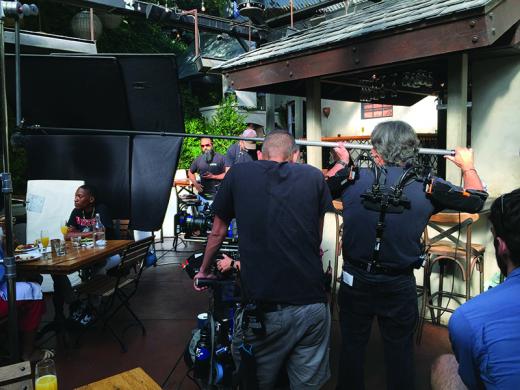
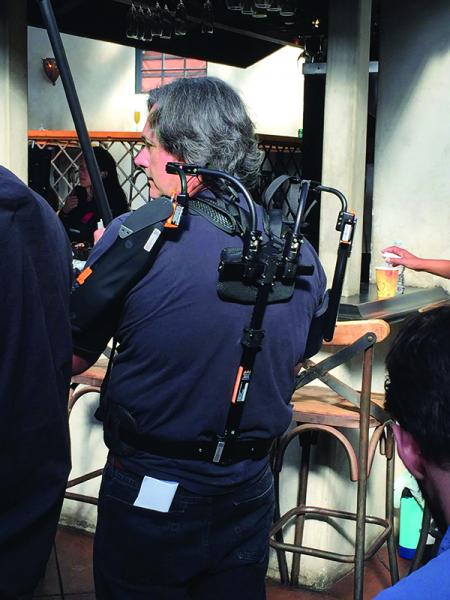
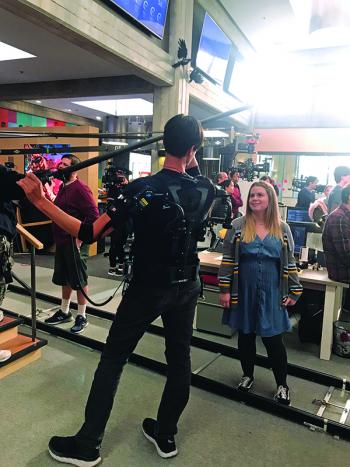
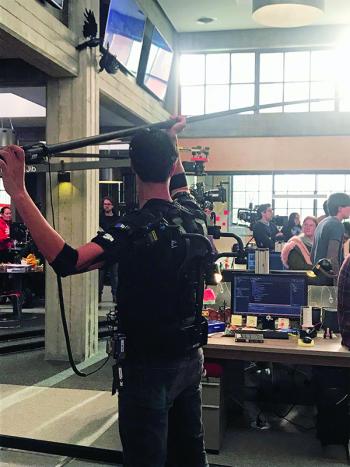
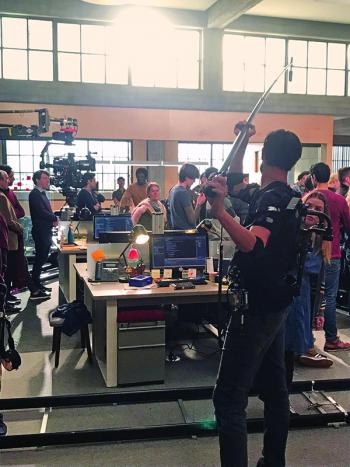
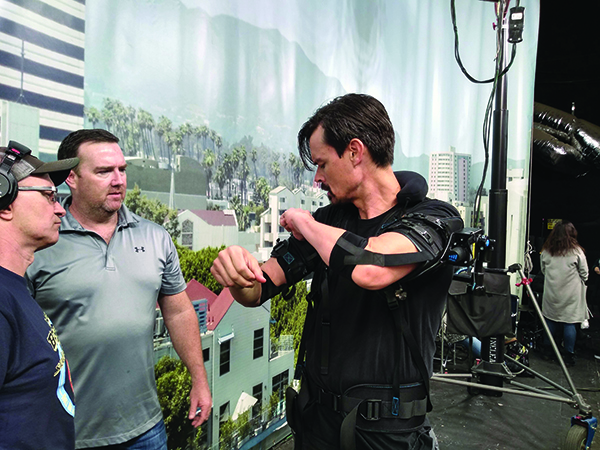
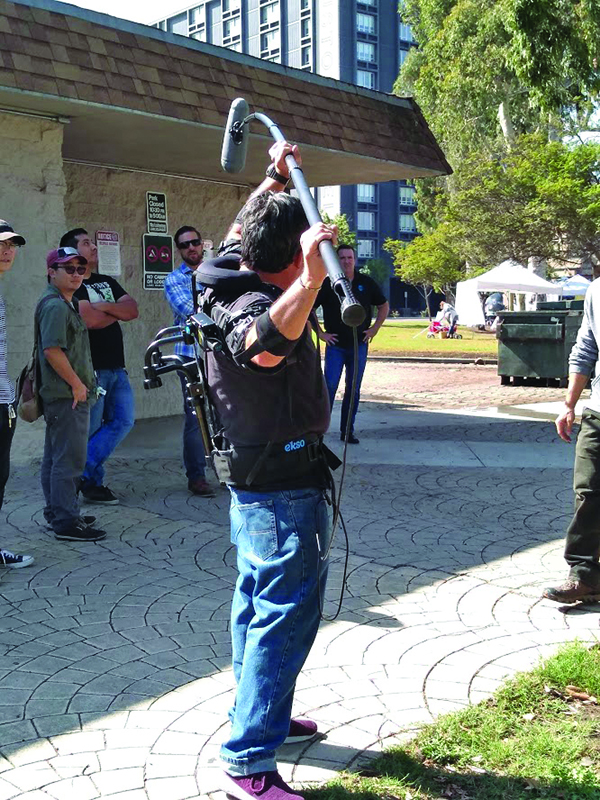
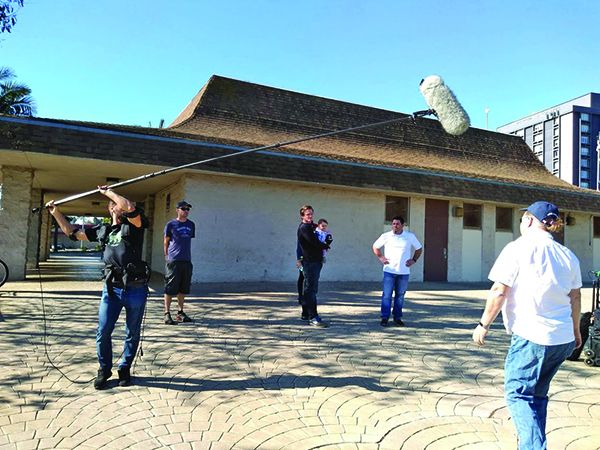
My first opportunity comes on August 5; five months and four days after surgery. I take the Airframe loaned to me by Levitate Technologies to day play on the BET series Twenties, with Von Varga mixing and Yervant Hagopian on utility duties.

Although there aren’t any particularly hard setups on this day, the Airframe gives me a little more confidence in returning to boom work. It provides lift assist and doesn’t restrict my motion in any way. Comfortable, light and slim, I use it all day with ease.   

Epilogue:

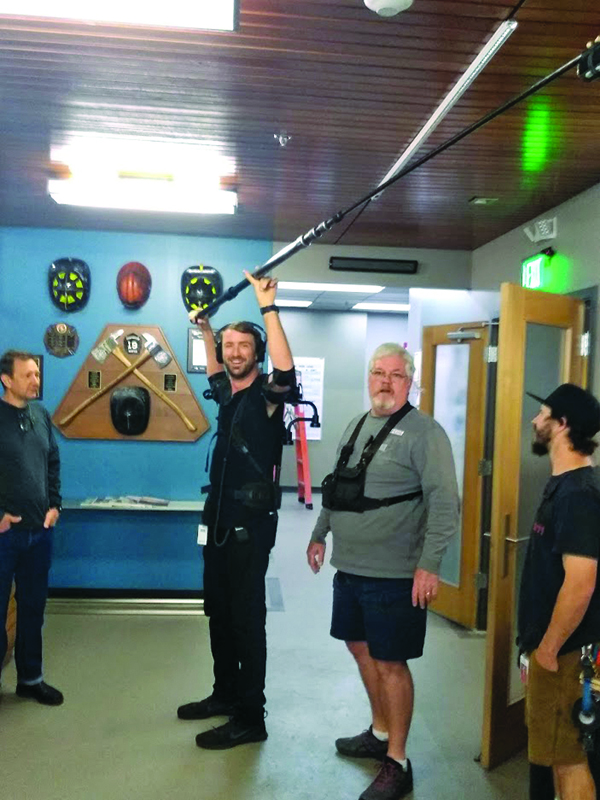
On Thursday, Sept. 12, 2019, I bring the loaner Airframe out to Chris Walmer on the set of Schooled at Sony Studios, along with some prototype “cassettes” that offer even more lift. He tells me he used it for some ten-minute take the following day and that it “worked great.”  

I believe it is possible that exoskeletons like this might not only help prevent injury but also get people like me back to work sooner after an injury or even save the careers of experienced boom operators who previously might have gone on permanent disability.

Every day, I am still icing, stretching, and exercising. Getting to where I am now has been an arduous journey but it feels great to be back on set!

Mixing Live Singing Vocals on Cats

Mixing Live Singing Vocals on Cats Part 1

by Simon Hayes AMPS CAS

As I drove into Leavesden Studios in London, UK, to meet Tom Hooper to discuss his next project Cats, I knew that the film was going to be a huge challenge having seen the stage show. I hoped the conversation we were about to have would present possibilities to deliver a first-class soundtrack. I was aware that Tom wanted to record the vocals live but I’d also had conversations with various people involved in the project who thought it just wouldn’t be possible to go completely live due to the frenetic choreography and the difficulty our performers would have singing and dancing for the length of a film industry day.

The first question I asked Tom was, “Is it your intention to shoot the film with completely live sound?” He looked at me quizzically and with a wry smile he replied, “Of course, that’s why you’re here.” He moved swiftly into explaining his vision and how we were going to shoot the film, and the details of what he wanted to achieve visually and sonically. It was early on in the proceedings, and at this point the DP had not been chosen. As I listened intently, Tom told me about the VFX tests he had been doing which involved a new process that hadn’t been used before. We would shoot completely live action on the set, with actors who could sing and dance, and then in post, the actors would have fur added to them and become cats, whilst completely retaining their body movements and, most importantly, their facial expressions.

Tom and I spoke about the audience and how cinemagoers judge performance and the leap of faith they must have to trust what they are seeing and hearing on screen. Tom’s position in filmmaking has always been that audiences instinctively believe performances if the dialog is original and recorded on set. We spoke about how this is deeply rooted in human subconscious and is instinctively part of our fight or flight mechanism that has been one of the keys to our species survival. When we were hunter-gatherers, human beings had to assess every interaction by reading facial expressions and listening to the tone of voices; did a stranger want to steal from us, kill us, or collaborate in a helpful manner?

We do not switch off this subconscious assessment when we walk into a movie theatre to watch a film. We look at the actor’s facial expressions and listen to the tone of dialog and we instinctively wonder whether we trust what we are experiencing. Is the lip sync perfect? Does the dialog inflection match the facial expression? Is there an acoustic in the vocal that does not match the location of the actor we are watching on screen? All of these questions are being asked at a deep base level by every moviegoer. With this in mind, Tom continued to explain that the VFX process would be presenting audiences with something they had not seen before, human “cats.” Having the performers sing live throughout the film was one of the main strategies Tom had for helping the audience immerse themselves in the narrative.

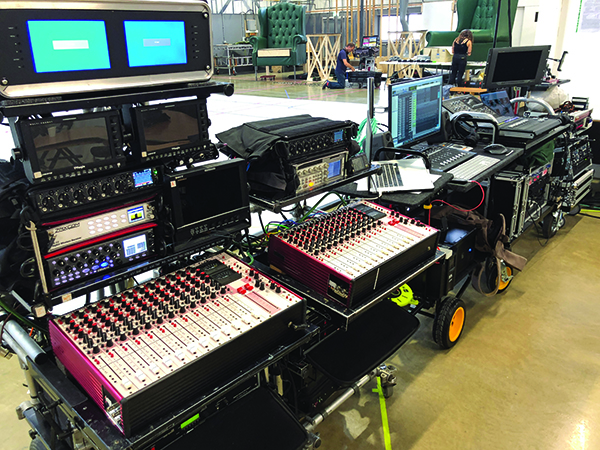
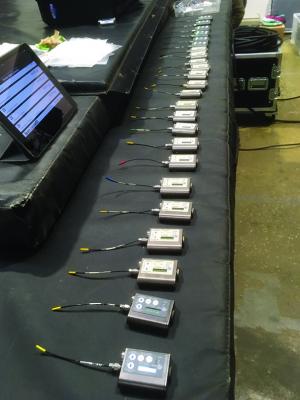
Sound/Music team equipment row


As our conversation continued, I was getting more important information from Tom that would affect my pitch in how to capture the live singing. Tom explained that he wanted to showcase modern and exciting choreography that would involve break dancing, street dance, and parkour (free running, a dynamic, and explosive style based around gymnastic movements), as well as more classical styles like ballet. Up to this point, I had thought that due to the fur being painted onto the bodies in post, and the actors wearing mo-cap suits, it would be an ideal opportunity to place lavaliers on the body in vision, and that they would not have the usual clothing rustle. This workflow would not need to be signed off by the VFX team as they were adding a layer of fur anyway. Tom described the dancing tests he was excited about, and the type of rolling, tumbling, and break dancing the choreography would contain. I quickly realized I had to come up with a better strategy. Mics on the chest/solar plexus would be prone to getting impacted by the dance moves, and secondly, the excessive head movements of the style of choreography Tom favored, would mean the actors’ vocals would be going off axis regularly.  

The first idea I pitched was using DPA ‘cheek’ mics on miniature booms that attach to the performers’ ears. Looking back now, I was extremely fortunate that Tom didn’t want to use this process, citing the fact that even though the VFX would paint fur onto the actors’ faces, the fur was going to be translucent so facial expressions could be retained underneath. Tom felt the cheek mics would need to be digitally removed before the fur could be added. He wasn’t concerned by the financial impact; Tom’s concern was potentially losing valuable facial expressions from around the mouth during the mic-removal process.

I had to think fast and come up with another idea. Fortuitously, my idea was actually going to provide our film with higher quality, richer vocals than the cheek mics. I asked whether I could attach a DPA lavalier to the forehead of each actor. I have always known this is a better position than the cheek for capturing high-quality vocals but I had never done an A/B comparison. This workflow was not my first pitch because it is notoriously difficult to stick lav’s to the forehead for a whole day without them losing adhesion, especially in a place where humans perspire, coupled with the fact the actors would be dancing all day in very high-energy routines. In my mind, this would result in re-sticks, lost takes, and actors with sore skin on their foreheads within a week.

Tom said, “Simon, there is so much expression in the forehead that I really don’t want to jeopardize.” I explained that this really was the only option if he wanted a guarantee under these very difficult conditions that I would deliver vocals that would not require any ADR.

Now we were negotiating. There are few things that make Tom Hooper happier than a negotiation, especially one that will creatively benefit his film. “How good will the quality of sound be if we put the mics on the forehead?” he asked. “Absolutely brilliant, Tom, it will be perfect and the greatest benefit will be that the singing will never go off mic, and most importantly for music vocals, the perspective won’t change when you cut from wide to mid to tight and back again.” This resonated with Tom, as we found this out while testing on Les Miserables.

Spoken dialog in films benefits from the perspective of the mic matching the camera angle, but with singing, any change in perspective, rather than helping the audience believe the performance, creates the opposite effect, drawing attention to the picture-editing process in an extremely uncomfortable, jolting manner.

This makes sense; when was the last time you heard any type of singing accompanied by music that has anything but a close perspective whether it be pop, rock, jazz, country, or blues?
Tom fixed me with a serious stare and asked, “If we put the mics on the forehead, will they sound as good as a close boom?” I replied, “Yes, I believe they will, because they will actually be closer than a boom could get and we will NEVER get caught unprepared by a sudden head turn. More importantly, I’m assuming we are going to cover this film with multiple cameras shooting wide, mid and tight at the same time to capture a perfect performance from all angles?”

“Yes, of course,” Tom replied, “and the sets are important to me. We are not shooting on green screens, and the cameras will often be handheld and frenetic so I’m not sure painting booms out is a viable option.” I responded, “I’m assuming from what you’ve described about the look of the film, your DP will probably use a lot of hard spotlights to achieve that.” Tom smiled, “Yes, that’s for sure. It seems we are certainly going to need to use the radio mics to achieve this; how can we make them work?”

Great, we were at a stage of the negotiation where I knew I had presented my case convincingly enough for Tom to help me find an answer to mic placement. “How about this compromise, Simon,” Tom said, “you keep the mics clear of the lower fifty percent of the forehead directly above the eyebrows where most of the facial expression inhabits, but you can have the upper fifty percent, below the hairline.” I answered, “We’ll get perfect vocals!” A big grin broke across Tom Hooper’s face; he reached out to shake my hand and said, “We’ve got a deal.”

Now, all I had to do was work out how to attach the mics and make sure the actors could perform and hear the music, keeping the vocals clean while collaborating with the Music Department. Most importantly, I had Tom Hooper’s support for my workflow; the first big hurdle had been crossed.

My next port of call was a meeting with my old friends, Supervising Sound & Music Editor John Warhurst and Music Supervisor Becky Bentham. John had worked on Les Miserables and was booked for Cats, along with Becky, who I have done many musicals, starting with Mamma Mia! more than ten years ago. They are both strong allies and we have a shorthand with each other. We completely trust one another and have a very strong relationship. The first part of our agenda was the team. We agreed that that there would be no demarcation between Sound and Music departments on Cats. This collaborative methodology had been extremely successful on Les Miserables and we agreed our team would be called Sound/Music. John and myself would head up that team on set every day with all the team members taking instruction from us, with support from Becky on the set and in an office at Leavesden Studios where we were shooting the entire movie.

Tom’s vision, along with Eve Stewart, his Production Designer, was that all the sets would be three times bigger than reality (doors, tables, chairs—everything!) because cats are about three times smaller than humans. We were fortunate that the entire film would be shot on soundstages with zero location work.

My next discussion with John and Becky was about Pro Tools operators. We had been very fortunate to work with a brilliant operator on Les Miz who has since retired and moved into another career. Becky has helped me find absolutely outstanding Pro Tools operators throughout my musical career and I really trust her judgment. She has her finger on the pulse of what is happening in the music industry and who are the best technicians, as she is based at Abbey Road Studios where she works closely with their staff and freelancers. Becky is also very aware of an important point: not every good music editor is the correct fit for Pro Tools work on films. Music editors in the music industry can work at a speed that is somewhat less pressurized than a film set. Every decision is based around music, whereas on a film set, the priorities are the camera and the visual image. To expand on that, a Pro Tools operator working on a film musical has to be extremely fast, quick thinking, and realize that no one is going to wait. With this in mind, we discussed her recommendations and I quizzed her on their personalities, technical expertise and whether they would be able to work in a highly pressurized environment for more than three months, twelve hours per day. We kept coming back ’round to the same name—Victor Chaga.

I met Victor the next day. He is a Russian who moved to LA as a young composer looking for his big break. He instantly struck me as being made of the right stuff as he had the emotionless confidence I associate with many Russians, coupled with the desire to provide excellent service I associate with American culture. When I interview music editors for a position on my team, I always ask how they would react to a number of precise extreme scenarios on set. I was confident we had found our guy!

The hiring of a first-class music editor/Pro Tools operator was incredibly important on Cats, because the whole film is driven by tempo—unlike Les Miserables, where tempo could be manipulated and sometimes ignored in favor of performance. The rhythmic dance routines of Cats meant that we needed to be able to drift in and out of pre-recorded playback tracks and live piano constantly. Tom still wanted to use the live keyboard whenever possible to allow the actors the opportunity to play with timing and let their emotional performance take priority. This was mainly between the songs or in small breaks in the tempo. Victor would be playing his Pro Tools rig as if it was a musical instrument, accompanying its own highly creative ‘dance’ with the live keyboard player, so the two instruments could immerse the actors and support them in their performance.

Everyone involved in Cats, from Tom Hooper and Producers Debra Hayward and Ben Howarth, and Executive Producers Eric Fellner and Tim Bevan from Working Title, to Andy Blankenbuehler our Choreographer, kept expressing how dynamic the choreography was, and how loud the music needed to be for the actors to dance to. I needed to find a way to get more volume to the actors than would be possible using the ‘earwigs’ and induction loops we had used on Les Miserables.

It became obvious to me that for the extreme SPL’s that some of our performers would require, we needed to use personal ‘in-ear’ monitors that would be custom-molded to the performer’s ear canals. I already had a great relationship with Puretone who supply all of my musicals with custom- molded earwigs and also supply many rock performers and musicians with custom personal in-ear monitors to use on stage. They’d actually just supplied the same product on my last film, Danny Boyle’s Yesterday for the star, Himesh Patel.

I decided that Cats needed a completely new strategy for IEM’s and that my production sound mix for Tom Hooper and his editor, Melanie Oliver, would not always be suitable for the performers to listen to as we were shooting. I really wanted them to feel supported. I also knew that many of the cast came from a music industry background and would expect a personal mix in their IEM’s, something a front-of-house mixer would usually provide for them on stage. I have been working with my 2nd Unit Sound Mixer, Tom Barrow, on a number of films now. Tom’s former career was working in a music recording studio as an engineer, so it seemed to make complete sense that he should join our team as the Cats IEM mixer.

I explained to production that hiring Tom Barrow would be an additional expense that they were not anticipating, but that Tom Hooper’s expectation would be difficult to achieve without having a huge Outside Broadcast (OB) truck parked at each stage if they didn’t take my advice. I explained to Working Title that if they wanted me to stay ‘small’ enough to not require the expense of OB trucks. they had to accept that Cats was completely unique and would require a large Sound/Music team, potentially larger than any previous film ever shot. Luckily, my relationship with Eric Fellner and Tim Bevan at Working Title and their Head of Production, Sarah-Jane Wright, goes back fifteen years over multiple films. They told me they trusted me and would facilitate whatever I needed to support Tom Hooper’s vision. Of course, they did let me know they were not expecting any ADR, so the pressure was on! Their Unit Production Managers, Jo Burn and Nick Fulton, were also incredibly supportive throughout.

I decided to hand the IEM workflow and process over to Tom Barrow as I prioritized the vocal recordings and the rest of the music workflow.

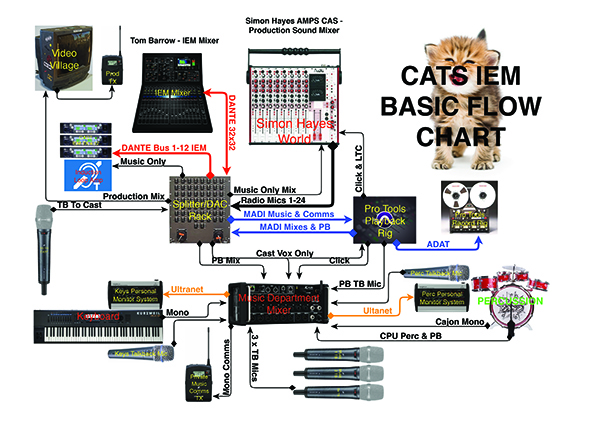
We were actually creating a world for our performers to inhabit that would sonically block them off from outside voices and sounds with their IEM’s. Our cast was given the choice of wearing a single IEM or a pair. Many of our cast come from a music industry background so most preferred to use a pair. This meant that the IEM mixer had to become a conduit for all the information and effectively provide a comms mix,  alongside the dedicated mixes for the performers in order for them to communicate with each other, or for the director, 1st AD, keyboard player, music producers, and Pro Tools op to communicate with the cast.

At this point, it was fourteen weeks out from principal photography and it was becoming clear that I was spending many hours of the day working on telephone calls or meetings. I needed to start splitting the workload if we were to achieve this monumental task and be ready to shoot. To provide support and creative input, I needed my longtime key 1st assistant sound (UK term for boom operator) to start work. Arthur Fenn has worked on every single one of my fifty-eight movies. We have a collaborative approach and I consider Arthur to be one of the best boom op’s in the world. The industry has changed over the last fifteen years with large, multi-camera VFX movies becoming the norm. Arthur has, in turn, become a radio mic expert. His skill is collaborating with the actors. He has an engaging personality, an easy rapport, and a fearlessness that quickly means he is considered in much the same way a personal costumier would be with the cast. He also collaborates very closely with the Costume Department from the beginning and creates a strong working relationship with that team. I approached production and explained that it was time for both myself and Arthur to be hired full time, fourteen weeks out. That would be the requirement if they wanted us to be ready on time. They agreed and I sat down and brainstormed with Arthur regarding how we could attach the mics to the cast’s foreheads.

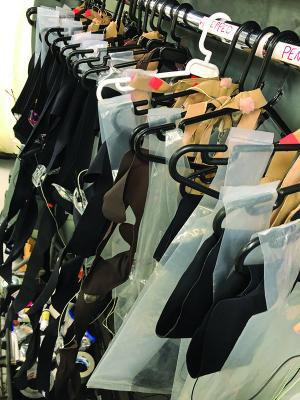
Arthur strongly advised against trying to stick the mics on their foreheads for the reasons mentioned previously. When told about the IEM’s the cast would be using, he expressed his concern about the practicalities of so many cables being unattached and pulling on the mics and IEM’s during explosive choreography, so we came up with a plan. It was born out of the knowledge that some puppeteers have used tennis players’ ‘sweat bands,’ so we started discussing that strategy and that led to ‘lav straps’ which are a relatively new product that actors wear around their chests. Arthur said, “What we need is a lav strap for the head which keeps the cables tidy, can be washed overnight if necessary, and can also double as a sweat band which could be helpful to the performers.” This is where our strong relationship with Simon Bysshe of URSA straps came in. We have known Simon since he was a young trainee who did a film with us, and when his company URSA was in its embryonic stages during Guardians of the Galaxy, Arthur and myself did a lot of work with him on product development. We also tested his prototype straps on set. I sent Arthur off to meet Simon and together, they came up with a design for the bespoke Cats mic and IEM head strap system.

Arthur and I went to watch a choreography rehearsal to get a feel for the movements and to start to consider where we would rig the mic transmitter and IEM receiver packs. The choreography team had continually expressed concern to production that the performers may get injured if they landed on a pack. Tom Hooper had called me into a meeting to ask that we use the very smallest packs available.


We arrived at the rehearsal with a bunch of different generic URSA straps (thigh, ankle, waist, etc.) and two wireless packs. We had a couple of hours with one of the dance performers who tried different positions on his body, and then showed us lots of different dance movements from ballet, tap, street, gymnastics, and break dancing to represent the diversity of our cast’s routines. The choreography team tried to assess which positions were best. It quickly became clear that there wasn’t “a best position,”  and that our workflow for each performer throughout the film would depend on the unique movement they would be doing in the scene or shot. This meant that every performer would need to let us know how they would like to be rigged each day, and sometimes on a shot-to-shot basis, to avoid the packs restricting their movement or causing the risk of injury. We had the usual options of ankle, thigh, and waist but we also developed a shoulder/chest strap with URSA that was used for a large percentage of the film. This kind of ‘holster’ strap, with choices of where the packs were placed—whether that be pec, armpit, or shoulder area—very rarely made contact with the ground. At the end of this test, Tom Hooper arrived and asked the performer, “Can you dance unrestricted wearing these packs?” His reply was “Yes,” and Tom turned to Arthur and myself and said, “Great work, let’s keep moving forward. We have some news from VFX that I need to discuss, so let’s meet tomorrow.”

The next morning, Arthur and myself attended a VFX meeting set up by Tom Hooper’s producer, Debra Hayward, and Producer/1st AD Ben Howarth, Executive Producer Jo Burn, and UPM Nick Fulton. Tom Hooper’s Costume Designer, Paco Delgado, and members of his team were present as well.

The VFX team explained that they would be recording each performer’s body movements using a box the size of a small hard drive attached to the performer’s body, linked to tracking markers (tiny buttons) in key points on the body. The big question production wanted answered was, “How big is this box, and who is going to rig the performers?”

The VFX Department explained that they needed the hard drive capture boxes attached because it would not be technically possible to capture that many different performances by radio link as that technology simply didn’t exist. The movements of each performer would be recorded on the hard drives, which would all be jammed to timecode, and at the end of each day, the information from each hard drive would be downloaded.

The VFX team needed help to implement rigging the actors. Generally, VFX teams don’t rig and de-rig actors. The whole process was becoming extremely unique as there would be elements of costume on some cast, but many of the chorus would simply wear a motion-capture suit. Rigging them with sound and vfx equipment would be the most time-consuming task. Another factor that had become clear in the last few days was the number of cast: about fifty in EVERY shot!

I suggested that we needed to forget about standard film industry workflow and protocol, and treat the film as a unique entity. I explained that it would not be possible for fifty performers to go through Costume, then Sound, then VFX before coming to set every morning. Tom Hooper wouldn’t get his cast until lunchtime! I said that it would be counterproductive having the Costume Department dressing the cast in mo-cap suits, then having the cast undress to have sound equipment strapped to them. I suggested that my sound team could rig the actors with the vfx and sound equipment, with VFX present during the process to technically assist and troubleshoot their equipment.

We started talking about the amount of time to do the rigging, and the number of people that we would require. It became clear that we needed to throw a large team at the issue to enable the fifty cast to be on the set within an hour of arrival at the studio. After much discussion, we decided that Arthur Fenn, 1st AS, would head up a team of sound “suit techs,” which became our team on Cats.

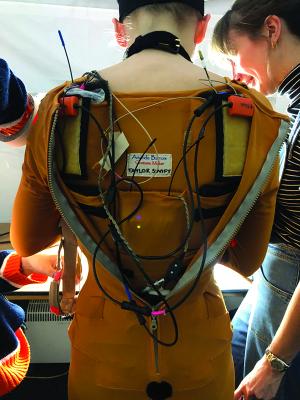
Five 3rd assistant sound people would work each morning and evening rigging and de-rigging the cast under Arthur’s instruction, each with a costume dresser and a VFX technician as a three-person team. They would dress a single cast member, then move onto the next. We would try wherever possible to keep the same three-person team working with the same actors each day so they could develop a relationship with the actor to help them feel comfortable and supported. When the cast were dressed, the five suit techs would come to the set and join the rest of the Sound Department. They would stand by to troubleshoot ‘their cast,’ moving packs around depending on the dance routine or movement. They were on call to make sure their actors were comfortable, in the same way a personal costume dresser would be on a ‘normal’ film set.

I cannot stress enough how much time/management coordination went into this process with Arthur and his team of suit techs, using Excel spreadsheets to work out the daily timings and strategy based on the next day’s advanced call sheet. It really was a tour de force in organization. The other really helpful factor was that our suit techs had experience working on ‘normal’ films and had radio mic’d actors before, so they were arriving on Cats with a skill set already in place.

Arthur also coordinated with the VFX team and URSA’s Simon Bysshe. Simon was working full time on making unique URSA STRAP solutions for Cats, that included custom-sized straps to attach the VFX hard drive packs to the bodies of the performers. Everything was coming together but we still had a lot of preparation to do.

I sat down with John Warhurst, Supervising Sound/Music Editor, Melanie Oliver, Picture Editor, and her 1st Assistant, Alex Anstey, and discussed the fifty cast members. Tom Hooper and Working Title did not want to go down the route of using an OB truck outside the stages, as Tom wanted to be able to move fast from stage to stage. I was also concerned that if I was based off the set in a truck, I would be creatively divorced from proceedings on the set. I feel that the closer I can be in proximity to the director, the more supportive I can be and positively influence the recording of the performance on the set. I can’t stress this point enough.

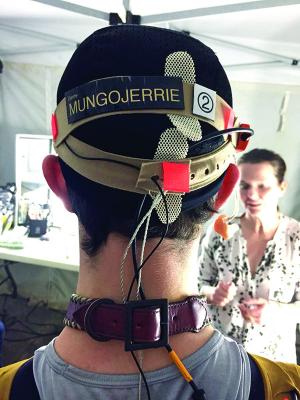
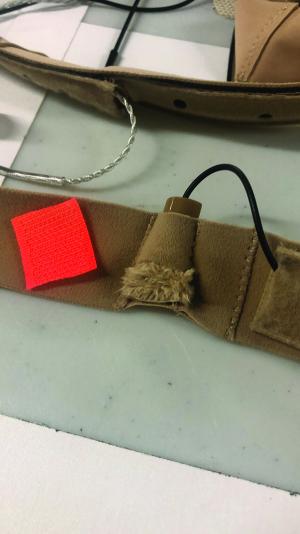
The custom Ursa headband for the microphone, Coms and VFX sensor


We continued by talking about how many tracks the Avid could ingest, and how many tracks I felt I could actually mix on the set successfully. I invited my other 1st Assistant Sound, Robin Johnson, into the conversation. Robin has another diverse skill set that complements Arthur and me, and is a reason he has been with us on our journey since 1998, joining us on our second movie. Robin is our technical genius, qualified as a scientist and an absolutely first-class audio engineer, computer expert (Mac & PC) and, of course, boom operator. I asked Robin to come up with some frequency plans to try and determine how many radio frequencies we could get reliably working together on one stage, bearing in mind the additional frequencies that would be necessary for IEM’s and comm’s, as well as the radio mics.

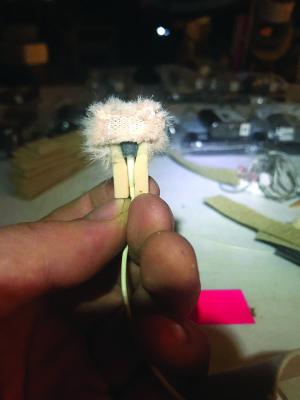
Headband microphone with Bubblebee fur to stop wind noise in extreme dance moves


When we started looking at our planned workflow, we needed a little more than fifty frequencies to work in close proximity on one stage. The most radio mics we could assign to actor vocals was twenty-four. After breaking down the script in conversations with Tom Hooper and the music team, we knew that eighteen soloists would need mic’ing every day as they were key cast members that would sing solos. The rest of the cast would sing the chorus. When I spoke to Tom Hooper about my plan to only mic twenty-four of the cast, he was unconcerned. He explained that the chorus had been cast primarily for their extraordinary and diverse dancing ability. Tom did not feel we needed all of them mic’d because of the time it would take to get fifty performers wired, as well as the fact that many of them were not singers but dancers.

We worked out a plan. Eighteen soloists would always be mic’d and the other six radio mics would be assigned on a day-by-day basis to the strongest singers in the chorus. This was based on which song we were shooting and how to support the soloists on those tracks with the exact mix of baritones, altos, tenors, etc. The decision on whom to mic was made by the Vocal Coach, Fiona McDougal, and our two Keyboard Players, James Taylor and Mark Aspinall. They were very adept at working out exactly where to place the six ‘floating’ radio mics on a scene-to-scene basis, as they knew the cast’s voices, their strengths, weaknesses, and how they could be played to enhance the backing vocals. Phew—we only had to run twenty-four radio mics EVERY scene, EVERY day!

Our next step was how to deliver those twenty-four tracks to Editorial daily.

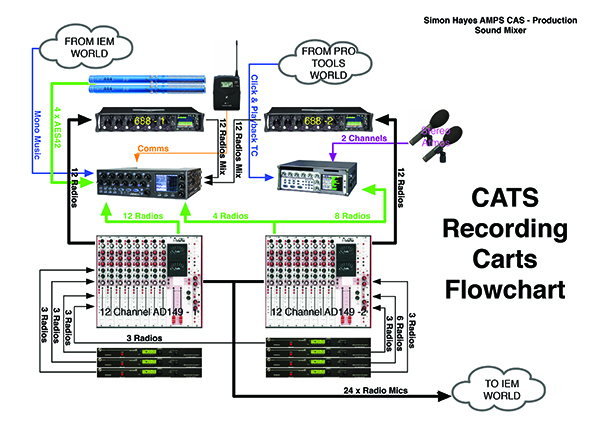
I had been waiting for the Zaxcom Deva 24 to arrive specifically for Cats. Glenn Sanders and Roger Patel at Everything Audio, the UK Zaxcom distributor, managed to get me a very early machine to use on the additional photography we were doing on Aladdin, right before we filmed Cats. Being able to use the Deva 24 for a few weeks before bringing it onto Cats was very important to me. I found it very similar to my Deva 16 in the usual Zaxcom style. I am a firm believer in making Production Sound Mixing as intuitive as possible. I believe the equipment is only there to help and support the creative process of the director and sound mixer. The equipment I am using is no different than the instrument a musician plays. It would be unthinkable for any musician to play a new instrument before the most creatively complex and demanding concert of their career. I decided that track count would not decide which recorder and mixer panel I would use. I was going to have to use a second recorder because of the high track count; this was going to be the highest track count I had recorded and mixed in my career, with an extremely diverse group of vocalists, all with different styles and levels.

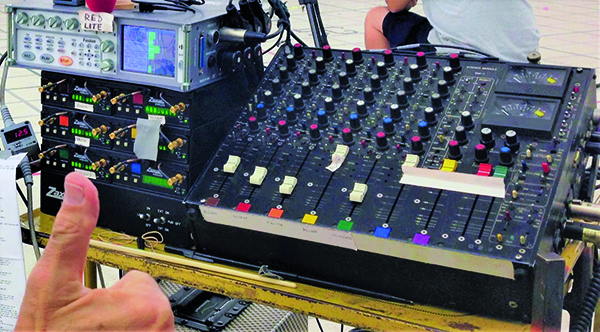
I wanted to give myself the best chance of capturing every subtlety and nuance of the performances, with the most appropriate gain structure. In order to give myself the best chance of delivering this, I decided to stick to equipment I had been using for years, but make it more expansive. I was already using a custom-built twelve-channel Audio Developments AD149 desk. Their previous largest was ten channels. The company MD Tom Cryan had made my twelve-channel specifically for me. Of course, like all reliable production sound mixers, I had a spare built at the same time, just in case I was in some far-flung location and had a failure. It soon became apparent to me, however, that if I linked the two mixers together to deliver twenty-four tracks, I would not have a spare if there were a failure. My mixers were unique and we would be completely reliant on them for Cats. I made the decision to task Audio Developments to build another two from scratch, so I had complete peace of mind that if the unthinkable happened on set and both mixers died or developed faults, I could swap them out and the shoot could continue.

The next decision was recorders. I decided, with Editorial’s permission, to link together the Zaxcom Deva 24 with my Zaxcom Deva 16. This would give me access to forty tracks. I would then create two mixes for Picture Editorial, allowing them to expand on choruses if they wanted to by using both mixes in the Avid. Mix Track 1 contained a mix of the first twelve ISO tracks, and Mix Track 2 contained a mix of ISO tracks thirteen through twenty-four. We assigned the first twelve ISO tracks to our key cast members who would be in every scene. When we had a guest star in the cast for a specific song or two, we would decide the most appropriate workflow. I would also try to keep the actors with the highest amount of solo singing on the first twelve ISO tracks and Mix 1, with Mix 2 being a ‘supporting’ mix, which could be added or subtracted by Melanie Oliver, the Picture Editor.

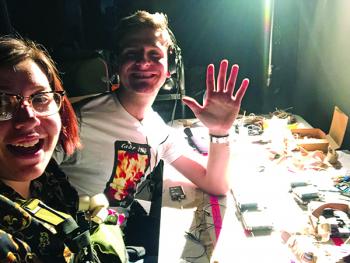
Suit Techs Taz and Oscar early morning, prepping the equipment


This suited Melanie because it gave her creative control over the ‘size’ of the sound in the Avid, without giving her and her team the additional workload of having to dig into the ISO tracks to rebuild the mix. Of course, all the ISO tracks were ingested into the Avid so Picture Editorial had access to them, but the plan was for Editorial to only work off the two mixes whenever possible.

We then took the conversation into the musical side of the production sound recording. We had two elements as discussed earlier: The electronic keyboard would be used wherever possible in links between songs to give the actors more freedom to explore tempo, so they could play with their performances.

Pro Tools playback of temp mixes digitally orchestrated.

The keyboard and Pro Tools would need to weave in and out of each other so the actors did not hear a shift in tone between the two accompaniments in their IEM’s. This would be achieved by careful gain matching. We also learned early on in rehearsals that the best strategy to achieve this perfect blend was to have the keyboard player play along with the Pro Tools playback. It worked because when we went from free form keyboard to playback, it was not obvious to the cast, because they could still hear the keyboard.

Prepping the transmitter frequencies
Array of Comm microphones for Director Tom Hooper


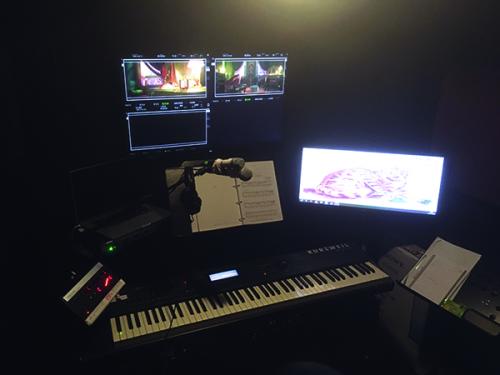
The keyboard players, James and Mark, were actually ‘performers’ in Cats, just a different kind. They were not on screen, instead spending twelve hours a day in a soundproofed booth we had built, with large LCD screens to view all the camera angles, such was their creative input on the set. The irony being that both the expressive keyboard playing and the Pro Tools playback were simply temporary. It would all be discarded when Cats was fully orchestrated in post production, but what remained was the emotion they helped the cast achieve.

I decided adding the musical element to the two vocal mix tracks would be counterproductive. Melanie would need two tracks of vocal mixes that would give her control over the size of the sound, and a mono keyboard/Pro Tools track.

At this point, there were two vocal mix tracks, twenty-four vocal ISO tracks, and the mono music on track twenty-seven. Melanie would have the ability of manipulating the volume of the keyboard/Pro Tools playback against the vocal mixes, as per her own and Tom Hooper’s instinct, on the Avid. She would also have the stereo ‘bounce backs’ of the temp Pro Tools orchestrated tracks, timecode locked so she could utilize this as she finished cutting a scene.

The ‘mono mix’ of keyboard and pre-recorded temp track was on Victor Chaga’s Pro Tools cart and it was his responsibility to keep it gain matched and send it direct to my Deva 16. Victor also sent it to Tom Barrow the IEM mixer at the same time so he could use it to create his individual IEM mixes for the cast, along with the vocals.
I sent Tom all of my ISO tracks as well, so he could creatively provide each actor with what they wanted and work each character’s gain in the IEM mixes. This gave Tom far more ability to support the cast than if he had simply been working with my production sound vocal mixes. It was invaluable to have Tom Barrow giving the cast what they needed to hear on a shot-by-shot basis so I could concentrate on what Post Production needed, and ultimately provide the highest quality vocals for the finished film.

Now onto timecode.

We were using an Ambient Master Clock on the sound cart, generating time of day TC that locked together sound recording, digital cameras, and VFX. Each Pro Tools temp song had its own unique timecode, so Picture Editorial could quickly drop the on-set music ISO and sync up the stereo temp version of the song in the Avid quickly and efficiently. The playback timecode fed directly from Pro Tools was recorded on audio track twenty-eight of my Deva 16. The Pro Tools playback timecode was also fed to the Lighting Desk so that lighting cues and moves could be triggered, ensuring that the complex lighting signature of each beat in the song would be frame accurate on every take we filmed.

We were now twelve weeks out from principal photography and I decided that the workload was growing too quickly for Arthur and myself to deal with on our own. After another meeting with production, I made a case for more of our Sound Department to start work full time at Leavesden Studios. Working Title and Tom Hooper were receptive to the idea after I explained the technical complexity of what we were all embarking on. This was the point where the performers were moving from their rehearsal studios to begin rehearsing on the actual sets we would be shooting on. This was very important for the choreography because the sets were three times larger than reality. My main point was that making the performers feel comfortable and supported by the process was absolutely paramount to them being able to give their best performances when we were shooting.

Up until this point, they had been rehearsing with keyboard and playback coming out of a small PA system operated by the vhoreography team, and vocals had not been a priority. Our cast was a mixture of film actors, theatre actors, musical theatre performers, ballerinas, and rock/pop/R&B vocalists. I felt it was incredibly important to introduce them to the workflow of singing and dancing with the TX/RX packs and hearing themselves in their IEM’s, to help them achieve the perfect balance of vocal and music for their own particular needs. We did not give everyone a completely unique custom mix, as this would have meant twenty-four separate IEM mixes. Instead, we tried to group performers together, based on their taste and the range in which they sing. Some of our main cast were able to have a completely personal mix, especially if that was what they were used to from performing on stage, but most cast were given a choice of a set few mixes.

We also decided that giving all fifty cast personal IEM molds with receivers was cost-prohibitive, so chorus members twenty-five through fifty were fitted with personal molded ‘earwigs’ being fed audio from an induction loop. This was the way we did Les Miserables, so we knew it worked well although at a lower SPL than the IEM’s. We didn’t put vocals into the loop, only the music playback, to help us get more volume for the beat of the music out of the earwigs. This section of the chorus was not being radio mic’d and were primarily incredible dancers rather than vocalists. We felt it would not hamper their performance in any way and they generally worked with only one earwig so they could hear the music to keep them in time; their other ear was open so they could hear the live singing on the set.

In rehearsals, this whole process had been auditioned and fine-tuned. As I said to the producers, if we do not spend twelve weeks rehearsing the workflow, we would waste time on a very tight schedule due to cast availability when we started shooting. I explained that if a performer has a sound problem, it could easily suck up a half-hour working out exactly what blend they want in their IEM. It would be terrible if that happened with a whole crew standing by, waiting to shoot on a very exacting daily schedule.

On our first couple of rehearsal days, that was exactly what happened. The producers present were shocked at how much time it took sorting out the performer’s IEM mixes, instead of rehearsing the choreography. They realized just how important their decision was bringing the Sound/Music team in twelve weeks out.

I also expressed that creatively I really needed to get a feel for the way the songs were being performed, and the dynamic range each vocalist used. I think because our visual colleagues don’t “see” sound, it is often assumed that dialog/vocals are just simply captured by a mic and that there is no need for a gain structure.

One of my biggest responsibilities and the core of my job were ensuring the vocals were captured as richly and perfectly as possible and that meant understanding the volumes our vocalists would use. I started to get familiar with which performers had huge dynamic range and which were the softer singers. I started taking notes and feeding that information to Arthur on where I wanted the gain settings to be on the Lectrosonics SMb transmitter packs.

I am a great believer in recording full dynamic range and I don’t like hitting the internal limiters in TX packs, even on loud pieces. The limiters in the transmitters cannot be completely turned off so I like to set them so that on a vocalist’s loudest part, the limiter is not engaged. Each performer was given their own unique gain setting on their TX, which would change from song to song dependent on the kind of performance they were giving. When I first heard Jennifer Hudson and Taylor Swift sing, I was shocked at their dynamic range and the way they used their voices. In order to capture their vocals in the purest way possible, I had to ask them to wear two radio packs with two DPA 4061 Core mics. The mics were rigged next to each other in their headbands but the TX packs were given two different gain settings that varied by about 6db. This gave me the best chance of capturing the lowest level pieces of their performances with perfect signal to noise, and the very highest SPL parts of their performances without hitting the TX limiters. Taylor and Jennifer were both assigned two tracks on the Deva with notes made for the Music Department regarding the track designation. Taylor and Jennifer were very supportive of this workflow and understood exactly why we were doing it this way after Arthur and myself explained the process to them. Tom Hooper asked, “Why are they wearing two mics?” and when I explained it to him he exclaimed, “That’s genius!” That is how excited Tom gets about capturing live performances. He is incredibly enthused by the process.

Another thing that came about in the rehearsal period was that our Keyboard Players, James and Mark, asked for a click track into their ears. Even though they were allowing the performers to have the freedom to express themselves when they were not locked to a playback track, they wanted to have a tempo guide for the next song when we moved into playback. John Warhurst, Supervising Sound/Music Editor, told me it would be incredibly helpful for him while he was editing to have access to that click. It was generated on Pro Tools and fed directly to my Deva ISO track twenty-nine. Phew! We were up to twenty-nine tracks of my forty tracks available.


The opportunity to use booms to capture the performances would be rare, due to the hard lighting style DP Chris Ross was using, alongside the huge sets and multiple cameras. However, we needed to be ready for any opportunities that would arise. We decided to use Schoeps Super CMITS, which are a very good match for the DPA lavs. The Super CMITS provide us with two AES 42 tracks from each mic, processed and unprocessed, so Nina the Dialog Editor could choose which track was more effective in post for any vocals where we used the booms.
There were no inputs for the boom mics on the AD149 mixers; they were already full with the twenty-four radio mics. However, the Zaxcom Deva 24 could take their signal on its AES 42 inputs. I would rarely use the booms in the mix so it made sense to keep them completely in the digital domain, which was a huge step forward in sound quality. This resulted in another four tracks assigned to the Deva 24, our total track count was now up to thirty-three.

In the end, we rarely used the booms apart from capturing the clapperboards. The radio mics sounded great, and the spotlights didn’t allow booms to get close, so we prioritized the mics that sounded best for the project and they were the head worn DPA’s. There are a few sporadic boomed pieces of dialog in the film and a few spot FX, but ninety-five percent of Cats was recorded on the DPA lavaliers.

One question that kept coming up since my first meeting with Tom Hooper, and in multiple meetings with the producers and Working Title Films, was how was I going to deal with the footfall from such dynamic choreography? This had not been resolved when we started rehearsing. I recorded a camera test and used that to start negotiating with the performers and with Tom. Up until this point, the cast had been rehearsing in whatever shoes they felt comfortable dancing in, knowing that their feet would generally become cats’ paws in VFX. After the test shoot, I played Tom the recording and told him we needed to rethink this protocol.

Tom was adamant that he did not want to do anything that limited his cast’s ability to dance in the most extreme way their skills allowed. Many of the cast were professional dancers. Tom was concerned that if someone got injured due to wearing inappropriate footwear, it jeopardized shooting and could damage the performers’ future career.

We had a frank and honest conversation as I explained my issue. Also present was the brilliant Paco Delgado, the Costume Designer. If any performer opted for heavier footwear than they actually needed, it would be contributing to making the live vocals poorer. It would be counterproductive to go through the fantastically difficult, energy-sapping process of recording the vocals live, only to find out footsteps had ruined the recordings and having to go into ADR to fix it.

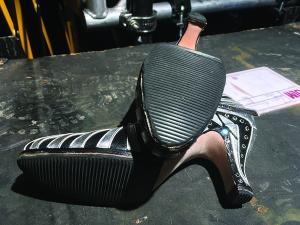
High heel shoes treated to remove footfalls with safety for the dance
It was decided that each performer would have three levels of footwear and they would choose whatever they needed that was appropriate for a particular scene or dance move. I was very lucky that many of the cast had classical ballet training even if they were now street-style dancers, and were generally happy to perform in bare feet or ballet shoes unless a particular move or song demanded more support on their feet.

The three choices for the performers were bare feet, ballet shoes, or a type of shoe Paco and his team found that was halfway between a ballet shoe and a trainer and were designed for parkour (free running). The footwear was always near the set and available at all times. If Arthur saw a performer wearing heavier footwear than he thought a particular piece of choreography required, we would ask them if they could change shoes or go bare foot. Most of the time, they would realize they had forgotten that they were wearing parkour shoes and change them immediately.

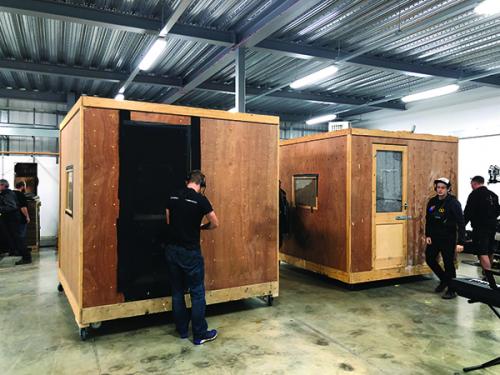
Construction of the keyboard booth
Soundproofing the keyboard booth
Inside the keyboard booth


This was a very productive process and it removed approximately seventy percent of the heavier footfalls from the live-recorded vocals than we would have otherwise encountered. There were a couple of dancers whose moves were so extreme, they had to wear trainers, and sometimes a character would be in high heels for a song; we took care of this the same way we would any other film, and treated the soles as much as we could while still keeping them safe for the performer.

Our soundproofed keyboard booths were first developed on Les Miserables. We needed to put a keyboard into a ply box that was on castor wheels and soundproofed, so we would not hear the noise of the electric keyboard being played on set. It worked successfully, but on Cats we wanted to go bigger and better. One of the discussions with production was about the complexity of our Sound/Music technical workflow and how quickly the equipment could be moved from stage to stage. Right now it was two production sound carts, two IEM mixing carts, one Pro Tools cart, and a keyboard booth, all linked together by a myriad of cables in the analog, digital, Dante, and MADI domains.

Unfortunately, because of artist availability and time constraints, there were many days in the schedule where we had to move stages. We were asked to look at where we could save time within our workflow, and one of the ways was to have construction build three keyboard booths, all containing a keyboard, flat-screen monitors, Midas mixers and the cables pre-rigged. The booths would be leap-frogged to the next stage by a swing gang on a telehandler or forklift truck to enable us to move from stage to stage and have a fully rigged booth waiting for us.

Our stage moves would still take us three hours for Sound/Music to be able to be ready to shoot. These moves were generally timed to coincide with our one-hour lunch break, which we would work through, and then by the time that stage was lit and cameras were ready, we were all in the same ballpark. The important factor was there was no way for the performers to rehearse until we were ready. They could block a dance routine with the choreographers counting out a rhythm verbally, but until the keyboard, Pro Tools, IEM’s, and radio mics were rigged, our cast could not hear any music, or each other, so the whole show was extremely reliant on our team being ready.

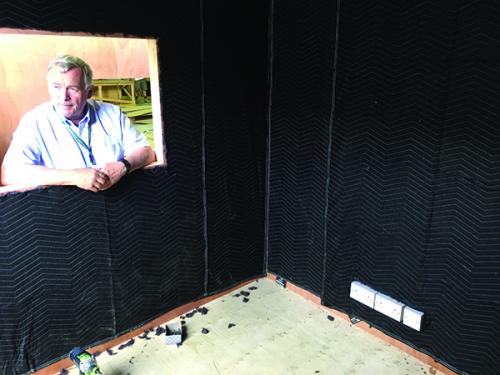
The three booths we had built for Cats were made of double-skinned ply with an eight-inch cavity in the walls, ceiling, and floor. We had construction spray expanding foam inside the cavity. The interiors and exteriors of the booths were lined with rubber-backed carpets. This meant they were completely soundproofed from interior noise escaping, and they were also soundproofed from exterior noise penetrating the interior. Our Keyboard Players, James Taylor and Mark Aspinall, had complete privacy.

I have already mentioned that James and Mark were actually performers on Cats, such was their creative collaboration and support they gave the cast. Not only were they playing the keyboards, they could also give verbal counts for anyone who needed them, directly into the cast IEM feeds. On many songs, Fiona McDougal, the cast Vocal Coach, was also inside the keyboard booth using a Shure SM58 mic, harmonizing or singing along to support the cast in their IEM’s during a scene. Fiona also did this when rehearsing with them for weeks in prep. It was an amazing sight to behold.

It was important to have two keyboard players, as we needed one to be present while filming a scene and the other rehearsing with a performer on a different stage due to artist availability and a very compressed shooting schedule. They would rehearse with Fiona, a keyboard player, and one of the choreography team. It was a very finely tuned machine and a tour de force of planning and scheduling.

John Warhurst and Victor Chaga devised the fantastic idea of using a foot pedal to trigger Pro Tools playback. This meant the keyboard players were ‘playing’ Pro Tools just like another musical instrument! Whichever keyboard player rehearsed, a song with a key performer would be the same person who played keyboard on that number when we shot it. This was extremely important as they had built up a rapport and understanding with that actor. We wanted to give the performers as much creative support as possible during their physically demanding experience of dancing and singing live. Victor made sure the playback cues were lined up so the keyboard player could trigger multiple cues and weave in and out of Pro Tools playback and live keyboard playing multiple times within a take. This was an extremely creative collaboration between the Sound/Music team and the cast.

Each one of us became part of a band ‘playing’ our own ‘instrument’ that would become an organic and intrinsic part of the piece. It was an incredible collaboration of which I am so proud to have been a part.

The Cats Sound Crew

Simon Hayes, Production Sound Mixer
John Warhurst, Supervising Music and Sound Editor
Becky Bentham, Music Supervisor
David Wilson, Music Producer
Arthur Fenn, Key 1st Assistant Sound
Robin Johnson, 1st Assistant Sound & Sound Maintenance Engineer
Tom Barrow, I.E.M. Mixer
Victor Chaga, Pro Tools Music Editor
Mark Aspinall, Music Associate/Keyboard Player
James A. Taylor, Music Associate/Keyboard Player
Fiona McDougal, Vocal Coach
Ben Jeffes, 2nd Assistant Sound
Taz Fairbanks, 3rd Assistant Sound
Oscar Ginn, 3rd Assistant Sound
Francesca Renda, 3rd Assistant Sound
Ashley Sinani, 3rd Assistant Sound
Kirsty Wright, 3rd Assistant Sound

Editor’s note: “Mixing Live Singing Vocals on Cats Part 2”
continues in the winter edition of Production Sound & Video.

Emmys

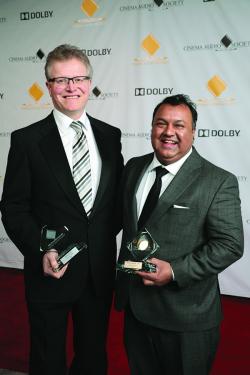
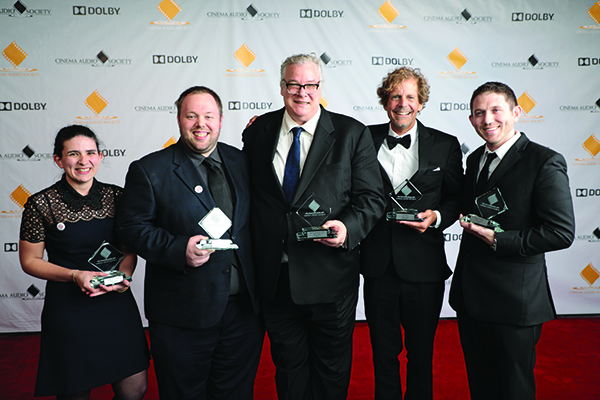
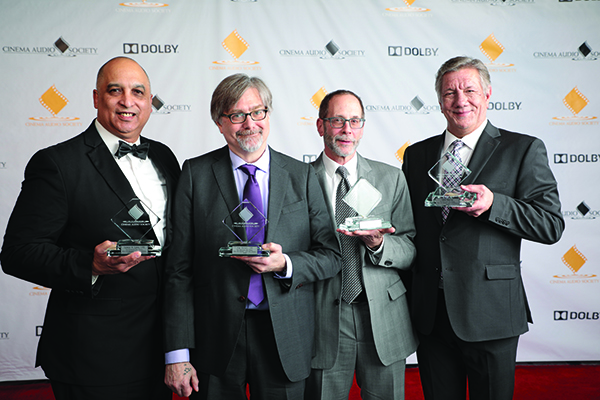
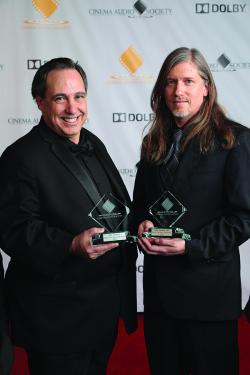
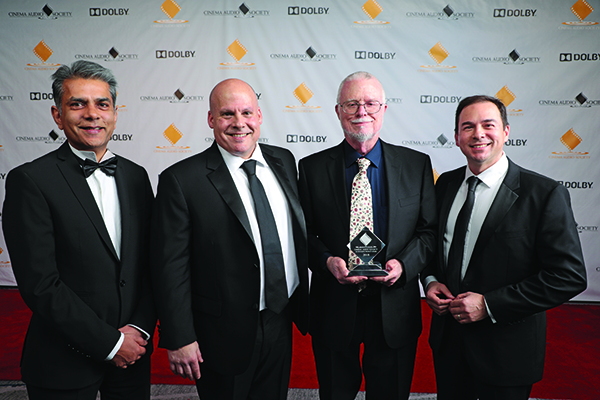
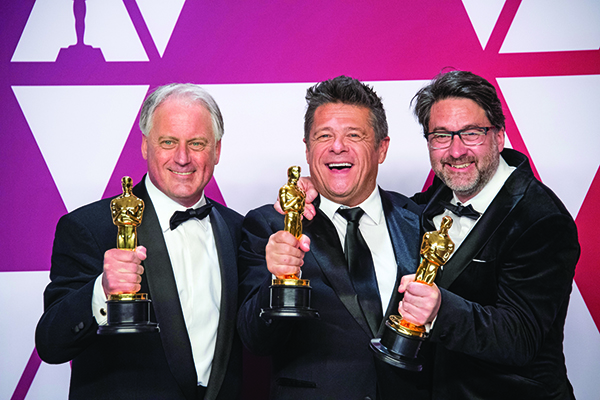
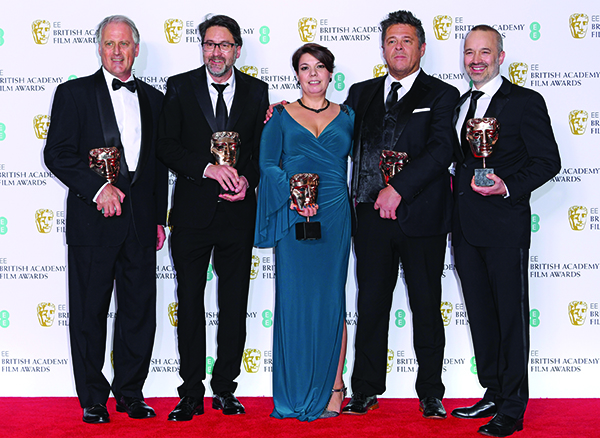
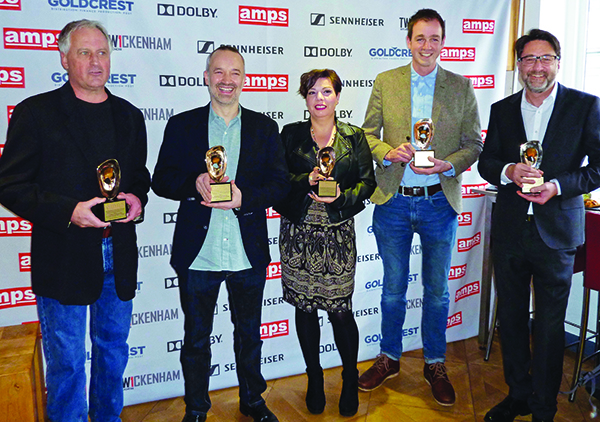
Creative Arts Emmy Sound Mixing Winners 2019

Outstanding Sound Mixing for a Comedy or Drama Series (One Hour)

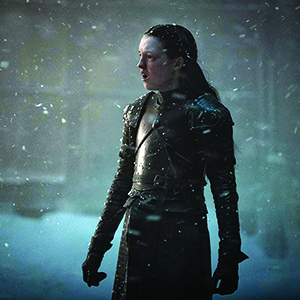
Game of Thrones “The Long Night”
Winners:
Onnalee Blank CAS, Mathew Waters CAS,
Simon Kerr, Danny Crowley, Ronan Hill CAS

Production Sound Team:​ Guillaume Beauron, Andrew McNeill, Jonathan Riddell,
Sean O’Toole, Andrew McArthur, Joe Furness

Outstanding Sound Mixing for a Comedy or Drama Series (Half-Hour) and Animation

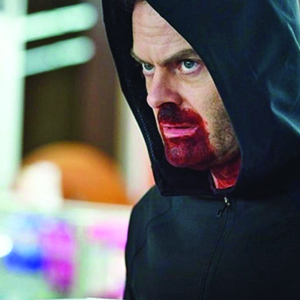
Barry “ronny/lily”
Winners:
Elmo Ponsdomenech CAS, Jason “Frenchie” Gaya,
Aaron Hasson, Benjamin Patrick CAS

Production Sound Team: Jacques Pienaar, Corey Woods, Kraig Kishi,
Scott Harber, Christopher Walmer, Erik Altstadt, Srdjan Popovic, Dan Lipe

Outstanding Sound Mixing for a Limited Series or a Movie

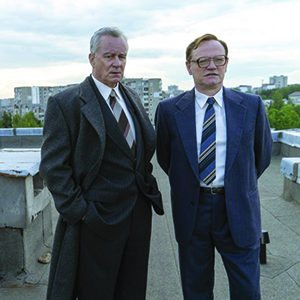
Chernobyl “1:23:45”
Winners:
Stuart Hilliker, Vincent Piponnier

Production Sound Team: Nicolas Fejoz, Margaux Peyre​

Outstanding Sound Mixing for Nonfiction Programming (Single- or Multi-Camera)

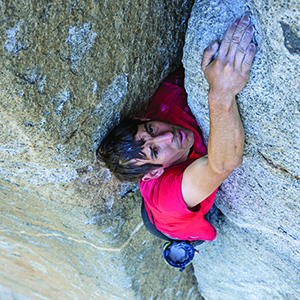
Free Solo
Winners:
Tom Fleischman CAS, Ric Schnupp, Tyson Lozensky, Jim Hurst

Outstanding Sound Mixing for a Variety Series or Special

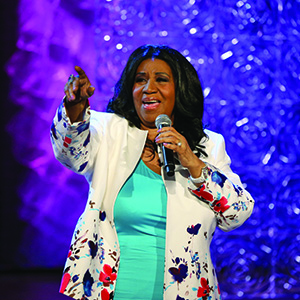
Aretha! A Grammy Celebration for the Queen of Soul
Winners:
Paul Wittman, Josh Morton, Paul Sandweiss, Kristian Pedregon, Christian Schrader, Michael Parker, Patrick Baltzell

Production Sound Team: Juan Pablo Velasco, Ric Teller, Tom Banghart,
Michael Faustino, Ray Lindsey

Names in bold are Local 695 members

2019 Mac Pro

by James Delhauer

Though the evolution of technology is already a staple of the 21st century, there are some breakthroughs that are widely acknowledged as being revolutionary. Within the world of film and television, one such moment occurred in 2006 when Apple unveiled the first Mac Pro. Featuring high-end Intel processors and sporting a versatile modular design that allowed for routine upgrades, the first-generation Mac Pro changed the landscape of the production world and gave creatives the kind of computing power they needed to enter the digital era. Though this particular line of computers has evolved in the years since its introduction, it remains a cornerstone of digital workflows across the globe. That is why it was so exciting when Apple announced a newly redesigned Mac Pro with some truly impressive specifications.
 

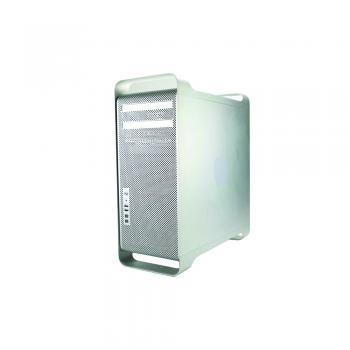
To understand the significance of the announcement, one must recognize the somewhat turbulent history of the Mac Pro. While the first-generation units, which were produced from 2006 to 2012, were revolutionary machines, they had begun to show their age by the end of their life cycle. Even with substantial improvements to the CPU, GPU, RAM, and hard disk drives every few years, the Mac Pro was fundamentally designed around the now obsolete Firewire, USB 2.0, PCIe 2.0, and SATA II connection interfaces. While these were industry standard and even ahead of the curb in 2006, they had been superseded by next-generation technology by 2012, making even the newest Mac Pro a problematic investment. Even the most enthusiastic of DIY users were having trouble upgrading their machines to compete with computers that took advantage of newer USB 3.0, SATA III, and PCI 3.0 technology. The widespread availability of these superior technologies in non-Apple computers started to make Windows-based workflows very appealing to loyal OS X customers. If Apple wanted to remain relevant in the high-end desktop market, they needed to overhaul the core hardware of their design.
    
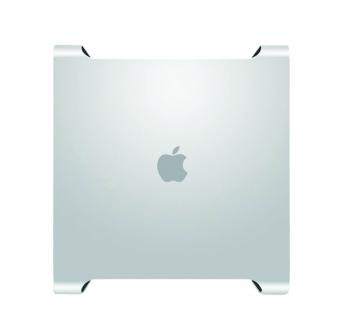
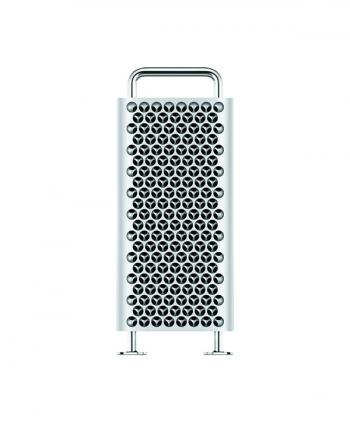
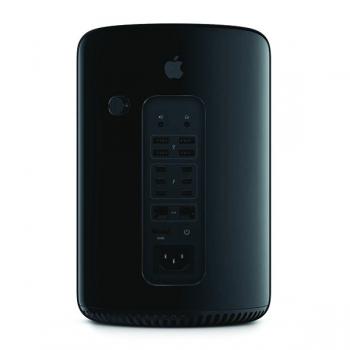
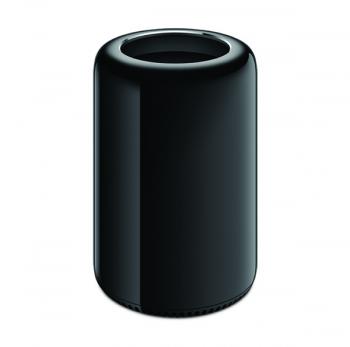
In 2013, they did exactly that when they unveiled the second-generation Mac Pro. This unit utilized a significantly smaller and more compact design. The short, black, cylindrical shape gave this unit the unofficial nickname of “trashcan,” while the older, first-generation models were retroactively branded “cheese graters” due to their silver color and grate of ventilation holes on the front and back. These trashcan computers, like their predecessors, were a monumental leap forward for their day. While many expected the newly designed Mac Pro to rely on SATA III and USB 3.0 interfaces for hard drive and peripheral connection, the company chose to leap beyond these standards. SATA III was bypassed altogether in favor of PCIe solid-state technology, which had a theoretical maximum speed five times greater than that of SATA III. USB 3.0 integration was included but this was done alongside Apple’s semi-proprietary Thunderbolt 2 interface—a more versatile connection with up to four times the speed of USB 3.0 and the ability to connect a much larger range of peripherals. Combined with impressive processor speeds, processor core counts, and AMD GPU options, the second-generation Mac Pros were arguably the first widely available computers ready to tackle the then upcoming rigors of 4K production.
    
Unfortunately, this generation of computers was not without some rather monumental flaws. This was also the first professional-grade machine produced by Apple not to feature any sort of optical disk drive. Many users had hoped to see the Super DVD drives from the previous generation replaced by Blu-ray capable equivalents and found themselves disappointed. In order to accommodate its small form factor, it required that all of the components be soldered directly into the Logic Board, making both maintenance and upgrades difficult for some components and impossible for others. This meant that users could no longer install third-party components into their machines in order to extend the product life cycle or customize them to suit their specific needs. After several years, this caused the trashcans to run into the same problem as the cheese graters. Technology that was revolutionary in 2013 was becoming out-of-date just a few years later.

This versatility restores the ability for users to incorporate devices manufactured after the Mac Pro’s launch into their system—a feature that has been lacking since the 2013 revamp.

By 2017, users were desperately searching for ways to coax more computing power out of their systems in order to accommodate the newly emerging 6K, 8K, RAW, and HDR workflows that Hollywood productions were beginning to demand. Ironically, some turned back to the first-generation cheese graters. By developing and using a variety of adapters and peripherals, they were able to install more modern components into their aged machines. The process was not always (or even usually) perfect but it did allow some to surpass the capabilities of their 2013 computers by using their 2006-2012 ones. Others turned to more drastic solutions. By carefully selecting a variety of PC components that were technically supported by the OS X/MacOS code, many DIY users found success in illegally bypassing Apple’s software security and installing the Mac operating system on computers built using Windows-oriented components. These “Hackintosh” computers were (and still are) often unstable but they provided customers with a means of running their preferred operating system on workstations that were not out-of-date. Nonetheless, none of these solutions were ideal.

Apple provided a stopgap in 2017 when they introduced the iMac Pro—an all-in-one workstation unit that boasted bleeding-edge performance and 5K retina display that was up to the challenges of high resolution and processor intensive tasks that production environments demand. While these units could replace the trashcan Mac Pros, many were quick to point out that the iMac Pro suffered from many of the same problems. The components were still soldered directly into the Logic Board, making maintenance and upgrades problematic. Within a few years, these computers would also begin to show their age and customers would have no means of upgrading them to meet the challenges of tomorrow.
    

Enter the third-generation Mac Pro.

 
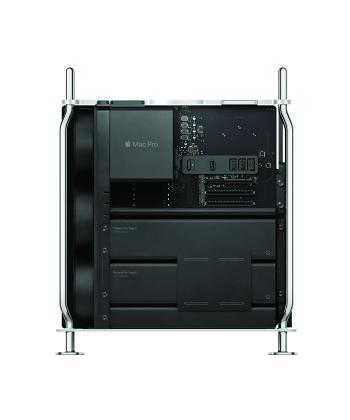
At the World Wide Developer’s Conference in April, Apple unveiled a completely redesigned machine that was a large departure from either of its predecessors. The large aluminum chassis resembles the older bodies of the original cheese graters (leading many to dub the new machines Cheese Grater 2.0) but what’s under the hood bears little similarity. The new Mac Pro features an exclusive line of Intel Xeon W processors that can be configured in a range from 8-core 3.5ghz chipsets to 28-core 2.5ghz chipsets, making it well suited for an impressively wide variety of users. Moreover, while most motherboards for Windows computers only support up to 64gb or 128gb of RAM, the new Mac Pro can make use of an astonishing 1.5tb of 2933ghz memory. For applications that frequently use memory caching (such as Adobe’s video production suite, Avid’s Media Composer & Pro Tools, and Apple’s Final Cut Pro), substantially more video and audio previews can be temporarily cached before a full render is required for real-time playback. Apple also offers a variety of graphics card options, including AMD’s Radeon Pro Vega II Duo card—a GPU capable of performing up to 56.8 teraflops of calculations. For comparison, the 2013 Mac Pro running two AMD FirePro D700 GPUs (the best configuration Apple offered) could only manage seven teraflops.

In addition to the impressive components inside the box, it is worth noting that the new Mac Pro features a versatile range of connectivity options. With two USB 3.0 ports for traditional peripherals, two Thunderbolt 3 ports for high-speed devices or expansion (Thunderbolt 3 is capable of being adapted to most other connection types such as USB, HDMI, and DisplayPort), and two 10gb Ethernet ports for high bandwidth online work, this new computer should be more than capable of integrating with just about any workflow currently on the market.
    
What’s most exciting to enthusiasts of the first-generation cheese graters is the potential for these devices to develop over time. Regardless of configuration, the device comes with two full MPX modules and three full-length PCIe 3.0 slots, allowing for hardware such as additional GPUs, PCIe-based hard drives, Apple’s Afterburner ProRes and ProRes RAW accelerator cards, Avid’s Pro Tools HDX cards, Red’s Red Rocket Pro cards, and many others to be seamlessly installed and integrated without the need for sprawling cables and expansion chassis around the primary computer. This versatility restores the ability for users to incorporate devices manufactured after the Mac Pro’s launch into their system—a feature that has been lacking since the 2013 revamp.
Despite all of the positives this new line of computers has to offer, it is not without its criticisms. Apple’s lack of support for Nvidia products means that users will likely be restricted to AMD’s line of GPUs for the foreseeable future. It is also worth noting that certain components are still locked into the Logic Board, meaning that performing maintenance on those components will likely be no easier than it was with the trashcan units. There is also no support for SATA connectivity, meaning that storage expansion may be limited. Most hard disk drives and solid-state drives still utilize SATA III interfaces, meaning that the only way to install these devices into the new Mac Pro would be via a PCIe adapter. In cases where internal storage is a priority, this can be a definite drawback. It is also much heavier than the trashcan generation. Having reverted back to the old cheese grater design, the new units weigh in at just under forty lbs. This will be a bit of an adjustment for those who have grown accustomed to taking their eleven-lb trashcan Mac Pro on the go.  
    
The biggest problem for many prospective users, however, is the price point. While Apple has not yet released the exact cost of each component option in a comprehensive breakdown, the base configuration machine—which comes with a 256gb SSD, 32gb of RAM, an 8-core 3.5ghz processor, and an AMD Radeon Pro 580X GPU—will set you back $5,999 plus applicable tax. This is unfortunate because a similarly configured Windows machine costs substantially less. In their review of the new Mac Pro, the Linus Media Group assembled an itemized list of components needed to build a Windows-based equivalent to Apple’s introductory machine. Their shopping cart ran up a much more manageable total of $3,160. Assuming comparable components are indeed fairly matched up in their assessment, that is almost a one hundred percent markup per unit. This has left many excited customers concerned that the highest end configuration Cheese Grater 2.0 may cost anywhere between $35,000 and $45,000. For individual users, that is a substantial investment and will need to be considered carefully before making any purchasing decisions.
    
All of that being said, the new Mac Pro will not release until fall of this year. Until then, it is impossible to know for certain what the exact price point will be and whether or not this computing powerhouse will perform as expected. When the new Mac Pro is released, Production Sound & Video will provide a comprehensive review featuring benchmarks, technical comparisons with older Mac Pros and contemporary Windows machines, and more. In the mean time, prospective buyers ought to start saving their pennies or apply for an extended line of credit if they are hoping to bring home one of these monster machines.

The Sound Cart Builders

by Richard Lightstone CAS AMPS

Sound carts have evolved over the last four decades in form and function.

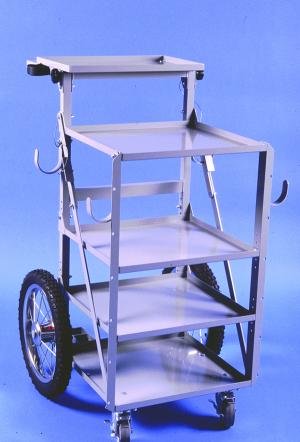
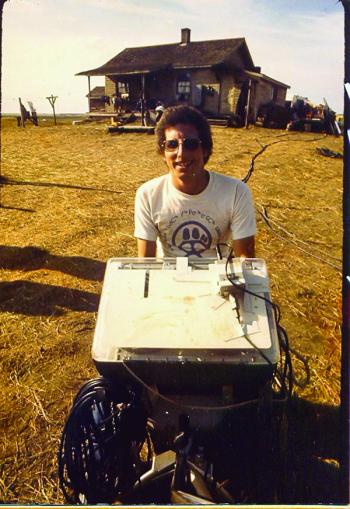
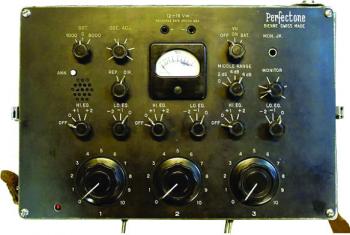
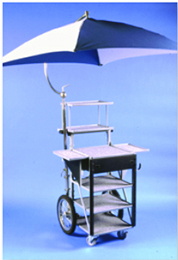
Today, there are numerous variations of sound carts to meet just about every mixer’s needs. When I began mixing in Montreal back in the ’70s, there were no film sound equipment suppliers or professional sound carts sold in Canada. On a Walt Disney show in Alberta in 1974, its sound cart was a modified golf bag trolley with shelves holding a Perfectone mixer and a Nagra IV, with hooks for microphone cables.

During the Montreal Olympics in 1976, I worked for ABC Television’s Wide World of Sports and they used a modified hand truck with welded cages for the Sony video deck, Sony camera, microphones, and cables. It inspired me to build my first cart in 1980 on the same principle. It was a large ‘Anvil-style’ shipping case; with shelves and drawers bolted to a hand truck and it served me well for more than twenty years.

RL Disney cart 1974

Perfectone mixer

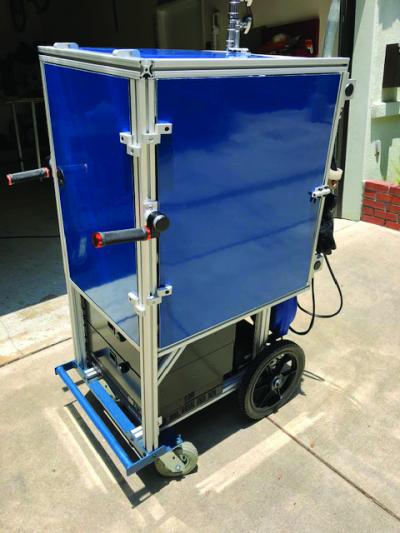
Jeff Wexler started building his own sound carts in 1970, first using a Sears TV stand and then moving on to more customization by modifying a produce cart. Jeff explains, “When I saw the cart that Michael Evje had built, an upright vertical cart with an aluminum frame and sliding shelves, I settled in to building that new style of sound cart. At first, I had to rely on fabricators with metal-arc equipment and the skills to make the frames. Later, I discovered the professional erector set of aluminum profiles from the company 80/20. I could assemble and bolt them together myself, not having to rely on outside fabricators. The last two carts I built before retiring used 80/20 materials.”

“The only commercially available cart was made by a company called Wheelit,” says Ron Meyer of Professional Sound Corporation (PSC). “These carts were designed to be used for AV equipment such as film projectors and other classroom and corporate equipment. The Wheelit carts had two folding shelves made out of white melamine-laminated particle board and were very heavy at about sixty-five pounds. Audio Services Corp. (ASC) had some custom shelves made from aircraft aluminum to lighten the cart by twenty pounds or more.”

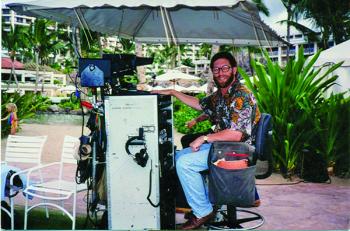
1993 Mauai, with ’80s built sound cart

In 1984, ASC decided to produce its sound cart, the SC-4. Ron believes that the design was based on a similar smaller cart made by Wilcox Sound.

That style of cart served our needs as we were using Nagra recorders, Sela or Nagra mixers, cabled microphones and very few wireless. As equipment requirements grew, the next progression was to the Magliner with custom shelves and attachments, introduced by Backstage Equipment, Inc.

There are many mixers still using the PSC upright and Magliner sound carts more than four decades later.

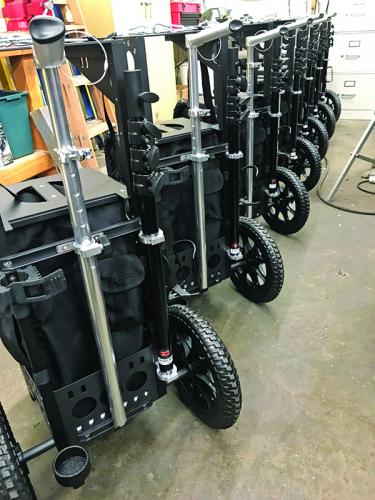
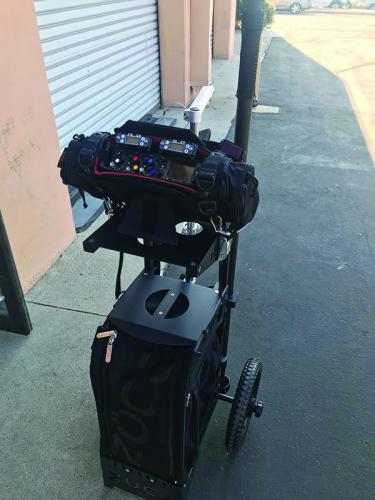
Several sound mixers began designing their own customized carts and offering them for sale, Brett Grant Grierson, Matthew Bacon, Gene Martin, Rob Stalder, Devendra Cleary, Eric Ballew, and of course, the late Chinhda Khommarath.

Expert Audio Recording Services, Inc.

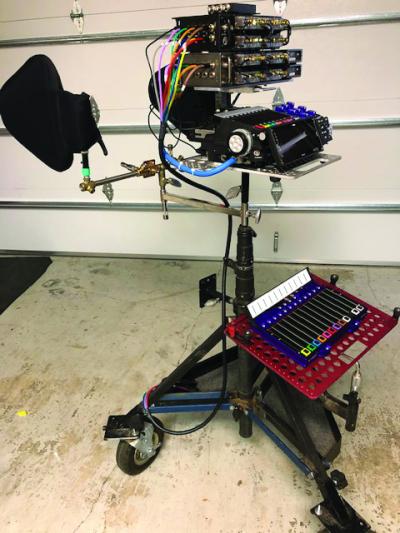
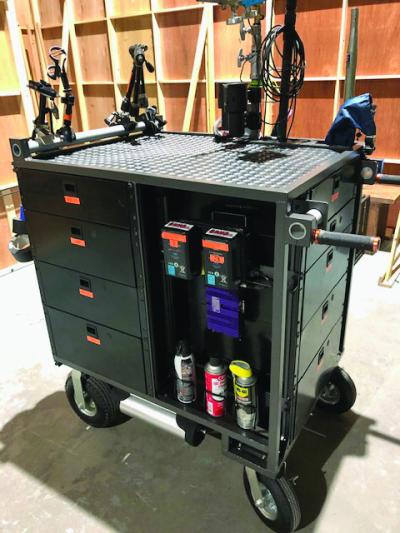
For almost two decades, Brett Grant Grierson began by modifying Magliners with custom welded parts to hold SKB upright rack cases. Brett continues to evolve new designs, whether it is a custom 80/20 cart, special brackets, or cheese plates on a rolling stand. I must disclose that I have had four carts built by Brett over the last eight years.

BGG carts

Rastorder, PTY

Sound Mixer Rob Stalder of Australia took a break and worked in sales. Inspired by the Backstage modified Magliner, Rob made a completely new design he called the 2g and his company Rastorder, PTY was born. Rob learned to weld steel in his early years. He remembers building a canopy for his Landcruiser and a tri-bike trailer for his dirt bikes. Rob’s design of choice was the upright cart, the SU was the first built with welded aluminum. “The SU was big. It has split modules because not everyone doing drama had a van, but nearly everyone had a larger analog mixer,” says Rob. “It’s interesting to note that the SU has morphed along with everyone else, finding a following with those large digital mixers.” Rob continues, “The Foldup came next, perhaps my best seller, one hundred and forty to date. Yes, it’s similar to the PSC folding cart. But I wanted a different configuration, a different size, and some different assembly techniques.”

Rob joined the move in building smaller carts and has a new prototype, which will go into production later this year. It offers more flexibility and inter-changeability. Rob concludes, “My challenge has always been freight cost, I am now located further inland in Australia. This is offset by the low Australian dollar, currently one Australian dollar is worth 77 cents US.

VK cart
Mb cart

DC Audio & Music

Devendra Cleary’s interest in cart building began simply in building a cart for himself in 2013. Eventually, he took the leap in what he admits is a crowded market to have a side business and thus, DC Audio was born. Devendra posits, “The concept was to design an affordable sound cart made of ‘off-the-shelf” items. I wanted to take industrial and consumer pieces and find a way to snap them together without the need for fabrication.” The DC Intro cart included an all-weather cover designed and manufactured by Susan Ottalini of MTO.

Devendra built two more versions until he arrived at the DC-TRM. Enlisting the collaboration of Sig Guzman at Backstage Equipment

“I gave Sig my pencil drawings of the cart with the idea that the base supported the rear axles with Trionic wheels and six-inch front casters, designed around a new extended size ‘Nagra Shelf.’ Simple 1×1 steel posts served as the spines and have baby pins on top. This design includes many Backstage accessories like handles and a crossbar with a baby pin in the center.”

Devendra field-tested the prototype loaded to the max on eighty days of production of the Mayans M.C., a very heavy location episodic. Devendra concludes, “I’m someone who is a sound cart user and enthusiast and contributing my design to the market. In the end, the customer base wins with DC carts and many other choices.”

Backstage Equipment

Sig Guzman has assisted many sound mixers in finding accessory parts, as well as the fabrication of sound carts. Backstage is a family-owned business run by Cary Griffith. In the ’70s, Mr. Griffith designed a grip truck, as well as grip, electric, and 4×4 carts. Backstage now manufactures more than one hundred and fifty specialized carts for virtually every craft, including lighting, grip, camera, video, sound, photography, Steadicam, DIT, basecamp, and props. Sig explains, “We continuously work on new products that we hope will become useful, and this is the best part of the job. You think of an idea, you draw it on a napkin, design it on a computer CAD system. Then you build a prototype, and have technicians test it and give you feedback. When you finish the product and see it being used around the world, that’s job satisfaction. We build everything in house with a few exceptions such as laser cutting, water jet, CNC, and finishing (paint, chrome, nickel plating), the most common materials we use for manufacturing are steel, as well as aluminum, depending on the product we are dealing with. All products are assembled, packed, and shipped from our location in North Hollywood.”  
 

Magliner junior sound cart
PSC EuroCart

Professional Sound Corporation

Professional Sound Corporation and Ron Meyer have been building sound carts for more than three decades. When the owners of ASC formed Professional Sound Corp. in 1986, it took over production of the SC-4 sound cart. Since that time, there have been several new features added, these include rack mount rails and various other options such as sun umbrellas, boom pole mounts, and rack mount drawers. Ron says, “Since I became the owner of PSC in 1996, Professional Sound Corporation has worked hard to make sure any new option we offered over the years is backward-compatible with all existing SC-4 sound carts. I never want to leave an existing customer behind.”

As equipment manufacturers began further miniaturization of the sound equipment, in 2014, PSC designed its EuroCart for this new, smaller world. The PSC EuroCart was not only a smaller, more convenient-sized sound cart, but also fit into smaller vehicles now commonly used by sound mixers worldwide. The PSC EuroCart can be assembled without the use of tools as it uses only “thumb” screws for all of its assembly. The EuroCart can also be split in half from top to bottom. This allows for easy storage and travel in the trunk of a car. The top half can also be used by itself for a small insert car sound package.

Audio Department, LLC

At the Audio Department, Gene and Drew Martin started designing and building carts from the ground up in 2016. Before that, they mostly did customization and modifications on Magliners. Gene says, “Drew and I collaborate on every project. We wanted a vertical design for our main cart that was modular, allowing for different options based on the equipment being used. The majority of our carts have a 16-rack-space bottom unit that allows for a variety of different size (or custom) top sections to be bolted on. This gives the customer the opportunity to change the use of the cart if ever needed.”

They strive for the carts to be as light as possible, but still have strength so the majority of their projects are made from one-eighth-inch aluminum, small steel tubing, or 80/20 aluminum if it’s better for the job. Gene and Drew do all of the design, assembly, and small machining. They credit more than thirty carts built so far for a wide range of sound mixers.

SOUNDCART.audio

Matthew Bacon founded SOUNDCART.audio in the UK. The selection of sound carts was extremely limited in the UK twenty years ago; they were rarely seen on anything that wasn’t a scripted drama or a feature film. Just like Jeff Wexler, Matthew’s first cart was a homemade adaption of an existing industrial trolley, a BEKVÄM Kitchen trolley from IKEA. As his career progressed, his need for a solid sound cart became imperative so he set about designing one using the popular 80/20 material.

“Other mixers began expressing interest in either buying my cart or having me build one for them.” Matthew continues, “One thing led to another and after some R&D time, he launched SOUNDCART.audio in March of 2016. Following the success of the production sound cart, demand for other models soon followed. In particular, there was interest in a smaller, more compact design, thus the MiniCart was born!” The approach to designing the MiniCart was similar to that taken with the production sound cart, to design a cart that was functional, flexible, and easily configurable to allow mixers to work in the way they wanted. Matthew explains, “No two mixers work the same even with the same equipment. For example, some prefer to sit or stand, position their monitors high or low, fix their boom poles to the side or rear of the cart, use adjustable feet or small or large caster wheels, etc.”

Matthew offers design services to customize his sound carts to the needs of his fellow mixers. His newest entry is the Explorer sound cart, which is a self-assembly design.
 

Cannibal Industries

Eric Ballew and his Cannibal Industries is the newest entrant in the sound cart-building business. While doing early mixing projects in 2010 in Los Angeles, he supported his career by working with stunt crews in designing rigging and emergency braking systems. It wasn’t until 2017 that Eric decided to collaborate with a machinist and partner with Sound Mixer Daniel S. McCoy.  

Eric says, “Daniel asked me if modifying a Zuca cart for sound work was possible. In comparison to the complexities and mechanics of the cart I built for Michael Hoffman CAS, adapting a generic Zuca cart for sound was a simple and straightforward venture. I took the Zuca to my machinist who has been my mentor. I completely disassembled it and began drawing pictures of brackets and support pieces. We milled the parts out on the CNC machine and Bridgeport mills. Each piece was made to very tight tolerances; the result was an incredibly ridged and lightweight rig. To add some flair, I machined some very specific quick-release hooks for a Sonosax/Orca bag Daniel owns.”

After posting the build photos to social media and on several sound mixing forums, voila, it gained enough orders to mass-produce an initial twenty-five of their Super Zucas. Eric continues, “The Super Zuca is the smallest and most lightweight professional sound cart ever designed for our industry. We use CNC-machined solid aluminum supports, stainless steel fasteners, and industrial-grade coatings, including both Cardinal Powder Coat and LineX. Because the footprint of our cart is so small, we did not compromise structural integrity with collapsibility. This results in a remarkably stout mobile platform.”
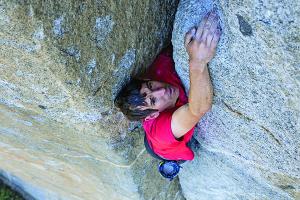
Eric is now retrofitting some Chinhda carts and also does custom fabrication and builds.

Coda

Ron Meyer, who has been building sound carts the longest, has a cautionary question to the many independent vendors. “Most of them build small batches of carts. Then they completely change their designs and build another small number of units. Are they stocking any extra replacement parts and standing by their earlier iterations?”
My Godlike Reputation Part 2

MY GODLIKE  REPUTATION PART 2

(A tutorial for those without half a century in the business, and a few with)

by Jim Tanenbaum CAS

I consider my ultimate loyalty to be to the project, to make it the best movie possible, so my always getting the best sound possible is subordinated to working as quickly as I can with the minimum impingement on the other departments, so long as I get sound that is at least “good enough.” Of course, my idea of “good enough” is pretty damn good, but not perfect.

What is “good enough”? For starters, remember that production dialog will be put through a dialog EQ: rolling off the bottom end and cutting off the top at 8 KHz (or for some upscale mixes, at 10 KHz or even 12 KHz). And unfortunately, the dialog will often be buried under the music and effects. (I defy most production mixers to distinguish between a Sennheiser and a Neumann on the release track under these conditions.)

The director, editor, and producer have heard the actors’ lines hundreds or thousands of times in post production, and it has become permanently imbedded in their brains. They can still hear it even when the dialog track is completely muted. The re-recording mixers will try to push the dialog levels, but they are often overridden by the higher-ups, especially for dialog following the punchline of a joke. (I think it would help to have a laugh track to play on the dubbing stage at the appropriate times.)

I try to get my “good enough” production sound through to the release print in spite of this.

To avoid holding up production, I bought a second Nagra IV for a spare as soon as I could afford it, and also a Nagra QFC cross-feed coupler, which mated the two recorders so they could record identical tracks, and use all four mike inputs and the two line inputs.

Since the 7”-reel lid adapters weren’t available way back then, this helped me tremendously in dealing with the 15-minute runtime at 7½ IPS of the 5” tape reels. When I got near the end of the first reel, I just started the second machine to give some overlap, and then reloaded the first Nagra at my leisure. Unfortunately, calling for a tail slate caused too much confusion, so I had to note the overlap on sound reports and depend on the transfer house to handle the splicing. More unfortunately, the quarter-frame resolution of the magstripe sometimes caused a glitch at the splice, so I used the 2-recorder overlap only when absolutely necessary.

I don’t need a mix panel—just thin fingers

Now that “running out of tape” is no more, I still avoid production delays by having my bag rig ready to go for car shots between stage setups. And the disaster of losing a recorded ¼”-tape is also a thing of the past, but I always put the day’s flash-memory card in a DVD case, along with the sound report, and make sure not to reuse my primary CF cards until well after shooting is finished.

One of the “10 Holy Truths” I teach my UCLA students is: The most important thing experience teaches you is what you can get away with, and what you can’t. And you usually have to make this decision instantly.

Many years ago, I was on a commercial with the late Leonard Nimoy as spokesperson, and he was justifiably annoyed with the production company for their many screw-ups, such as the car with no air conditioning that that picked him up for the 3-hour ride to the location. My boom operator had to work very hard to get a quiet mounting for the radio mike, since his wardrobe was 100% polyester, including the necktie. The rehearsals were fine, so Leonard went back to his motor home to await the “magic hour” for shooting.

I’m not uncertain—am I?

Magic hour arrived, but Leonard didn’t. As the light was fading, he finally showed up, not in the best of moods, as the A/C in his motor home wasn’t working very well either. He was hustled into position on the set and the director yelled “Roll!” As the dialog started, so did the clothes rustle, on every fourth or fifth word—definitely unusable. My experience told me that he had messed with his tie while away from the set, and it will take a complete rip-out and re-rig to fix—at least two to three minutes of the at-most ten minutes of usable light remaining.

The director was one of my regulars, very talented, but stern and disdainful of incompetence. Fortunately, he trusted me. Unfortunately, he trusted me to the point that he wasn’t wearing headphones because he needed to listen to one of the clients during the shot. I immediately got up, during the take, and told him the sound was N.G. and I needed two minutes to fix it. He wasn’t pleased with the news, but called “Cut!”

I headed directly for Leonard, because I had already taken the necessary items with me before I left my cart. I re-rigged the lav in a minute-and-a-half, and put the Nagra into “Record” even before I sat back down in my chair. Because of the crucial nature of the situation, I knew it would not look good if I merely sent in my boom op, even though they could handle the problem as well as I (or perhaps even better). Seeing me dealing with the lav, my boom op had automatically brought a Comtek to the director, but he waved him away.

After the sun set, the director went to video village to review the takes, and I stood quietly behind him. The clients were happy, and thus so was he. A few minutes later, I approached him to offer an explanation. He smiled and said, “Nimoy f’d up your mike in his motor home, didn’t he.” It wasn’t a question.

Here is the flowchart I use to deal with problems on the set:

The other side of the ¼-inch tape is that sometimes (okay, rarely), the re-recoding mixers will mess up my tracks. To help guard against this, I have found that if I ride the gain properly, they will tend to leave my tracks alone and pay more attention to the music and effects tracks instead.

The two areas to which I pay special attention are: 1, matching background ambience from take to take and between different angles of a scene, and 2, limiting the total dynamic range of the dialog.

Having the ambience not jump on picture cuts follows another one of my 10 Holy Truths: Sound that calls attention to itself has failed. Raising low-level dialog and reducing high-level dialog (manually—I don’t like the sound of limiters or compressors) means that the re-recording mixers won’t have to do it themselves. However, these two factors are interrelated—simply raising or lowering the recording-channel gain to adjust dialog levels will affect the ambience the same way.

Describing all the various methods to control dialog levels without changing the ambience is beyond the scope of this article, but a very common one is to simply move the mike closer or farther from the actor without changing its orientation. On a soundstage or non-reverberant exterior, the mike’s distance can usually be altered about 3:1 without noticeably affecting the perspective of the dialog while giving almost a 20-dB dialog gain change. Since the distance to the source(s) of the background noise will not be changed significantly, the ambience will not change either, as long as the mike’s orientation with respect to the source of the ambience is not changed while it is being moved closer or farther from the actor.

While I just said my ultimate loyalty is to the picture—in typical Hollywood fashion that’s a lie. My first loyalty is to myself, my life, and limb. During car stunts, I always mix standing up, with my chair out of the way, and have located all the escape routes in advance. However, on one show, this wasn’t enough.

Working on the TBS back lot, there was a scene where a tractor-trailer careens around a corner and takes out a curb mailbox. With my physics background, I set up the cart in a safe place should the truck skid off the street. Then the 1st AD told me that it was the worst place to be, and insisted I move to a location he selected. I knew better than to try teaching him Physics 101 about centrifugal “force,” and did as he said. On the first take, the truck lost control and headed directly for me, or rather where I had just been standing. Unfortunately, the escape path I had chosen was also picked by a lot of the crew, and we were all jammed together and stuck there. Fortunately, the driver got the vehicle stopped in time. Unfortunately, it also came up just short of the sound cart. (It was WB Studio equipment.)

On a night shoot, we had completely blocked off a street with barricades, flashing red lights, and had police traffic control. A speeding drunk driver plowed though all the barriers, and only that he then T-boned a police car parked crosswise in the street kept many of us from being killed or maimed.

You are never absolutely safe anywhere, but especially on a movie set. Fire can spread amazingly fast. Safety chains on effects shots can snap. Remember that when you are tempted to “get a good view” of something being blown up.

Even on an “ordinary” shoot, you need to maintain cautious work habits, but more importantly, be aware of your surroundings. Coming back from lunch, I was in a line of people entering the stage, but was I the only one to get a faint whiff of natural gas?  Apparently so. I immediately notified the 1st AD, who was not overjoyed at the news, but (properly) followed me outside to verify it, evacuated the building, and called the gas company. When they arrived, they found a cracked meter, and replaced it. But because I don’t trust anyone (including myself), the next morning I went straight to the meter and … still smelled gas, even more strongly. The AD didn’t even bother to check, just got everyone out and called the company back. The main gas line had split from the stress after it was re-attached and checked for leaks.

Even when the director or AD wants you or your crew to “hurry”—don’t run. Not only are you more likely to trip or have an accident, but they will eventually expect you to move that fast all the time. Save the running for a real need, like losing the light on a magic-hour shot.

Whatever you may have heard about grips’ “Sex, Drugs, and Rock & Roll” mentality, I have found most of them to be very knowledgeable about safety, and trust their judgement. (The pix shows me only part-way rigged: a pad for my left knee and more safety straps were added before leaving with the police escort.)

Traveling in style thanks to Local 80

Finally, there is a very real possibility that you may have to choose between your job and your life. I was working a nonunion feature in a small town in another state. Yesterday had been 18 hours, and I had already worked 10 today when the producer showed up and said that at wrap, some 2 or 3 hours hence, the company will have 3 hours to pack up and check out of the hotel, and then drive our own cars another 2 hours, at night on unlit mountain roads, to the next town on the schedule. When we get there, some more shooting will be done before dawn. (God bless the I.A.T.S.E. and other unions for protecting workers’ lives.)

I went to the 1st AD, and politely explained that I and my boom operator are too tired and sleepy to drive safely, and must have a proper night’s rest before leaving. The AD replied that the company must be out of the hotel by a certain time, and that there is nothing he can do.

“There is something you can do,” I told him, “hire a new sound crew, because after this scene, Jean and I are going back to the hotel to sleep, and we’re driving back to LA tomorrow.”

The producer left the set, but returned half an hour later to announce that we would be staying in the hotel there that night after all, and not leaving until the next day.

The UPM who had hired me was one of my regulars, and very happy he could make me the bad guy (and keep anyone from getting killed on his watch), and continued to hire me for other shows (read on).

While not quite as important as safety, comfort is a serious concern. If I’m sitting out in the hot sun, or shivering in the cold, I know I’m not doing the best work I could. Learning how to deal with temperature extremes is just as important as learning about audio. I have never regretted the many hundreds of dollars I’ve spent on specialized cold-weather gear. There’s no such thing as a really warm glove—the secret is down hunting mittens worn over thin glove liners. The mitten has a slit on the underside for extending fingers to (fire the rifle) work the mixer pots, then pull them back inside.

Hot weather requires light-colored 100% cotton clothing with long sleeves and pant legs to absorb perspiration and cool you as it evaporates. Sweat that drips on the ground cools only it. Note that I have clipped a space blanket to the top of my umbrella to completely block the sunlight.

There’s another kind of comfort that’s important, too—emotional comfort. Early in my career, I put up with a lot of sh*t because I needed lines on my resume, but as soon as I got “enough” of them, I decided that what I didn’t need was a heart attack or a perforated ulcer.

Shiny-side up makes a BIG difference

On a nonunion shoot, the first day of shooting was a disaster, and we didn’t finish the scheduled work. At the end of the day, the a** hole director called each crew member “on the carpet,” in front of everyone else. (God bless the I.A.T.S.E. and other unions for protecting workers from this sort of abuse.)

When my turn came, I got: “Tanenbaum, you’re completely unprofessional. We had to wait half an hour for you to put a radio mike on the actor.”

I calmly replied, “Kenny was standing outside the actor’s motor home, but the doctor wouldn’t let him in until he finished sewing up the actor’s hand. I’m sorry that’s not professional enough for you, Sir. Would you like me to leave now, or stay on until you can bring in a replacement professional mixer?”

The UPM I just mentioned, was standing on the sideline and frantically motioning me to shut up, as he didn’t want to lose me, or a day’s production while they were getting a replacement sound crew and equipment.

The director backed down, moved on to the next victim, and left me alone for the rest of the shoot, even when I didn’t notice that I had run out of tape halfway through the only take of a shot until we had moved to the next location. (I had to work that day with the flu and a 103° fever.)

Text and pictures ©2019 by James Tanenbaum, all rights reserved.
Editors’ note:  Part 3 of 3 continues in the fall edition.

As Productions Go Online

by James Delhauer

The evolution of communication technology since the turn of the century has revolutionized the way that filmmakers approach their craft. A short twenty years ago, productions made nightly phone calls and distributed paper call sheets each day to ensure that cast and crew were aware of the correct location and call time for each day’s work. Widespread access to personal email accounts rendered this manual process obsolete and saw it replaced with mass mailing lists and digital attachment files. This is just one example that scratches the surface of how sending files over the internet can make production workflows simpler and more efficient. As we move toward a more globalized world of film production, the ability to communicate via the web has become an integral part of day-to-day life. More and more assets can be shared instantaneously, saving countless hours or the cost of constantly transporting assets back-and-forth. The most recent developments in file transfer protocol technology are allowing for entire productions to be uploaded to the internet and sent to multiple destinations across the globe in real time.

A file transfer protocol, or FTP, is simply a network protocol used to transfer files between a computer client and a server. On a small scale, every email attachment makes use of an FTP in order to move the attached file from a device, onto an email provider’s server, and then send it to the recipient’s device. They have become a common, albeit nearly invisible part of the daily routine in production. More and more offices are adopting browser-based FTP services like Google Drive, Dropbox, and Amazon Cloud Storage in order to make sharing and communication channels uniform across the team. In cases such as these, the user need only enter the address of the FTP server into their web browser in order to access data that has been stored there by another member of the team. Username, password, and sharing credentials are often added as a measure of security.

Unfortunately, commonly known platforms such as these have their drawbacks. Most web browsers, such as Google Chrome, Mozilla Firefox, Microsoft Edge, and Apple Safari are not optimized for large or automated transfer tasks. Similarly, most consumer computers are not outfitted for transfer speeds beyond one gigabit per second. Additionally, these sorts of services can also become quite costly as both the expense of cloud-based storage and slow upload speeds make the time commitment impractical. Moreover, FTP clients that utilize third-party servers present a security risk. If a production were to place all of its assets on a non-private server, those files would be vulnerable to theft should anyone obtain the correct login credentials. There is also the remote but still present threat that the server’s provider (Amazon, Google, etc.) may undergo some sort of catastrophe and data loss could occur.

Recent developments are removing these limiting factors and large-scale digital delivery is becoming more commonplace. Ten-gigabit internet connection pipelines have become more prevalent and cost-effective with time, which have in turn made ten-gig connectivity on consumer machines such as Apple’s Mac Mini and recently announced Mac Pro, far more common. This allows for larger amounts of data to be uploaded to the cloud and then sent to network servers. There are also more FTP workflows that involve using a specific client software, eliminating the inherent flaws of browser-based FTPs. Private servers and network-attached storage devices are more prevalent, meaning that production companies can build or purchase their own server solutions, which eliminates the vulnerabilities of third-party storage options.

Fortunately, these improvements are occurring at an ideal time within our industry.

As productions have left the traditional filmmaking hubs of Los Angeles and New York in favor of exotic locations around the globe, production activities have become decentralized. Rich tax incentives offer unique opportunities that incentivize productions to shoot in new hubs that may not be where the footage is ultimately processed and undergoes post production. A project may shoot in Atlanta, undergo general editing in New York, and source out visual effects, color grading, and post-production sound to companies based anywhere else in the world. In complicated workflows such as these, every entity involved with the project needs access to the digital assets. Transporting physical drives can be costly and time-consuming. But simply uploading the entirety of the project’s assets to a server where any relevant parties can download the information is an ideal solution. This allows post-production teams to begin processing footage almost immediately, regardless of whether the shoot is occurring a few blocks away or on another continent. The expediency of this process also allows for near real-time feedback from the editors and dailies, which can eliminate the need for costly reshoots later in the production.

“For Local 695 video engineers…
this emerging technology presents an opportunity.”

For Local 695 video engineers, whose responsibilities include media playback, off-camera recording, copying files from camera media to external storage devices, backup and redundancy creation, transcoding, quality control, syncing and recording copies for the purpose of dailies creation, this emerging technology presents an opportunity. Those who become well versed in its finer points will be ideally suited to jobs looking to take advantage of improved online distribution. While the need for traditional media managers who offload cards to hard drives is not going to disappear in the foreseeable future, a new breed of FTP media managers will become necessary going forward. Media managers who possess a basic understanding of network-attached storage (such as Avid’s Nexis or Pronology’s rNAS m.3) and common FTP client programs (such as Signiant’s Media Shuttle or Aspera’s Client) are ideally suited to take on these new roles as they become more prevalent.

In an ideal setting, a media manager is able to ingest/offload multiple streams of 4K media, perform transcodes if necessary, and then drop completed footage into what is called a “watch folder.” From there, the FTP client can parse the folder for any file containing a specific string of characters, such as the “.r3d” file extension of a Red camera or the identifying label of a particular camera. When it finds files that meet its criteria, the FTP client picks up the file and begins duplicating a copy of it to its web-based server. When the file has finished being copied to the cloud, the client software moves the original copy to a “transferred” folder in order to avoid sending the file multiple times. Signiant’s Media Shuttle is even capable of replicating folder structures, meaning that all of the organization and offline to online directories created on set by the media manager are retained when they are sent to post production.

This sort of workflow has already been successfully carried out on shows such as MTV’s Wild ’N Out, MTV’s Video Music Awards, TED Conferences, and NBC red carpet shows. Wild ’N Out, in particular, is noteworthy for sending multiple episodes’ worth of content from Atlanta to New York on a daily basis during the production of its recent fourteenth season. In total, the show’s video engineers successfully transmitted fourteen cameras’ worth of video, amounting to more than twenty-five terabytes of data.

Nonetheless, this technology is not without its limits. In April of 2019, a team of astronomers successfully captured the first photograph of a black hole—a revolutionary feat that required more than five petabytes (or five thousand terabytes) of data to accomplish. Unfortunately, limitations in bandwidth and storage costs still meant that it was faster and more cost-effective to mail the physical drives back-and-forth across the globe than it would have been to upload the data to any online server. So for the time being, if a production has a few million gigabytes of data that they need to send out, it may be more efficient to physically transport the data back-and-forth.

Even limitations such as these are a temporary matter at best. As the nightly phone call was replaced by a single mass email, internet limitations will also disappear. Ten years ago, uploading even a terabyte of data to the cloud was a monumental task. As our industry continues to evolve and demand more efficient workflows for bulkier and higher resolution files, FTP clients will rise to the occasion. Ten years from now, it is likely that the threshold for transmitting a petabyte’s worth of data will be crossed. When that time comes, 695 video engineers should be prepared to jump at the opportunity for the new work created by this ever-evolving technology.

Using an Exoskeleton

Using an Exoskeleton in Real-World Settings

by Ken Strain and Bryan Cahill

As Bryan Cahill wrote in the 2019 spring edition of Production Sound & Video, Brandon Frees, Ekso Bionics VP of Sales, provided him with a loaner EksoVest, thus allowing working Microphone Boom Operators to give it a test drive in real-world conditions for a week or two at a time. As part of that trial, Ken Strain and Corey Woods were able to use the vest on the Apple TV+ series Mythic Quest. Bryan then brought the vest to Mike Anderson on Goliath.

In this article, Ken, Corey and Mike share their thoughts about using the vest on actual shoots.

Ken Strain: I’m six feet, five inches tall so, I tend to hold my arms over my head less than shorter boom ops, as I favor keeping the boom at shoulder level and resting my elbow on my hips for long takes. On this new comedy however, there are many resets and pickups of alt lines, and we get into very long takes. I often find myself having to hold the boom overhead for 15 to 30 minutes, in order to get around practical lights and reflections. So I jumped at the chance to give this vest a try to see if it would help.

This vest was not made for our industry. It is designed for the automotive industry where the line workers raise and lower their arms with tools thousands of times per day, and wear the vest all day long. It’s built for that type of intense daily usage, with very strong joints and bearings. The autoworkers work in their own stations, with clear space all around them, so the elbows (link assemblies) that stick out in the back are not an issue like they are for us on cramped film sets.

The vest can be set up for various body types, and I’m sharing it with my Second Boom, Corey Woods, who is around five feet, eight inches tall. He tends to hold his arms overhead more often than I do, and he has shoulder issues, which makes it more difficult for him to boom. I do my best to keep him off the stick, but we are an ensemble comedy, so he has to work on many slots.

The vest has four spring options, and we are using the strongest spring, labeled “4,” which gives about fifteen pounds of upward assistance once your elbow reaches a horizontal height. When at rest with arms by your side, the system is not engaged. The buckles and straps that attach around the bicep part of the body are comfortable and easy to use. The angle of assistance can be tweaked as well, to provide the max assistance at a higher engagement point if you happen to reach higher normally.

Ours is set up neutral, so its “shelf” of support is right at shoulder level. I only engage the spring in the leading arm, and keep the trailing arm turned off, so that my arm and the vest itself acts as the counterweight, and it works great this way. It is very easy to lean against the back of the vest, with your arms overhead holding and guiding the boom pole. It looks like work, but instead of the forces going into the shoulders, they are routed down to the hip belt. So all you do is guide the pole, and the nasty heaviness of it is painlessly transferred to your hips. It’s a great feeling when the situation is right.

I tried it on several different types of shots, the first was a crane shot that was just wildly shooting around the room. That was just to get the feel of it, as it wasn’t a major dialog scene. This is where I figured out the max length of boom pole extension before it overwhelms the spring. For my particular setup, that was an 18 foot K-Tek boom pole with internal coiled cable and a CMIT mic on a PSC mount, extended one half section short of full extension. My setup is already well balanced, if you are using a plug-on transmitter on the mic end, you’ll have less extension for sure. If you were to use this outside with a zeppelin, then you will only have assistance, not complete support unless you’re on a relatively short pole.

“Walking backward while booming is a very dynamic situation, and having the assistance change while I was sort of bouncing around behind camera made for an awkward feel.” –Ken Strain

The next shot was a fairly straightforward Steadicam walk and talk through our bullpen, and that did not work so well for me. Walking backward while boomi​ng is a very dynamic situation, and having the assistance change while I was sort of bouncing around behind camera made for an awkward feel; the spring engaging on and off unnaturally. Also, the way the vest fits snug around the hips makes it feel as if it is not designed for backpedaling. I didn’t feel free or comfortable. When I mentioned this to Bryan Cahill, he suggested I might try less assistance or lighter springs which I’ll try if I get another opportunity.In general, Steadicam walk and talks don’t tend to be ridiculously long with endless resets, as everyone seems to be aware of the Steadicam Op’s fatigue. And, I think you run a higher risk of hitting something with this vest on a walk and talk which would be a total party foul.

My next opportunity was exactly what I envisioned the vest to be for: a three-page dialog scene among six actors in a conference room. I had to keep the boom working over a long LED practical that hangs over the table. There was no other way to pull this off without having my arms overhead. I also had to stay mobile because the three cameras were doing moves on the dance floor around me and my actor had a back-and- forth move that went deep. Since I couldn’t use a ladder, this was the perfect scenario for the vest.  

 I had ample space behind me to allow for the link assemblies that stick out from the vest. It worked like a charm. I had total mobility like normal, yet my arm was completely supported at the elbow. I did notice over the duration of the take, that support would start to sag a little,   meaning I was right at the limit of full support for this spring. I could have used less pole and experienced less sag over time. Basically, the spring needs to be stronger. For autoworkers, they don’t need a super strong spring to provide a continuous solid shelf of support, so this is one limitation that needs to be overcome. EksoVest is prototyping a stronger, number “5” spring which could solve the problem.

 The other limitation is the most obvious one, and that is the space it takes up behind the back. You need to place yourself carefully on the set to avoid hitting anything or anyone. It alters the decision making of where you place your self or even walking around the set, you need to be conscious of your space. It definitely makes you feel like Robocop, and that’s exactly what people on set were calling the vest (it does draw an enormous amount of attention and curious questions). The articulating link assemblies limit you to working only in areas which have at least an extra eight inches free behind you. This is a deal killer if someone needed to use the vest all of the time.

One advantage of this design over the Shoulder X vest, which has a much trimmer back profile, is that this system of articulating link assemblies behind the back does not interfere with your arms and shoulders when you find yourself raising your arms straight up. There is nothing above your shoulders, like the Shoulder X, which has a frame that hinges a few inches above the shoulder. This is how they get around the problem of maintaining a tight profile. When I tried that vest on at our union meeting, it felt great until I raised my arms straight up, and basically contacted the metal frame, and it felt like now I was fighting it. Other than THAT, it seems really well designed. As Boom Operators, we have some pretty specific and unique requirements, and exoskeleton manufacturers are going to have their hands full designing something that works with our range of motion and in the tight quarters that we find ourselves. I’m sure it will be possible.

The EksoVest feels good and very high quality. The new stronger spring will be a welcome addition. The stronger the better, but not so strong that we can’t bring our arm back down!

Corey Woods: I concur with everything that Ken wrote. I would only add that the level of adjustment is quick and the ease of putting the suit on when needed can be as quick as thirty seconds. We don’t always need the vest, but when we do, it might be at the last minute. A consideration for Boom Operators who find it hard to leave the set for fear of missing a rehearsal, lighting change, etc.

Mike Anderson: Recently, I had the opportunity to try one of the exoskeletons being tested for use by microphone Boom Operators. The EksoVest exoskeleton system was loaned to me by for a ten-day stretch during production of the third season of Goliath, the Amazon series. Once Bryan Cahill gave me a quick run-through of how the vest works and we got it fitted, I put it to the test.

I found it had a surprisingly comfortable fit coupled with a very good range of motion. The vest has interchangeable springs that add and/or reduce the vest’s lifting power. I started with the heaviest load lift thinking, “Hey, why not?” Once I really started to get used to it, I found myself almost fighting it.

When I switched the springs to a lower lift tension, I found the lower tension made all the difference and the system was extremely helpful. I suggest everyone booming give it a try. It can’t hurt, literally! I want to thank Bryan for all of the work he has done trying to find ways for us Fishpole Boom Operators to minimize the abuse we do to our bodies on a daily basis. If you think I’m wrong, you are kidding yourself. Maybe we can make these devices a standard on set. After all, when was the last set you were on where the camera operators didn’t have an Easy Rig on standby?

71st Emmy Nominations

71st EMMY Award Nominations for Sound Production

Nominations for the 71st Primetime Emmy Awards were announced Tuesday, July 16, 2019. The awards show will be held on Sunday, September 22, at the Microsoft Theater in Los Angeles.

Local 695 congratulates all the nominees!

Outstanding Sound Mixing for a Comedy or Drama Series (Half-Hour) and Animation

Barry  
“ronny/lily”
Nominees:
Elmo Ponsdomenech CAS, Jason “Frenchie” Gaya, Aaron Hasson,
Benjamin Patrick CAS
Production Sound Team:
Jacques Pienaar, Corey Woods, Kraig Kishi, Scott Harber, Christopher Walmer, Erik Altstadt, Srdjan Popovic, Dan Lipe

Modern Family
“A Year of Birthdays”    
 
Nominees:
Dean Okrand CAS, Brian R. Harman CAS, Stephen Alan Tibbo CAS
Production Sound Team:
Srdjan Popovic, William Munroe, Daniel Lipe

Russian Doll
“The Way Out” 
  
Nominees:
Lewis Goldstein, Phil Rosati
Production Sound Team:
Chris Fondulas, Bret Scheinfeld,
Patricia Brolsma​

The Kominsky Method
“An Actor Avoids”

Nominees: Yuri Reese, Bill Smith,
Michael Hoffman CAS
Production Sound Team:
Rob Cunningham, Tim Song Jones, Jennifer Winslow, Sara Glaser

Veep
“Veep”  

Nominees: John W. Cook II, William Freesh, William MacPherson CAS
Production Sound Team:
Doug Shamburger, Michael Nicastro, Rob Cunningham, Glenn Berkovitz, Matt Taylor

Outstanding Sound Mixing for a Comedy or Drama Series (One Hour)

Better Call Saul
“Talk”

Nominees:
Larry Benjamin, Kevin Valentine, Phillip W. Palmer
Production Sound Team:
Mitchell Gebhard, Steven Willer

Game of Thrones
“The Long Night”

Nominees: Onnalee Blank CAS, Mathew Waters CAS, Simon Kerr, Danny Crowley, Ronan Hill
Production Sound Team: Guillaume Beauron, Andrew McNeill, Jonathan Riddell, Sean O’Toole, Andrew McArthur, Joe Furness

Ozark  
“The Badger” 
 
Nominees:
Larry Benjamin, Kevin Valentine, Felipe “Flip” Borrero, Dave Torres
Production Sound Team:
Jared Watt, Akira Fukasawa​

The Handmaid’s Tale  
“Holly”

Nominees: Lou Solakofski, Joe Morrow, Sylvain Arseneault
Production Sound Team:
Michael Kearns, Erik Southey,
Joseph Siracusa

The Marvelous Mrs. Maisel  
“Vote for Kennedy,Vote for Kennedy”

Nominees: Ron Bochar CAS, Mathew Price CAS, David Bolton, George A. Lara  
Production Sound Team:
Carmine Picarello, Spyros Poulos, Egor Pachenko, Tammy Douglas

Outstanding Sound Mixing for a Limited Series or Movie

Chernobyl
“1:23:45”

Nominees:
Stuart Hilliker, Vincent Piponnier
Production Sound Team:
Nicolas Fejoz, Margaux Peyre​

Deadwood
Nominees:
John W. Cook II, William Freesh, Geoffrey Patterson CAS
Production Sound Team:
Jeffrey A. Humphreys, Chris Cooper

Fosse/Verdon
“All I Care About Is Love”  

Nominees: Joseph White Jr. CAS, Tony Volante, Robert Johanson, Derik Lee
Production Sound Team:
Jason Benjamin, Timothy R. Boyce Jr., Derek Pacuk​

True Detective
“The Great War and Modern Memory”

Nominees:
Tateum Kohut, Greg Orloff, Geoffrey Patterson CAS, Biff Dawes
Production Sound Team:
Jeffrey A. Humphreys, Chris Cooper

When They See Us
“Part Four”

Nominees: Joe DeAngelis,
Chris Carpenter, Jan McLaughlin
Production Sound Team:
Brendan J. O’Brien, Joe Origlieri,
Matthew Manson

Outstanding Sound Mixing for Nonfiction Programming
(Single- or Multi-Camera)

Anthony Bourdain: Parts Unknown  
“Kenya”

Nominee:
Brian Bracken

Free Solo
Nominees:
Tom Fleischman CAS, Ric Schnupp, Tyson Lozensky, Jim Hurst

FYRE: The Greatest Party That Never Happened  
Nominee:
Tom Paul

Leaving Neverland
Nominees:
Matt Skilton, Marguerite Gaudin

Our Planet
“One Planet”

Nominee:
Graham Wild

Outstanding Sound Mixing for A Variety Series or Special

Aretha: A Grammy Celebration for the Queen of Soul
Nominees: Paul Wittman, Josh Morton, Paul Sandweiss, Kristian Pedregon, Christian Schrader, Michael Parker, Patrick Baltzell
Production Sound Team: Juan Pablo Velasco,Ric Teller, Tom Banghart, Michael Faustino, Ray Lindsey

Carpool Karaoke
“When Corden Met McCartney
Live From Liverpool”

Nominee: Conner Moore
Production Sound Team:
Renato Ferrari, Adam Fletcher, Mick Haydock​

Last Week Tonight With John Oliver
“Authoritarianism”

Nominees: Steve Watson, Charlie Jones,
Max Perez, Steve Lettie​

The 61st Grammy Awards
Nominees: Thomas Holmes, Mikael Stuart, John Harris, Erik Schilling, Ron Reaves, Thomas Pesa, Michael Parker, Eric Johnston, Pablo Mungia,
Juan Pablo Velasco, 
Josh Morton, Paul Sandweiss, Kristian Pedregon, Bob LaMasney
Production Sound Team: Michael Abbott, Rick Bramlette, Jeff Peterson, Andrew Fletcher, Barry Warwick, Andres Arango, Jason Sears, Billy McKarge, Peter Gary, Doug Mountain, Robert Wartenbee, Brian Vibberts, Brian T. Flanzbaum, Jimmy Goldsmith, Steven Anderson, Craig Rovello, Bill Kappelman, Kirk Donovan, Peter San Filipo, Ric Teller, Michael Faustino, Mike Cruz, Phil Valdivia, Damon Andres, Eddie McKarge, Paul Chapman, Alex Hoyo, Bruce Arledge, Hugh Healy, Steve Vaughn, Corey Dodd, Michael Hahn, Roderick Sigmon, Christopher Nakamura, John Arenas, Niles Buckner, Trevor Arenas, Bob Milligan

The Oscars
Nominees: Paul Sandweiss, Tommy Vicari, Pablo Mungia, Kristian Pedregon, Patrick Baltzell, Michael Parker,  Christian Schrader, Jonn Perez, Tom Pesa, Mark Repp, Biff Dawes


BAFTA Television 2019

Winners of the British Academy Television Craft Awards, May 12, 2019

Sound: Fiction

Winner: Killing Eve
Sound Mixer: Steve Phillips
First Assistant Sound: John Lewis Aschenbrenner
Second Assistant Sound: Jack Woods

A Very English Scandal
Sound Mixer: Alistair Crocker
Boom Operator: Jo Vale
Second Assistant Sound: Dave Thacker
Second Assistant Sound: Emma Chilton

The Little Drummer Girl
Sound Mixer: Martin Beresford
First Assistant Sound: Lee James
Second Assistant Sound: Julian Bale
Sound Trainee: Rob Scown

Bodyguard
Sound Mixer: Simon Farmer
Boom Operator: Andrew Jones
Assistant Sound: Craig Conybeare
Sound Trainee: Ross McGowan


Sound: Factual

Winner: Later … Live with Jools Holland
Sound Supervisor/Mixer: Mike Felton
Assistant Sound Supervisor/Dubbing Editor: Tudor Davies
Floor Crew: Ian Turner
Floor Crew: Chris Healey
Floor Crew: Carol Clay
FOH Mixer: Gafyn Owen
Michael Palin in North Korea
Sound Mixer: Doug Dreger
Dubbing Mixer: Rowan Jennings

Classic Albums: Amy Winehouse Back to Black
Sound Recordist: Steve Onopa
Dubbing Mixer: Kate Davis

Dynasties: Chimpanzee
V.O. Recordist: James O’Brien
Sound Editors: Tim Owens, Kate Hopkins
Dubbing Mixer: Graham Wild

Names in bold are Local 695 members

The Way We Were: Sound Mixing Equipment (Part 4)

Overview

As centuries past have served to define advances in technology, the year 2000 has seen a decided shift in the approach taken toward film sound recording. Analog tape is gone, along with the traditional concept of mixers and recorders functioning as separate devices. Gone as well are mixers that actually have a signal path and control section that carries audio, replaced instead by DSP technology. Similar to larger consoles used in music recording, broadcast and live sound, portable film mixers now function primarily as control surfaces, with the actual audio section being part of a separate I/O rack, or in the recorder itself. And with the proliferation of AES, TDIF, and DANTE interfaces, in many cases, there is very little analog audio to be found at all.

The advantages of this approach for film sound recording are significant. No longer do consoles require a dedicated channel strip, with numerous controls and associated components for signal processing functions such as EQ, filtering, and limiting. All signal routing (buss assigns, solo, panning) are similarly handled by DSP. All that is required of each input is a chip set that allows these various functions to be controlled by an external signal that is tied to a primary data buss. And since it isn’t always necessary to have all of those controls individually accessible for every input channel, space requirements (as well as cost) can be reduced by using a common set of controls to address the individual channels via a selector switch. While some sound mixers prefer the dedicated controls that are the hallmark of analog mixers, it can’t be denied that the DSP approach provides for a range of features that would be difficult to implement in a compact footprint. Additionally, the ability to save primary settings is a huge plus when changing setups.

As noted in our previous installment, one of the first portable mixers for film use that adopted this approach was the Zaxcom Cameo, introduced in late 1999. Since that time, there has been a steady stream of developments by Zaxcom, Sound Devices, Sonosax, Allen & Heath, Zoom, and other manufacturers, all of which take a similar approach when it comes to treating the mixer as an adjunct control device to the recorder.

Here is a look at what is currently on the market, and some thoughts about where it might be headed:

Aaton Cantaress

Aaton Cantaress mixing surface. Note inline meters located above channel strips. (Courtesy Aaton)


Conceived by Jean Pierre Beauviala, the Aaton Cantaress is a 12-input mixer designed to work in conjunction with the Aaton Cantar X3 and Cantar Mini recorders. In a departure from the approach used on many other mixer surfaces, the Cantaress employs magnetic faders, which help to keep dirt and debris from the fader mechanism and resistive element. Additionally, the connection to the recorders is handled over an Ethernet connection as opposed to a USB port. Similar to the Zaxcom Mix-16, it also sports dedicated LED metering for each input channel, which provides the user with a ready display of levels. Power (12-17 VDC) is provided separately via an XLR-4 connector.

Sound Devices CL-9

Sound Devices CL-9. Now discontinued, this was the first mixing surface introduced by Sound Devices.


After the Zaxcom Cameo, one of the second entries in the realm of mixing surfaces was the (now discontinued) CL-9, introduced by Sound Devices, and designed as a dedicated mixing surface for the 788T series recorders. Connected to the 788 via a USB cable, the CL-9 included many features found on traditional analog mixers, including 100mm linear faders, dedicated gain trim controls, two aux sends, parametric EQ, and two bi-directional boom comm channels. The power was provided via the USB port on the recorder, and the EQ functions mimicked the EQ features already included on the 788.

Zaxcom Mix-16

Zaxcom Mix-16, a 16-channel mixing surface intended to interface with the Deva 16 recorder.


Introduced in 2018, the Zaxcom Mix-16 is a 16-channel mixing surface intended to interface with the Deva 16 recorder. With linear faders, dedicated input channel metering, buss assignment, PFL and gain trim controls, the Mix-16 provides many features found on traditional analog mixers, but also has some capabilities that can’t be found on analog consoles, such as individual input channel delay, grouping functions, plus the ability to control the primary functions of the Deva 16 recorder. Additionally, provision is made to control the gain of Zaxcom radio mic systems via the Zaxnet control interface, enabling the mixer to instantaneously control transmitter gains for the corresponding inputs. Power for the mixer is supplied by a separate power source of 8-18 VDC.

Sound Devices CL-6

Sound Devices CL-6. While technically not a mixing surface, this add-on unit provided expansion capabilities for the 664 and 668 series recorders.


While not really intended as a fully featured mixing surface, the CL-6 functions as an expansion device for the 664 and 668 series recorders, allowing for additional input for control capabilities for inputs seven to twelve. Equipped with rotary faders, it allows the user to control the input gain with dedicated controls, as opposed to small trim knobs on the recorder.

Sound Devices CL-12

Sound Devices CL-12. This full-function mixing surface provides additional capabilities for the 6 series recorders.


Conceptually similar to the Sound Devices CL-9, the CL-12 mixer is intended as an adjunct to the Sound Devices 6 series recorders, and likewise functions primarily as a control surface. The mixer provides independent fader control for twelve inputs, giving the user control of level, input gain, phase, HP filters (and when used with the 688 recorder), 3-band equalization. It also provides control of recorder functions, along with monitoring and talkback communication functions for two boom operators. When used with a 688 recorder equipped with the SL-6 SuperSlot wireless receiver option, it is also possible to control the features of the wireless receivers. While the mixer interfaces with all the 6 series recorders via the USB port, power needs to be supplied externally for 633 and 664 series recorders.

Sonosax SX-ST

Sonosax SX-ST mixer/recorder. A unique combination of an analog mixer with digital recorder.


Although the Sonosax SX-ST mixer is technically not a mixer surface, the inclusion of an onboard recorder as part of analog mixer is unique approach to integrated mixer/recorder products. The recording system can be provided as part of the standard SX-ST mixer line, and can be ordered with eight to twelve inputs. The SX-ST mixer utilizes eight program mix busses, which can be assigned to both the recorder and the analog or digital outputs. The input channels are equipped with separate limiters, 3-band equalization, and direct outs (channel inserts are optional). It can be powered via internal D batteries, or an external 10.5 VDC to 20 VDC power source. Prized by many production mixers for its sonic quality, the Sonosax is the only mixer/recorder combo to provide an analog mixer with a digital recorder.

Zoom LiveTrack L-12 Mixer/Recorder

Zoom LiveTrack L-12 mixer/recorder. Aimed at the music recording market, the L-12 is a 12-input mixer with 24-bit 96 kHz recording capability.


While the Zoom LiveTrack L-12 would not typically be found on a film set (due to lack of timecode, Scene/Take/Note metadata functions, and other limitations), I am including it here as an example of how far this technology has come. Sporting twelve tracks, twelve inputs, and 24-bit 96 kHz recording capability, along with basic equalization, at $600 street price, it certainly is something to be reckoned with. Thirty years ago, one would have needed at least a one-inch 8-track recorder and separate mixer to duplicate the basic functions that this unit provides (of course, mic preamps and other features may likely not be up to the same standards one would expect). Still, it’s hard to ignore what can be accomplished at this price point.  

The Future

So, in the span of about six decades, we have gone from analog mixing consoles equipped with large rotary faders, requiring significant amounts of power (and with very few features), down to small digital control surfaces that have virtually no analog signal path, whose primarily function is as an outboard control for the recorder. While the concept of a standalone mixer has not completely disappeared from the landscape (especially for larger channel counts), it is clear that when it comes to portable systems destined for location shooting of film and TV productions, integrated mixer/recorder systems will continue to be the primary path of development.

With the ability now to integrate wireless mic systems into the control path, we will undoubtedly see an expansion of the features related to RF systems (for example, the ability to load a full set of channel presets for both transmitters and receivers, and have real-time monitoring of the system as part of the control surface). As the trend toward miniaturization continues, the primary limitation will likely be that of the human interface, not technology itself. A sound mixer still has only ten fingers and two feet, so until the “direct brain interface” comes along, where one can control a mixer by thought, we are probably close to the limit as to how many channels can be packed into a given footprint. But I could be wrong…

©2019 by Scott D. Smith CAS, all rights reserved.

My Godlike Reputation Part 1

HOW I GOT MY GODLIKE REPUTATION PART 1

(A tutorial for those without half a century in the business, and a few with)

by Jim Tanenbaum CAS

There is more than one way to record good production sound, but there are millions of ways not to. Over the years, many fine production mixers have written articles about their guiding philosophies and recording methods.

After rereading mixer Bruce Bisenz’s story in the 695 Quarterly Winter 2015 Issue, now Production Sound & Video, I finally decided to add my 2 dB’s worth. Many good production mixers have elements of their modus operandi in common, and others that are unique to the particular individual. So do I.

Whatever I’m recording: dialog, effects, music, ambience, wild lines—I consider them all just noise. Different kinds of noise to be sure, but when all is said and done, just noise. When I started out back in the late ’60s, I thought my job was to record these noises as accurately as I could so that their playback would sound exactly like the original. Do you remember: “Is it real or is it Memorex?”

I soon learned that that wasn’t such a good idea.

WHAT I HAVE IN COMMON WITH OTHER GOOD MIXERS is (or should be) obvious:

EQUIPMENT

Think about what kind of equipment you’re going to buy when setting up your cart. First, rent one of each possibility and play with them for a week or so. Which unit feels “right”?
In the good old (analog) days, there was basically only one recorder (Nagra), just a few mix panels (Cooper, SELA, Sonosax, Stellavox), and a few radio mikes (Audio Limited, Micron, Swintek, Vega). They were simple, and similar enough that if I got a last-minute call to replace someone, I didn’t have to think twice about using their gear. (Though I did make up and carry adapter cables so I could use my favorite lavs with their transmitters for actors or plant-mike situations.)  Now, I have to ask what’s in their package—I would be hopelessly lost with a Cantar.

Sound Devices and Zaxcom both make top-notch recorders. I prefer Zaxcom’s touch-screen Fusion-12 and Deva-24 to any of the scroll-menu CF/SD-card flash-memory recorders by Sound Devices or even Zaxcom’s Nomad and Maxx, but other first-rate mixers feel just the opposite. My brain’s wiring finds the touch screen’s layout more intuitive, and helpful if I suddenly need to do something I don’t do often (or ever).

After you’ve acquired all your gear, you need to spend a great deal of time familiarizing yourself with it. Your hands need to learn how to operate everything without your head having to think about it. Likewise, the connection between your ears and your fingers needs to work without conscious intervention (most of the time). You need to calibrate your ears so you don’t have to watch the level meters constantly because with the new digital or digital-hybrid radio mikes, you can’t tell just by listening when the transmitter battery is getting low, or an actor is getting almost out of range. You have to scan all the receivers’ displays instead, to see the transmitter-battery-life remaining or the RF signal strength. You also need to keep an eye on your video monitors to warn your boom op when he or she is getting too close to the frame line.

Speaking (or writing, in this case) of your ears, you need to protect them—you can’t do good work without them. For most of my career, I used the old Koss PRO-4A and then PRO-4AA headphones because of their superior isolation of outside noises, so I know if something is on the track or just bleeding through the cups, without having to raise the headphone volume. You should lock off that control at a fixed level, and only change it under very unusual circumstances. If you find yourself straining to hear toward the end of the day and turn up the level, that is a sign of aural fatigue, and an indication that your regular listening level is too high. “Ringing” in your ears is a far more serious warning sign—it may go away, but the damage has already been done. The insidious nature of the damage is that it won’t manifest itself for decades. The PRO-4AA’s air-filled pads fail after a time, and need to be replaced periodically—they either leak or become too stiff. I’ve gone through almost a gross of them and don’t know if I can get any more, but fortunately, there are new headphones available from Remote Audio, which are even more isolating, and I have recently started using them.

Carry a spare for everything, and for “mission critical” items, carry a spare spare. If the original unit fails from an external cause, you may not discover the problem until it happens again while you are investigating. While it is nice to have an exact duplicate for the spare, some very expensive items can be backed up with a lesser device that will do until a proper replacement can be obtained. (The Zoom F8n recorder is a prime example: ten tracks, eight  mike/line inputs, timecode, metadata entry … all for less than $1,000. The TASCAM HS-P82 at twice the price is even better if you can afford it.) IMPORTANT: You may need adapter cables to patch the different backup unit into your cart—always pack them with the unit! (And have a spare set of cables.)

Check out all your gear before shooting begins. Were batteries left in a seldom-used unit and have corroded the contacts? Or worse, the circuitry? Is a hard-to-get cable that is “always” stored in the case with a particular piece of equipment missing? This is even more important with rental items.

Have manuals for every unit available on the set at all times. Not only for problems that arise, but also if you need some arcane function you have never used before. PDFs on your laptop are extremely convenient, but a hard copy under the foam lining in the carrying case can be a lifesaver if a problem arises when you can’t get to your computer. (If not the original printed version, be sure that any copy is Xerox or laser-printed, not a water-soluble inkjet copy.)

Don’t forget to research sound carts as well, and at least look at all the different styles at the various dealers’ showrooms. There are vertical and horizontal layouts, enclosed and open construction, different wheel options, etc. Over the years, my preferences have changed several times, first, because of the larger productions I recorded, and later, because of shortcomings I discovered in new situations.

My first cart, a Sears & Roebuck tea cart, and no more room


I started with a folding Sears & Roebuck tea cart. It was light and folded flat, which made it easy to store and transport, and set up and wrap quickly. It also let me work in small spaces. Unfortunately, it wasn’t designed for the rigors of production, and the plastic casters broke early on, followed by failure of the spot-welded joints. I replaced the casters with industrial ones, and brazed all the joints. I still use it for some one-man-band shoots. You can see its major deficiency: lack of real estate.

Giant tea cart on The Stunt Man with director Richard Rush


But I liked the concept, so I had a custom cart of the same design manufactured by a company that made airline food-service carts. This solved the lack of space, but created the problem of needing a lot of room to set up shop. It was so big, it had to lay flat on top of all my other gear in the back of my 1976 International Harvester Scout II (an SUV before they were called that). There were also the same problems that I had with my first folding cart: stuff bounced off when moving over rough surfaces; rain, especially coming on suddenly; and having to unpack all the gear in the morning and interconnect it, then having to put everything away at wrap.

My current shipping-case cart, built in 1979, and no more cables!


My final cart solved all these issues. In 1979, I designed a tall shipping case that had all the equipment built in and permanently connected. All I had to do to set up was remove the front cover and attach the antenna mast assembly. It was narrow enough to fit easily through a 24-inch-wide doorway. The height of the pull-out mix panel allows me to mix while standing (a good idea when car stunts are involved) or seated in a custom-made chair. And I can stand up on the chair’s specially-reinforced foot rest to see over anyone standing in front of me. The cart is completely self-contained, with 105 A-H of SLA batteries. The extra set of tires lets me travel horizontally over rough ground, and the dolly can be unbolted to use separately if needed. The only problem remaining is the 325-pound weight.

Here is a lightweight alternative vertical design belonging to Chinese mixer Cloud Wang. Whatever cart style you choose initially, be prepared to replace it after you have gained some experience, and perhaps again … and again … and…

Chinese mixer Cloud Wang’s vertical lightweight cart


If you’re going to work out of a bag, rent various rigs, fill the pouch with thirty pounds of exercise weights, and wear it for many hours. Experiment with changing the strap tension, bag mounting height, and all the other variables, including different size carbineers to attach the loads. A hip belt is a necessity to distribute the weight and reduce the pressure on your shoulders. Nothing available worked perfectly for me, so I wound up buying both Porta-Brace and Versa-Flex rigs and creating a Frankenstein from the top of one and the bottom of the other.

Wireless transmitters both numbered and color-coded


The organization of your stuff is Paramount (or Warner or Disney or…) for efficient operation and avoiding errors, especially in stressful situations. I use both colors and numbers, according to the RETMA Standard (which is used for the colored bands on electronic components): 0=Black, 1=Brown, 2=Red, 3=Orange, 4=Yellow, 5=Green, 6=Blue, 7=Violet, 8=Grey, 9=White. My radio mikes and mixer pots are all color-coded, as are all my same-sized equipment cases, which allow my brain’s right side to take some of the load off its left side. Note that I have permanently taped the unused faders on the mixer’s right side, and temporarily taped off the Channel-4 fader of an actor who’s not in the shot, using his label from his radio mike receiver. I also taped over his radio mike receiver’s screen for good measure. I can tape off the faders at the top, full-open position, to keep them out of the way because the Cooper mixer can power off individual channels. I also label the faders with the character names on the front edge of the mixer. I usually don’t have to highlight individual character’s dialog on my script sides, but if I do, I use the same color as their channel. “Constant Consistency Continually” is my motto.

In addition to numbering cases, you need to label their contents somehow, either by category (e.g., “CABLES”) or more detailed contents. Whatever system you decide on, it needs to be intuitive and quickly learned because you may be using different crews from job to job.

When brand-new gear doesn’t work out of the box


I do a lot of my business with one major equipment dealer and rental house, but I make it a point to buy a fair amount of stuff from another company as well. Not only does this keep both of them competitive on prices, but if I’m in the middle of the Sahara Desert and the camel kicks over my sound cart, I’m not limited to what one of them has in stock for immediate replacements. (Not an unrealistic example—in Morocco, my local third person accidently dumped over the sound cart in the street. Fortunately, it was rental gear.) Have you ever tried to set up a high-limit credit account on the spot, over the phone, with a company you’ve never done business with before? (Besides, I get twice as many free T-shirts, hoodies, and baseball caps.)

Don’t neglect to visit smaller dealer/rental houses as well. They may be willing to take more time to help you learn the equipment, or open the store at 3 a.m. Sunday to handle a last-minute emergency.

If you’re just starting out and can’t afford to buy everything at once, rent the recorder and radio mikes. They rent for a smaller fraction of the purchase price and evolve the most rapidly. WARNING: Don’t buy a new model as soon as it comes out—the first few production runs sometimes have problems that require a hardware fix that is expensive or impossible! This happened to me twice—I didn’t learn the first time. My first-run Vega diversity radios were in the shop more than on the set for several years. My first-run StellaDAT was so unreliable, I was happy when it got stolen. Also, if a well-established product suddenly is offered by the manufacturer at a discount, it may be about to be replaced by a new model—this happened to me recently after I bought $8,000-plus of name-brand lavs.

Equipment insurance is as important as the gear itself, but takes an entire article to do the subject justice.

PRE-PRODUCTION

If you don’t know the director, research their shows on IMDb, and watch some of them to get a feel for the director’s style and technique. Talk to people who have worked with her or him.
Read the script as soon as possible, looking for scenes that might have challenges for the Sound Department, or an opportunity for you to make an esthetic contribution to the project.

Speak with the director at the earliest opportunity to discover what his or her feelings are regarding sound and its relation to the project. The director may have sound ideas that are impractical, if not outright impossible, but saying: “I can’t do this,” is always a bad idea. I prefer saying: “It would be even better if you did this instead.” If I can convince the director it was her or his own idea, so much the better, because they will be less likely to fight me later on.

The most important question to ask the director is: “What do you want me to do if there is a sound problem during a take?” (It probably won’t be “Jump up and yell ‘Cut!’”)
The second most important question is: “What do you want me to do if I need an actor to speak up?”
Believe it or not, the “Don’t bother me with sound problems—I’ll loop it,” is by far NOT the worst attitude. If the director doesn’t care about the production sound, that leaves me free to do whatever

I want, so long as I stay out of their way.
The worst type is the director that looks over my shoulder and tells me what to do. Or the producer—fortunately, I found out about him before I accepted the job (to replace their “bad” mixer) and turned it down. The show lasted five more miserable (for sound) episodes before it was cancelled—I talked to the replacement mixer afterward. If I find myself stuck with one of these shoots, I ask the director either: “Why did you hire me if you wanted to mix the show yourself?” or as many questions as I can think of about every shot, even when the director doesn’t come over to my cart first. This results in either: A, my being fired; or B, being left alone for the rest of the shoot. So far, I haven’t been fired.

If you are not familiar with the DP, gaffer, and/or key cast members, research their attitudes toward sound by interviewing other mixers who have worked with them. (Search IMDb for the info.)

If you can’t get any of your regular crew people, be careful about accepting recommendations from other mixers. Be particularly skeptical if they won’t or can’t tell you what the person’s weaknesses or shortcomings are—everyone has some. And personalities are important—a detail-oriented utility person may be perfectly compatible with one mixer but annoying to another. (Again, this isn’t a made-up situation. I did a TV pilot with a “highly- recommended” 3rd person that turned out to not know how to do anything “my way,” and took a very long learning curve to get up to speed.

Even crew you have used before need to be vetted if they haven’t worked for you recently. They may have changed their styles from working for other mixers, or just been away from the business for several years.

Go on all the location scouts. (Of course, you should make every effort to convince the production company that your presence there will be worth far more than what they pay you.)
I know that when I see a practical location next to an automotive tire and brake shop and under the LAX flight pattern, the UPM will respond to my request for an alternate venue with: “The director likes the look, it’s easy to get the trucks in and out, and the rent is cheap.”


Why I do go is to get a head start on solving the sound problems I find, so that on the day I will have what I need. For example, a courtyard with a dozen splashing fountains may need two-hundred square- feet of “hog’s hair” and a hundred bricks to support it just above the water’s surface, and this is not likely to be available at a moment’s notice from the Special Effects Department.

PRODUCTION

If they are being used on the show, go to the dailies (“rushes” for those of you on the East Coast) whenever possible. Besides the possibility of getting you a free meal, you will have a chance to judge your work without the distractions of recording it. I find it usually sounds better than I remember it—if it sounds worse (though still “good enough”), I need to find out why. Also, if someone questions some aspect of the production track, I am there to explain it before the Sound Department gets blamed for something that wasn’t its fault—a bad transfer, for example.


Sadly, the pace of modern production often eliminates screening the footage in a proper theater for the director and keys on a regular basis—the director and DP have to look at a DVD or flash drive of the shots on a video monitor between setups—when they can spare the time. Still, attend this if you can.

Make friends with the Teamsters early on. When they come around to get used batteries for their kids’ toys, give them a box of new ones instead. Then, if you need the genny moved farther away, they will be more cooperative, especially if you tell them as soon as you get to the set.

Make friends with the electricians early on. When they come around to get used batteries for their kids’ toys, give them a box of new ones instead. Then, if you need the genny moved farther away, they will be more cooperative in stringing the additional cable, especially if you tell them as soon as you get to the set.

Make friends with the grips early on. When they come around to get used batteries for their kids’ toys, give them a box of new ones instead. Then, when you need a ladder for your boom op, or a courtesy flag to shade your sound cart… Ditto for props, wardrobe, and all the other departments.

WHAT I DON’T HAVE IN COMMON WITH OTHER MIXERS isn’t obvious:

EQUIPMENT

Many mixers require their equipment to “earn its keep.” They won’t buy a piece of gear that they may never (or seldom) use. I have a different philosophy: if there is a gadget that will do something that nothing else I have will do, that is reason enough to acquire it. (And one element of my godlike reputation.) Some examples:

1. I have several bi-directional (Figure-8) boom mikes and lavaliers, even though they are not commonly used in production dialog recording (except for M-S, which itself is rarely needed). But their direction of minimum sensitivity (at 90º off-axis) has a much deeper notch than cardioids, super-/hyper-cardioid, or shotguns. On just two occasions in over half a century, they have allowed me to get “good enough” sound under seemingly impossible conditions. The US Postmaster General was standing on the loading dock of the Los Angeles Main Post Office while surrounded by swarming trucks and forklifts and shouting employees, which completely drowned out his voice on the omni lav. I replaced it with a Countryman Isomax bi-directional lavalier, oriented with the lobes pointing up and down. This aimed the null between them horizontally 360° and reduced the vehicle noise to the correct proportion to match the visuals. Since we didn’t see his feet, I was able to have him stand on a pile of sound blankets to help deaden the pickup from the rear, downward-facing lobe. (Of course, afterward, the director asked, “Why don’t you use that mike all the time?” Then I had to explain about all types of directional mikes’ sensitivity to clothing and handling noise and wind.)

2. I also have a small, battery-operated noise gate. While not suitable for use during production recording because the adjustment of the multiple parameters requires repeated trials, it has enabled me to make “field-expedient” modifications to an already-recorded track. I cleaned up a Q-track so a foreign actor wouldn’t be distracted by boom-box music and birds in the background while he looped it on location before flying back to his home country. I removed some low-level traffic that was disturbing a “know-nothing, worry-wort” client on a commercial shoot and earned the undying gratitude of the director, who knew that it wasn’t a problem but couldn’t convince the client. (I also was able to close-mike some birds in the back yard and add them to cover the “dead air” between the words.)

3. Every time I find bulk mike cable in a color I don’t already have, I buy 50 feet and make up a 3-pin XLR cable. This allows me to hide them “in plain sight” by snaking them through grass (various shades of green), or running them along the side of a house where the wall meets the ground (various shades of brown for dirt and fifty shades of gray for concrete or asphalt). Wireless links have all but eliminated the need for cables, but in the rare case where they are needed…

Cindy Gess booming with the Cuemaster on Babylon 5


I read many trade magazines, and investigate any new piece of gear to see what it will do. I offer to beta-test equipment, like the Zaxcom Deva I or the Lightwave Cuemaster. I soon bought production models of both of them, and still use the Deva I (upgraded to a Deva II) for playback of music and the prerecorded side of telephone conversations. I had Rabbit Audio upgrade my Cuemaster, too. Boom op Cindy Gess used the beta on Babylon 5: The Gathering, where a walk-and-talk in a narrow aisle reversed direction while she was behind the camera the entire shot. The mike had to be almost horizontal to avoid footsteps on the plywood-supposed-to-be-metal floor, and swivel 180° to track the actors. I don’t need it often, but when I do…

I know that the mike doesn’t always have to be pointed directly at the actor’s mouth. Good cardioid (and super-/hyper-cardioid) mikes have an acceptance angle of about ±45° from the front where the sound of dialog won’t be audibly affected when shown in the theater. This allows my boom op to orient the mike so that its minimum sensitivity direction is aimed at a noise source and still gets the actor’s voice acceptably. Have the boom op adjust the mike to minimize the noise and then see if they can get the actor within its 90° acceptance cone.

Text and pictures ©2019 by James Tanenbaum, all rights reserved.
Editors’ note: Article continues with Part 2 of 3 in our Summer edition.

Exoskeletons

The Boominator:
ARE EXOSKELETONS PART OF OUR FUTURE?

by Bryan Cahill

Ken Strain on Mythic Quest


Boominator, Roboboom, Boomborg … these are just a few of the names crew members are using to try and make sense of a microphone boom operator wearing an exoskeleton. The boom operators who have had the chance to use one on a set are using terms like “game changer.” For any of you who keep up with all the sound-related pages on Facebook, you have probably read some posting on my work with exoskeleton manufacturers and their products. If Facebook isn’t your thing, this article should bring you up to speed on the conversation.

What is an exoskeleton? According to Levitate Technologies, one of many exoskeleton manufacturers, “Exoskeletons are wearable machines that enhance the abilities of the people who use them… An exoskeleton contains a frame that goes around a user’s body or part of the user’s body. They can provide support and reduce fatigue. They even enable people in wheelchairs to stand up and walk again.” Exoskeletons can be powered in a number of ways but, all of the units I have been working with are powered by springs similar to a Steadicam rig. Until now, exoskeleton manufacturers have considered their markets to be industrial, medical, and military. For our purposes, an exoskeleton can provide support and reduce fatigue when holding a boom overhead for extended takes.

Are they needed in our industry? Those of us who started booming when most productions were shooting on film, remember when a “long” take ran three minutes and the longest takes were around ten minutes, as that was how long it took to roll out on a thousand-foot mag of 35mm. On top of that, any TV director who was constantly rolling ten-minute takes would have been tossed out on his ear by the line producer, as the price of film and development made it cost-prohibitive. Back then, an exoskeleton would have seemed like overkill.

Now, in the Digital Era, cutting is seen as a great inconvenience. Takes often run twenty minutes and longer. Quite frankly, the human body was not built to perform the task of holding a fishpole overhead for these extended takes. Whether it is an exoskeleton or a Fisher boom or a four-person sound crew, something is needed to provide relief for microphone boom operators.

In January, after almost thirty years of booming, I had a full tear of my left rotator cuff tendon and a partial tear of the biceps tendon. While I finished off the rotator cuff in the gym, all the medical professionals I’ve seen since the injury tell me that it was caused by many years of wear and tear. Dr. Thomas Knapp, the surgeon who performed my surgery, told me that he operates on a lot of microphone boom operators. When asked by them what they can do to prevent similar injuries in the future, he replies, “become an accountant.” As Chair of the Injury Prevention Committee at Local 695, this is one type of injury I’m trying to prevent. Exoskeletons have the ability to support the weight of the boom on the hips while causing only a little restriction in mobility and are possibly the least expensive and most practical solution in most cases for excessive takes.

I have met with some skepticism regarding any need for change. There are those who believe that the correct diet and exercise can prevent injuries. It is true that a better health regimen could benefit many of us, but, we are not highly paid athletes with personal trainers. Most of us have families. Making time to work out after a twelve-hour day and a commute could only be accomplished by reducing needed sleep. I try to find time to work out on set. A large part of a boom operator’s job involves being on set during setups to make sure they’re not lit out, etc., leaving little time to use a restroom, let alone work out. Even so, I try. I keep a set of elastic bands and dumbbells with me as part of my kit. During setups and at lunch, I try to slip away briefly to run flights of stairs, do core work, pushups, jump rope… In the end, no amount of exercise nor any specialized diet will prevent injuries when we are tasked with doing repetitive, excessive takes.

Booming in the Digital Era is like being the only pitcher on the Dodgers. There are no other starters and no relievers. Every day you go out and pitch a complete game regardless of how many innings or hours. How long do you think Clayton Kershaw could perform before his body broke down? This is what is happening to boom operators. Our bodies are breaking down.  

I know for many in the production sound community, this seems like new information. Why is that? Many microphone boom operators when speaking candidly, will tell you that they have hidden injuries received on the job and continued to work through them. Boom operators are afraid (and I believe rightly so) that mixers are less likely to call if aware that someone has been injured even if the injury is completely healed. So, boom operators silently work through pain and injuries up to the time when an injury becomes so severe that working becomes impossible without corrective surgery. If you’ve been booming as long as I have, you know many boom operators who have been put in this position.

I’ve hidden injuries too, until last year when I was hired by Loyola Marymount University to run its Production Sound Department. Just like that, I didn’t have to rely on holding a microphone over my head to pay the mortgage and felt I could be more open about the situation. So I posted this question on Facebook: “Have you been injured while booming or know someone who has?” It got a lot of people talking and eventually led to the formation of the Injury Prevention Committee with me as Chairperson at the July 2018 Local 695 membership meeting.

One area of interest for the committee is in technological advances, including exoskeletons. I began contacting manufacturers in the fall of last year, and I was able to get demos from two; SuitX and Ekso Bionics. Both companies are located in Emeryville, CA, and were founded by UC Berkeley mechanical engineering professor Homayoon Kazerooni, although I believe he is working only with SuitX at this time.

Bryan Cahill EksoVest Demo


First up was the EksoVest with Brandon Frees, Ekso Bionics VP of Sales. He and I had a number of sound professionals meet us in a park just north of LAX. The EksoVest sells for $4,000 and uses interchangeable spring cartridges with four tension levels. The $4,000 price tag comes with one set of springs. Each extra set of springs is another $400. The heaviest set of springs creates a “shelf effect,” providing fifteen pounds of lift assist to each arm. Once you raise your arms, the vest is doing most of the work in keeping the boom up. The nine-and-a-half-pound vest is well balanced and the weight is distributed evenly so that wearing it does not seem burdensome in any way. One of the drawbacks of this unit are the link assemblies that stick out from the back adding width that could make the vest hard to use in narrow spaces. The manufacturer claims that it is the link assemblies that allow almost unrestricted movement. Even with the link assemblies, the reactions of the people who came out to the demo were mostly positive and they provided Brandon with some valuable feedback.

Then, with the help of Thomas Popp and Video Mantis, we held a live stream demo of SuitX’s ShoulderX Version 2 (V2) with sales director Mark Criscuolo that has received more than four thousand views. At seven pounds, the ShoulderX is a little lighter with a narrower profile than the EksoVest. Rather than spring cartridges, the ShoulderX has a dial which can be set from three to twelve pounds of lift assist which adds some flexibility and convenience. Again, the reaction in general was positive but, I couldn’t get it dialed in to a place where I felt comfortable and that the vest was actually helping. One reason for this was that with arms fully extended, Version 2 was providing no support at all.  

SuitX asked me to visit their factory in Emeryville to help set up the ShoulderX Version 3 (V3) for our needs as they had already agreed to demo the new unit after the Local 695 membership meeting (scheduled for January 26, 2019). The V3 sells for $5,000 but is a one-size-fits-all unit. Also, there is no need to buy extra spring cartridges. Lighter and allowing support at full arm extension, the V3 is a vast improvement over the V2.

Max Osadchenko ShoulderX Demo


The demo in January went really well. Mark and I stayed as long as there were Local 695 members wanting to try the vest and in return, Mark got some terrific feedback. If there is one thing that I have learned from these demos, it is that the vests can take quite a bit of tweaking to find each individual’s sweet spot, but once found, they can really assist in supporting a boom.

Subsequent to that meeting, Ekso Bionics provided me with a loaner EksoVest which has allowed working microphone boom operators to give it a test drive in real-world conditions for a week or two at a time. Ken Strain, Mike Anderson, and Brandon Loulias have all had the chance to use it on their shows and all have had positive reactions. I have to say, I am somewhat surprised by the amount of interest the vest has received from both below-the-line and above-the-line folks working on these shows. It really creates a buzz wherever it goes.  
On April 18, I traveled to San Diego with Chris Walmer, Ken Strain, and Paul Buscemi to check out the Airframe exoskeleton built by Levitate Technologies. Due to my recent surgery, I was unable to try on the unit but Levitate CEO Mark Doyle went through many possible configurations and everyone else was able to give it a go. We were quite impressed by the unit’s versatility and ease of use. The basic unit currently retails for $4,300 but some microphone boom operators have found that they only want assist on their front arm, using their back arm as a counter balance. Under that scenario, the price can be reduced by more than a thousand dollars. And yes, the assist can be easily switched from one arm to the other. Currently, Levitate Technologies is not set up to sell to individuals, although with enough interest, that may change soon. It is really interesting to see how the three companies have gone about solving the same problem in different ways.  

Brandon Loulis Station 19


Now, with the EksoVest, the ShoulderX V3, and the Airframe, I feel we have three viable exoskeletons ready for use in production. But, don’t take my word for it, ask one of the boom operators who have had a chance to get their hands on one or more. Ken Strain will be writing an article about his experiences using the EksoVest for the summer edition of Production Sound & Video. Exoskeletons are not a panacea. They are one of many tools we will need to keep people from being injured. In my case, exoskeletons have also become a tool I use to keep people informed about the injuries being suffered by microphone boom operators in the Digital Era.

I think we’ll be seeing more and more of these devices on sets in the coming years.

Modern Family

My Decade with Modern Family

by Stephen A. Tibbo CAS

Cast of Modern Family on location


It’s hard to believe that I have been so fortunate to have mixed Modern Family for ten years. It’s been a great ride and I’m very humbled by the three Emmys from nine nominations and similarly, five CAS Awards among eight nominations. Of course, I couldn’t do it without my crew and it’s a long list; Preston Connor was the main Boom Op for the first three seasons. “Serge” Popovic took over and is still with me. Second Boom/Utility was Dan Lipe for the first five seasons, and then William Munroe took over. We regularly have an additional Boom, so thanks to Dan Lipe (who came out of retirement the last two years), Peter Hansen, Jacques Pienaar, Richard Geerts, Corey Woods, Ken Strain, Noel Espinosa, Craig Dollinger, Brian Wittle, John Hays, Danny Greenwald, John Sheridan, and Mark van Kool. My regular Pro Tools Playback Operator is Mark Agostino.

Modern Family is a two- to three-camera show where we approach every scene as a oner. It certainly presents challenges when you’re trying to capture good dialog because one camera is going to do a wide, another a single, and the third, maybe a two-shot. We developed communication with all of the operators to understand how each scene is going to be shot. “We’re wide for the first two lines, then we’re in tighter, and then on a specific line, we’re going to pop wide again. But here are the wides and you guys should be able to boom everything.”

sound crew for “Connection Lost,” day one
a scene from “Australia” with Eric Stonestreet and Jesse Tyler Ferguson


When I began the series, I realized that there was at least one scene in an episode with as many as twelve to fourteen actors! I started with a Deva and a SD 788, and a Yamaha 01V96. Initially, I broke the ISO’s out on two recorders. The first nine ISO’s were on the Deva, and the remainder of the ISO’s on the 788. I recently upgraded to the O1V96i and record to two Sound Devices 970’s with Dante and it’s just made my life easier.

I have the two 970’s next to each other and my monitor out of the recorders is fed into an A/B box. On Recorder A, I have it set to listen to a solo of the mix. Recorder B is also in solo mode and I can quickly switch over to the B machine and hear any ISO. I can track down problems. I got used to doing it on the Deva where I just put my finger on the screen and solo a track, and it’s almost as fast.

Last month on “Can’t Elope,” I recorded twenty-five tracks for several days. I had four boom operators, nineteen actors, and a playback track. I brought my other O1V96i and cascaded both consoles using ADAT and midi.

mixing on the medium cart in Australia
Srdjan Popovic booming a scene.


I wire everybody all the time, just so I don’t miss any comedy, and then we boom everything. I spent time early on really trying to get the wires to match the boom, and I have EQ settings for each actor. I have a mixture of Countryman B6’s and Sennheiser MKE 1’s. I use B6’s just because they don’t give me clothing rustle and I can place them through a buttonhole when we’re on stage. When I’m outside or when a character will be yelling I use the Sennheiser MKE 1’s.

There are three Lectrosonics Venues on the cart; my boom operators get UM400s and a Denecke power supply. I have HM plug on transmitters for plants or some hard-to-reach places. We have a mixture of UM’s, SM’s, SMQ’s, MM’s, and SSM’s for the actors. I have so many different transmitters because I have collected the gear over so many years, I wanted to maximize your investment.

Our job always starts with reading the script and I always attend the production meetings. At the meetings, I listen and create a budget for what’s needed for the following week. I consider whether I need an additional boom operator, help to rig a car, or if we need a playback operator. Next, I figure out the additional gear I will need for the episode. Typically I need additional boom mics, an extra Venue, wires, earwigs with a base station, and Pro Tools playback. I submit my list before production locks the budget.

Mixing “Connection Lost”
three booms working it out, with Srdjan Popovic, William Munroe, and Dan Lipe


Our primary boom microphone is the Schoeps CMIT 5U and for small reverberant sets, the Schoeps CMC and even the Sennheiser MKH 50. We also use the Sennheiser 8060’s when there is lots of fan noise like a practical restaurant kitchen set.

Ninety-nine percent of the time we are using two booms and then anytime we have a big scene, I get a third boom operator. I usually bring Dan Lipe in three days a week. We’ll watch the scene and then I write ones, twos, threes, and ‘W’—that’s my road map for the scene. The boom operators usually have to play zones and for those areas a boom can’t reach, we will use a wire.

In the “Connection Lost” episode, everyone was face timing. The producers and director wanted to shoot the whole thing live on the stage at the same time and on all the sets. I needed seven boom operators and an IFB person for that day. I set up in the middle of the stage with four separate channels of earwigs so that each actor could hear the other actors on the different sets but not themselves. I used eleven earwigs in all and had an additional ten as backups. We also set up the director and script supervisor with handheld mics to talk to the cast over the earwigs. 

Julie Bowen was in front of a green screen, stuck at the airport. Phil, Alex, and Haley were in the Dunphy house, where I had two boom operators. Then at Mitch and Cam’s house, I had two boom operators. In the Pritchett household, we had Jay, Gloria, Manny, and Luke and two more boom operators in there. I’m very happy that it all worked out!

William Munroe booming Season 10
Steve in the front seat mixing a scene on Disneyland’s Thunder Mountain.


Most of the driving shots you see on the show are on an insert car. Fortunately, the majority of the time, the windows are up because we’re shooting through the front windows. I’m able to use the Schoeps BLM03’s. If the windows are down, I’ll switch to a Schoeps 41 on a Collette or a Sennheiser MKE 1, which ends up being quite nice. However, I’ll also try out the BLM’s to see what they sound like. I like to put in more mics than I need and then see what works. If the director changes something, I’m ready for it. It may have taken a bit more time to rig the additional mics but it works.

Chindha (RIP) built my minicart years ago. It was actually created for our Dude Ranch episode. I wanted the cart to hold a Zaxcom Mix-8, a Deva 5, and a Lectrosonics Field Venue. It became kind of a ‘lunch box’ that can come off the cart and go into an insert car. Its has power distribution, two monitors, and it fits on the trays of all of the insert cars. It’s my fast mini-rig that I can pop off, walk across a field, go in a four-wheel drive, or up stairs allowing me to have faders anywhere I go.

I adapt the gear based on the episode and what we’re doing. When we did our episode in Australia, I had to send everything out early but I needed my studio cart in Los Angeles because we were doing a big episode. In Australia, I used my medium cart, a Deva Fusion, a Nomad, a Zaxcom Mix-12, and a Mix-8. I rented another Venue there to augment what I sent. Frequency coordination was a problem since Blocks 25-29 worked well in Australia, but were no longer available here.

Santa Anita Park with Preston Connor and Dan Lipe
insert car setup


I don’t like the Sound Department being the center of attention. I just like production noticing, “wow, it sounds good.” But if I need to speak up, I speak up. I try to address an issue by asking a question. For example, “I’m not hearing this line or not understanding it. What is she trying to say?” Or, “Is there music going on, is there a Walla, how do you intend to play it?” or “Do you want them speaking up over this stuff?” Many times I’ll ask for a wild line.

If there is ADR needed, we’ll do it on the stage. We’ll play back the scene that needs to be looped on the set that we actually recorded the scene on.

We try to keep the actors from spending extra time commuting to the ADR stage. The show is mixed over at Smart Post in Burbank and we are on Stage 5 on the Fox Lot. I also have to say, the post team is stellar and it is great to have open lines of communication with them. The Supervising Sound Editor is Penny Harold and Dialog Editor is Lisa Varetakis. Dean Okrand CAS and Brian R. Harman CAS are the Re-recording Mixers.

Does it ever get stale? No, and we are going on to our eleventh season! I really enjoy doing the show and it has become really fun. We still have moments where I think, “how are we going to pull this off.” But when we do, it feels amazing!

Steve Tibbo CAS mixing on his sound cart.

Jean Pierre Beauviala

A Tribute to Jean Pierre Beauviala

by Agamemnon Andrianos

I met JP Beauviala at a CAS seminar in 2004. He had this special-looking Cantar recorder on display to show its functions and unique form. Wow, impressive and innovative for the times, he was ahead of everyone else in design and construction. We had several discussions about the preamps, ergonomics, and features of the recorder that had to step into replacing the traditional Nagra years.

His passioniate enthusiasm and insights were remarkable, he helped me choose the Cantar as my recorder for the Digital Age. I was curious why a camera manufacturer would design an audio recorder but I realized JP’s Cantar was truly a work of artistic genius. JP had a sense of the recorder and its function as an extension of your body and your ear! The faceplate actually has ears engraved on the surface.

How we hear was built into the features of the Cantar. It is his perception and custom engineering to flow as part of the filmmaking process. The rotary triple crown access control for preamps, metering, headphone amps, audio routing, timecode, powering, line ouputs are all hands-on intuitive. You have to spend time with your Cantar, know its functions with confidence, and work effortlessly every day.

JP knew how to design something unique and construct a digital recorder that had robust longevity! As I used the recorder, I kept in email communication and had direct access to Aaton & JP. He always answered my questions, I felt that his artistic sense and personality were special as a manufacturer.

He will be missed, he is one of a kind. JP Beauviala’s contributions to camera and sound technology are legendary. As an engineer, he had that dogged persistence and determination to creatively innovate and design incredible instruments for our industry.

When I started in production sound in 1972, the cameras were tied to a sync cable into the Nagra 3. JP was responsible for developing the electronics of crystal sync for the camera motors and time base to the recorders. He later innovated timecode on the cameras, his forming Aaton as a camera company was so innovative to documentary filmmaking.

All the DPs and camermen of that era were Aaton-centric and made great films because of JP’s innovation. We are all so grateful to his engineering accomplishments and especially the advancements to digital sound recording!

In 2004, I bought my X1 from LSC with Michael Paul and my second X2 in 2006, they are still working and are incredible recorders!

The Cantar X3 is the current model and improves eveything that you could want in a production recorder.

JP passed away on April 9 at 81 years old.

Cinema Audio Society Awards

The 55th Annual CAS Awards ceremony was held on Saturday, February 16, 2019, at the Intercontinental Los Angeles Downtown Hotel—Wilshire Grand Ballroom, Los Angeles, CA.

We congratulate all the winners!

Motion Pictures – Live Action

Bohemian Rhapsody
Production Mixer – John Casali
Re-recording Mixer – Paul Massey
Re-recording Mixer – Tim Cavagin
Re-recording Mixer – Niv Adiri CAS
Production Sound Team: Chris Murphy, Joe Nattrass

Motion Pictures – Animated

Motion Pictures – Animated winners Simon Rhodes, Peter Persaud CAS

Isle of Dogs
Original Dialogue Mixer – Darrin Moore
Re-recording Mixer – Christopher Scarabosio
Re-recording Mixer – Wayne Lemmer
Scoring Mixer – Xavier Forcioli
Scoring Mixer – Simon Rhodes
Foley Mixer – Peter Persaud CAS

Motion Pictures – Documentary

Motion Pictures – Documentary winners Joana Niza Braga, Ric Schnupp, Tom Fleischman CAS, Jim Hurst, and Tyson Lozensky


Free Solo
Production Mixer – Jim Hurst
Re-recording Mixer – Tom Fleischman CAS
Re-recording Mixer – Ric Schnupp
Scoring Mixer – Tyson Lozensky
ADR Mixer – David Boulton
Foley Mixer – Joana Niza Braga

Television SERIES – One Hour

Television Series – One Hour winners George A. Lara CAS, Ron Bochar CAS, Mathew Price CAS, David Boulton


The Marvelous Mrs. Maisel
“Vote for Kennedy, Vote for Kennedy”

Production Mixer – Mathew Price CAS
Re-recording Mixer – Ron Bochar CAS
Re-recording Mixer – Michael Miller CAS
ADR Mixer – David Boulton
Foley Mixer – George A. Lara CAS
Production Sound Team: Carmine Picarello

Television SERIES – Half-Hour

Television Series – Half-Hour winners Andy D’Addario, Chris Jacobson CAS


Mozart in the Jungle “Domo Arigato”
Production Mixer – Ryotaro Harada
Re-recording Mixer – Andy D’Addario
Re-recording Mixer – Chris Jacobson CAS
ADR Mixer – Patrick Christensen
Foley Mixer – Gary DeLeone

Television Movies or Limited Series

American Crime Story: The Assassination of Gianni Versace (Part 1)
“The Man Who Would Be Vogue”

Production Mixer – John Bauman CAS
Re-recording Mixer – Joe Earle CAS
Re-recording Mixer – Doug Andham CAS
ADR Mixer – Judah Getz CAS
Foley Mixer – Arno Stephanian
Production Sound Team: Kevin Cerchiai

Television Non-Fiction, Variety, Music Series or Specials

Anthony Bourdain: Parts Unknown “Bhutan”
Re-recording Mixer – Benny Mouthon CAS

Student Recognition Award

Student Recognition Award winner Anna Wozniewicz with presenters Xiang “Lisa” Li, Sherry Klein, Sam Fan


Anna Wozniewicz
Chapman University – Orange, CA

Steven Spielberg with his 2019 CAS Filmmaker Award, flanked by Ron Judkins CAS, Andy Nelson, Bradley Cooper & Gary Rydstrom CAS
MaryJo Lang recipient of the President’s Award at the 55th CAS Awards

CAS Career Achievement Award winner Lee Orloff CAS
Kishore Patel, Ed Capp, Dan Dugan, Jon Tatooles

Academy Awards

The 91st Academy Awards ceremony, presented by the Academy of Motion Picture Arts and Sciences (AMPAS), honored the best films of 2018 and took place at the Dolby Theatre in Hollywood, Los Angeles, CA.

Best Sound Mixing

L to R: Paul Massey, John Casali, and Tim Cavagin pose backstage with the Oscar® for achievement in sound mixing. ©A.M.P.A.S.


Bohemian Rhapsody

Paul Massey, Tim Cavagin, and John Casali
Production Sound Team: Chris Murphy, Joe Nattrass
 

BAFTAS

The 72nd British Academy Film Awards, the BAFTAs, were held on February 10, 2019, at the Royal Albert Hall in London, and honored the best national and foreign films of 2018.

Sound

L to R: Paul Massey, Tim Cavagin, Nina Hartstone, John Casali, and John Warhurst. Sound – Bohemian Rhapsody pose with their awards at the 72nd British Academy Film Awards, Press Room, Royal Albert Hall, London, UK. Photo by David Fisher/BAFTA/REX/Shutters


Bohemian Rhapsody
John Casali, Tim Cavagin, Nina Hartstone, Paul Massey,
John Warhurst
Production Sound Team: Chris Murphy, Joe Nattrass,
Jerome McCann, Dash Mason-Malik

AMPS

The winners of the Sixth Annual AMPS Awards were announced on February 11, 2019.

For Excellence in Sound for a Feature Film

L to R: Paul Massey, John Casali AMPS, Nina Hartstone AMPS, Chris Murphy, and Tim Cavagin


Bohemian Rhapsody
John Casali AMPS
Nina Hartstone AMPS

John Warhurst
Paul Massey
Production Sound Team: Chris Murphy, Joe Nattrass

Names in Bold are Local 695 members

The Way We Were: Mixers Past & Present (Part 3)

The Nineties
While the 1980’s saw some changes in mixer technologies, it would remain until the nineties, and the transition to digital recording, before any further development would take place.

Despite the introduction of the Sony PCM-F1 format in 1981 (adopted by a few brave mixers for use in film production), it would be another six years until DAT was introduced as a medium for the consumer, and yet another five years for it to begin to be adapted for professional use. While DAT saw fairly ready acceptance in the music world (being a huge improvement over cassette tapes and cheaper than ¼” tapes), it remained for the introduction of the Fostex PD-2 in 1992 before being taken seriously as a production recording format. However, being a two-channel format (with the exception of the Stelladat II, which boasted four channels), there was really no change in terms of how films were recorded and edited. Sound was still transferred to 35mm mag stock for cutting, and mixed in a traditional manner. It could be argued however, that it offered a better recording medium than typical 7.5 IPS non-Dolby analog recording, so that some issues relating to noise and other flaws in source material might be more readily apparent compared to analog. Still, there was no compelling reason to change mixing equipment. At the end of the day, it was still just two channels of audio. (Yes, there were 4-track, 8-track, 16- and 24-track analog recorders in regular use during the decade, but these were primarily employed on music projects, and not for typical production recording.)

1. PSC M8 console. One of the first portable analog mixers to be introduced with four output busses.

Changes were in the wind however. The first of these was the introduction of the Nagra D recorder in 1992 (the same year that Fostex debuted the PD-2). While pricey and rather large, it was the first machine to be able to record four channels of high-quality digital in the field. While this offered some advantages in certain production situations, it was never adopted to any significant degree due to the fact that it was a proprietary format, expensive technology, and required transfers to 4-track fullcoat mag to be able to take advantage of all four channels. It did, however, cause both sound mixers and equipment manufacturers to begin to rethink the approaches to production mixing boards. Although there were relatively small consoles available which could be configured for four (or even eight) busses, most of these were limited to studio production.

2. Audio Developments AD146 18-input 4-buss console.

The next in line in the four-channel sweepstakes was the Deva recorder, introduced in 1996. This marked a wholesale shift in production recording technology from tape to file-based recording, with an attendant change in workflow. If there was ever a reason to doubt that production recording was headed for higher track counts, the introduction of the Deva would put them to rest. While still slow to see ready acceptance, the fact that the recorder was capable of generating sound files that could readily be imported into digital audio workstations (such as Pro Tools and Fairlight) meant a huge savings in transfer costs. At this point, the industry began to sit up and take notice.

3. Allen & Heath WZD3 16:2 console, a basic AC-powered board sporting 16-input and two busses, in a 19”-wide frame.

With four channels now at their disposal, production sound mixers started to look at ways to take advantage of them. Four channels didn’t allow an isolated channel for every input, so some sort of mixing was still required. However, most portable mixing consoles of this period were designed with dedicated master sections with two output busses, and perhaps one aux buss. As a stop-gap measure, some manufacturers (such as Cooper and Sonosax ) developed  an auxiliary module for their existing consoles which would provide two extra outputs.

4. Audio Developments AD149 14-input 2-buss console. (Photo courtesy Scott Smith CAS)

Other manufacturers had already anticipated this demand. In 1992, Professional Sound Corp released its model M8 mixer, a well thought out design that incorporated
eight inputs and four busses.

5. Sonosax SX-ST 8-input 8-buss console.

Audio Developments followed up with a variation to their AD245 mixers, introducing the AD146 and AD147 in the late 1990’s. While equipped with only two buss meters, these consoles actually had four assignable busses for each input module. An additional 15-pin connector allowed for full metering of all outputs.

Thus began the race for more channels…

6. Studer 269 12-input 4-buss console.

2000
With file-based recording now becoming  firmly entrenched as the primary medium for production recording, the ability to record multiple channels of high-quality audio without having to resort to multiple recorders or wide-format analog tape was becoming a reality. Of course, the logical use for the additional channels was to be able to isolate various mics during production (in the same manner that multitrack had been used for music recording for years).

The only hindrance to this approach was that not all portable production mixers of the era had facilities to provide a direct output from each input channel. So, it was once again back to the drawing board for some manufacturers to provide this capability. Notable among the mixing consoles that were intended to address the issue were the Cooper CS-208 (introduced in 2000), the Audio Developments AD149, and Sonosax SX-ST series (introduced in 2008). In addition, the Audio Developments AD149 and Sonosax SX-ST could be provided in configurations up to 12-input channels, a significant departure from the days when four or six inputs were the norm.

7. Two Cooper CS208 consoles shown ganged together for sixteen inputs. (Photo courtesy Alex Riordan)

Another interesting entry to the fray, and setting the stage for the future, was the introduction of the Zaxcom Cameo mixer in late 1999. While there were other digital consoles on the market (such as the Yamaha 02R, introduced in 1995), Zaxcom was the first to market with a portable digital board designed specifically for production recording. It sported all the features one would expect of a film-mixing console, including communication channels, extensive routing, plus individual channel delay. It was also equipped with both analog and AES I/O. However, despite its 6-mix busses, it was still limited to an 8-input configuration. While this wasn’t too much of an issue at the time it was introduced, the day was coming soon where eight inputs would be deemed insufficient for the needs of multi-camera shows with large casts.

8. Studer 962 14-input 4-buss console.

While some mixers employed tape-based recorders such as the Tascam DA-88 for multi-channel recording, these were cumbersome rack-mounted recorders requiring an AC supply. File-based recording was of course, available at this juncture, but it would remain for the introduction of the Fostex PD-6 recorder in 2002 to up the channel count. Still, recording time was limited.

2004 brought the introduction of the Zaxcom Deva IV & V recorders, followed by the Sound Devices 788T in 2008, both capable of eight channels of analog or AES inputs, and ten tracks of recording. For the first time, production crews had portable, battery-operated recorders capable of a significant track count at their disposal.

9. Zaxcom Cameo. One of the first portable digital mixers intended for film production.

Not to be outdone, in March of 2008, Zaxcom introduced the Deva 16 recorder, which, when paired with its digital mixer, could record sixteen tracks of audio.

At this point, the traditional approach used for portable analog consoles was reaching the limit in terms of input capabilities. Except for custom (and pricey) versions of the Sonosax consoles, the only other alternatives for analog consoles with an input count over twelve channels was the Allen & Heath WZD 16:2 console (a no-frills AC powered 16-input portable board aimed primarily at the live sound market), and the Studer 169 and 961 series consoles. Beyond that, the only solution was to gang two consoles together to achieve the input count needed. While this was fairly easily achieved with the Cooper and Audio Development consoles, it was hardly an elegant solution. It took up a wider footprint than what was really needed for sixteen channels, and also required power for two consoles. Still, many mixers took advantage of this approach.

10. Yahama 01V, one of the earlier entries into small-format digital consoles, the forerunner to the 01V96.

Clearly, the time had come for some different solutions to the increasing track counts demanded of some productions.

Next up, “Where we stand today.”
 –Scott D. Smith CAS

Failed Storage

RECOVERING
a Failed Storage Unit

by James Delhauer

In 2005, Hurricane Katrina made landfall upon the Southeastern Seaboard of the United States, cutting a swath of devastation in its path and inflicting incalculable damage to those who were left in its wake. Though we continue to mourn the loss of life and livelihood that this natural disaster caused, the residents of New Orleans and other affected territories have spent more than a decade rebuilding. In that time, hundreds of personal hard drives have been sent to data recovery centers across the nation in the faint hope that the data contained within could be salvaged. Devices that were battered by the storm and then submerged in murky waters for days, weeks, or even months would be deemed a lost cause to almost anybody. But they weren’t. In what can only be described as the miracle of technology, survivors began to see their personal data recovered and returned to them intact. This proved quite definitively that digital data is more robust than most would have suspected.

Digital storage devices are bigger and faster than ever before but the risk of failure and data loss is just as daunting as it was when the first hard disk drive was invented in 1954. Today, digital storage mediums exist along every link in the chain of the film and television business.

Petabytes of information are created, acquired, distributed, and archived every year. We rely on digital storage almost as much as we rely on craft services but there is a very real danger of drive failure, data corruption, and loss of work. An estimated 0.3 percent of flash storage devices sold each year will suffer some sort of fault or accidental damage resulting in data loss. For mechanical devices that still utilize moving parts, that number increases to approximately 1.7 percent. While these numbers may sound comfortingly low, the sheer number of storage devices used within the industry would suggest that drive failure comes up more often than one might think. While it is always advised that media be backed up to multiple storage units as soon as possible, mistakes can happen or failure can occur before that is possible. So, what should a Local 695 sound mixer or video engineer do if they find themselves holding a faulty memory card or storage drive?

The first and most important step is to stop using the faulty unit immediately. Attempted use could exacerbate problems and make data recovery more difficult. When not attempting troubleshooting, the device should remain powered off and unplugged. The next step is to attempt to deduce the sort of problem that has caused a drive to fail. Broadly speaking, issues can be divided into the categories of logical failure, mechanical failure, and complex failure. Each of these groups presents its own symptoms and has its own set of troubleshooting steps. So correctly assessing the type of problem is essential.

Logical failure is the most prevalent and is the result of digital damage to the device’s partition—the file system that a computer uses in order to communicate with a storage medium. When a drive ceases to function as a result of logical failure, it remains physically sound and viable but cannot be read or written to by the computer’s operating system. More often than not, this means that all of the files that a user has on the device are safe and sound but simply cannot be accessed until the partition is repaired. Reasons for logical failure include malware, bad or degraded software sectors, overworking the drive, improper ejection during data transfer, or the deletion of necessary system files. Prior to a complete partition crash, users may notice sluggish behavior from their device, a high number of read/write errors, and frequent unprompted mounting and un-mounting of the drive. If the problem drive is acting as a computer’s primary boot drive, regular lockups and computer crashes are another warning sign. When logical failure occurs, connected storage devices will usually still power on and light up but will not mount and will appear to be absent from the computer’s Finder (macOS) or Explorer (Windows). If the user opens the macOS Disk Utility or Windows Disk Management system, the problematic unit will still appear in the list of connected devices.

Before attempting any direct troubleshooting steps, users should check a device’s manual or product support page and make sure that any necessary firmware or drivers have been installed on their computer. Failing that, macOS users can open the Disk Utility application and use it to attempt partition repairs. Find the storage device that will not mount and look to see if any partitions are listed. If available, select it and click “First Aid.” The software will assess the unit’s file system and attempt to make repairs. If it is successful, the computer will automatically mount the repaired storage device, allowing the user to access their files. Similarly, Windows users can make use of the Windows Partition Recovery Wizard. This program will scan the storage device for any corrupted or lost partitions and, if found, will attempt repairs. If partition recovery is successful, it is highly advised that all data on the drive or card be copied to another storage medium immediately so as to avoid the risk of data loss again in the future.

In more complex cases where more substantial damage to the partition has occurred, repair may not be possible. Simply creating a new partition will not recover the files contained within the original and could, in fact, overwrite valuable data that has become inaccessible. At this point, if recovery is essential, it becomes necessary to bypass the partition altogether. There are several pieces of software available that can perform this task. The two that I have personally used to the best results are Stellar Data Recovery ($79.99 USD) and EaseUS Data Recovery Wizard ($89.95 USD). Both applications can scan storage devices sector by sector and locate files within the damaged partition. Once located, said files can be recovered and transferred to a second external storage device. Due to the fact that the software works around standard operating system to partition communication systems, scans and recovery periods can be quite time-consuming. Larger capacity drives containing multiple terabytes of information can require scans of more than twenty-four hours. On a more positive note, both companies allow users to try before they buy. A free trial is available for both, which will allow users to scan and preview their recoverable files before spending money—eliminating the concern of spending without any guarantee that data will be found. This method can also be used to recover files that were accidentally deleted by a user—a mistake that occurs far more frequently than actual device faults.

Mechanical drive failure occurs when there is a physical issue with a storage device. It can occur due to manufacturer error, physical degradation, or damage. When plugged into a computer, devices suffering from mechanical failure may not be discoverable at all. Though less prevalent than logical failure, mechanical failure is far more difficult to troubleshoot and best practice is to take steps to prevent it altogether. There are two subsets of mechanical failure: electrical failure and bad sector failure.

Electrical failure occurs when the drive does not receive the necessary power to run properly. Oftentimes, the device will not power on at all, though it may generate heat if it remains plugged in. If this is the case, remove all power cables immediately as heat buildup can result in further damage and, in extreme cases, fire. Impact damage, such as a fall or drop can disrupt electrical flow, resulting in electrical failure. It can also happen as the result of a power surge, which can burn out the circuitry of the device in a manner that prevents electricity from reaching the whole of the unit. To avoid this, it is best to always run devices in conjunction with a surge-protected uninterruptable power supply, such as APC’s Backup Battery ($169.99 USD). When using memory cards or external hard drives, damage to the connector cables, card readers, or drive enclosures can present as electrical failure. For memory cards, it is always advisable to try using a second card reader before assuming electrical failure. In the case of external drives, users with the correct tools can open a drive’s enclosure, extract the unit inside, and attempt to mount it using another enclosure or mounting system, such as the iDsonix Hard Drive Docking Station ($20.99 USD).

The second subset of mechanical failure, bad sector failure, is a worst-case scenario. It is what occurs when the portion of the drive where information is written cannot be accessed at all by the unit. It is most common in spinning disk drives, where the actuator arm inside of the drive is used to retrieve information from rapidly spinning platters. If the arm is knocked out of alignment, it may be unable to access part of the platter in order to retrieve its contents and send it to the computer. Or, if dust settles on the platter, it can act as a barrier between the platter and the arm, also interrupting communication. In extreme cases, the actuator arm may make direct contact with a platter, scratching it and permanently damaging the data in the same manner as a scratched DVD or Blu-ray. In this case, recovery of damaged sectors may be impossible. If this occurs, users may hear a distinct clicking or scraping sound coming from the drive when it is powered on. This is a screaming red flag and the device should be powered off immediately as each clicking or scraping noise is the sound of data being permanently destroyed. In the case of solid-state media, bad sectors can occur when memory cells age and fail as a result of constant use, similar to the lithium-ion batteries found in cellphones.

Unlike logical drive failure, where a variety of consumer options exist to resolve the issue and recover media, mechanical hardware failure is almost always beyond the means of a user to fix on their own. Advanced technicians utilize sterile clean room environments to perform surgery on damaged drives. Functional components are removed from the damaged devices and transplanted into new units. Dirty or corroded mechanical platters need to be chemically treated in order to clean them. The entire process is incredibly delicate, as dust or fingerprints on a physical disk is more than enough to ruin the entire transplant procedure. As a result, this process can be expensive and estimates can vary from a couple of hundred dollars up to several thousand. Fortunately, unless the actuator arm has actually scratched a drive’s platter, spinning disk drives currently have an estimated ninety nine percent successful recovery rate, with a success being defined as a recovery of at least ninety seven percent of a user’s data.

The last category, complex failure, is simply a combination of any of the above errors. A drive can fall from a table, yanking it out of a computer during transfer in a manner that damages the partition and creates logical failure before it crashes to the floor, knocking its actuator arm out of alignment and causing bad sector mechanical failure. At this point, the unit would require multiple troubleshooting steps in order to recover the information within. Unfortunately for most users, the outcome is the same as if the device had simply suffered mechanical damage and the unit will almost certainly need to be sent to data recovery experts for repair.
 
In the event of a drive failure on set, Local 695 members should never attempt troubleshooting or repair procedures without first discussing the matter with their head of department or a producer and informing them of the potential cost and the risks involved. In the event of logical failure, it is possible to salvage a production’s data and save both time and money—always a good thing when negotiating your next rate. However, if mechanical or complex failure is the suspected culprit, it is probably best to turn the faulty drive over to someone with decision-making power and recommend that they consult advanced recovery specialists.

VICE

Power Play

Meticulous prep allows sound to track Writer-Director Adam McKay’s Vice

by Daron James

Adam McKay with Sam Rockwell and Christian Bale

When Production Sound Mixer Ed Novick got the call about Adam McKay’s film Vice, a fictional drama uncovering the unwavering power of Dick Cheney (Christian Bale) who served as the Vice President to George W. Bush from 2001 to 2009, the decision to say yes was an easy one.

Novick previously wrapped the pilot for McKay’s Succession; HBO’s must-watch series about a filthy rich and dysfunctional family trying to keep its media empire alive. In Vice, the writer-director follows his 2015 film The Big Short, another Bale-starring allegory focusing on the 2008 financial crisis, with a biopic of Cheney from adolescence to his rise in the political ranks.

Cast and crew between takes inside the Oval Office

Sitting in the sound recordist’s Los Angeles home, Novick admits he enjoys the “free -wheeling” directing style of McKay. “Adam has a way with actors where he lets them explore. As long as I have enough mics and tracks, I’m good to go,” says Novick, who’s been sliding faders since the early eighties and won an Oscar for Christopher Nolan’s Inception.

Pre-production is where Novick puts in the brunt of the work to give sound its best chance during filming. “The tech scout is the most important day of prept,” he says. “Going to look at the physical locations and finding out what the problems are in advance is going to allow you to solve them much better than you would on the day.” Besides the locations’ natural sound elements to contend with, the conversation involves other departments, especially grip and electric and deciding on where to station things like generators and cables.

McKay directs a scene as Steve Carell and Christian Bale look on

Tapping Boom Operator Randall Johnson and Sound Utility Ryan Farris, the dialog-driven script was shot roughly over sixty days with production ramping up in the Jefferson Park neighborhood of Los Angeles to stand in for 1950s Casper, Wyoming, where Cheney grew up. It’s during this time, we learn how influential then girlfriend and future wife Lynne (Amy Adams) was on Cheney.

Dick Cheney (Bale) and Bush (Rockwell) at the President’s desk.

In a scene filmed in Newhall Orchard west of Santa Clarita, Cheney is driving drunk, singing along to the Hank Locklin song “Send Me the Pillow You Dream On.” As the camera gets closer, sound drives the performance using an earwig, recording the live vocals sung by Bale with a plant mic and lav. His eventual crash and arrests forces Lynne’s hand, telling Cheney over the phone she doesn’t want to marry a nobody; sending him on a completely different path.

Sound Utility Ryan Farris, Boom Operator Randall Johnson and Sound Mixer Ed Novick (photo courtesy of Ed Novick)

Phone conversations are a reoccurring theme in the film and Novick used different methods to record performances. The sound mixer will use a JK Audio BlueKeeper to connect cellphones, a Viking Ringdown and Genter box to connect landlines, and for playback, Soundplant, an application that allows the user to load audio into the program and trigger playback through
a QWERTY keyboard. “It’s important for actors to have someone to talk to and I think they benefit more when they can have the other actor on the line rather than an AD or a script supervisor reading the material,” he admits.

Bush and Cheney at the Bush residence

As Cheney starts his political path, his first stop is the Congressional Internship Program where Rumsfeld makes a speech to the inductees at a podium inside a large echoic room—something that doesn’t bother the sound mixer. “We’re making sound for picture,” says Novick. “The most important tool I have on my cart is the video monitor. It tells me what the shot is. If we’re in a big echoic room, we try to make it sound like what it looks like.” The sound team also took the time to make every on-camera microphone practical; getting a lot of help from Property Master Matthew Cavaliero. In addition to the practical microphone recordings, an added lav and/or overhead mic provided multiple options for post.

Cheney with wife Lynne (Amy Adams)

For most of the show, overhead wireless booms danced between multiple cameras shooting multiple angles and lavs were placed on everyone. For Cheney, Bale’s performance touted a low voice coupled by him burying his chin into his neck. The actor also went through nearly one hundred costume changes. Sound used either a Sanken COS-11D underneath a necktie or a Countryman B6 through a button hole in the absence of one.

Cheney giving a speech to the media

When George W. Bush (Sam Rockwell) entered the picture, a similar mic’ing strategy was put in place. One scene that did challenge sound was a walk and talk between Bush and Cheney at the Bush family home. The short stroll takes place right after Cheney accepts the VP position. Bush’s costume entailed a very scratchy shirt and a tight-fitting hat. Needing to place a lav on Bush as the frame was very wide, Rockwell suggested putting the mic underneath the hat. “It’s something we normally don’t do. Not only because of the weight of the transmitter on the actor’s head but the lav can affect how that hat fits,” says Novick. “But since Sam suggested it, we didn’t think twice about it.”

Cheney walks the halls of the White House; Cheney and Lynne wait to be introduced as VP nominee

Another challenge was recreating the interview between ABC News journalist Martha Raddatz and Cheney that takes place near the end of the movie. The scene was recorded simultaneously in different formats; 35mm and NTSC video. “Because they were going to have video cameras as props, they went ahead and made them working cameras,” says Novick. To record audio, two Deva 16 recorders were used. One slated at 24fps for the film cameras, the other slated at 29.97fps for the video cameras. Identical audio was then passed through AES to both Deva 16’s and two iPads were used for notetaking. A 12-channel Sonosax served as the mixer.  

While the majority of scenes made the final cut, one in particular did not and it just so happened to be sound’s biggest day. It was a musical dance number set inside a cafeteria. Filmed at Santa Anita Park, the scene was between Cheney and Rumsfeld. It starts off in a cafeteria line and the two are talking about how things work in Washington. As they are about to sit down, Brittany Howard, from the musical group Alabama Shakes, stands up and starts singing about how things are supposed to work in Washington. The sequence served as a cutaway element that folded back into the story as if it never happened.

The cast looks on as George H.W. Bush loses out on his second term.

After a weekend of rehearsal and two shooting days that included dozens of extras and choreographed dances, sound provided live vocal recording via a lav hidden in Howard’s hair, playback speakers, thumpers, earwigs, and brought in a separate Pro Tools operator to record the sequence. “It’s the best scene. They just couldn’t find a place for it in the movie,” notes Novick.

For the sound team Novick says, “We’re there to exclude the sounds that don’t belong and include the ones that do belong. We know we’re creating sound for picture and every piece of audio will be manipulated in some way. It’s our job to capture the best performance and I think we did a pretty good job.”

All Photos: Matt Kennedy/Annapurna Pictures, except as noted.

First Man

Mission Critical

Ryan Gosling as Neil Armstrong in First Man.

Sound Mixes an Emotional Journey for Damien Chazelle’s First Man

by Daron James

On July 16, 1969, Apollo 11 launched from Florida’s Kennedy Space Center carrying three astronauts—Neil Armstrong, Edwin Aldrin, and Michael Collins—their destination; the moon, a mere 240,000 miles away. Four days later at 10:56 PM ET, Neil Armstrong stepped onto the lunar surface uttering his now famous words to a billion people listening at home. 

Inside the Apollo 11 capsule

That’s one small step for man, one giant leap for mankind.

In First Man, Director Damien Chazelle (Whiplash, La La Land) viscerally explores the story behind the mission to the moon, immersing us in the life of Neil Armstrong (Ryan Gosling)—his marriage to Janet (Claire Foy), being a father of three, and the tribulations leading up to the historic event.

Visually, Chazelle and Cinematographer Linus Sandgren leaned on a dynamic style tapping three different film formats to distinguish story elements. 16mm emphasized Armstrong’s early life and spacecraft interiors. 35mm captured their El Lago, Texas, home, NASA, and shuttle exteriors. When the Apollo 11 door opens up the moon, it shifts from 16mm to 70mm IMAX.

Damien Chazelle and Costume Designer Mary Zophres review mock-ups

“The film was broken into two halves,” says Production Sound Mixer Mary H. Ellis CAS, known her work on Prisoners and Baby Driver. “The first half was Armstrong’s life on the ground and the second half was the spacecraft work and moon landing.” Along with Ellis were Boom Operator James Peterson, Sound Utility Nikki Dengel and Sound Playback Alexander Lowe and Raegan Wexler.

An early rehearsal before production introduced the shooting style to the sound crew. Chazelle, wanting a realistic portrayal, proposed that all camera movement—except when on the moon—be handheld, cinéma vérité style.

One rehearsed scene intimately placed Armstrong’s two-year-old daughter Karen (Lucy Stafford) in his arms, hugging her as he circled. Only the two actors, director, cinematographer and Peterson were allowed in the room. To record audio, Peterson was given a Sound Devices 788T to place around his neck to track the rehearsal, which ended up in the final version of the film. “We put a lav pretty much on everyone all day every day, but we never wired Lucy. Damien didn’t want her being aware of any of us,” notes Ellis. “The rehearsal helped a lot. It allowed James to get used to Linus’s body language operating the camera as he would spin 180° and widen out the lens often.”

Cinematographer Linus Sandgren on a catwalk with actor Ryan Gosling

Shot primarily in Atlanta, Georgia, on practical locations and stages, production did travel to Edwards Air Force Base in California to recreate Armstrong’s X-15 flight take-off and landing that opens the film and another day at the Johnson Space Center in Houston.

The busiest days for sound took place on the mission control set, a vast replica of the Johnson Space Center by Production Designer Nathan Crawley. The complex scene brought us inside the command center as the cosmonauts rocket toward the moon. As many as twenty-three actors needed to be wired at once in order to cover the dialog. Ellis brought in Production Sound Mixer Michael P. Clark (Stranger Things, The Walking Dead) to help head the task.

The crew filming the Apollo 11 walk

“I insisted on a rehearsal two days prior to shooting as there would be a limited amount of time on production days,” says Ellis. “We wanted to just slap the mic on the actors and find out how everything was.” It allowed the sound mixer to create a seating chart of the actors where Ellis mixed the top eight and Clark took the other fifteen.

“I knew once Damien got going, he would upgrade non-speaking parts to speaking ones, so I warned everyone about it. We had to be careful when stealing a microphone from someone to be sure they were not going to play in a specific part,” Ellis continues. “All the actors were fitted with a Sanken COS-11D. Each wire had its own ISO track and the mix was kept consistent no matter what happened on the page.”

Filming outside the famous X-15 flight

To record the dialog and for communication between the director and actors, an intricate setup was configured that included off-camera readers. “Alex [Lowe] was fundamental in all of this,” says Ellis. Lowe created three different mix options to route through. Sound also accounted for each actor’s preference in terms of who they wanted to hear and what they wanted for playback. For instance, Ben Owen, who played John Hodge, wanted to hear all twenty-three microphones at once in his earwig to feel the sense of urgency and chaos in the room.

Recording dialog inside each spacecraft was a different technical story. An early concern for sound was the multitude of spacesuits and helmets as wardrobe. The film moves from 1961 through 1969 and details five missions, including the X-15 flight, Gemini V, Gemini VIII, Apollo 1, and Apollo 11. Costumer Mary Zophres researched and duplicated each look, even creating two suits for Apollo 11, one for each actor and the other for their stunt double.

Damien Chazelle inside mission control set

“In prep I spoke with Whit Norris and Mark Weingarten, people who had done helmet movies before to find out what they’ve accomplished, but I learned they didn’t have to worry about the period piece part of it like we did. We didn’t have as many wiring options so we planned different strategies for when we could get our hands on the helmets,” says Ellis. “We ended up buying four new mics and had a quick release made right at their neckline because the minute the actors could, they would take off their helmets.”

The spacecraft modules were built for actual size. They were tiny, and once an actor was inside, it was impossible to adjust the wireless microphone. “Our other concern was about airflow and how loud it was going to be inside the helmet. You have to have enough air for the actors so they don’t pass out but it can lead to condensation,” says Ellis.

“Instead of a regulated system, they had an air compressor pushing air into the helmet. It was all or nothing and very loud,” notes Lowe. “Mary sent me separate feeds that I gated open when they talked or reduced air noise. I sent the actors a feed of their own off-camera reader, the feed of the other actors, but not themselves, and mission control comms to all. When Damien talked, it shut down every feed, including their own so they could hear his direction. I also routed the First ADs voice of god to any one of them if needed. All this was done each day. I had to break it all down every night and set it up again the next day. It took two hours.”

Earwigs were not used inside the helmets because if they went out, 108 dB of white noise would blast into the actor’s ear. Instead, Comteks were hardwired inside a prop earwig and set to the earwig frequency and surveillance systems for sound to have complete control over. “The great thing about this was the batteries lasted all day as the actors could be in the capsules for up to seven hours. Also, I could change a battery without taking off the suit in case one failed, though that never happened,” says Lowe.

Additionally, the original launch day recordings from NASA came into play on set when actors wanted to listen to the delivery. “Ryan was very particular about mimicking Neil’s inflections, specifically when we were on the moon,” notes Lowe. “I fed Ryan a recording of Neil and he would work out his moves with the dialog.”

On set with Sound Playback Alexander Lowe

To find the right mic placement for Gosling, the actor was all about experimenting and finding the right levels. “Ryan doesn’t like to do any ADR, so we needed to find the right balance between the air level and audio level so he wasn’t looping two months of capsule work,” says Ellis. Another point of emphasis was placing plant mics as ISO tracks outside the gimbals as they got creakier for post.

For its moon landing, production took over the Vulcan Rock Quarry, a rock quarry south of Atlanta. The shoot took place outdoors in December and at night. Sound approached the work utilizing wires instead of booms to give the actors solitude. “It was a real internal moment for them so we wanted to give them as much space as possible,” says Ellis.

Reflecting on the show, Ellis admits Sandgren gave them some challenging situations. “He would always come over to say sorry but he didn’t have to. He had an amazing team and we were able to have this really great dance together thanks to the crew I had around me.”

All photos: Daniel McFadden/Universal Pictures and DreamWorks Pictures

The Way We Were: Mixers Past & Present (Part 2)

The 1970’s

While the 1960’s saw some further advances in the techniques of both production sound recording and re-recording, it wasn’t until the 1970’s that some of the nascent technologies developed for music recording began to make inroads into the film industry. Although stereo and surround sound were nothing new (going all the way back to the early 1950’s), the films released in either four-track 35mm Cinemascope mag or six-track 70mm mag were limited to major roadshow titles like 2001: A Space Odyssey and Woodstock. Prints were extremely expensive, and the number of theaters equipped to run either 35mm mag or 70mm were typically limited to major cities. And even with the advent of these technologies, theater loudspeaker systems hadn’t really evolved much past the technologies of the late 1940’s and early 1950’s. Despite the extraordinary quality of 70mm magnetic, the Academy curve was still the norm, with its severe rolloff of high frequencies.

Other changes were beginning to take place in the 1970’s as well. Audiences had become more sophisticated in relation to sound. A new generation of music listeners had become accustom to high-quality home sound systems, FM radio began to take off, the quality of the compact cassette improved, and those with the means invested in recorders to listen to four-track reel-to-reel releases. Audiences of this generation were not going to be satisfied with the sound of a theater system developed two decades ago. Commensurately, theater attendance was in decline, and studios were looking for ways to attract a younger audience.

It was against this backdrop that a number of advances in film sound took place. Most notable among these was the introduction of Dolby noise reduction in the post-production stages (first used on Stanley Kubrick’s A Clockwork Orange in 1971). While the film was originally released in Academy mono (due primarily to Kubrick’s concern regarding how many theaters would be able to play stereo optical), it was clear from the tests done at Elstree Studios that the quality of sound could be markedly improved if the process could be applied to the optical track itself. Further development was done at Dolby Labs over the next few years, which culminated with the release of Lisztomania in 1975 and Star Wars in 1977.

Also notable was the introduction of Sensurround by Universal Studios, which was first used for the movie Earthquake in 1974.
And perhaps most important in the realm of production sound recording, 1975 marked the year that Robert Altman’s movie Nashville was released, significant both for its use of multitrack dialog (with stellar work by mixer Jim Webb), in addition to live multitrack music recording (utilizing a remote truck built by the author).    

While multitrack dialog recording was not exactly new per se (having been used for the production of three-channel Cinemascope films), the use of multitrack for production sound would mostly be limited to Robert Altman films for nearly two decades. It did, however, help to spur a move to a more sophisticated approach to production sound, which was still largely done on mono Nagra recorders (despite the introduction of the stereo Nagra 1970).

With the introduction of op-amp technologies, mixer designs began to take on a significant change in design philosophy during the 1970’s. These advances, along with more sophisticated printed circuit board designs and smaller components, made possible more compact mixers with less current draw than their predecessors. It also heralded the adoption of a modular approach to console design, with components separated into input modules, master modules, buss assignment modules, and monitor modules. While these approaches were at first destined for the music and broadcast world, it wasn’t long before they were adopted by manufacturers engaged in designing mixers for the film industry. This was due in no small part to the increase in the channel counts of film dubbing stages, which were beginning to increase with the advent of Dolby stereo in 1975.

The same approach was also used for smaller production sound mixers, with more limited facilities. The 1970’s would also mark an era that would see a more ready adoption of European film sound equipment by US sound mixers. Although companies such as Sennheiser and Neumann had made inroads into the United States with their microphones (primarily for music recording), and Nagra with portable recorders, up until the seventies, if you walked into most film sound operations, nearly everything you saw was of US manufacture.

The Sela 2880-BT mixer, introduced in 1967, paired with a Nagra III recorder. The industry standard for many years. Photo courtesy Film Sound Sweden

In the early seventies, there were still not many choices when it came to lightweight production mixers (the Nagra BM-T and Sela 2880-BT not withstanding). For stage work, it was still common in Hollywood to see mixers made by both Westrex and RCA dating back at least a decade (with many custom variants) used on set. As the move to location shooting became more prevalent, sound mixers started looking for alternatives to the bulky production boards typically used for stage work.

However, there were some alternatives for those who wanted to take a bit different approach, which in many cases involved doing a bit of customizing. Notable among these were the following:

  • The Sennheiser M101 mixer, a four-input, mono-output mixer with built-in battery supply and T power, which was first introduced in 1969, but took a little time to catch on in the US market. Some enterprising individuals would also customize these boards into a six-input configuration.
  • The Stellavox AMI mixer, a five-input, two-output mixer introduced in 1971. Designed by former Nagra engineer Georges Quellet, this was intended as a companion piece to the Stellavox SP7 recorder.
  • The Audio Developments AD031 “Pico” mixer, which could be supplied in a few different configurations, and utilized a 24-volt power supply.
  • The Neve 5422 “suitcase mixer” brought to market in 1977, and intended primarily for use in location music recording and broadcast.
  • The Studer 169/269 series mixers, introduced circa 1978, and which could be ordered in a variety of configurations. Intended primarily as a location broadcast console for the European market, this console could be either AC- or battery-powered. While prized for its sonics by music engineers, it was only used by a handful of production mixers in the States (due in no small part to its size and weight).       
The Neve 5422 “suitcase mixer.” This mixer was the first entry that Rupert Neve made into the “portable” market. Featuring classic Rupert Neve mic preamps and EQ, it was prized by many music and production mixers for its sound.

As amplifier technology evolved and components became smaller, it allowed designers the luxury of adding more features, including three-band equalization, better high-pass filters, better mic preamps, and more sophisticated signal routing. It also marked the move away from the traditional four-input mixer, which had dominated production sound recording for nearly four decades. Still, production sound equipment had to be portable, which limited the sort of features that would be found standard on even fairly rudimentary re-recording consoles of the period.

A custom fifteen-input eight-buss mixer conceived by Jim Webb, and built by Jack Cashin. Designed specifically for eight-track recording on Robert Altman films. Note the individual VU meters for the iso outputs. Photo courtesy James Webb

A (very few) ambitious sound mixers also took it upon themselves to build or commission mixers to their liking from scratch or perform significant modifications to mixers that were designed for other purposes.

The 1970’s also saw an extensive adoption of straight-line faders, which had moved from wire-wound designs to carbon composition resistive elements. While early straight-line faders were prone to problems when used under unfavorable conditions, the new faders were both smaller and more reliable. In addition, sound mixers who began their careers in music recording or post production were more receptive to using them for production work. By the end of the decade, nobody except Sela were manufacturing location mixers with rotary faders.

The 1980’s


Despite the fact that the seventies saw a host of developments in film sound recording, it didn’t translate into very many changes in the sound mixing techniques and equipment used for production work. Most of the advances made in the previous decade were in the area of re-recording, as well as the advent of Dolby Stereo on optical tracks (Stereo Variable Area), which allowed studios to release titles in L/C/R/S stereo without the need for four-track magnetic release prints. Since the optical tracks could be printed and processed on standard laboratory equipment, it greatly reduced the costs associated with making a stereo release.

As such (with the notable exception of Robert Altman), most production sound packages still consisted of a four- or six-input mixer, perhaps mated with a Nagra stereo recorder with Dolby noise reduction, and four channels of wireless. And for most productions, this was sufficient. Even with the introduction of the Sony PCM-F1 in 1981 and DAT in 1987 (both being two-channel formats), there was no compelling reason to change the basic approach used for production recording.

Sonosax SX-S mixer, designed by Jacques Sax, and introduced in 1983. Available in six, eight, or ten inputs, this mixer became a favorite of sound mixers who needed a small, lightweight mixer. Photo courtesy Sonosax

While some sound mixers (including this author) opted to use somewhat larger consoles intended for broadcast and remote music recording, there weren’t really many options available to the industry until the introduction of the Sonosax SX-S in 1983, and the Cooper CS-106 mixer in 1989. Like most equipment destined for the highly specialized film market, these mixers were designed by individuals who had a dedication to producing high-quality sound recording equipment specifically for the film industry.

The Sonosax SX-S mixer was the brainchild of Swiss engineer Jacques Sax, who had begun his career as a live sound mixer. Frustrated with what was available on the market at the time, he took it upon himself to design something that was more to his liking, beginning with the SX-B mixer in 1980, and culminating with the current SX-ST series consoles.

The Cooper CS-106 mixer, designed by Andy Cooper, and introduced in 1989. Could run off of internal batteries. Featured both 12-volt T power and Phantom power for mics. Two-stage high-pass filter. Comprehensive talkback and monitoring facilities. Still i

The Cooper 106 was designed and built by Andy Cooper, who besides being a bright designer, was also cognizant of the particular needs of the film production market. So instead of designing something that he “thought” represented the needs of production mixers, he actually went out and took the time to talk with notable mixers of the era (a lesson that some manufacturers still have yet to learn).

The Cooper CS-106 marked a fairly significant departure from anything else available at the time. With straight-line faders, the option for seven inputs, three-band EQ, a lightweight chassis, DC powering, sophisticated monitoring and signal routing functions, the Cooper mixer embodied much of what production mixers had been looking for at the time.

Film sound being a very small slice of the overall worldwide audio market, larger manufacturers simply weren’t interested in developing a highly labor- and design-intensive console for a small market segment, when there were much bigger rewards to be reaped in the studio, sound reinforcement, and broadcast markets. Many of the consoles built by Sonosax and Cooper Sound are still in use nearly three decades later, which attests to Jacques and Andy’s strengths as careful designers who understood the rigors of film production.

The Audio Developments AD031 mixer was one of the first products introduced by this venerable British firm. Available in a variety of input configurations, it became very popular in the UK.

There were of course, other options available in the eighties. Audio Developments continued with their line of portable mixers, which included the AD 062 and AD 075 series. Sony actually introduced a  twelve-input mixer, the MXP-61, which had some features such as 12-volt T-powered mic inputs, which were clearly aimed at the film production market, but didn’t generate a lot of sales.

There were also some entries in the portable “bag rig” market, most notably by the British company SQN, which introduced the SQN-4S mixer.

Being the highly individual craft that production recording is, many sound mixers weren’t content with what was offered on the commercial market, and opted to design something that suited their personal approach to production recording, or make extensive modifications to stock consoles. Not everyone who sat at a mixing board had the kind of electronic background to undertake this sort of task however.

Highly customized mixer designed and built by Bruce Bisenz in the 1980’s, utilizing Nagra mic preamps. Note the modified Altec graphic equalizer, with one octave band intended for dialog EQ, and the group buss assignments. Photo courtesy Bruce Bisenz

Highly customized mixer designed and built by Bruce Bisenz in the 1980’s, utilizing Nagra mic preamps. Note the modified Altec graphic equalizer, with one octave band intended for dialog EQ, and the group buss assignments. Photo courtesy Bruce Bisenz

An example of the Studer 169/269 series consoles, introduced in 1977. Conceived originally as an all-around broadcast mixer for European radio and television broadcasters, it also became a favorite of many music recording mixers, and eventually found its

Among the few who took on this challenge during the seventies and eighties include David Ronne, an Academy Award-winning production mixer (who also designed the RollLogic remote control). Bruce Bisenz, who built a highly customized console from the ground up, and Jim Webb, who commissioned a console to his liking that was built by Jack Cashin. The list goes on…

There were also sound mixers such as Nelson Stoll, Ray Cymoszinski, Michael Evje, and others who decided they loved the big sound of the Neve consoles, and took it upon themselves to modify the boards to their liking for film work. Others (including the author) opted for the modular configurations offered by the Studer 169/269 series consoles.

The important thing to note in this regard is that every one of these sound mixers had a particular approach to the challenges of doing production sound under all kinds of conditions, and wanted a console that would give them the most flexibility and best sound quality for their style. In a world that has now become defined by the stock offering of various manufacturers, the “signature sound” that many mixers had sought to achieve during this period has now become lost.

Next up, “The Nineties.”
 –Scott D. Smith CAS

With sincere appreciation to Jeff Wexler CAS for invaluable contributions in style and content.

  • « Go to Previous Page
  • Page 1
  • Interim pages omitted …
  • Page 8
  • Page 9
  • Page 10
  • Page 11
  • Page 12
  • Interim pages omitted …
  • Page 17
  • Go to Next Page »

IATSE LOCAL 695
5439 Cahuenga Boulevard
North Hollywood, CA 91601

phone  (818) 985-9204
email  info@local695.com

  • Facebook
  • Instagram
  • Twitter

IATSE Local 695

Copyright © 2026 · IATSE Local 695 · All Rights Reserved · Notices · Log out