• Skip to primary navigation
  • Skip to main content
  • Login

IATSE Local 695

Production Sound, Video Engineers & Studio Projectionists

  • About
    • About Local 695
    • Why & How to Join 695
    • Labor News & Info
    • IATSE Resolution on Abuse
    • IATSE Equality Statement
    • In Memoriam
    • Contact Us
  • Magazine
    • CURRENT and Past Issues
    • About the Magazine
    • Contact the Editors
    • How to Advertise
    • Subscribe
  • Resources
    • COVID-19 Info
    • Safety Hotlines
    • MyConnext
    • Health & Safety Info
    • FCC Licensing
    • IATSE Holiday Calendar
    • Assistance Programs
    • Photo Gallery
    • Organizing
    • Do Buy / Don’t Buy
    • Retiree Info & Resources
    • Industry Links
    • Film & TV Downloads
    • E-Waste & Recycling
    • Online Store
  • Show Search
Hide Search

Features

Nashville

Nashville

by Anna Wilborn

When Joe Foglia rang me up to offer me a spot as the Utility Sound Tech on ABC’s Nashville, I fell on the floor laughing. Move to Nashville? I had a new house, a new baby, a three-year-old and a husband who was neck deep besting a new VH1 show. I’d already heard the stories of ungodly hours, the daily multiple locations, the stake beds, the stairs, the tiny costumes, the non-soundstages, the lack of a great Thai restaurant … “I’m fine thanks,” I chuckled to Joe, as I tossed my kid a toy. I got in my car and headed to Costco. Forty-five minutes later, I pulled in to the parking lot. It’s a mile and a half away. Had to get some diapers at Target. That was another two-hour ordeal complete with honking and expletives (not from me of course!). Six weeks later, my whole house was packed up, boxes shipped, and I was bouncing my baby on my lap as my flight to Music City lifted up out of the smog.

It had been over two years since I’d worked with Joe and, thankfully, nothing had changed. Except the recorder. And the monitors. And the sound reports. And the media. And some of the microphones. And the timecode boxes. And the IFBs. And the follow cart. I soon realized the only thing recognizable was Joe’s smile. Even the boom guy, Scott Solan, was different. He hails from an Irish, hockey-playing borough of Syracuse, NY, with a long list of credits, including the new Star Trek features,Transformers: Dark of the Moon and Thor. Scott is a thoughtful perfectionist. He forgets nothing and leaves no stone unturned in his drive for a quiet, locked-up location. Scott has the unique ability to up everyone’s game, both within and beyond our department. Our very first scene up on starting the new season was indicative of the next ten months to come: 6 earwigs, music playback, live stage microphones, PA system, 4 wires, 50 extras and 3 RED cameras. I suddenly yearned for a forty-five-minute drive to Costco with a toddler and a teething baby. I pondered the validity of the lease agreement just signed by my new tenants back in Los Angeles. I suppose I could get a lawyer … Joe just smiled and shrugged, “Welcome to Nashville!”

Matt Andrews is at the helm of our music playback. He is the Chief Engineer at Sound Emporium in Nashville and a bona fide Grammy Award winner (I know ’cause I kinda stole it off his mantle one night when we were shooting down the street from his house). Matt’s credits include Playback Tech on Walk the Line and 2nd Studio Engineer for the O Brother, Where Art Thou? soundtrack. Joe and Matt are a match made in heaven. Watching them together is like a Martin and Lewis film. There’s nothing better than seeing the two of them behind the racks, heads down in a flurry of cables and connectors, troubleshooting and finishing each other’s sentences. They are the yin to each other’s yang. Given that Joe spent his formative years at Criteria Recording Studios in Miami Beach, it’s no surprise.

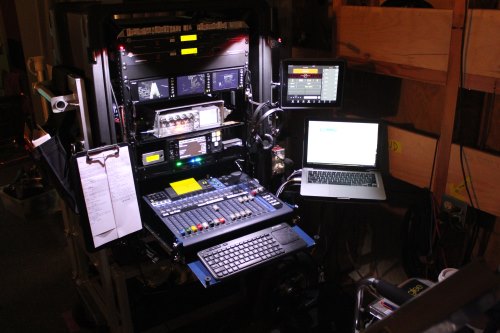
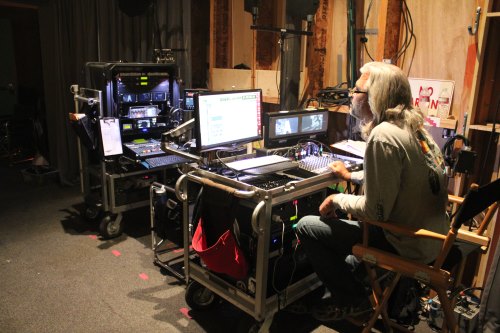
Each episode offers up four to five musical numbers with anywhere from one to a dozen performers. Matt’s playback paraphernalia includes a Pro Tools 10 rig in a small, red, rolling rack, closely followed by Playback Utility Cassidi Spurlock, dragging The Biggest Pelican Case In The World. Seriously. If Nashville ever floods again, we can just ditch the cables and all hop in. He runs the Pro Tools via a Quad-core Mac Mini with a Focusrite Rednet 2 interface. He typically comes armed with twenty-four tracks of music all broken out in stereo pairs from vocals to cowbell. Matt is all about the Dante matrix system. Over the next few months, we plan to fully integrate Dante so both he and Joe can pull any track they choose out of a thin little Ethernet cable. It will also drastically cut down on the cabling which, in turn, will reduce the propensity to pick up hums and ground loops along the way, a typical nuisance of our large-scale music venue locations.

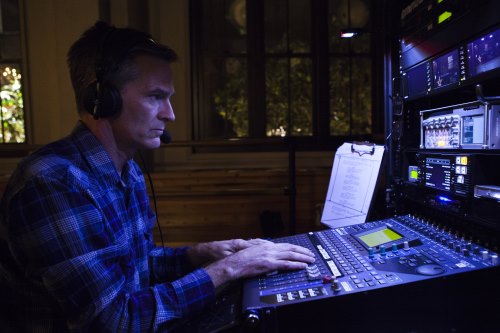
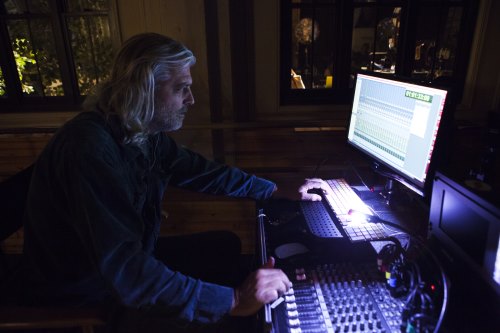
Six years ago, Joe looked at his shiny new eight-channel Sonosax mixer and thought, what am I going to do with all these inputs? Now he knows. Problem is the board is continually maxed out with all the live vocal microphones, booms, wires and music. An upgrade looms in the near future. For now, the new addition to the family is a Dante-compatible Soundcraft Si Expression digital mixer. It has fourteen faders with four layers for up to fifty-six tracks. “It’s great,” Matt says, “we just hit a button and the board instantly switches to a whole different mix.” To it we input the Shure handheld wireless stage microphones and Matt’s music and timecode tracks. It allows instant accessibility to all audio on Matt’s playback rig as well as all live stage microphones. From there we feed customizable mixes to the QSC PA and the actors’ Ultimate Ears custom molded in-ear monitors. Our actors sing aloud to their pre-records, and are then recorded by Joe. (Y’all following this? There will be a quiz at the end.) This gives our Music Editor, a more precise way to sync, rather than relying solely on timecode.

Joe’s primary recorder is the Sound Devices Pix 260i. It is capable of up to thirty-two channels and is also Dante compatible. It carries a 250 gigabyte solid-state hard drive and a compact flash card which gets turned in for dailies. He backs up to a Sound Devices 788T which simultaneously mirrors to a one TB hard drive. We mostly use Sanken COS-11 wires with Lectrosonics SMV and SMQV transmitters, matched to a six-channel Lectrosonics Venue receiver. Schoeps CMIT shotguns are used with Cinela mounts, K-Tek boom poles and Lectrosonic HM plug-on transmitters. Scott and I use Shure P9RA receivers to listen to Joe’s mix. The clarity is remarkable and the channels are mixable so we can have boom in one ear and wires in the other if we choose. These are the same receivers we use on our actors for their in-ear monitoring.

In the early days of Season One, the performance playback music was fed only to the actors via in-ears, Phonak earwigs, or small stage monitors. Famed music producer T-Bone Burnett noticed during a performance shoot that the audience wasn’t getting as excited about the music as they could be. He wanted speakers blasting the crowd with music. Joe then contacted Ray Van Straten at the speaker company QSC in Costa Mesa, CA, about a possible relationship. A love affair was born. We now receive both practical and mock-up KW series speaker arrays to pump music to the crowd for a real concert look and feel.

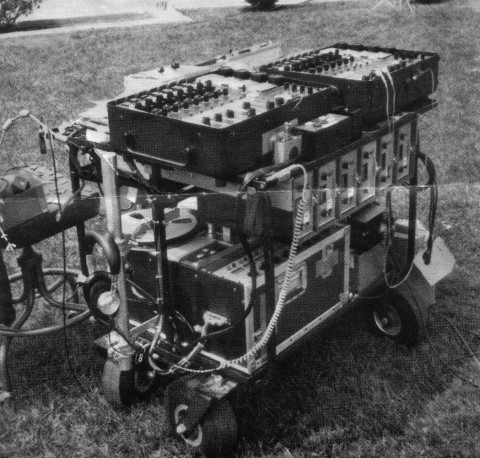
Normally, being this far away from Los Angeles would spell the usual equipment and expendables headaches. Thankfully, in Nashville we have Trew Audio right in our backyard. When Joe arrived in town, he wheeled the carts right into the middle of the shop like a sound pit stop. Software updates, new cables, batteries, fluids, tires pumped up, and we were off and running. Rob Milner has been a big part of our crew and it goes something like this: “Hey Rob, I need a sevenfoot cable to run from the Zaxcom wireless to a split XLR with a four-pin.” An hour later, we send the drivers. Having them here has made the transition to the South seamless. Glen Trew was the Sound Mixer on the pilot and the first three episodes before Joe took over. He still comes in from wherever he is around the world (last time it was Amsterdam) to do our 2nd unit days. He’s like a rock star around here. It takes him a half-hour to get from crafty to the cart with all the hugs and handshakes in his way.

Nashville has been the best thing to happen to my little world in quite some time. We’re having a blast both on-set and off. Our hours are sane, the people are jaw-droppingly friendly and there’s never a lack of fun things to do with festivals and concerts every weekend. I can say the road signs are more confusing than anything I’ve ever seen (even the locals admit that), but when people actually let you merge with a friendly wave and a smile, all is forgiven. The other day, my husband found himself stranded in the rain with a dead car battery and a flat tire, and yes, two very disgruntled kids in the back seat. Before he could find his AAA card, someone had pulled over, jumped the car, fixed his flat (with a plug!) and bid him a good day. Don’t you have a pretty picture of that happening in Los Angeles? Gotta love this sweet Southern country livin’! Viva La Nashville!


Glossary of highlighted words

IFB Interruptible Fold Back: A system for supplying audio as it is being recorded to artists and technicians. The signal path from the microphones is “interrupted” before going to the recorder and “folded back” so it may be heard by the people involved in the process of making or supervising the recording.

Focusrite Rednet 2 The Rednet 2 system is the premium line of audio interfaces for network distribution over Ethernet cable manufactured by the Focusrite company.

Dante A system of hardware, software and network protocols for delivering digital audio through Ethernet cable.

QSC A manufacturer of speakers, amplifiers and signal processing equipment.

Ultimate Ears A manufacturer of speakers and custom-molded, in-ear monitors.

Glee

The Road to 600: The Evolution of Playback on Glee

by Phillip W. Palmer, CAS

Pilot and Run of Show

When I got the call asking if I was interested in mixing a pilot for Ryan Murphy and Fox Television, the Producer asked an interesting question. He asked how comfortable I was doing a musical pilot, and whether I could manage the production side of things for a group of Producers who, while experienced, had never done this type of project before. Looking back now, almost five years to date, I had no idea what I was in for.

The pilot had elements of several processes: live-record, live-record to playback, playback only and combinations of all three. What we learned from the pilot, and how our company and cast operated, set the tone and process for a long journey. Soon after we started work on the pilot, we knew we were in for something special. Since October 2008, we have produced close to one hundred episodes and nearly six hundred musical numbers.

The music production and playback for the pilot was a completely different situation than the run of show. The music had mostly been prerecorded earlier, giving us time to figure things out and adjust our production process accordingly. For the run of show, music production has been a race against the schedule.

Glee still remains bound by the network episodic schedule, which we attempt to hold to eight days per episode. When the script is released, the music team goes to work immediately arranging and composing anywhere from five to as many as eleven musical numbers per episode. The temp versions are sent back and forth to our Executive Producers for notes and preliminary approval. Then the cast members are brought in to record their specific vocal tracks. The completed music mix is then sent back to our Producers. Upon final approval, the music goes to David Klotz, our Music Editor, for preparation of playback on set. The Pro Tools sessions he builds are specific to our purpose, which include timecode as an audio track, click, thumper, music mix, any specific and special music stems, vocal and vocal effects, and background vocal and vocal effects tracks. The playback session track count will frequently be upward of twenty-five or more stems.

Live-Records vs. Playback

The advantages of live-records are obvious on camera. The drama of the moment and the nuances of the performer yield an authenticity that is often undeniable. What we learned on Glee is that this works for us only sometimes. We discovered early on that repeated live performances, especially when sung “all out” take after take, have a detrimental effect on the performance as time went on. Essentially, after ten or more takes, the moment was lost, as well as the performer’s ability to continue to work through the day and into the next on a TV production schedule. We had to decide which songs needed to have this live performance effect, and plan our production accordingly.

In the pilot, all the Glee Club student auditions were recorded live on set including the piano, with the exception of “On My Own,” performed by Lea Michele. Her audition intercut with her singing the same song in several locations, and was prerecorded for playback and lip sync on set. The shower scene with Cory Monteith singing, “I Can’t Fight This Feeling” a cappella, was recorded live as well. Our vocal coach gave Cory a pitch and then we ran a thump track for tempo. The thump track is essentially a 40 Hz click track played at a low level through an eighteen-inch subwoofer. The 40 Hz thump can be removed later in Post by the use of a notch filter, leaving the vocal recording unaffected. The artist can feel and maintain a tempo and Editorial can easily cut back and forth between takes of live recording. The remainder of musical performances in the pilot were prerecorded and played back for lip sync.

Pro Tools

While there are many Digital Audio Workstations available to the Production Sound Mixer today, we use Pro Tools for several reasons, foremost among them being that the music production team uses Pro Tools for their recording process and we can easily modify their sessions for our use. We have found that the use of Pro Tools on the set has been an invaluable tool to our playback workflow. We can easily manipulate any session to match what we are currently filming and, if need be, send that same session back to the Music Editor so he can prep it accordingly for Editorial. We can easily do things such as change level and volume to match camera angles, or make music edits at the request of the Director. The Music Editor can then load our session files to see what we’ve done on set.

There has been an evolution to our playback Pro Tools sessions since the pilot. In the beginning we simply had a mix, essentially the Producers’ approved demo, with a click track added. As the seasons have progressed, we have added regular stems to our sessions that we find very useful. Our Music Editor adds a thump stem, which matches the click track, so we can assign a separate output for the thumper. We can do it on the fly, or program it in the automation to dump the music at any point and go to a thump to record dialog during the song. We also add a timecode stem as an audio track, which comes in very handy when creating any offspeed versions of the song. The timecode will always stay locked at any speed if it is an audio track and part of the session. We have the music stems combined as a mix, unless there is a specific stem that needs to be split out, such as a piano track. The vocal stems are all separated by lead vocal and effects. If there are six lead parts in a song, there will be six stems and six effects stems. We have the background vocals combined, but sometimes it’s difficult to distinguish the background vocals in the overall mix. Having the ability to boost the background vocal stem by 4 dB to 6 dB during playback helps our cast follow their cues. When the sessions are completed and sent to us, there are frequently dozens of stems to manipulate.

Playback Equipment and Installations

For the pilot, our playback gear on set was a simple Pro Tooks Mbox Mini audio interface and a MacBook. We made the most out of it, but quickly knew we had to improve on our rig to handle more complex playback situations. After the first season, we built a cart that had a dedicated Mac Mini, twenty-inch monitor, Pro Tools Mbox Pro audio interface, a backup Mbox Mini, Command8 control surface, Mackie 1402, Comtek transmitter for earwigs, Sennheiser receivers for VOG, and video monitors. This rig stayed fairly unchanged until an overhaul this past summer for our fifth season. The current playback cart has a new Mac Mini and monitor, MOTU Traveler audio interface, Lectrosonics Venue for VOG, Black Magic Smartvue Duo HD monitors, and the Mackie 1402 and Comtek base station from the older rig for audio distribution,earwigs and monitoring. Our mobile speaker complement consists of two JBL EON10 speakers for small sets and two Mackie SRM450 speakers for larger sets and exteriors. We built several lengths of custom speaker snakes so both power and signal can be run from the playback cart. Also included in the speaker arsenal is an eighteen-inch powered subwoofer for both thumper and low end when needed.

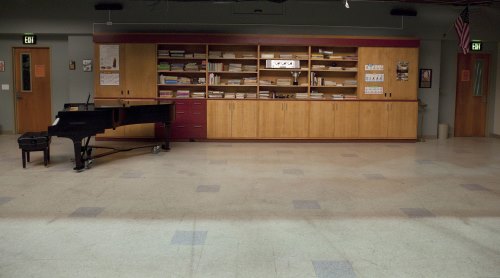
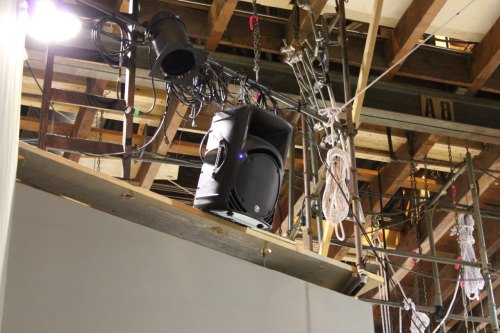
As we progressed through the first season we began to see the need for speaker installations in our main sets. Speaker placement became difficult as we battled with multiple camera angles, Steadicam 360’s, set walls and crew. We found the only good place to put them was up in the air. The first set to get this dedicated installation was the McKinley High Choir Room. This set saw the most playback by far, and still does to this day. For the Choir Room we mounted four JBL EON10’s surrounding the set. They are permanently hung and wired to a space just off set where we park the playback cart for 99% of the music on that stage. From that position we have “drive lines” to several places on the stage where we can drop a speaker and tie right in. This makes the music playback in the hallways very easy, as we are able to place speakers at either end of our long hallways without dragging cables through the set.

Season Two saw the construction of the McKinley High School Auditorium on stage. With this construction build, we installed six Mackie SRM450 speakers, two on each stage wing and a pair in the house, plus an eighteen-inch powered subwoofer for thumper. They are all wired, both power and audio, to a distribution amp and power control rack placed above the Stage Manager’s desk on stage right. They exist as a functional part of the set decoration. Both the playback and the main cart are set up in the same spot each time we work this set, so all the cable runs, including power, audio, video and bell/light, are permanently run underneath the set.

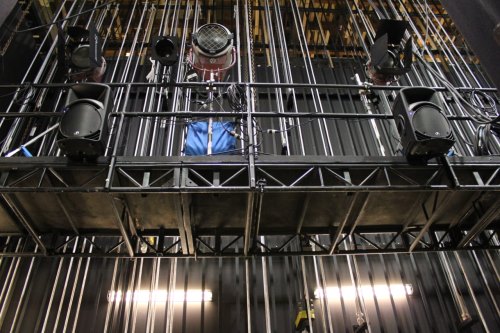
For Season Four, we built a new set for the storyline set in a New York dramatic arts school called NYADA. This new set is a dance rehearsal space, large and open, with high ceilings and giant windows that look out to Manhattan. We faced the same issues as with the McKinley Choir Room, and chose to suspend a pair of Mackie SRM450’s from above the greenbeds aimed down through the fabric ceiling and into the set. As with all previous installations, they are prewired with both power and drive lines to one central spot for the playback station.

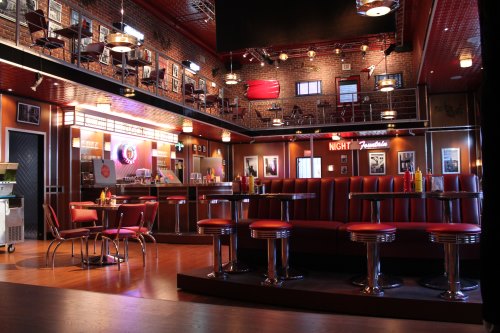
The most recent set construction has been a New York City diner, built for Season Five on the backlot of Paramount. This was an incredible undertaking for the construction department, both in scope and speed. They used an existing space in the backlot but expanded up to create a two-story, high ceiling, Broadway performance diner. For this installation, the speakers are incorporated into the set design and mounted on the set’s west wall as part of the set decoration. We used a pair of the new QSC K10 speakers with the QSC yoke mounts for a permanent installation. We ran power and signal wires through the set walls to a drop point to facilitate connecting to the playback cart.

Playback Process

Most of the music scenes on Glee happen within a normal scene of dialog. Occasionally we have a stand-alone music piece but, for the most part, we fold the music playback into the dialog as best we can. The playback volume is often so loud it is at rock concert level. As we go from dialog recording to music playback, the transition is often abrupt and becomes difficult for Editorial. Anything that may happen within the song is lost due to the high playback level. We attempt to bridge this transition between dialog and music with a blending element.


The key to making this work is recording the elements we see during the playback as wild sound so Editorial and Post Sound can add these tracks to play under the prerecorded music. Due to our very tight episodic television schedule, Editorial doesn’t have the time to build the background noise and Foley for our multiple music scenes. To do this we make every attempt to do a “Foley Pass” of things like laughter, whistles, footsteps, hand claps, crowd applause, set pieces moving or falling, or anything that makes noise during the musical number. We record this wild track with the music playback at a very low volume. For the Editor, the Foley Pass becomes an important element in making the musical number feel real.

When we choose to record a performance live, we often prerecord the music stems and record the actor singing on set. The music is fed to the actor via earwig and we record the vocal as usual, with a boom microphone. We try, not always successfully, to leave the temp vocals in for the wide shots, and go into the live-record when we get into close-ups. In our experience, it saves the actor and the performance. I do my best to create a mix in the Comtek public IFB for the Director to get a feel for what we are recording. For the IFB feed, to the boom operators and set crew, I leave the playback track out or run it at a low volume. I split tracks one and two as a post-fader mix for Editorial, track one is the live microphone and track two is music. Everything is ISO-tracked pre-fader so it can be adjusted or rebuilt as needed.

Often we are tasked with strange and challenging playback situations. Midseason Three, we had a scene and musical number that took place at a swimming pool with synchronized swimmers. Having a beat to follow underwater is one thing, but having to do lip sync is another. Luckily, after some tests, we found the synchronized swim music equipment “Oceanears” worked very well for our needs. The swimmers and our cast were able to hear the playback feed from the underwater transducers. I was quite impressed by the clarity and the distance the music could travel underwater at nominal levels.

One script called for a musical number being sung from a golf cart while moving. That works well if it’s traveling a short distance, but that wasn’t the plan. They wanted to load down the golf cart with cameras and drive the entire length of the song, some twoplus minutes. We negotiated for an additional golf cart, placed a speaker with wireless receiver in the picture cart and transmitted from our “sound golf cart,” which slowly became the “everyone else” golf cart. We essentially did two angles several times, first leading then following. The playback rig was somewhat simple, a MacBook Pro, MOTU Traveler, and a Lectro UH transmitter. The speaker on the cart was a battery-powered Sound Projections SMP1 fed from a Lectro UCR411. We had a good time with this one. Certain musical performances call for special shots that require playback manipulation—specifically, off-speed filming for incamera effect. Frequently, we speed up both camera and playback by as much as three times normal. When the image is played back at normal speed and the music is laid back in, the artist appears to be singing in sync while everything moves in slow motion. This is achieved by speeding up both the music stems and the timecode stems. We transmit the high-speed timecode to a slate and roll camera, then playback as you would in a music video. Post can then manually sync the music to the displayed timecode as it’s locked in the session as an audio stem.

The Crew

Commitment and cooperation from the entire shooting company from the beginning has been the key to making this all work seamlessly (or what appears so). I can’t imagine what this would be like if the crew didn’t understand how challenging it is on a daily basis. It’s difficult for each department in their own way, and we respect and strive to work together to make it happen. We have had three Directors of Photography for the run of show: Christopher Baffa, Michael Goi and Joaquin Sedillo. Each one of them has worked with us to get what we need to achieve our goals, both with sound recording and the music. It’s a cooperative effort, as always, and I’m grateful for our working relationship. When our needs impact the way the show is shot, we have to have a plan and options. I can’t stress how important it is to have multiple plans of operation. My sound crew has undergone some changes since the pilot, but for the most part, has remained constant. Patrick Martens has been my Boom Operator for the entire run. Devendra Cleary was Utility Sound Technician and Playback Operator for the first two seasons, and then moved up to Playback only in Season Three. Mitchell Gebhard joined the crew as Utility full time in Season Three. After Season Three, Devendra moved on to mixing full time, and Jeff Zimmerman joined us as Playback Operator beginning Season Four. Without the unbelievable ability and flexibility of these people, I would be completely useless as their Sound Mixer. They show incredible professionalism on a daily basis and shine in their abilities to do the job. I provide the guidance, but they get the job done.


Glossary for highlighted words

Click Track A series of audio cues in time to a piece of music. Typically, the click track is generated in a DAW and used by musicians or dancers to keep time to the music.

Thumper A playback system to reproduce the beat of music as a series of low-frequency thumps. The tones are typically about 40 Hz so they may easily be removed from a track without harm to recorded vocals. A special thumper speaker system optimized for low-frequency reproduction is used to play the track. The thumps permit performers to follow the beat of the music without musical playback that might interfere with dialog recording. Originally invented by Hal and Alan Landaker for Warner Bros. Studios. (See 695 Quarterly, Volume 2, Issue 1, Winter 2010)

Stem A mix of multiple audio sources. Example: A blend of music and effects, without dialog. The use of a stem allows complex source material to be treated as a single unit in the final mix or as a temporary part of the process of editing and recording audio.

Mbox An audio interface manufactured by Avid for use with its Pro Tools software.

Command8 A mixing panel control surface manufactured by Avid for use with their Pro Tools audio editing software.

VOG Voice of God. A portable public address system that allows a Director to address groups of performers and technicians with an authoritative voice.

MOTU Traveler The Traveler is an audio interface for connecting multiple microphones, and other audio inputs, to a computer. It is made by MOTU (Mark of the Unicorn), a manufacturer of hardware and software for computer recording

Black Magic A manufacturer of speakers, amplifiers and signal processing equipment.

Earwig A miniature monitor designed to fit within the ear canal like a hearing aid.

Greenbeds A series of catwalks above the sets in a studio.

Foley Pass An alternative to the studio process of Foley recording. The Foley Pass is recorded on-set at the time of principal photography. At the completion of the shot, the AD, at the request of the Mixer, calls for a Foley Pass and the performers go through all of the motions of the scene but without dialog and either without playback or with the music played very softly. This makes it possible to record all the natural sounds as an element separate from the music and speech. The Editor can use these sounds to add a natural background to the scene. It is an expedient alternative to the more elaborate process of the Foley stage but it also can preserve some of the immediacy of the scene.

IFB Interruptible Fold Back: A system for supplying audio as it is being recorded to artists and technicians. The signal path from the microphones is “interrupted” before going to the recorder and “folded back” so it may be heard by the people involved in the process of making or supervising the recording.

File Formats for Music Playback

File Formats for Music Playback

by Gary Raymond

I was asked to discuss optimum file formats for Music Playback (PB). This is an important topic that continues to evolve. Traditionally, the media and file parameters have mirrored the Production Sound Mixer’s formats.

When I started in the ’90s, most Mixers were using Nagras. As a result, the spare Nagra ended up being the logical (convenient) machine to also use for playback. As a result, tape speed was typically the same as the Mixer’s. There were definite limitations to the two-track format. When I worked on For the Boys in 1990, we had several large master shots that Mark Rydell, the Director, decided he wanted to shoot from scene beginning to end. Unfortunately, no one told Editorial as they had prepped all the reel-to-reel tapes as separate beginning, middle and end segments. To make matters worse, they didn’t know what combination would be desired so we had tapes with Orchestra-L, Bette Midler Vocal-R; Orch. & Bette-L, Jack Sheldon Trumpet-R, Orch. without Vocal-L, Jack-R and about a half dozen other permutations. I remember the

Editor bringing down this big box of about 50 seven-inch reels and us sorting through them. Then Mark announced he wanted to do the master shot all the way through. Duke Marsh, who was doing the playback with me, grabbed a second Nagra and we loaded the first part of the desired mix of the song on Nagra 1, the middle of the same song on Nagra 2, and stood by holding the pinch roller ready to let it fly on Playback. As Nagra 1 was playing, we had to start Nagra 2 at the correct spot and then, while it was playing, reload Nagra 1 with the end of the desired mix. I remember Mark Rydell came up to us after our successful playback day and said he wouldn’t do that job if someone held a gun to his head.
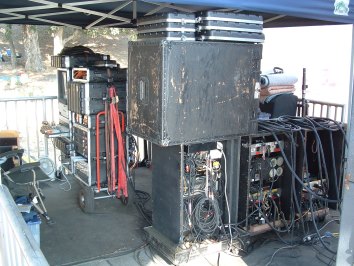
Keith Wester, who I worked with on Never Been Kissed, told me he started as a Playback Operator and, in those days, it was off a record. He’d find the groove (literally), mark it with a piece of white chalk and hope the needle didn’t bounce when he dropped it.

In the late ’90s, there was a flirtation with DAT (introduced by Sony in 1987). This was limited to the DAT formats. The DAT was more convenient in some ways than the Nagra (you could auto cue to preset markers) but it still suffered similar problems of any tape-based system. One was that the position coding information would actually get worn off with 20–30 repeated rewinds. Another unique disadvantage of the DAT relative to the Nagra was the fact that it couldn’t be edited the way reel-to-reel tape could be (with razor blade in hand). All editing had to be done “off line” and retransferred.

For this reason, in 1993 I switched to Pro Tools, a nonlinear computer-based system. If we had been using Pro Tools in 1990 when we did For the Boys, we could have loaded all the various playback combinations into one session and been happy clams. Pro Tools (computer-based recording, editing & playback) was vastly superior to tape systems as far as “function” (ability to manipulate the audio), although not necessarily “performance” (sound quality). It took a while for the computers to catch up with the sound quality of a Nagra; however, for playback applications, the tradeoff between function and (audio) performance was decidedly biased toward function. This is why the computer-based system (Pro Tools or similar) has become the de facto standard.
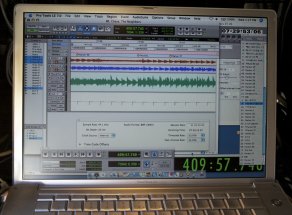
There have been many shows I’ve worked on where I had to do on-the-fly things that would have been impossible with an analog or digital tape-based system. This includes pitch shifting; I transposed the playback songs on the Britney Spears movie Crossroadsthe first day on set when it was determined the songs had been recorded in the wrong key.

On House, I used Pro Tools to provide PB for a slow-motion scene. This was a helicopter crash scene with dialog that the Director wanted to play in slow motion but not pitch shifted. The scene was shot in real time at twenty-four frames per second and then I did some tests at various frame rates to see how fast the actors could lip sync to their playback. Interestingly, it’s a function of the complexity of the particular spoken words. In this case, forty-four frames per second was the fastest the actors could sync convincingly. So, camera matched that frame rate and we shot the playback version of the scene. In post, everything was slowed down to normal twenty-four frames so, when viewed, it looked like the actors were talking in slow motion but with their voices’ normal pitch (something that would have been impossible with tape).

On Drag Me to Hell, a séance scene required reverse playback of the actors’ live lines. These effects could not have normally been done on set with a tape-based system.  
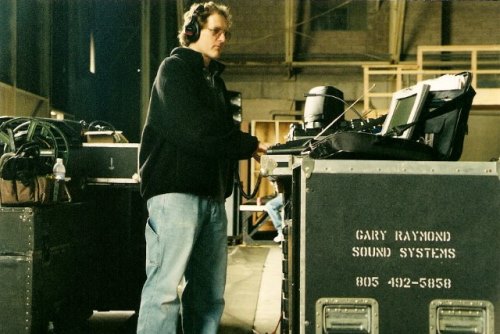
This brings us to the key issue, which is often either:

1) The PB material is not prepared for what is eventually desired on the set or, 2) more frequently, a live-record is used as the playback master.

In both these cases, the frequency sampling rate and bit depth must be decided.

When performing a live-record (as I did on Almost Famous, Rock Star, 8 Mile, or The Hangover), I usually match the Production Mixer’s settings. This is important if timecode will be used. That’s pretty straight ahead as it’s a “closed information loop system” between the Mixer and me.

When using straight PB tracks or files prepared by someone else, I also will usually consult with the Production Mixer and match rates.

However, even when you ask, you don’t always get what you requested.

The evolution of current Music Playback is that half the time I get music tracks from the Director’s Assistant off their iPhone five minutes before they want to roll. This is often the case even when I ask for a better format a few days in advance. They may provide me something in advance, but often it’s not what they ultimately want to use on set.

We are seeing a revolution in technological information acquisition that is being driven by computer media and smart cellphone capabilities. The ability to send information on a personal smartphone is conditioning the population to expect any bit of information to be instantly produced. The misperception is that all information is equally available. To a person who does not have to create information but simply download commercially available product, there is a lack of appreciation of the technical creative process. As a result, creative decisions that used to be decided weeks or days in advance are now made “on the fly” to suit the creative process

The good side is that this has allowed more spontaneous creativity on the part of the Director. The bad side is that there is an expectation that anything can be ready on the spur of the moment. So, in this sense, with regard to prepared material provided by others, we have de-evolved to the point where probably half the playbackonly projects I work on now are iPhone downloads. The first thing to suffer is audio quality, of course.

When prepping a film, television or commercial, I still ask for WAV or AIFF files when possible and an audio CD backup. A good conversation with the Editor (if there is one at that point in the film) can also be valuable.

If timecode will be used, I will match the desired rate which, of course, is dictated by camera format and, if no TC, the Mixer’s preference. With the aforementioned “iPhone” transfers, I’ll convert them to the preferred formats.

In live-record situations, the same pretty much applies. Obviously, the higher the sampling rate and bit depth, the better the sonic quality. However, conversion transfers with digital must be considered because converting from one sampling rate to another, whether up or down, degrades the sound quality. For that reason, I’ll normally record at the highest sampling rate that I think will be ultimately used. Getting the highest quality sound verses the convenience of various formats will continue to be an issue.

I’m expecting the next stage of this evolution to be direct brain scan downloads off the call sheet.

Happy Playback.


Glossary for highlighted word

Live-Recording The process of recording a musical performance on set rather than having the players mime to the playback of a studio session. Sometimes a live-recording will be used to generate a playback master that is immediately put into service to shoot alternate angles and closeups.

Music Playback and Live-Record

From My Perspective:
Music Playback and Live-Record

by Joseph Magee, CAS

As a Local 695 professional, we hear a lot of crazy things at work and no, I’m not talking about that sick old generator staring at you fifty feet from set.
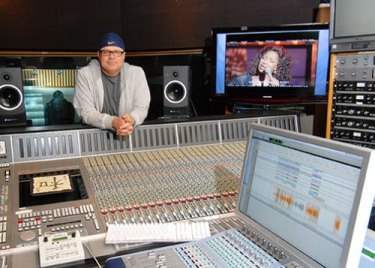
Have you ever heard one of these gems?

• Your Producer says, “I have a friend who knows Pro Tools and should do playback,” the Music Supervisor says, “Right on man.”

• Your Producer appointed to watch over the musical scenes in the film wants it all recorded live, with no tempo glue for editorial. He says, “That’s the only way to have a real performance, no click ever, live pre-records and live on the day. Our Editor will make it all work in Post.”

• The Director has a relative with an amazing home studio (in his garage) for pre-record. “The tracks will rock for sure. They will prep everything.”

• The UPM tells you, his faithful Sound Mixer, that music playback needs to happen the next day without a hitch; we don’t have a track yet. “Also, we don’t have a budget for a music playback person so you guys figure it out. Remember, you have a whole trailer full of gear I’m paying for.”

• The Music Supervisor has an MP3 they will email you sometime soon; it’s all good.

• And last, but not least, the Film Editor wants you to get playback timecode on the slates because that’s how he used to do it when he was doing music videos.

Oh brother!

I’ve been privileged to work on production music for feature films for more than two decades now. Before coming into the world of on-camera musical performances, I recorded classical and jazz records and broadcasts, worked as an orchestral scoring mixer for features and mixed front-of-house live sound for large venues including the Hollywood Bowl. Over the years, I’ve developed a keen sense of the procedures that facilitate a smooth production and the elements that enhance an artist’s ability to give a great performance. My projects have given me the chance to work in feature film pre-production, prerecord, production and post with many acclaimed music producers, composers, musicians and recording artists all facilitating the filmmakers’ vision. I do believe I have a unique perspective that starts from the very beginning and extends to the bitter end in final Post.

Although every project is slightly different, each usually starts with the music team, Director and Producers visualizing how the scene will play and then planning so that all the elements are in place on the shoot day. This is essentially the same as with any other scene in a feature film, except that a music performance has the complexity of managing creative work in three separate periods of work: the initial music composition/rehearsal/pre-record, the on-set performance to camera and through to creation of the scene in post. However, different than the rest of the feature film, these three distinctive periods are tied to the element of synchronous performance locked to the established timeline of the music track. This makes the music scene full of its own technical and artistic challenges.

How a production approaches the pre-record sessions influences the success of the whole venture. A good pre-record session should take place with awareness of how the scene is to be shot and the pace of the performance should mesh with the demands of dancing, screen action and other visual elements. Ideally, the same singers who appear on camera should record their own performances for playback (PB) tracks. It’s more natural for actors to match their own performances rather than a hired studio singer. The transition from dialog to music to dialog is more believable if the voice is the same throughout. And, if done well, the pre-record functions as a first rehearsal for the scene. It should be executed long enough in advance so that the musical performance can “season” in the actor’s brain for at least a few days.

The ideal scenario is to execute pre-records that will make it to final dub. During my many features with Disney, this also proved to be financially prudent. Yes, the tracks will be sweetened, edited, fixed to picture and stem mixed in the film’s final theater presentation. But the musical, artistic content will be set and adhered to, creating the exact intention of the musical moment, the storyline and the actors’ performances.

A synth track mock-up will not achieve this; it may get you through the day but that’s about it. The mock-up has a very good chance of not feeling the same, or sounding anywhere as good as the final track. The hastily assembled temporary track does a poor job of conveying the emotions of the scene for cast and crew—a sure recipe for a lifeless performance. Even if the track exactly matches every beat and every note, music is a “feel” thing and if the performers don’t feel it, the audience in the theater likely won’t either. The substitution of better music in Post might improve the scene technically but won’t do anything to breathe life into the unmotivated performances during production. I’ve found this to be a common theme—time spent in preparation makes filming go better and lessens the need to spend time in Post fixing mistakes.

A well-prepared playback should have vocals that are dry and relatively free of compression or processing. Vocal FX should be available as separate stems and mixed to the environment on the day. A believable music scene requires natural bridges between dialog and music. The performer can best deliver these transitions when every syllable from the recording can be easily heard in the playback. Pro Tools is the industry standard software/hardware for feature films. The sound FX, dialog and music teams all use Pro Tools. It is the standard for the dubbing stages as well. So it saves a lot of time if Pro Tools is also the software of choice for on-set music playback. The technical sound platform software for communication from beginning to end of a production process should be a standardized. When someone chooses to use different software, it just creates conversion issues. Fortunately, Pro Tools is easily accessible on many levels and with many types of hardware. The one exception to this standard is often the music score composer’s personal studio, but this can be worked out by conversion to Pro Tools before the score leaves to see the outside world.

The Pro Tools session that goes to set for music playback should have the music locked to a bars/beat grid. This will enable very quick edits if you are called upon to create magic while a 1st AD waits, not so patiently. The grid is easily achieved in advance, not so quickly on set at the last minute. I also believe in using your prep time to print a click and thump track, beginning to end. Even though your grid is functioning and your click is a plug-in firing off the grid, it is easier to show and cut a visual region when folks are at the rig trying to work out cues. We are lucky today that most choreographers and music folks all have a common ground in Pro Tools and are able to use the visual aide of the screen to communicate with each other. I also have my memory locations already set for song structure before anyone steps to my screen to talk cues. Another detail most often missed for the prep of the sessions is that PB timecode should advance to a new hour for each different song. This will help Editorial in the long run.

I believe that a music-intensive show should not rely on PB timecode on an audio track. An Avid Sync HD I/O should be used on films with music-intensive scenes. This device should be synchronous to a video sync reference. Good news is there are a few ways of setting up this requirement, which now makes the on-set hardware compliment much lighter.

In many situations live-music-record is very important. Combinations of music playback and live-record performances, if executed properly, are often worth their weight in gold in Editorial. Even a few words of live-record cut into the pre-record in Post enables the audience to believe the musical performance in the final cut.

On the other hand, a show built from all live-record can be a disaster in Post. Folks giving their accounts of “all live-record” shows don’t always tell the whole story. Often these shows require extensive editing and pitch work to correct meandering tempos and modulating keys. I have worked on a long list of projects with well-meaning Directors who have gone down this road from the excitement during production to frustration in Post.

If you do have to go “all live” during production, you’ll need to provide the performers some sort of mapped tempo either using a click track through earwigs or a thumper or both. If the singing is a cappella, you’ll also need to play a pitch reference at the right moments. Even so, some key modulation and tempo variations are likely to occur.

Modern earwigs are very useful although limited by volume and low fidelity. I started doing this on-set work back in the days, first with earwig inductance loops taped into the set, and then with neck loops. So I am comfortable explaining the current limitations to talent and creating an environment that helps the devices do their jobs. For example, when transitioning from speaker playback to earwigs and back to speakers, I like to leave the thumper running at a very low level the entire time. The pulse helps provide the “rhythmic glue” to tie the separate moments into one seamless feeling. A thumper quietly pulsing away also helps to keep the full range speaker volume level lower throughout the day.

Active eighteen-inch subwoofers today are very affordable and do a great job. The source of the thump is also very easily tuned on-set in Pro Tools. The sample used for the thump can be highly tuned prior to arriving to set. I have used the same sample for thump for many years. With the current state of the art in active loudspeaker design, I think everyone should take advantage of better fidelity playback on set. A speaker system with higher than average Total Harmonic Distortion (THD) and poor crossover points is fatiguing to the cast and crew. When music plays on set and sounds great, the day goes by more smoothly. It’s easier for performers to follow lyrics that are clearly articulated and better fidelity helps them “feel” the music and translate that energy to the performance. New, high-quality designs are affordable and durable. Passive speakers with amp racks on set and drive racks with crossovers and EQs are basically a thing of the past. I worked through those days and am happy not to use that gear anymore. If a production requires very high sound pressure level (SPL) playback or on-set monitor mixing becomes critical, I then recommend employing a professional touring company to join the team.

The Playback Engineer should try to coordinate his efforts with both Editorial and the Production Mixer. A conversation with each before the assignment starts can sort out issues and make the process smoother. This is the best time to bring up the issue of playback timecode. Having both time-of-day (TOD) code and playback code married, available in burn-in windows for Editorial is the best way to load and edit synchronous music playback scenes. When loaded correctly, endless hours of sliding sync or making on-the-fly corrections will be completely avoided for the editorial team.

This production workflow is easily accomplished. For the Production Mixer, it’s only necessary to print the PB timecode on one analog track on your multi-track and the mono music playback reference on another track. Your multi-track is already synchronous with your TOD code.

The media management company contracted for dailies and editorial workflow can then easily meet the need for PB code in a second window, if requested. On a show where Editorial is taking your tracks directly, they can create the second code window on their own. Either way, it will save numerous days of questionable sync work.

The relationship between the Avid assistant and the Playback Engineer is vital to maintaining sync in the music scenes. The initial conversation between Playback and the Assistant Editor responsible for loading each day’s work into the Avid will set the tone between departments.

The Playback Engineer should provide to Editorial a master playback 48 kHz, 24-bit stereo interleaved file for each musical piece performed. The file should be created from the exact playback session and have the positional timecode reference identical to the day’s playback work. This file with the correct timestamp will enable the correct loading of all of the takes with music playback timecode. Sent at day’s end, the file labeled PB Edit Master, should go directly to the Avid assistant editor; I deliver this file via Aspera, with explanations regarding the use of the playback in the scene.

I’ve found that it takes a complete team effort to pull off a complicated PB, live-record, earwig, thumper day on set. Technology has gotten more complicated and offers more production possibilities, but increases workload. Personally, my favorite shows are a team effort with playback integrated into the sound crew. Coordination of cable runs, speaker and thumper placement, music edits and session maintenance, music cues with the 1st AD and earwigs to talent is all very doable when executed by the whole team.

In my experience, the most effective way to operate PB is to coordinate with all the departments responsible for the creative process, before stepping onto set. The Playback Engineer can act as a bridge between Production and Post Production on the music scenes, assisting workflow and maintaining accountability. From my perspective, an effective Playback Engineer is always prepared before coming to set each day. Wise colleagues in Production and Post should bring him aboard early enough to make those preparations.


Glossary for highlighted words

Stem A mix of multiple audio sources. Example: A blend of music and effects, without dialog. The use of a stem allows complex source material to be treated as a single unit in the final mix or as a temporary part of the process of editing and recording audio.

Live-Recording The process of recording a musical performance on set rather than having the players mime to the playback of a studio session. Sometimes a live-recording will be used to generate a playback master that is immediately put into service to shoot alternate angles and closeups.

Earwig A miniature monitor designed to fit within the ear canal like a hearing aid.

Thumper A playback system to reproduce the beat of music as a series of low-frequency thumps. The tones are typically about 40 Hz so they may easily be removed from a track without harm to recorded vocals. A special thumper speaker system optimized for low-frequency reproduction is used to play the track. The thumps permit performers to follow the beat of the music without musical playback that might interfere with dialog recording. Originally invented by Hal and Alan Landaker for Warner Bros. Studios. (See 695 Quarterly, Volume 2, Issue 1, Winter 2010)

Aspera A company making software to facilitate transfers of large data files.

Cinegear Expo

Cinegear Expo

Paramount Studios hosted Cinegear Expo for three days this year from May 31 to June 2. More than 250 companies set up booths along the New York street sets and in half a dozen soundstages.

Although primarily a camera and lighting event, Trew Audio had a booth and Sound Devices was also present to show their recorders and their new Pix 220(i) and 240(i) audio/video recorders.

There were also many companies whose products are useful for professional sound and video techs. They included Filmtools (tools and accessories), G-Technology and SanDisk (hard drives and digital storage). IDX (batteries), Insurance West and Insure My Equipment.com, Marshall Electronics and Nebtek (video monitors), Packair Airfreight and Global Express (cargo expediting), Studio Carts and Innovative (equipment carts).

Exhibitors of interest to people involved in video assist and data asset management included AJA Video Systems, BlackMagic Design, Codex, EVS and Light Iron.

The Annual J.L. Fisher Barbecue

A Boom and a BBQ

by Laurence B. Abrams

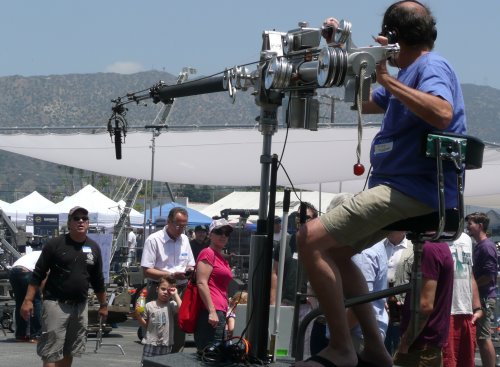
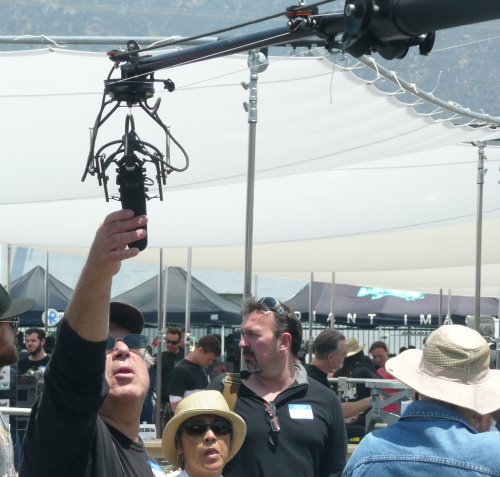
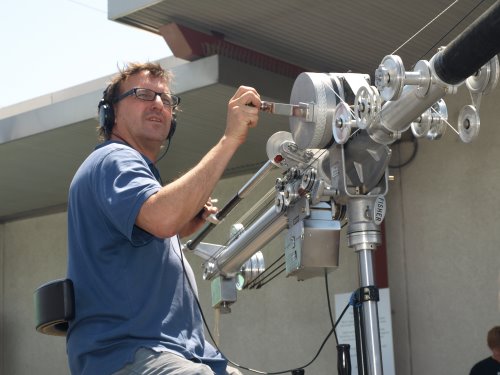
The Fisher microphone booms that we use in production today are the evolution of a design first manufactured by James L. Fisher in 1951, when he was working in the shop at Republic Studios in Studio City.

So successful was his design that it is the only one to survive that era … and after evolving somewhat since then, it is the only major studio boom in use today.The studios needed microphone booms that could hold the heavier mikes in use at that time and that would also permit the operator to swing and extend the arm and cue the mike as needed. These studio booms used a system of sliding weights to keep the boom arm balanced as it was extended or retracted to follow action. Mole- Richardson and several of the sound shops at the motion picture studios, such as Paramount and 20th Century Fox and Republic, had each developed their own proprietary studio booms. Thinking he could do better, Mr. Fisher began working on his own design in his spare time and came up with a boom that turned out to be lighter and more functional than the competition.

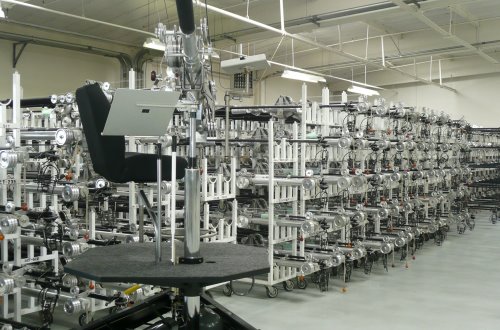
After a long career developing and manufacturing sound and camera booms, Mr. Fisher passed away in 2005. But more than 60 years after its introduction, his booms are still in use today and were on display at Fisher’s annual Open House and BBQ Lunch, held this year on May 18. Now in its eighth year, this all-day free event was conducted at the Fisher facility in Burbank and featured product displays from a variety of camera, grip and lighting equipment manufacturers along with Fisher’s complete product line, including of course, the full selection of Fisher microphone booms.

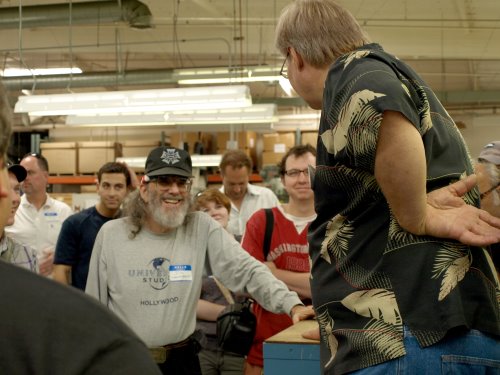
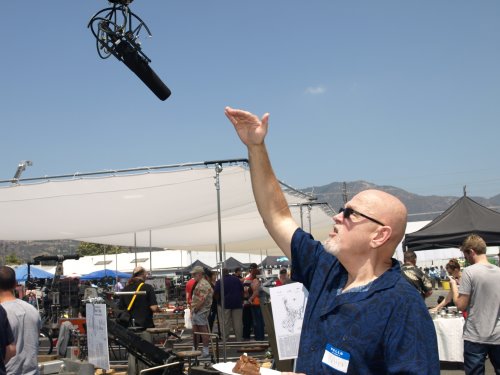
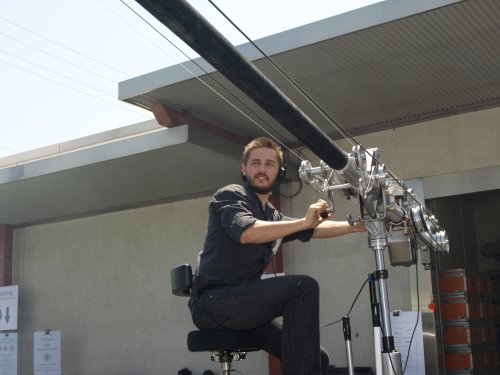
As in the past, Local 695 Microphone Boom Operators Andy Rovins and Laurence Abrams were on hand to demonstrate the 23-foot Model 7 boom arm and Model 6E base. Lots of Local 695 members came by during the day to chat, share production stories, do a little networking, and jump up on the boom to give it a quick run. Some of the folks who stopped by were experienced Fisher boom ops from way back and some were seeing it for the first time. Plenty of camera operators and grips and electricians came by, as well, and got a chance to try out the boom for themselves and gain some new insight into what we do. More often than not, they’d jump down and say something like “Hey, this isn’t as easy as it looks!”

The company’s current president, Jim Fisher, son of the boom’s designer, offered guided tours of the facility and machine shop. Fisher sales reps Frank Kaye and Cary Clayton were there to answer questions … and there was plenty to eat and drink, with food trucks and BBQ grills serving burgers and dogs, chicken and steaks, and our personal favorite … BBQ pizzas.

If you missed it, watch for next year’s announcement and when you’re there, be sure to stop by to say hello. If you still need to learn how to use the Fisher boom, be sure to take advantage of Local 695’s unique Fisher Microphone Boom: Oneon- One Intensive training program. To sign up for a personal training session, see www.local695.com/mbr/edu-fbt.php for details.

How I Spent My Summer Vacation

How I Spent My Summer Vacation

By Jim Tanenbaum CAS

Editor’s note: An abbreviated version of Jim Tanenbaum’s story about his recent journey to Viet Nam appears below.  Jim’s complete, lavishly illustrated 150-page journal, detailing his encounters with poltergeists in two of the three hotels, and the novel recording techniques invented by a Vietnamese videographer which Jim has not yet dared to try is available to read in PDF format. (If photo reproduction is poor, save the downloaded file to disk and view in Adobe Acrobat.)

In 2010 and 2011, I spent autumn in Beijing, China, at the BIRTV (Beijing International Radio and TeleVision) trade show, courtesy of John and Nina Coffey and some of the companies they represent. I was looking forward to going back again in 2012, but alas, it was not to be. Probably because of my telling all and sundry what a great time I had before, the owner of one of the companies that defray my expenses decided to go himself instead of sending me.

Of course, I was not happy about this turn of events, as I love traveling, especially when someone else foots the bill. To me, the most interesting aspect of being in another country is the people there. Second is the food, and a distant third are the museums, palaces, and all the other touristy stuff. I do go to see those places, but they’re at the bottom of the list. However, I was looking forward to seeing the Great Wall this time.

My disappointment was short-lived, however. Soundman Steve Miller was looking for a replacement to take over his teaching position in Viet Nam, and Laurence Abrams (who creates the great diagrams for my 695 Quarterly articles) recommended me. The client was VTV (Vietnam TV), the government-run national TV network. The rest, as they say, ispho (Vietnamese rice-flour noodles, pronounced more like “fuh” than “foe” or “poe”).

My travels and adventures are far too extensive to fit in the print version of the Quarterly, but will appear here soon in the unabridged version.  Check back to find out what happened when I asked for a “hot dog” in Viet Nam or my attempt to climb the “Stairway to Heaven” to see the Buddha.

Here are a few brief excerpts:

1. The wrap party for my Da Nang class was held at a local restaurant. When I arrived, all the students were there, seated at a long table. I was greeted by a large poster with my picture, and my name spelled correctly (unlike China, where a large red banner read “James Tanen Baum” and my exhibitor’s badge had yet another misspelling).

This dinner lasted much longer than the one in Ho Chi Minh City, with courses separated by just enough time that I was never sure if there would be another one.  

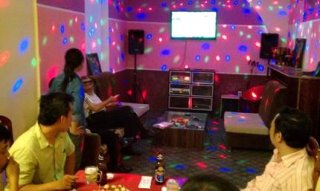
Finally, the meal was over, but I wasn’t taken back to my hotel. Oh no, now there was going to be a “Karaoke Party.” My protests that I only worked “behind the microphone” were to no avail. The karaoke unit did have songs with English lyrics, but the remote control was malfunctioning, and even with repeated banging by the operator, it failed to produce any songs I was even remotely familiar with. I had to make do with an a cappella rendition of…

2. My teaching style was “foreign” to the students in several ways. I use elements of Zen in teaching, and also real-world examples to aid in understanding what would otherwise be sterile academic concepts.

“Imagine you are at the beach, and the tide is coming in. If you stick a surfboard in the sand and stand behind it, will your feet get wet? Of course they will, because the water will simply wash around the narrow obstacle, just like low-frequency sound will. And when the waves crash against the board, they will knock it down even if you try to hold it upright, just as low-frequency sounds will push and pull on a flimsy wall to pass through it. (Actually, the original sound waves will be stopped by the wall, and new ones generated on the other side, but you get the idea.)

“Now imagine that kids are throwing rocks at you. Will the surfboard protect you if you hide behind it? Yes, because it can easily stop the small rocks, which cannot go around it, just as the small highfrequency sound waves are blocked. And you can hold the board upright when the rocks hit it, just as even a lightweight wall will stop high-pitched sounds.

“Another point: imagine there’s a small hole in the surfboard—a rock can pass through without losing any of its energy, but only a small amount of the water in a wave can get through. A large amount of high-frequency noise can enter through a small opening, but only a small amount of low frequency can get in, providing the wall is rigid enough to prevent flexing.”

This not only teaches about acoustic shadows, but also gives the students the meta-knowledge to handle any specific noise infiltration problems I haven’t mentioned in class, when they are out shooting in a practical location.

3. Sunday was my last day in Viet Nam. I chose to walk south from my hotel, rather than north as I had the Sunday before. I wanted to check out the large lake near the hotel, and the interesting bridge and island temple.

On the way there, I stopped at a small park with a large statue. There are many of these scattered throughout Na Noi and other cities. While I was taking pictures, a young woman approached me with large sack of what had to be tourist merchandise. I motioned her away, but she was persistent. She thrust a “Viet Nam” cap at me and waved it. “How much?” I asked automatically.

“150,000 dong.” The dong is the Vietnamese monetary unit, equal to 1/20,000 of a U.S. dollar, so the cap would cost me $7.50.

“That’s too much. No thank you.” I went back to my picture taking.

She was not to be gotten rid of that easily. I should never have spoken English. Usually I speak gibberish (“bohg pretzam etza eesh”), because these peddlers know a great many languages well enough to be a nuisance. But I was distracted watching kids on skateboards with only a single wheel fore and aft, and spoke without thinking. (Maybe they have these two-wheelers in Los Angeles and I never noticed.) She removed other colors of caps from her bag. I had seen them in stores and from other street vendors, and the going price was $5 American … after you haggled them down from $20.

“How much you give?” Never, never, speak a recognizable tongue to a street vendor.

“50,000 ($2.50).”

“Too little. You give me 100,000.” She opened and closed the cap’s Velcro strap to demonstrate this valuable feature.

“No, 50 or nothing.” I put my camera away and turned to leave.

“What color you want?”

I picked out a red one, checked to see if the seams were good, and stuck it in my (very large) pants pocket. I deliberately paid her with small bills, which I keep in a separate place from the big ones like 200,000s or 500,000s.

Never, never, never buy something from a street peddler. She held out the remaining caps.
“You buy more.” It was not a question.

“No, I have only one head.” She didn’t get the joke. She put the caps back and drew out a stack of guidebooks for various Vietnamese cities. In English, but I’m sure her sack held copies in all the major languages. But even at a distance I could see they were bootleg photocopies. I spread my hands out. “No thank you.” Postcards and picture books were next.

I gave up and walked away. She followed me for a quarter block, calling out “CD … DVD … SIM Card,” then went back to her spot in the park, like a spider in the center of its web.

Jim

Nagra Memories

Nagra Memories

Editors’ note: With the invention of the Nagra recorder, Stefan Kudelski made high-quality recordings possible without the need for a truck full of equipment. He enabled location recording in the same way that the substitution of film for glass plates enabled photography. Moreover, his commitment to quality in both design and construction helped define excellence in our profession. In a continuing tribute to his contributions, we are printing accounts of first experiences with the recorder. We’ll continue to feature stories of working with the man and his inventions as they become available to us.

Jerry Zelinger:

I was starting to write my experiences with the Nagra and was thinking only of the model III and then it occurred to me that my earliest experience was with the Nagra II. I had just graduated from high school and was working at the new listener-sponsored FM radio station in Los Angeles, KPFK.
I was producing programs for children, among other things, and one day the production manager showed me this portable wind-up tape recorder that was donated to the station. He called it a Nagra. I had never heard of such a thing … made in Switzerland.

It certainly beat an Ampex 600 with a very long extension cord. He asked me if I could use it for any of my programs. After thinking about it for a couple of days, I came up with a concept for a man-onthe- street radio program I titled Street Thoughts (not a children’s program). At the time, man on the street or M-O-S (not to be confused with “mit-out-sound”) shows were a question by an interviewer and then the answer by whomever and then the question repeated and then an answer. My show was to be the “big question” and then a montage of answers occasionally inserting the question re-phrased. It was only 5-10 minutes long but took hours cutting and splicing. Boy, would Pro Tools have helped then.

That Nagra II served us well. It had great sound quality and the spring never failed me.

One of my first experiences with a Nagra III was back in 1965. I didn’t own one yet but I had a friend, Flynt Ranney, owner of Spectra- Sound Recording Studios who did, and he was generous to loan it to me when I started out making films with my friend Bob Abel. I was making a little documentary with Bob about Christmas in Los Angeles.

We were shooting a Christmas Mass at the Greek Orthodox Church in downtown L.A. and for some odd reason, I had to rewind the roll of tape. I had my earphones on and didn’t realize that I was rewinding with the speaker on. Parishioners around me were smiling and nodding at me (which I thought “how nice”) but I was unaware until I took my earphones off that everyone around me could hear the “chipmunks.” I turned red with embarrassment and immediately turned off the speaker.

On another early Nagra outing, I was making another film with Bob Abel about drag racing called Seven Second Love Affair. We were at Lions Drag Strip in Long Beach and we wanted to capture the incredible sound the dragster makes as it accelerates when you’re sitting in it. No wireless mikes could do the job (not then), so I put the Nagra in the nose of the dragster and used an Altec 21-BR-180 high-level condenser mike capable of the 150 db sound levels (I had to build a battery power supply for the mike). The dragster roared out of the starting line and we all prayed that it didn’t crash or blow up (We didn’t have the $1,800 to replace the Nagra).

I still remember that sound like a rocket and then the parachute is released and just silence and the sound of the tires on the gravel.

Obviously, I didn’t tell Flynt about putting his Nagra in such a precarious situation. And I still have the recording.

I eventually bought a brand-new Nagra III from Ron Cogswell at Ryder Sound. I do remember that I had to put something like $200 for a down payment and that it was several months before it arrived. Ron said not to worry; if I didn’t want it when it arrived, someone else would be standing in line to buy it.

It served me well on a lot of documentaries, commercials, TV shows, some features and even some music records.

I still have it.

Kirk Francis:

It was late 1968 and I had been working for about nine months at a big L.A. ad agency, running their small recording studio— voiceovers, radio spots, etc., on big old Ampex 351 ¼” recorders. I had no real idea what I was doing but, compared to what those ad agency folks knew, I was a damned genius—some things never change. Anyway, I quickly grew tired of that and began looking for other gigs. I recorded a few bad rock and roll bands at various studios around Hollywood, but even at that young age, quickly burned out on the late nights and long hours spent indoors. Someone suggested that I get into movie sound—often done in the daytime and outdoors, every shot being different, and the pay wasn’t too bad either. Before I knew it, a trusting fellow from New York named Jim Datri handed me an elegant-looking metal box called a Nagra III, a converted Bolex mono-pod with a Sennheiser 404 on the small end plugged into a KAT-11 preamp, and a set of Beyer headphones which seemed to weigh about 13 pounds. To my studio-inured eyes, the whole rig looked like some sort of arcane scientific testing apparatus. Suddenly, I was in charge of recording sound for a motocross documentary, lugging the thing over hill and dale someplace in the depths of Orange County—and tethered to a 16mm Arri S by a sync cable, like the ass-end of a donkey at a costume ball—as dirt bikes roared around us menacingly. Good thing I was only 21 years old…
I still love those old recorders, in no small measure because they remind me of what the job I have been doing ever since used to be but sadly isn’t anymore: The crew would assemble, the director would actually make a plan, and then we’d all shoot it—usually in well under 10 hours (!). The sound crew’s task in this process was to create, as best we could, a one-track representation of what it all sounded like. A big day might involve three mikes, as radio mikes were yet to be “perfected” and the idea of shooting both a wide and a tight shot at the same time was considered to be very bad manners. Now, we have got to the point where our job is less like that of a framing carpenter and more like that of a clearcut logger. The Nagra III, IVL, and then the IV-S, were the rocks upon which our livelihoods were built. We depended upon them, and they always delivered. In my eyes they remain to this day iconic, soulful works of practical art.


Behind the Candelabra

There’s No Place to Hide Behind the Candelabra

by Javier M. Hernandez
(Photos by Claudette Barius/HBO)

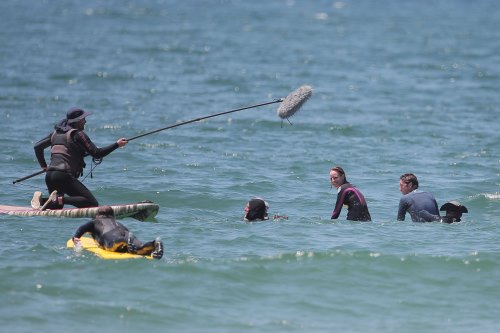
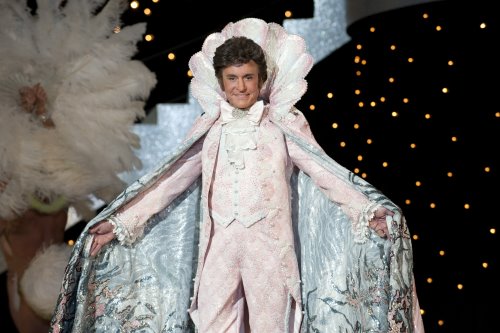
The scene started in a wide shot and we planted two mikes just in case they started early. We hadn’t seen the rehearsal, so we needed to be ready for any possibility. In the tub, Douglas and Damon’s close-ups were shot at the same time so we covered them with two booms. A mirror behind Damon reflected most of the bathroom so we had to work from below and our mikes were almost touching the bath bubbles. Even the camera needed to be wrapped in a towel. The one thing we had in our favor was that the Jacuzzi wasn’t actually running this time.

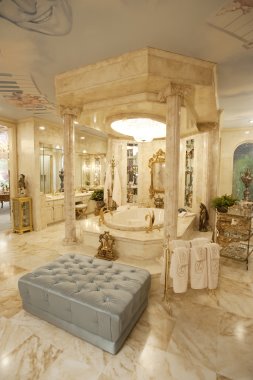
How I ended up on my knees in Liberace’s bathroom is a tale.

I first worked with Sound Mixer Dennis Towns on the HBO series Unscripted, produced by Steven Soderbergh’s company. We then worked together on some movies Soderbergh directed including The Informant, Haywire and Contagion. Over those years, a movie about Liberace was always in the air. When the call came with an official start date and the news that Michael Douglas would be playing Liberace and Matt Damon his young lover, Scott Thorson, we all knew it would be a special project. To make it even more special, Soderbergh announced this would be his last film.

I had been casually looking at clips of Liberace on YouTube since I first heard that Soderbergh was interested in making a movie about his life. The numerous challenges this project would present quickly became obvious.

Soderbergh has his own style of filmmaking: most importantly, he likes things to be real. With this project, that meant many practical locations and sets full of mirrors. And not the “set mirrors” that you can gimbal; they would be real. And often quite large. And reflective surfaces would be the norm for almost every scene. Even Liberace’s piano and clothing were reflective. Oh, and there would be musical numbers, some involving complicated vari-speed playback and other fancy tricks.
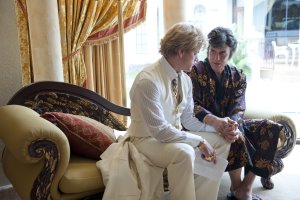
When you work with Soderbergh, the days are short but intense. Soderbergh knows exactly what he wants to shoot, his preparation and vision are clear from the moment he starts describing the setup. Everyone on set knows what is expected of them and he hires the kind of people who can work with minimal need for explanation.

Unlike working with more conventional directors, you can’t assume with Soderbergh that you’ll get it in coverage if you miss a line or two in the master. There are also not many takes. If he likes the first couple of takes, why do it again? If he likes the way the scene plays in the master, why not play it in a oner? This often means having everyone on wires and booming only when possible.

Knowing the challenges we would be facing, I recommended to Dennis Towns that we hire Gerard Vernice as our utility. I had just worked four seasons with him on Chuck. I knew he was a master with wires, that we worked well together and that he would fit in perfectly with the pace and style of a Soderbergh film.

From day one Candelabra was a challenge.

Everything in Liberace’s wardrobe was silk, polyester, and various unknown fabrics, topped off by tons of sequins, rhinestones and noisy jewelry. It became apparent that Gerard would need to wire Douglas in his dressing room as he had to come up with something new and inventive for every outfit.

I thought I had the easy job, as I ended up with the responsibility of wiring Damon. Once we solved the dilemmas of the day with our principals, we would wire the rest of the cast. They weren’t exactly easy to wire either, as they were also dressed in period garb. Skimpy costumes, noisy fabrics, bare chests and lots of gold chains were the norm. I had it easy for a while but, as the story progressed, Damon’s wardrobe became more difficult. His character started to wear polyester shirts unbuttoned to the navel and more of those damn gold chains. Sometimes he wore nothing more than a speedo—not many places to put a wire!

We got very lucky: I was able to work a boom for most of the scenes where the wardrobe was noisy or nonexistent. But getting a boom in often meant crawling on my knees, popping up and down and even jumping over a couch in one scene. For the scenes where the boom couldn’t be in the room because of reflections, we made the wires or plant mikes work. Sometimes in this business, you just have to have luck on your side.

And that was just an average day at work.

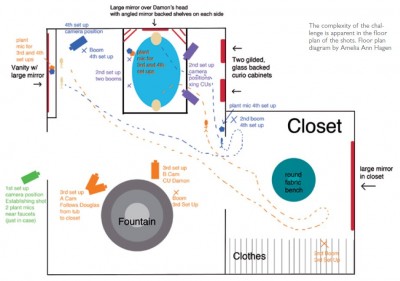
One of the most difficult scenes started with Douglas and Damon in the hot tub. They got into a fight, got up out of the tub, walked through the bathroom to a dressing area, went into a closet, and then crossed to a mirrored vanity. Often for sensitive scenes they had private rehearsals, meaning we couldn’t see the blocking and had little time to work out any possible issues. In this case, after they privately rehearsed, Soderbergh walked us through the scene pointing out the four different spots in the bathroom and dressing area where he planned for them to talk. He said it casually, but Soderbergh knew this wouldn’t be easy for us. He trusts his crew to get the job done with minimal fuss or delay. No biggie: just wire two naked men in a tub or get a boom in without a reflection in a bathroom filled with shiny objects.

As I described at the beginning, we had two plants to cover the wide shot and worked two booms from the soap suds for the matching close-ups. When Douglas got out of the tub, I was still on my knees, booming from underneath as we were still limited in where we could be. Then we cut to the shot of Damon in the tub with the champagne bottle in the foreground. The huge mirror behind Damon required him to be on a plant mike. Douglas then crossed into the closet to put on his robe where Gerard was waiting with a boom to get his offscreen dialog.

Douglas then re-entered the bathroom and went to the vanity. As he made the cross, I came in underneath to get his lines. And then things got interesting: the rest of the scene played out in one take.

At the vanity, we were shooting into the mirror and Douglas was speaking into a plant mike while Damon’s off-screen lines were on the plant mike by the tub. Damon then crossed to the closet where Gerard was still waiting to boom Damon’s lines as he got dressed. Damon then walked back into the room where his lines were picked up by a plant mike by the doorway. As Damon walked toward Douglas at the mirror, I picked him up on the boom, still from underneath, and then the camera panned from the mirror reflection into an over on Damon. At this point, I was able to boom both actors from underneath as the camera moved from the over on Damon, past Douglas’s back and more mirrors, into another over, this time on Douglas.

Although it’s only part of one scene, this shot required two booms and three plants.

Oh, by the way, did I mention that Soderbergh doesn’t use a video feed so Dennis had to mix all of this blind?

While the tub scenes involved the most mikes and presented some unique challenges, I still felt lucky to be able to boom at least some of the dialog, even if I was on my knees the whole scene. You see, as a boom operator, sometimes the hardest thing is to rely entirely on wires. There can be a helpless feeling in the pit of your stomach as the cameras roll because, if something doesn’t work, you’re not able to fix it on the fly.

On Candelabra we dealt with this on a regular basis. Sometimes it was due to wardrobe, sometimes the sets and sometimes because Soderbergh wanted to shoot a long scene in a wide shot oner.

Liberace’s wardrobe presented unique challenges with every different shirt, cape or wig. Each change of wardrobe required Gerard to go to Douglas’ dressing room and come up with something new and inventive. The “backstage” scenes would be the first time Liberace was in full performance wardrobe. We had a chance to look at the wardrobe the day before but, frankly, seeing it didn’t help much; it just added to our concerns. Gerard went to off to wire Douglas, not really knowing what the solution would be, but he was smiling when he returned to the sound cart. At first he was having trouble finding a quiet place to put the mike. The jacket was quite tight fitting and made of a very noisy material. Then a brooch was added and Gerard quickly put a Countryman B6 with a small amount of butyl gum adhesive behind the brooch. The butyl served two purposes: it held the mike in place and isolated the mike from touching the brooch itself. Instead of trying to work around all the necklaces, jewels and sequins, Gerard decided to use them in his favor. Often he threaded the B6 mike through one of Liberace’s many necklaces, and placed the element within a link or charm, leaving the mike concealed, yet out in the open. Doing this helped us achieve the cleanest audio by allowing us to place the mic in a perfect spot for dialog while minimizing clothing rustle and rubbing.

We shot many scenes at the LVH in Las Vegas. The set designers and their crew meticulously dressed Liberace’s penthouse to look as it did back in the 1970s when it was called the Hilton Hotel in Las Vegas. Did I mention Liberace’s love of mirrors yet? The very last scene we shot in the penthouse was another of those of those scenes where we would have no choice but to rely mostly on the wires.
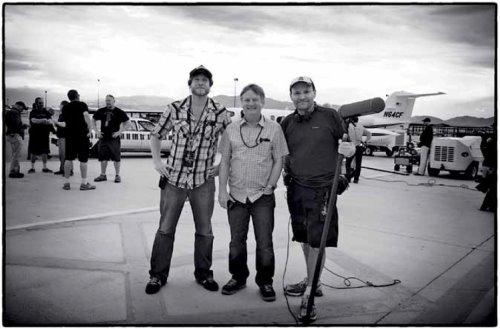
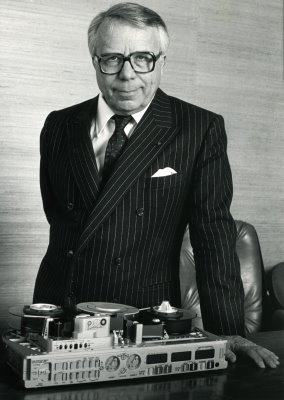
It was a Friday night and we had been having a good day. Most of the scenes were in the bedroom and we had been able to get it all on the boom. Looking at the sides, I knew we had an almost three page scene coming up in the living room area. I was just glad it was no longer playing in the Jacuzzi area as it had originally been written. They had planned a small party after wrap. After shooting in Liberace’s penthouse, we were going to get to socialize and relax and enjoy the view from the top floors of the LVH. The party was scheduled to start at 9 p.m. It was about 7 p.m. as we set about blocking the scene. This gave us about two hours to set up, rehearse and shoot a three-page scene. The living room was in typical Liberace style: mirrors and windows and a ceiling covered with recessed lighting. (see video clip below)

As Soderbergh started walking with the actors and talking about the scene, it became apparent that most of the scene would be done in a oner. A wide oner. The scene was set up as follows: Douglas and Damon would walk into the penthouse arguing, with dogs barking at their feet, and then walk over to the bar where Douglas was to make a drink. Then they would both walk over to the couch where they continued arguing as they sat down. At the end of the scene, Douglas would come over and give Damon a hug. Soderbergh then confirmed to me that he planned for the scene to be a oner until the end, at the couch, where he intended coverage for the last couple of lines.

While bringing in food for the party which would be held at the penthouse next door, one of the guys from craft service asked me, “So, how we doing?” I told him we had a three-page scene left to shoot and he replied, “Well, I guess we are not starting the party at nine.” I asked him why. Did he think we couldn’t finish three pages in an hour and a half? And then I reassured him. “I’m sure we will done in time for the food to stay fresh.”

Since the shot would involve a big dolly move throughout the penthouse, the camera guys rehearsed the move a few times while Gerard and I wired our actors. Damon’s shirt was made of polyester, but he only had one chain for this scene, so I knew I could make it work. I used a vampire clip and a little piece of moleskin to help lift and isolate the mike from the shirt. Gerard also needed to use a vampire clip on Douglas but, being Liberace, he had a bigger chain. The rehearsal went perfectly. It sounded so great that Gerard and I walked over to Dennis, who was hiding in the hallway behind a statue, and we started high-fiving each other. We were  ecstatic that it was going to work on the wires, knowing full well that there was zero chance of getting the boom in for this wide, constantly moving shot. During our celebration I noticed a discussion going on around Damon, so I walked over to see what was going on. They were adding more gold chains. I knew it had been too easy. After wardrobe had added those extra gold chains, “we” were ready to shoot, but I needed a couple of minutes to find a way to make Damon’s wire work as well as it had in the rehearsal when he had only the one chain. The rehearsal had been so good, but now one of chains was right on the mike and I didn’t have many options. I moved the mike higher, fitting it between the chains. I then put the vampire clip behind a button, using a white mike and a white clip in the hopes that it wouldn’t be seen on the white shirt. It was right on the edge. As Gerard would often say: “We are flirting with disaster.” As I was walking along with the dolly, I realized what a great shot it was. The camera dolly was seamlessly following Damon and Douglas through the beautiful penthouse, with its mirrors and large windows. It’s another example of the kind of shot that Soderbergh is so good at designing: a shot where he can create dynamic action and allow three pages of dialog to just flow naturally. And all I could think was “We better get it. This is a great shot.” It was sounding great, and the whole time I couldn’t take my eyes off Damon’s shirt, looking for any chance that mike might become visible as he moved. Douglas sounded great; even though his chain moved a little bit, it wasn’t on his dialogue. Everything was working. When we cut there was a long beat and Soderbergh said: “That was great. I have it.” Douglas and Damon had a little conference. Soderbergh was happy with the take and so were we. Personally, I didn’t want to do it again. It was perfect. It was like tempting fate. They decided to do one more, for protection. The second take was OK, not as good as the first as I could hear a little bit of the chains. It wasn’t bad, but not as good as Take One. Unlike many directors who might “chase the dragon” in search of another perfect take, Soderbergh realized he had what he wanted in take one, so we moved on. We did a couple of closeups for the last lines. And that was it. The three-page scene was done. It was 8:45 p.m. and the party would start on time.

The last scene in the movie (see video above) was also the last scene we filmed. It involved Douglas flying up to a piano high on a platform where he would sit and sing a song. Since it was a fantasy, there was no handheld mike, unlike in the other performance scenes. He would then stand up from the piano, say good bye, and fly away. This was a complicated scene involving a big dance number, a flying rig, and recording Douglas singing live. On our day off we spent the day rehearsing the scene. It was great to get to see Douglas in his wardrobe in advance. Unlike some of his other performance outfits, this one didn’t have a brooch that might hide the mike and yet it couldn’t go on the jacket. Douglas would be wearing a flying harness and the chances of the mike picking up clothing noise were too great. We all looked at each other and said, “It has to go in the hair.” Going into this project, we had thought that a mike in the hair would be something that we would use a lot, but it never worked out before because Douglas’ hair was too short in the back and you could see the cable. For this outfit he had a Dracula-type collar that stood up and would hide the cable for us. Gerard had a quick word with the hair department and they agreed to help us put the mike in Douglas’ wig. Having a day to rehearse was a great luxury; it gave us time to spot the problems and work them out without being under the stress of shooting. We had the time to work it out that Gerard would wire the wig and the hair department would help hide the cable. They were out of New York and had the kind of theater experience to do a great job. The mike was hot, Douglas was put in the flying rig and away he went. When he got to the piano and started singing, I was so relieved that it not only worked but it sounded great. It had to work. There would be no adjusting the wire or getting a boom in and a plant mike just wouldn’t work. We had tried to use a plant mike in the piano, but it was too noisy and it was picking up the “clink” of piano keys being pressed.

It was an emotional day for everybody. It had been a challenging show and the end was near. Would it be Soderbergh’s last film? As Douglas soared up into the air, I was able to step back and enjoy the magic of movie-making. I just felt lucky to be a part of this film. Despite the crazy day-to-day problem solving, this was the most fun I’ve had on a job in a long time. And none of this even mentions shooting in Palm Springs and Las Vegas in weather so hot the cameras had to be wrapped in ice packs. I went home exhausted every night but proud of the work we were able to do.

The Nagra Recorder – Stefan Kudelski Tribute

A Tribute to Stefan Kudelski and the Nagra Recorder

by Scott D. Smith, CAS

Long considered the “gold standard” for location sound, the Nagra recorders established a level of technical superiority and reliability that to this day is unmatched by almost any other audio recorder (with the possible exception of the Stellavox recorders, designed by former Nagra engineer Georges Quellet).
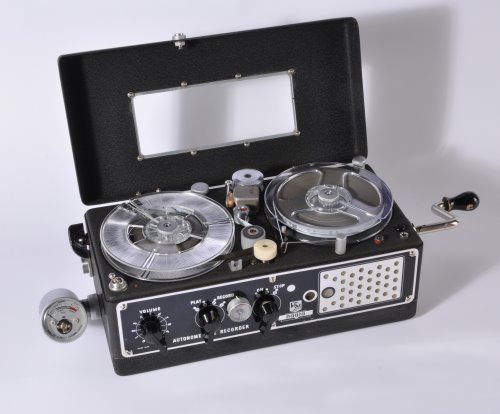
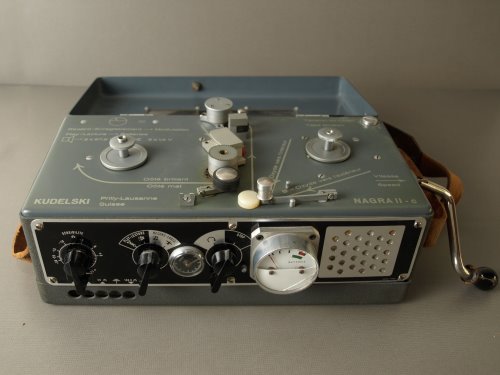
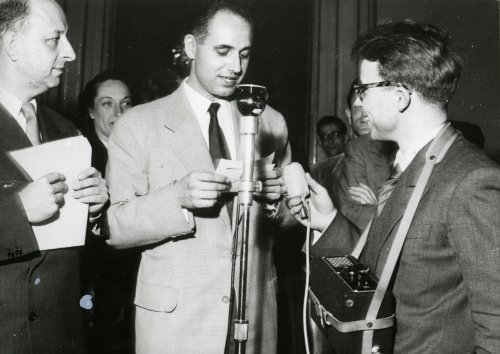
With the death of Stefan Kudelski in January of this year, this would seem an appropriate time to look at the history of the Nagra recorders and the man responsible for their huge success.

The Early Years

It should probably come as no surprise that Stefan Kudelski would be destined for great works. Born in Warsaw, Poland on February 27 of 1929 to Tadeusz and Ewa Kudelski, it would become clear to those around him early on that he possessed a level of intelligence and ambition exhibited by few other young men his age. His father had studied architecture at Lvov Polytechnics, but later went into chemical engineering. His mother was an anthropologist. Despite this, his childhood years were far from idyllic. With the imminent Nazi attack on Poland in September of 1939, at the tender age of 10, Kudelski and his family fled Warsaw, first to Romania, then to Hungary, and finally to France. He resumed his high school education at the Collège Florimont in Geneva, and later studied electrical engineering at the Ecole Polytechnique in Lausanne, Switzerland.

Like most successful endeavors, Kudelski did not originally come to the idea to create a portable tape recorder directly. His initial interest was sparked by the terribly inefficient work he saw being done at a machine shop in Geneva, where each piece was turned by hand. Realizing that much of this repeatable work could be done by automation, he set about designing what would have been one of the first CNC machine tools. However, he lacked a method to record and store the data necessary to control the motors, and began to look at magnetic recording as an possible medium for data storage.

After dismantling an old recorder to study its design, Kudelski then set about designing a new recorder from scratch. This recorder would be destined to become the Nagra I. However, as the son of a poor refugee family, he was unable to interest anyone in his CNC machine tool project, so he turned his focus to designing a recorder suitable for broadcast use.

Working from his apartment in Prilly, he managed to scrap together enough money to design a prototype machine. It was an instant success, and he sold his first machine for the sum of 1,000 CHF. (While this only amounted to about $228 USD in 1952, it was still a significant amount of money for the young Kudelski). This initial sale was followed by orders from both Radio Lausanne and Radio Geneva.

In May of 1952, on the heels of interest from some well-respected European reporters, he receives an order for six Nagra 1’s from Radio Luxembourg, which convinced Kudelski that he is on the right path. It was at this time that Kudelski left the Ecole Polytechnique and pursued development of the Nagra full time. (Years later, he would receive an “honoris causa” degree from the Ecole Polytechnique, in recognition of his work in developing the Nagra recorder.)

By the end of 1953, Kudelski had established manufacturing operations at a house in Prilly (west of Lausanne), and employed a staff of 11. Toward the end of 1954, improvements were made to the machine (now called the Nagra II), with printed circuit boards being implemented for the audio electronics. The orders continue to roll in, virtually all from word-of-mouth, and by the end of 1956, the staff numbers 17. Despite this success, Kudelski recognizes that there are still improvements that need to be made, especially in the area of the drive mechanism. He continues development of the machine, but opts for a ground-up redesign, as opposed the incremental changes between the Nagra I and II. The result is the Nagra III, introduced in 1958.

The Nagra III Makes Its Debut

The design of the Nagra III marked a significant departure from the Nagra II. Gone was the spring-wound drive mechanism, replaced by an extremely sophisticated servo-drive DC motor. Also absent was the tube-based amplifier circuitry. In its place was a series of modules, each encased in metal, which contain the individual components of the machine. It also sported a peak reading meter (the “Modulometer”), which set it apart from most of the other recording equipment of the period, which still relied on VU meters. It was designed for rugged operation conditions, and could be powered from 12 standard “D” cell batteries.

Acceptance of the Nagra III was almost instantaneous. 240 machines were built in 1958, and in 1959, the Italian radio network RAI (Radio Audizioni Italiane) ordered 100 machines to cover the Olympic Games in Rome, paying cash in advance. With this rapid expansion, larger premises are acquired in Paudex (near Lausanne). Since the Nagra III relied heavily on custom machined parts, a significant investment in machine tooling, along with skilled machinists to run them, was required to keep pace with orders that were now coming in from networks around the world, including the BBC, ABC, CBS, NBC and others. By 1960, there were more than 50 employees working in Switzerland, and a network of worldwide sales agents was established to support the sale and service of the machines.
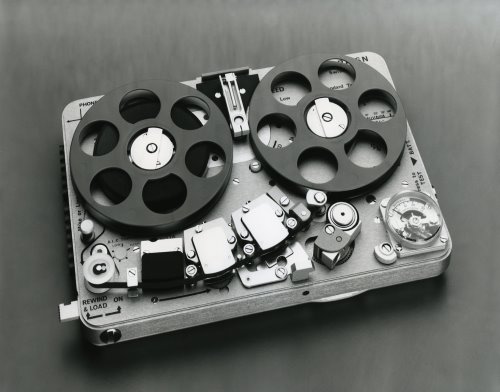
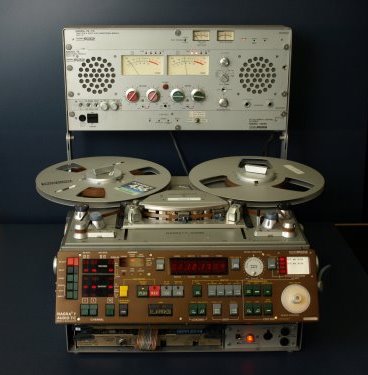
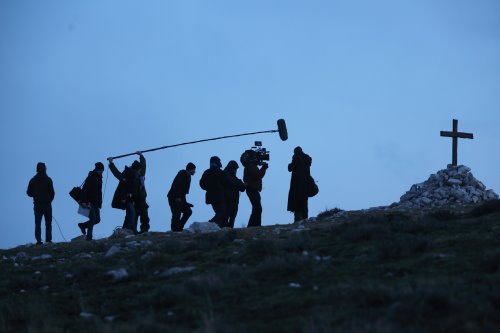
Nagra Enters the Film Business

The application of portable sound recording to the film industry was not lost on Kudelski or his agents. In 1959, French director Marcel Camus used a Nagra II to record part of the sound on the feature production of Black Orpheus, shot on location in Brazil. Sensing that this could be a burgeoning market, Kudelski quickly set about designing a version of the Nagra III that could utilize a pilot system for synchronous filming (referred to as the PILOTTON system).

This early version of this system was based on technology initially developed in 1952 by Telefunken and German Television, which consisted of a single center channel pilot track about .5 mm wide. However, it did not have HF bias applied to it, which caused the distortion to be rather high, and bled into the audio track. Realizing that a better solution was needed, Kudelski invented the Neopilot system to replace the PILOTTON system. This design consisted of two narrow tracks, recorded out of phase with each other, which resulted in the signal being cancelled out when reproduced by a full-track head. The addition of HF bias helped reduce distortion, which resulted in minimal interference to the program audio.

A companion synchronizer (the SLP) was developed at about the same time, which provided a method to resolve synchronous recordings on the Nagra III. The design of the DC servo motor system provided for an elegant approach to this task, making the AC motor drive systems of the day look archaic in comparison.

The first of the Nagra III’s equipped with the new Neopilot system were delivered in 1962, resulting in a huge increase in sales. Lead times for the Nagra III now grew to 6–8 months, requiring yet more space for production. Also, there were restrictions placed on business by the Swiss government in regards to how many workers could be hired, which hampered the growth of the company.

In 1964, additional office and production space is rented in Renens, with further premises acquired in 1965 in Malley. By the end of 1965, the decision was made to purchase a factory in Neuchâtel. Finally, a huge tract of land is purchased in Cheseaux-sur-Lausanne, which allowed for the construction of a dedicated factory.

Nagra IV Debuts

By 1967, the sale of the 10,000th Nagra III is celebrated, and in 1969, the company moves into their new facilities in Cheseaux-sur-Lausanne. 1969 also brought the introduction of the Nagra IV recorder, which marked yet another significant improvement in analog recording technology. While the basic transport design mimicked that of the Nagra III, the new machine now used much more reliable silicon transistors and sported two mike inputs. The pilot system was also improved, with the flux level on tape being standardized, regardless of the voltage present at the pilot input. The signal was also filtered which significantly reduced the amount of noise that could bleed through into the audio track. Approximately 2,510 of the new machines were built in 1969.

Not content to leave well enough alone, one year later, Kudelski introduces the Nagra 4.2L recorder. While the 4.2L offered a few improvements over the IV, they were not as significant as the changes seen between the model III and IV. If some industry observers were of the opinion that Kudelski had begun to slow down further development of analog recorders, they were significantly underestimating his ambitions…

If One Channel Is Good, Why Not Two?

Seeing further opportunities in the sale of machines to the broadcast and film markets, in 1971 Kudelski introduces a stereo version of the Nagra 4.2, called the IV-S. Built on the same platform as the 4.2, the machines offered many of the same features, but with two channels of recording in the same footprint as the mono recorder. It also marks the introduction of a new pilot system, called NagraSync FM, which records a FM modulated pilot signal at 13.5 kHz between the two audio tracks. This allows for synchronous recordings, without having to reduce the width of audio tracks, and neatly solves the problem faced by trying to use the older Neopilot system for twochannel recording. It also allows for a limited bandwidth commentary track to be recorded on the same channel, which aids in slating for production situations where a standard “clapper” slate can’t be used, without interfering with the program being recorded. While  stereo recorders were certainly nothing new at this point, all the commercially available machines were bulky AC–operated recorders, giving Kudelski yet another significant entry into the audio recorder market.

1971 also saw the introduction of the unique SNN recorder, a miniature recording using 1/8” wide tape, but in a reel-to-reel configuration as opposed to a cassette. Like its predecessors, it also had the ability to do synchronous recording. Although Kudelski had begun development work on the SNN about a decade earlier, he waited until 1971 to bring it to market. This year would also mark the introduction of equipment destined for applications outside of the traditional film and broadcast arena.

Diversification

Whether driven by the need to invent or recognizing that the market for portable audio recorders would eventually become saturated, it was about this time that Kudelski begins to design and manufacture equipment destined for applications outside of the traditional film broadcast market. While he had designed a recorder for military applications as early as 1967 (called “Crevette”), 1971 would mark a significant departure in the direction of the company.

Fresh off the heels of the Nagra SNN and IV-S recorders, in 1972 Kudelski introduced the Nagra IV-SJ, a two channel instrumentation recorder aimed at scientific and industrial markets. Recognizing the application of the SNN recorder for law enforcement use, Kudelski also introduced the SNS, which was a half-track version of the SNN recorder. Recognizing the need for a more economical ¼” mono recorder for broadcast, in 1974 Kudelski introduced the Nagra IS, originally designed to be a single-speed mono recorder aimed at reporters. With a footprint and weight that was almost half that of the 4-Series recorders, this machine gained rapid acceptance by broadcasters who were looking for a high-quality, economical recorder. Like other Nagra products, variations of the basic recorder were soon to appear, which could provide Neopilot sync for film use, as well as two-speed operation. Two year later, the Nagra E was introduced, which was a further simplification of the IS recorder.

Despite the simplification of these products, both maintained the unique trademark characteristics of Kudelski’s design approach, and would never be mistaken for some mass-market cassette recorder.

Just the FAX Ma’am

While Kudelski was known worldwide for his unique audio design talents, somewhat less well known was his keen interest as both a sailor and aviation buff. In fact, Kudelski established “Air Nagra” in the 1960s, which operated a few Cessna twin-engine planes, used primarily to transport businessmen in the local area. Ever aware of the opportunity to bring a new product to market, in 1977 Kudelski would introduce the “NAGRAFAX,” a unique portable weather facsimile machine aimed at the maritime market. While the military had a similar system in use, the NAGRAFAX was aimed at the commercial and private yacht market, and also saw use in airports, ski resorts and coast guard stations. This product would mark Kudelski’s first departure from recording equipment.

1977 saw the introduction of yet another instrumentation recorder, the Nagra TI, which offered four channels of recording (as opposed to the two channels of the Nagra IV-SJ). It also boasted a unique dualcapstan transport, which minimized disturbances in the tape path, a critical design component when the recorders were employed in military operations. This transport would become the basis for the Nagra TA recorder introduced in 1981. Essentially, a two-channel analog version of the TI recorder, the Nagra TA had the unique ability to chase timecode in forward and reverse, and was specifically aimed at the telecine post market.

While the T Audio recorder boasted the most sophisticated transport design of any of the Nagra analog audio recorders, its complex logic circuits caused many users to shy away from it, except for telecine applications, where it had no rival. Despite this, it is still highly prized among audiophiles for its stellar tape-handling features.

Nagra and Ampex—Strange Bedfellows

The year 1983 would see an unlikely alliance take place, with Nagra and Ampex embarking on a joint venture to introduce a portable 1” Type-C video recorder aimed at the broadcast market. While Sony already had a small 1” video recorder on the market, in predicable fashion, the design efforts of Kudelski raised the bar significantly. Employing a lightweight transport and surface mount devices, the new recorder (dubbed the VPR-5) brought a level of sophistication to the broadcast video recorder market that has never been seen since. While the VPR-5 enjoyed a brief period of popularity (with 100 machines ordered for use at the 1986 Mexico World Cup), the everchanging “format wars” brought a premature end to its use.

Nagra and the Cold War

In yet another somewhat unlikely alliance, soon after the introduction of the VPR-5, Nagra joined with the Honeywell Corporation with the intent to produce a highly specialized recorder designed expressly for military use. However, this venture, which utilized all of Nagra’s R&D operations, never brought a product to market. The project was quickly abandoned after the fall of the Berlin Wall in 1989. The only remnant of the effort is a prototype recorder called the “RTU.” This would be the last project that Stefan Kudelski would be engaged with directly in an engineering capacity.

Despite this misstep, much was learned during the development of the RTU, and in 1992 Nagra introduced the Nagra D, a unique (and proprietary) four-channel digital recorder aimed at the film and music recording market. While the Nagra D gained some adherents, by this time Nagra had unfortunately begun to lose its dominance in film sound to DAT technology, which had begun to make inroads in the market while they were still distracted by the Honeywell venture. (In fact, Nagra never did produce a DAT recorder, moving directly from the Nagra D open-reel digital recorder to the introduction of the ARES-C tapeless digital recorder in 1995.)

Despite losing some market share in traditional film sound recording to new players, Kudelski continues to design and innovate. In 1997, they introduced a line of high-end audiophile components, starting with the PL-P vacuum tube preamplifier, and later incorporating the VPA mono-block tube power amplifier, as well as the MPA 250-watt MOSFET power amplifier.

Even further afield from the original focus of the company was establishment of a division devoted to pay-TV set-top boxes for CANAL+ in 1989. This would turn into a very successful growth operation for the company, and continues to be the main business of the firm.

Nagra Today

In 2002, Nagra introduced the Nagra V hard drive recorder, which was intended as the replacement for the Nagra 4 series analog recorders. However, despite the excellent design, by this time Nagra had some of its footing in the film recording market, overshadowed by the development of DAT recording in the 1980s, and the introduction of the Deva hard drive recorder in 1997. Nonetheless, Nagra still enjoys a significant share of the broadcast journalism market with products such as the ARES series solid-state recorders. Currently operated as a separate entity located in Romanel under the moniker of Audio Technology Switzerland, the firm continues to pursue the film recording market, with the introduction of the Nagra VI hard drive/CF card recorder in 2008. Stefan Kudelski’s son, André Kudelski, continues as CEO and Chairman of the firm.

Despite the changes in technology that have taken place in the intervening years since the introduction of the first Nagra recorder, every sound mixer “of a certain age” I’ve spoken with can still recall the first time they used a Nagra recorder. Likewise, the stylistic contributions made to the film business by Kudelski’s introduction of the Nagra are immeasurable. Films such as D.A. Pennebaker’s Don’t Look Back would have simply been impossible to do without the aid of lightweight cameras and recorders. The entire French New Wave movement, led by directors such as Francois Truffaut and Jean Luc Godard would arguably not even have existed without the aid of the Nagra recorder and Éclair camera. Thank you Mr. Kudelski for your marvelous invention.

The author wishes to thank Omar Milano for generously sharing the transcript of an interview he conducted with Mr. Kudelski. I am also grateful for the opportunity to have accepted the Wings Award on behalf of Mr. Kudelski at the Polish Film Festival in America in 2008. It was an honor.

© 2013 Scott D. Smith, CAS

Editors: We will present other articles in coming issues to explore the accomplishments of Stefan Kudelski. We invite members to submit stories and anecdotes of their experiences with the man and his recorders. Please send your anecdotes to: nagra@local695.com

Recording Les Misérables – Part 2

Recording Les Misérables – Part 2: Implementing the Plans

by Simon Hayes AMPS
Photos by Laurie Sparham/Universal Pictures

Beginning my assignment on Les Misérables, I had some enviable, even unprecedented, advantages. I had support from the producers at Working Title Pictures and the Director, Tom Hooper, to use every resource available to achieve live recording of all the vocals without any ADR. And I had a crew of seven skilled associates to help achieve this goal, all handpicked from the best technicians I know, all excellent choices for their ability to work together as a team. But it still remained to coordinate with other departments and develop a plan for how this goal might be accomplished.

Meeting Supervising Music Editor Gerard McCann was the next step and a defining moment in the planning stage. Right away we agreed to join forces and merge his four-man department with my seven-man team. Whatever demarcation had existed, we relegated to history and agreed that the teams would share all the tasks of the daily technical grind including rigging, cabling and loading gear.

Music Supervisor Becky Bentham was also part of this first meeting. She is a legend in the UK film industry. Both Gerard and I had worked with her before and had great respect for her abilities.

The three of us discussed the project in detail and worked out a plan of attack. We would have two live pianists on set at all times. Both were part of Cameron Mackintosh’s team and had years of experience with the orchestrations of Les Mis. One pianist would work with the shooting crew and the other would be available at all times for warm-ups and rehearsal. Whichever one was on set that day would work inside a soundproofed plywood box fitted with ventilated Perspex windows so that the mechanical sound of the Korg electric keyboard would be confined. The player would wear headphones with an IFB feed of the vocal mix in one ear. The pianist was also fitted with a radio mike for direct communication with the actors via their “earwig” feed.

The piano would then be routed both to Pro Tools Rig #1 and also to the sound cart for transmission to the actors’ earpieces. Says Gerard McCann: “We had our live piano performing and three Pro Tools systems, operated by Music Editors Rob Houston, John Warhurst and myself. Simon was able to route that live piano feed into earpieces worn by the actors who were then able to sing to live accompaniment. Our Pro Tools systems had three roles: one was dedicated to playback for tracks that required a fixed tempo, like chorus material. For the larger crowd songs, we would record a rehearsal of the ensemble cast on set on the day, and use that as a playback for shooting so that the crowd could follow along singing in the correct tempo, and this live singing recorded by Simon. This was to allow Tom maximum freedom to use as much of this sometimes rough, raw, but very real sounding live chorus as he chose, together with additional layers he might record later in post. A second machine was dedicated to recording the live vocal and piano mixes from Simon, and the third was used to turn around this recorded material almost instantly for playback.”

In working out the production sound methodology, I was keen to stick to a comfortable workflow; this wasn’t the time to be introducing new or untested equipment into the recording chain. I needed to be using equipment that was second nature to me so my attention might be on capturing performance rather than technical issues.

I chose to gang together two Zaxcom Devas, one the Deva 16 and the other a Deva 5. This would give us 26 tracks. I would give the picture editor two mix tracks to use on his Avid timeline: Mix-1 had the vocals and the mono piano; Mix-2 had the vocals only, without the piano. This gave the editor the facility to adjust the blend of voice and accompaniment as needed.

We linked the two recorders together so they would have identical timecode. The Deva 16 had the two mix tracks plus isolated mikes on tracks 3–16. Machine 2’s ten tracks were all assigned to ISOs.

The two linked machines gave us a total of 24 tracks. Since we might need to use radio links for the two mono booms and the stereo boom, we were limited to 20 radio mikes. I already had two fantastic Audio Developments’ mixers with eight channels each. They were modified to supply either analog or digital signal on all the outputs so we were well equipped for 16 tracks. We reasoned that we would not need all available tracks recording the solo performers, only when recording the chorus, so we could connect directly to the Devas and use the front panel faders on those occasions.

I also ran a safety copy of the mix tracks on a 24-bit Nagra V in case of a hard disk failure on the primary machines. That covered us in the event of an equipment failure on a magical “perfect take.”

Running 20 radio microphones without any inter-channel modulation or interference is not easy. Luckily, the UK was in the middle of switching the legal film industry channels from one band to another to make way for digital television, and we took full advantage of the temporary window available to us to use both channel 38 and channel 69. As Gerard worked out the need for five different Comtek feeds—that’s right, five mixes—our special good fortune became more apparent. Our plan called for Mix-1 to be piano and vocals while Mix-2 would be piano only for members of the music department who needed to concentrate on that element. (Quite a few members of the music team kept two receivers on their belts so they could swap between these two mixes as they wished.)

Mix-3 would be vocal only for use by dialog coaches working on accents. The pianists also used this mix while listening to a direct feed from the electric piano in the other ear.

Mix-4 was a special mix that Tom Hooper and Danny Cohen required for themselves and the camera crew. The music was such a large part of the tempo and timing that the camera crew needed to hear the piano and voices to motivate their action. We added a talkback mike—a Shure SM58 with a transmitter—to permit Tom to communicate with camera operators and grips even during the takes.

Mix-5 was the boom operators’ headphone feed, much the same as Mix-4 but with my voice alongside the singing and piano instead of Tom’s. I was, of course, using the onboard talkback mike on my mixer rather than a handheld SM58. This permitted me to talk to the three boom ops throughout takes about lens sizes, shadows, etc. With the 20 radio mikes, five wireless headphone feeds and Tom’s SM58 transmitter, we would be using up to 26 separate frequencies at any time. The responsibility for wrangling all these frequencies fell to 1st Assistant Sound Robin Johnson. Without his skill and experience, I doubt we would have been able to run that many channels.

All of this equipment would live on two sound carts that could be moved around on location. We were becoming technically ready. The next step was to consider the “in-the-ear” monitors for the actors.

We considered several in-ear monitors and made a decision early on to use a traditional induction loop system over the newer radio systems. To fit within the ear, all of these systems are limited to a very small driver that severely limits sound quality. None of the present designs sound very good. Since the units with a built-in radio receiver offered no audio advantage, we couldn’t justify their extra expense particularly considering the number of units we would need. We concentrated our efforts into finding the best induction loop amplifiers and in optimizing the performance of the traditional design.

We confronted two problems with the available earwigs: their small driver size severely limited bandwidth and they were not very loud. An orchestra with a broad mixture of bass and high frequencies would confuse the tiny driver and the output became muddled. We found the problem was less acute using the Korg electric keyboard as its output is simpler and tends toward the midrange. The pianists were a great help with this by adjusting their play accordingly. We also adjusted the EQ settings on the keyboard to suit the earwigs.

The loudness issue was not so easily resolved. These earpieces were originally designed to assist people with hearing difficulties, not to be used as a reference while singing “Who Am I?” or “I Dreamed a Dream” at the top of one’s voice. We contacted the manufacturer and they were very helpful and supplied us with louder units. We also had them come out and make ear casts of each principal actor to supply them with custom-fitted earpieces both left and right. This helped in several ways. The custom earwigs fit deeper in the ear canal and were less visible to camera. Also, a precise fit ensured that the earpiece was optimally positioned, and its tiny outlet hole unblocked, so it could deliver its maximum output. Having both left- and right-fitted earpieces also gave the option for using both if an actor were struggling to hear. This was really a last resort because it would interfere with the actors hearing their own vocals.

We decided early on not to feed vocals into the earwigs both because of the frequency response issues and also because we would forever be discussing individual preferences on the balance between vocals and piano. This would present an impossible situation because we could only provide one earwig mix on the induction loop. But there are always exceptions—on “I Dreamed a Dream” Anne came to me after the first take and asked to wear both earwigs with the piano as loud as possible and a tiny amount of her own vocal added. Since she was singing a solo, and we didn’t need to provide earwigs to others, we were able to accommodate her.

For a couple of monumentally challenging sequences, Tom staged two actors at locations hundreds of yards apart, harmonizing together in real time but shot with separate cameras. In those instances, we fed their vocals to their earwigs so they could keep pace with one another. This created much hilarity on set as Hugh and Russell realized they could communicate with each other and began comparing progress on the setup and which camera crew might be ready first. There were other exceptions to our no-vocals-in-the-earwigs rule but we generally tried to keep the playback practice as simple as possible.

With recorders, track assignments, piano accompaniment and earpiece distribution worked out, Gerard McCann and I had a good plan for recording the vocals. But we needed to meet with Orchestrator and Music Producer Anne Dudley and her team to confirm that our efforts would meet her needs. We met her and Music Supervisor Becky Bentham at the famous Abbey Road Studios in London. They told us that their engineers would like to hear the mikes we intended to use so we set up some test sessions. The Neumann U87 is the standard condenser microphone in a music studio. Its accuracy is unexcelled and its large diaphragm produces a smooth response to rapid transient changes. The music studio also offers acoustic excellence and the ability to place the microphone in optimum position. No location recording plan we might devise would ever be able to equal that performance. But the live recording offers the advantage of immediacy and an emotional link to the acting so the operative question was whether the fidelity of our system would meet listening expectations.

I chose the Schoeps Super CMITs for our boom operators. These new microphones use DSP noise-canceling technology to reject off-axis background sound. This capability is a great advantage but demands a high level of skill from the boom operator. When the Schoeps were used in testing it became clear that, if they were in an optimum position, the kind possible while shooting a close-up, they could compete on a level playing field with the music studio mikes.

We also tested the DPA lavaliers and Lectrosonics radio mikes. In my opinion, the DPA matches the Schoeps Super CMIT more closely than any lavalier I’ve heard. During the demo at Abbey Road, the engineers, despite initial skepticism, were suitably impressed. They felt they were getting approximately 60 percent of the quality of a Neumann U87 when I believe they were expecting much less. When you consider that the studio mike is placed on a stand in the best possible position while the DPA is rigged on the actor’s chest, that is an excellent result.

Paco Delgado, the Costume Designer, was extremely helpful and collaborative in this process. To hide the lavalier mikes, he and his team supplied us with the necessary cuts of fabric from each costume and also allowed us to make the holes needed to hide cables. He encouraged us to take the lavalier rigging to a level that enabled us to record absolutely clean singing with no clothing rustle. As we started shooting, it became clear that the process of mic’ing the cast was far more time-consuming than on a “normal” film not just because of the need to match fabrics but also because there were so many radio mikes used.

It’s always my aim to deliver as natural a dynamic range as possible so I was in full agreement with the engineers’ request that we not use any compression or limiters in the recording chain. To make the full 24-bit dynamic range available, this meant not only refraining from using or tripping limiters in the equipment but also not riding gain during the take. We used the Lectrosonics transmitters at a very low-gain setting to ensure that limiters would never be engaged. Historically, the higher gain setting needed with radio mikes to stay above artifacts meant that limiters were needed to prevent overloads with louder signals. The ability of the current generation of Lectrosonics’ gear to capture clean signal at lower settings, even with whispered delivery, was impressive and a key reason we were able to take on the project. By agreement between the Music Department and the Sound Department, we used no limiters or EQ anywhere while recording Les Misérables.

With everyone in agreement on the methodology, we turned our attention to the challenges of recording live singing on a movie set. We had to consider the scale of the Paris street scenes and how to manage them. Tom asked me if I would prefer to shoot the exteriors on a soundstage or on location. I knew that Tom wanted to shoot the scenes, some as long as 14 minutes, from start to finish without a cut. I didn’t see how this would be possible outdoors in a modern, aircraft-infested environment but the only stage large enough for the planned scenes, the 007 stage at Pinewood, is not really a soundstage and has poor acoustics. Just a few weeks into preproduction, Tom contacted me to tell me about a new stage being built in Pinewood—the Richard Attenborough Stage—that would be the biggest in the UK. (After our good fortune with the transitional availability of radio frequencies, we began to think someone upstairs was smiling on our project.)

Eve Stewart, the Production Designer, asked me about ways that set design could help with Tom’s vision of a live musical. I commented that for live sound we wanted reality. If they are in shot, the cobbles should be real cobbles, the oak door frames should be real oak, so that any sounds we picked up would be as authentic as possible. She took my suggestion and filled every inch of the 30,000-square-foot stage with sets built with the characteristics of permanent structures.

Our interest in solid oak and stone applied only to areas seen in the shots; outside what the cameras saw we tried to make the set and crew sonically disappear. Our efforts extended even to fitting rubber shoes on all the horses’ hooves.

For Eponine’s number, “A Little Fall of Rain,” we faced the additional challenge of recording the entire number in the rain. We worked with the Special Effects Department to get the best possible rain that would show on camera without drowning the mikes or making too much noise. We covered every part of the set not seen by the camera, every rooftop and every piece of floor, with rubberized horsehair to deaden the raindrops. We had an entire truckload of horsehair delivered to Pinewood. We also had a horsehair cover to provide quiet protection for the camera and asked the camera technicians to wear black “Bolton” cloth (Duvateen) ponchos over their Gore-Tex to soak up the sound of the water hitting. We even had a second boom operator shadow the primary boom with a horsehair roof on the end of his boom pole to shield the primary mike. That was the attention to detail that we exercised and it was possible because of an outstanding seven-man team. With a truck full of rubber-backed carpet, this team padded every dolly track and every walk-and-talk to keep the set as quiet as possible and recovered the carpets as soon as the shot was completed so they never held up the shooting. These efforts paid off not just by reducing noise from footfalls but they helped to deaden sound reflections throughout the set and augmented the many sound blankets we hung for that purpose.

Wind to flutter hair and costumes is a necessary element to create the illusion that players are outside and not on a set. Traditionally, large fans or wind machines provide this but they are quite noisy and compel ADR whenever they’re used. We coordinated with the FX Department to place the wind machines outside the stage and pipe-in the wind through flexible air-conditioning hose. The mikes didn’t pick up the sound of the electric motors at all, just the sound of moving air that mimicked the sound of actual wind. And, since its frequency fell outside of normal voices, it could be effectively removed in post.

After all the technical planning, we were ready to put our methodology to the test. The film had engaged the actors for an eightweek rehearsal period directly prior to shooting. Such a lengthy rehearsal period isn’t the norm but Les Mis was a complex project. I felt it important for the whole sound crew to be involved from the beginning but there was a move to exclude us. I can certainly understand the budget implications of adding a large sound crew for an extra eight weeks. And, the performers can be self-conscious as they develop their performances. Working with playback or with a piano accompaniment will mask errors in pitch or delivery but singing a cappella leaves every performance mercilessly exposed. I could understand the reluctance but I felt it important that everyone become committed to the live recording protocols from the beginning. I worried that, after eight weeks of rehearsal with the blanket of protection afforded by an amplified piano, the cast might balk at the introduction of the earwigs on the first day of shooting. If they felt they couldn’t work without the live piano, the whole plan of live recording would founder. We needed the collaboration between Cast and Sound to begin on the first day of rehearsals.

I also felt that the long rehearsal period was important to more than just the cast. I wanted to use earwigs and radio mikes on every rehearsal so that the Pianists, Roger Davison and Jennifer Whyte, could become comfortable with the process of working within a sound booth and following the pace of the singers from their own headphones. And, I wanted the practice time for the Sound Department so that we might become familiar with the songs, the staging, the head turns, the extremes in dynamics, and work out solutions to the challenges in advance. Sometimes a single performer would need two mikes, one on each side or one close to the mouth and one lower, to handle these variables.

Even more important than the technical issues was the opportunity to become acquainted with the cast and earn their trust that we would deliver quality recordings of their live performances. I pressed these points with the producers and with Tom and eventually we were invited to participate.

By the end of the rehearsal period, the cast was completely unfazed by using the earwigs and having direct communication with the pianists through their lavaliers. They would arrive at our sound carts upon entering the rehearsal stage to ask for their mikes and earwigs before proceeding to the set and enjoyed being able to communicate directly with the pianists without raising their voices to draw the pianists’ attention.

It was going well but we were developing a new process and everyone, Tom Hooper, the Producers, the Music Department and our own Sound Department, wanted a test to confirm that it would all work through editing and mixing to a final product. The “Red and Black” number performed by the students in the café was a good selection for our test. With multiple solo lines from the cast and an ensemble of about 20 students, it provided a taste of most of the circumstances we would encounter throughout the film. From the beginning, I had requested that rehearsals take place in the proper acoustic environment so that we might make test recordings and check the results later through studio monitors. Consequently, our rehearsal space was a proper soundstage at Pinewood that was suitable for a film test. Tom decided to shoot the test with a full camera crew and three 35mm cameras.

The test shoot proved challenging, exciting and interesting. Although Tom had discussed the visual style he had worked out with DP Danny Cohen, nothing quite prepared me for his singleminded enthusiasm for shooting every take all the way through from beginning to end. For the sake of performance and energy, Tom would shoot numbers in their entirety so I needed to be ready at all times. For me this meant multi-tracking and mixing 20 mikes on every take from 8 a.m. to 8 p.m. It was mentally demanding; I had to find a zone and stay focused. My own mixing improved with the constant practice but that was a small benefit as we always intended to remix from the ISO tracks in post. More importantly, the boom operators thoroughly learned the intricacies of every move by both cameras and cast members and became adept at following the singers exactly. Since the long takes forced a camera reload for nearly every take, my crew had an opportunity to act on every little problem revealed by the previous take. Carpet placement could be optimized, a cast member standing on a squeaky floorboard could be shifted slightly and chorus or extras that were whispering when they should have been miming, could be advised. (Many members of the chorus ensemble came from a theater background where ad-libs would enhance the performance. It took awhile before they became comfortable with the understanding that film editing needed consistent, i.e. silent, backgrounds.)

Silencing the ad-libs and background action was a huge undertaking that continued throughout the movie and was a constant negotiation with Tom. He liked the way the ad-libs tended to increase energy in the performances and used them to motivate the soloists to project their singing to rise above the clutter. But I maintained that working this way would force ADR when the adlibs and chatter didn’t match in the cuts. Tom understood; while he encouraged active participation in the rehearsals, he recorded the takes with mimed background action.

We finished the test shoot and I was mentally and physically wiped out. It had been the most challenging day I had ever recorded and it dawned on me that we had 70 days of this in front of us, many without the comfort and acoustic security of a soundstage. Every single day would require immense focus and energy from all of us. We got word very quickly as the test was edited and orchestrated that the vocal recordings were a complete success. Everyone was incredibly euphoric that our workflow had been proved not just possible but hugely successful. There were lots of extremely happy producers after the test.

I’m glad I experienced the test before we started shooting because it gave me a chance to prepare myself for an incredibly demanding shoot. The first part of the shoot was a reduced unit in the French Alps shooting Valjean (Hugh Jackman) traveling on foot from the port to the Bishop’s chapel. We arrived and the 1st Assistant Director told me Tom had chosen a location on the highest mountain peak and it was impossible to access it in vehicles. He asked me to go ‘handheld’ because carrying the kit up the mountain would be impossible. I told him that I wasn’t prepared to compromise sound quality in any way and we set about carrying my 180-pound sound cart up the mountain. It took four men nearly an hour to make a 20-minute trip across the boulder-strewn pass. It was a Herculean effort but we arrived at the summit with all the equipment—the proper D/A converters, the big mixing panel, the high-gain antennas—we needed to do a first-class job. It was just this kind of single-minded purpose and resistance to compromise that got us great production tracks.

Quickly, we learned from Tom and the 1st AD exactly where Hugh would be walking and singing and we set about running a battery-powered induction loop under the rocks. With Tom and Hugh’s permission, we had prerecorded the piano track in rehearsals. If Hugh was comfortable setting a pace in rehearsal, we could run playback from a Mac laptop using Audacity rather than take a piano and Pro Tools up the mountain. Valjean was to walk across the summit covered by a single handheld camera. Arthur, my Key 1st Assistant Sound, asked if he could work with a radio boom to help with the uneven surface at the summit. I asked that he remain on a cable for every shot apart from a 360-degree pan so we might minimize radio electronics in the boom signal chain and maximize sound quality. We fitted Hugh with two radio mikes, one tight and one slightly wider. Tom asked us to shoot the rehearsal so I had no idea of the volume to expect. As Tom, Arthur and the camera crew tracked with Hugh and he began to sing, it became clear we were capturing something magical. I quickly listened to the ISO tracks and decided that Arthur’s boom with the Super CMIT was the best sounding track. Due to the tight headroom Tom was maintaining, it was in a perfect position 10 inches above Hugh’s head. I concentrated my attention on Arthur’s boom track in subsequent takes. There was no background noise apart from Hugh’s wooden clogs and his walking stick tapping the granite. They were not compromising the vocal performance and I decided not to bother Hugh about them so he might get on with his acting.

I should add that before shooting, I spoke with Tom, the DP and the camera crew and told them, “Guys, I know you aren’t going to like this and I know we are in freezing temperatures up a mountain but, if this is going to work, I need you all to take off your Gore-Tex trousers and, if you are tracking with the action, just wear your jeans. Otherwise, all I am going to record is the swooshing of Gore-Tex.” This was one of those moments where all the talking about the importance of sound quality and performance was truly put to the test and it was time to see if the crew really understood what that meant. One by one they duly removed their Gore-Tex trousers.

When we arrived home from France and started setting up to shoot in Pinewood Studios, I went to watch dailies at Editorial. I viewed on an Avid machine through near field studio monitors. It was just the raw mix track which in this case was the boom only. As I saw Valjean walk wearily across the mountain range and into a close-up, I could hear his breathlessness due to the altitude and see the fog from his breath on screen. As he started to sing with such fragility from the effect of the altitude, it sounded so real. I was completely spellbound and I knew in that moment that we were creating something special. Never before had I experienced such a connection while watching a musical. As we shot, it became clear to us that we needed to be flexible and use the best method available to record each scene. Scenes like the factory women singing “At the End of the Day” were staged with multiple solos and hard light that made swinging booms to each player difficult. Those scenes were best recorded on radio mikes with the booms playing a secondary role and the stereo boom serving to add dimension to the radio mikes used on the chorus. That was also the technique used for “Lovely Ladies” but for Hugh Jackman’s “Who Am I?” and Anne Hathaway’s “I Dreamed a Dream” and Eddie Redmayne’s “Empty Tables and Empty Chairs,” the boom was the primary recording device.

On “I Dreamed a Dream,” we were shooting with three cameras and, from the first take it became clear that Anne was going to clutch her chest during the emotive parts of the performance. Of course, that was right where the lavalier was placed. To ask her not to do this action, a part of her instinctive body language during the scene, would have been to stifle the truth and honesty in the performance. After the first take, I told Tom that we couldn’t rely on the radio mike any longer and had to get the boom closer. The “A” camera was shooting a close-up, “B” camera was shooting a wider close-up with the same top-line but “C” camera was shooting a classic wide with three feet of headroom. I reasoned that it was unlikely the wide shot would be used for long and the boom could be painted out if necessary, so I asked Tom if he would permit us to bring the boom into the wide shot. The VFX supervisor was present and instantly said, “The shot is static. If you just keep the boom out while the clapper board is going on before the performance starts, we will get a clear piece of the background needed to matte the boom out.” It was this kind of instant answer and collaborative teamwork that enabled Tom to make quick decisions and keep shooting.

The boom was also invaluable on all the sewer scenes where the radios would have become waterlogged. One of my favorite songs in the movie, “Empty Tables and Empty Chairs,” sounds beautiful on the boom and that was possible because all three cameras were shooting close-ups from different angles so the headroom was the same.

Recording singing differs from recording dialog in that the acoustics on singing need to be the same throughout. It would be wrong to have the wide shots sounding “wide” and the close-ups sounding “close” because when the orchestral music is added, the balance of music and vocal would change shot by shot. This would draw attention to the shifts in camera angle. Yet while recording dialog, it is generally accepted that an acoustic change matching shots of differing sizes actually helps a scene to sound real to the audience. For singing, whatever mikes are used must be in a close and uniform position throughout the song.

It is possible to use slightly different widths of mike placement as long as there isn’t a noticeable acoustic shift. We often used two radio mikes on an actor if their performance required extreme dynamic range and I would rig one lavalier close to the mouth to get a very closely mic’d performance on the whispers, but another lavalier five or six inches further away to pick up the louder pieces while sounding a little more open. Of course, the mikes were recorded on separate tracks so the dialog editor had a choice depending on what sounded better in the final context of the scene, once orchestration had been added.

Another break in filmmaking tradition was bringing a dialog editor, the extremely skilled Tim Hands, aboard just a few weeks into shooting. He was based at Pinewood while we were shooting and I was in constant contact with him daily explaining how we covered scenes, which tracks I thought were best and pointing out any issues I thought he needs to know. It was his job to clean and edit the vocals on Pro Tools. He was extremely subtle in his work and mindful of Tom’s admonition to not remove anything that would diminish the audience connection to the actor. He concentrated on removing background noises that had nothing to do with the on-screen performance. When a scene was starting to take shape in the Avid, the Picture Editing Department would give Tim the EDL and he would give them a bounce back of the edited audio from my ISO tracks. This meant that Tim was often working on a scene many times as the picture editor and Tom made changes but it also had the valuable ‘knock on’ effect of immersing Tim in the material so that he became completely familiar with all of it. When Alastair Sirkett joined him in the post-production process, this intimate familiarity helped him get the best from the recordings and the pair of them delivered an outstanding finished product.

After the film techniques clean up, the tracks pass to John Warhurst, the Music and Sound Editor. He went through them using music industry technique to make them sound their best going into the final mix. This process exemplifies the special collaborative workflow for this movie. Supervising Music Editor Gerard McCann pointed out at the beginning of our planning that the skills and objectives of a film dialog editor and those of a music vocal editor are very different. For instance, a music editor would be working out of his usual skill set if presented with generator noise or lighting hum while a dialog editor would not be at home adding reverb to enhance vocals. An oversimplification but because the vocals on Les Mis were essentially a crossover of both mediums, we needed to make sure they benefited fully from each methodology.

Although Re-recording Mixer Andy Nelson’s main contribution comes at the very end of the process, his involvement began at the conception. He has extensive experience in musicals including work on Evita and Phantom of the Opera. Tom Hooper was familiar with his work on Alan Parker’s The Commitments, a project that featured some live recording to a prerecorded backing track, so he sought out Andy when he was first considering live recording for Les Mis. Andy confirmed the success of the live recording on The Commitments and encouraged Tom to take on the larger challenge of Les Misérables.

Tom encouraged me to contact Andy Nelson when I was first hired. Gerard McCann and I had a long conference call with him to discuss workflow and methodology, check that he agreed with our plans and receive any advice he might offer. We kept in contact thereafter and he regularly listened to and commented on material as we worked.

Andy was particularly keen on not using EQ or compressors and limiters in the recording chain. He also asked that processing done by the dialog and music editors be “virtual” so that changes could be reversed and the material returned to a raw state at the touch of a button. He wanted to have complete control at the final mix where all the elements of score, sound effects, Foley and vocals could be evaluated together and judged as a whole.

For instance, he wanted us to avoid using plug-ins to clean up camera noise because they often have a slight effect on the vocal tone and he thought that the orchestration might effectively hide the camera noise.

Jonathan Allen, a Re-recording Mixer from Abbey Road Studios, was also generous with help and advice throughout the project. He worked on the orchestrations in Post but also joined me on days with big chorus ensembles and assisted both with advice and mike placement.

The whole project was a collaborative project from the outset. It set out to bring to the audience the in-the-moment emotions and the live singing of the cast. The success of that endeavor demonstrates what can be accomplished with everyone working together.

Cameron Mackintosh offered daily support and input for the project. He commented that “Music, if used correctly, should pull the heartstrings.” I believe that the filming of Les Misérables, as envisioned by Tom Hooper and with the support of Producers Eric Fellner, Tim Bevan, Debra Hayward and Sir Cameron Mackintosh, and each and every crew and cast member, really does “pull the heart strings.” It was a fantastic piece of work.

The Cable Connection: Checking for crosstalk problems

The Cable Connection: Part 4
CHECKING YOUR RECORDING CHANNEL FOR CROSSTALK PROBLEMS

by Jim Tanenbaum CAS

When you have finished configuring your sound cart, begin checking for problems. You will have to repeat the tests several times, monitoring from your recorder, backup recorder (if used), and mix panel. When you have finished with this first round of testing, check all your sends: Comtek, feed to video assist, etc., for crosstalk in them.

You will need a battery-operated tone generator, with 100 Hz, 1 KHz, and 10 KHz sine wave frequencies, both mike and line-level outputs, and adapter cables to allow you to connect to whatever type of audio input connectors (XLR, TA, etc.) your equipment uses. “Dummy” loads to terminate open cables or inputs are also helpful in tracking down the more refractory cases, but you may not need them. I made male and female XLR connectors with metal-film resistors (low internal noise) soldered between Pins 2 and 3: dynamic mike = 150 Ω, condenser mike = 2 KΩ in series with a 100 mfd NP tantalum capacitor, line = 600 Ω, and hi-Z = 20 KΩ. All the shells are connected to Pin 1.

Without getting too deeply into electronic theory, capacitive crosstalk is characterized by an increased proportion of higher frequencies— it sounds tinny, like a really old-fashioned telephone. This type of crosstalk increases as the distance between the two wires decreases. Furthermore, it requires only a source voltage, not current (e.g., the headphone feed in a duplex cable when the boom op’s phones are not plugged in). The type of insulating material separating the two wires doesn’t make too much of a difference.

Inductive crosstalk is the inverse of capacitive in that low frequencies couple more easily than high ones, but here the surrounding material makes a difference: ferrous material couples a magnetic field much more effectively than air for low frequencies. However, you will not encounter this situation often because there is seldom any iron or steel involved. Inductive crosstalk requires current to be flowing in the source circuit, so in the example above, if the crosstalk increases when the boom op’s phones are plugged in, you now have a contribution from inductive coupling. (Or not—the current drawn by the headphones will increase the IR drop, so there will be less voltage to capacitively couple.) In addition to an increased level, you may notice a greater proportion of lower mid-range frequencies.  

(Or not—it depends on how tightly the two wires are twisted, and how evenly.)

Follow the procedure below to check your gear for crosstalk or interference pickup:

1. To begin, be sure all equipment is switched off.

2. Disconnect all cables from the mixer’s channel inputs. Turn on the mixer and push all the faders to full open. Turn the headphone volume all the way down, in case there is a routing problem and the full-level tone goes directly to them. Plug your headsets into the mixer’s jack and slowly turn the volume all the way up. You should not hear anything except a faint hiss. Turn down the volume (to avoid any transient pops) and switch on all the other cart-mounted equipment, one unit at a time. Raise the headset volume to listen as each new unit is powered up. If the hiss or any other sound is noticeably louder, investigate the reason.

3. Make sure the headphone volume is down. Set the tone generator to 1 KHz at mike level, and plug it in to the mixer’s Channel 1. Adjust the channel fader and trimmer to give a 0 dB (full scale) reading on the mixer’s meter. Solo all the other channels and listen for crosstalk, turning the headphone volume up to listen and then down again for each channel. You will hear a certain amount of crosstalk, perhaps -55 dB to -70 dB down. It should be the same on all the other channels, or slightly louder on the adjacent Channel 2. Repeat this procedure with the generator set to 10 KHz. The crosstalk level may be somewhat higher. Then repeat with the generator at 100 Hz. The crosstalk should be noticeably lower. Now move the tone generator to Channel 2. Listen for crosstalk on all the other channels. Continue to move the tone generator through all the remaining channels. Finally, pull all the faders down and listen for any tone bleed-through. This sequence of tests establishes the baseline crosstalk level for all the following tests.

4. Repeat these mixer crosstalk tests with line-level inputs. Be sure to use the separate line input connectors if provided, instead of simply padding down the mike inputs. You may notice slightly more crosstalk because of the increased voltage entering the mixer’s internal wiring, especially the faders-closed test. This is normal, if the increase is not excessive.

5. NOTE: The above tests are extra-sensitive because the inputs are open-circuited. When a mike or other device is connected, the residual noise floor will be lower. You could check this by connecting the appropriate dummy load, but at this stage it is probably not necessary.

6. Connect the radio mike receiver outputs to the mixer inputs. As a general practice, use the receiver’s line-level outputs and the mixer’s line inputs. Depending on the type of radio mikes you have, they may produce more hiss or other noises when the transmitters are off. Turn on the transmitters (without a mike plugged in) to ensure that all the receivers mute/squelch properly. After you have checked for noise in every receiver, move the transmitters around your cart to see if their RF gets in anywhere. When finished with this test, switch off all the transmitters and disconnect the receivers.

7. Make sure your mixer is connected to the recorder in whatever arrangement you use (e.g., mix to Ch 1, ISOs to Ch 2, Ch 3, Ch 4…). Turn the recorder’s headphone volume all the way down, then move your headphones to the recorder. Use the mixer to send a 0 dB tone to the recorder’s Channel 1, and then listen to all the other recorder channels for crosstalk. Turn the headphone volume up slowly each time. Next, connect the tone generator to the mixer input that will send a tone to the recorder’s Channel 2 and listen for crosstalk on the other recorder channels. Finally, check all the other recorder channels in the same manner.

8. If you use a backup recorder, perform the same tests on it.

 9. Check all the external feeds, starting with the Comtek (or whatever wireless monitors you use). Use closed-cup headphones to reduce bleed-in of outside sounds. Be sure the Comtek receiver’s volume control is all the way off. Start with all the faders down on the mixer. IMPORTANT: You will need to calibrate the Comtek receiver’s output level to match the mixer’s. Temporarily reduce the tone generator’s output to -30 dB, and open the corresponding channel fader to give -30 dB on the meter. Slowly raise the mixer’s headphone volume to maximum, raising or lowering the tone generator’s output level to give you a comfortable SPL (Sound Pressure Level) in the headphones when the volume is full up. Now alternate plugging in your phones from the mixer to the Comtek receiver, adjusting the receiver’s volume control until the tone levels match. At this point, the control should be near maximum. If you can’t get the tone as loud with the control all the way up, you will have to make a mental note of how much lower it sounds, and judge the test results accordingly. If you reach the same loudness with the control well below maximum, especially if it is below the point where it is usually set, there may be a problem with the level of the signal going in to the Comtek transmitter—check it. It is also possible that the sensitivity and/or impedance of your headphone is markedly different from the lightweight phones you use with the Comtek—compare them.

10. If you have found no crosstalk or interference problems, give thanks to Murphy and take a break. But if you do have trouble, keep your headphones on and check the following:

11. Is the trouble in only one device? (e.g., in the recorder’s headphone monitor but not the mixer’s?) Unplug the audio, video, and timecode cables from it one at a time. If the problem persists, power it from another source. (e.g., if you have a common 12-volt supply on your cart, unplug the equipment and run it from a separate battery.)

12. Can you tell from the sound what kind of crosstalk or interference you have? (e.g., if the problem is TC bleed from recording  TC on one audio channel of the recorder, have you used an external pad to drop it 20 dB or 30 dB?) If you can identify the culprit, start with that piece of equipment.

13. If you have an AC hum/buzz problem and are not running anything from AC, make sure it’s not sneaking in somehow. Are you using an AC-powered worklight whose metal parts are touching your cart? Have you left a cart battery charger connected? Have a plugged-in electric drill on a lower shelf? If you unplugged a feed from video assist, is the metal shell of the plug still touching something metal on your cart?

14. If you are running on AC, is everything plugged in to the same outlet? A surge-protected outlet strip is a good start. Is there continuity for the third (grounding) pin all the way to the power source, including any extension cords? Is the third pin receptacle in the wall outlet properly grounded? (Using an AC voltmeter, measure the voltage from it to a known ground. Cold-water pipes are good, unless plastic water pipes are involved.)

15. If nothing specific is indicated, perform a general check.

16. Are all interconnecting cables firmly seated? If they are twistlock types, are they secure?

17. Wiggle each end of each cable at the juncture with the plug to see if that affects the problem. Cables usually fail at the strain relief, and the shield often fails first.

18. Loosen the cable clamps and separate all the cables in the bundle.

19. Isolate the power source of each piece of equipment in turn. Run it from a separate battery or AC supply.

20. Make a ground jumper from a length of 10-12 gauge stranded hookup wire, and connect one end to a solid ground point on your cart. Touch the other end to every connector shell, equipment housing, metal portion of the cart, etc.

21. It may help to make a sketch of your setup and look for unexpected current paths. Remember that any current flow will produce a voltage “drop” that, in fact, raises the voltage at the far end with respect to “ground,” and this voltage will look for any way possible to get there.

SAFETY CONSIDERATIONS: SAFETY FIRST, LAST, AND IN BETWEEN

If you connect AC power to your cart, there are several precautions you can take.

1. Only connect to 3-prong grounding-type outlets, and check them beforehand with a plug-in 3-lamp tester to make sure they are wired correctly and properly grounded. NOTE: These simple testers are quick and easy to use, and will unambiguously indicate the presence of a connection to the safety ground socket. What it cannot distinguish is whether the connection is properly to the ground wire or incorrectly to the neutral. While either will provide the necessary safety shunt in the event of a powerline short to a 3-wire “grounded” equipment housing, the wiring reversal can cause massive AC ground loop problems.

WARNING: 2-wire power cords have “polarized” plugs, with one blade (the neutral) slightly wider than the other (the hot phase). Modern receptacles, whether 2- or 3-prong, have one slot wider to match, but older 2-prong outlets have both slots narrow. Some individuals have been known to file, saw, or cut down polarized plugs so they will fit these older outlets, and either way in the newer ones. Applying the hot phase to the neutral side of any device is never a good idea, even if the housing is plastic and/or “double-insulated.”

ANOTHER WARNING: If you absolutely must use a 3-to-2 adapter, be sure the grounding lug or pigtail lead is connected to the screw between the two outlets, and then check with the tester, because in some locations the receptacle mounting box is not grounded. Be very afraid if this is the case—run a 3-wire extension cord to a known good (tested) outlet.

2. Use only 3-wire extension cords, and check them at the far end with the tester. WARNING: On a non-union show I was given an extension cord by the electric department. It had a 3-prong plug and receptacle, but failed the test. I opened the plug to see if the ground wire was disconnected, and found to my horror that the electricians had made all their “3-wire” extension cords with 2-wire cable because it was cheaper and lighter.

3. You can buy a plug-in G.F.I. (Ground Fault Interrupter, also G.F.C.I.), and this is particularly important if you are working outdoors or on a damp concrete floor. In addition to providing overcurrent protection like an ordinary circuit breaker, it senses any current differences between the current going out on the hot wire and returning on the neutral. If there is more than a 5 mA difference (such as current flowing through your body to ground instead of the neutral wire), the unit shuts off the power. 5 mA will give you a nasty shock, but (hopefully) not induce ventricular fibrillation in your heart. WARNING: G.F.I. receptacles haveTEST and RESET buttons. Test them every time before use. IMPORTANT: Some G.F.I. units will trip if there is an interruption in the AC power supplied to them, so they cannot be used on the camera truck for overnight battery charging if the truck will not be plugged in until it is driven somewhere or if the AC supply to the truck is disconnected when it is moved during the night. (NOTE: This is also true of some “automatic” battery chargers.)

4. You can buy an AC power 1:1 isolation transformer in various sizes, from 100 W to 1 KW or more. If you need to run on AC during the day, and are working in damp or exterior locations, this will isolate the power sent to your cart completely from ground, so in the event of a leakage problem, what would have been a fatal shock will be only a tingle. You can feel a tingle from less than one-thousandth of an amp (< 1 mA). WARNING: “Tingles” of any sort are a warning sign that must not be ignored. Locate the problem and fix it before you or someone else is electrocuted.

ANOTHER WARNING: Stepdown “transformers” used to lower foreign 220 V AC power to 110 V are often not true transformers with separate primary and secondary windings, but rather autotransformers with a single, center-tapped winding. While these units will halve the voltage, they do not provide any isolation, and the full 220 V may appear in the event of an internal short, including to the case. Many of them do not provide proper grounding through the third pin as well. With the unit disconnected from both AC power and 110 V equipment, use an ohmmeter to check for continuity between any of the output terminals and any of the input terminals. If there is none, you have a true transformer and not an autotransformer. Also check that there is continuity between the input and output ground terminals.

5. Always plug all your AC power cords into a single outlet (or both outlets of one duplex receptacle), unless the total current draw would overload the circuit. Most sound gear (except for things like playback amps) requires very little current, so using cube taps is acceptable. (I have extension cords that terminate in duplex outlet boxes, providing six heavy-duty 3-prong receptacles.) There are two reasons for this practice: 1, all the safety grounds will interconnect at just one point, avoiding power source ground loops from different ground potentials; and 2, in the U.S., consumer 110-V power is usually distributed as 3-wire 2-phase 220-volts. While the 2-phase wires are 110 volts with respect to the common neutral wire, there is twice that voltage between them. A typical building’s internal wiring has half the branch circuits supplied by one phase and half from the other. If you happen to power some of your gear from one branch and the rest of it from another branch fed by the opposite phase, their hot 110-V power conductors will have a 220-V difference. This increases: the chance of fireworks if there is an error in your cart’s internal AC power wiring; the potential severity of a shock from leakage between two pieces of equipment, particularly with those having 2-wire power cords; and amount of AC hum and buzz that can be induced in audio circuits.

6. When using AC outlets provided by the electric department, especially when supplied from a generator, there is another potential danger. The outlets boxes are connected with runs of 4-0 heavy cables that use color-coded pin connectors. In the event that there is a mis-wiring, 220 volts (or 208 V for 3-phase) can appear on the “110-V” outlets. Even if the cables are connected correctly, if the neutral wire becomes disconnected anywhere between the load and the generator, all the loads connected to one phase will be connected in series with all the loads connected to the other phase, with the result that the full voltage will be applied to the combination. Unless both total phase loads happen to be exactly equal (unlikely), the greater load group will get less than 110 volts and the smaller load group more than 110 volts. Sometimes a lot more.

If you use external batteries to power your equipment, there are different precautions to take.

1. WARNING: Batteries, even small ones like alkaline AA cells, can produce surprisingly large short-circuit currents. A shorted battery can get hot enough to melt plastic, and may rupture and spray corrosive chemicals all over. Short-circuit currents (often over 100 A) can heat wiring to incandescence and start fires. SLA (Sealed Lead- Acid) batteries are especially dangerous. If you don’t want your cart to disintegrate in a shower of sparks like things do in the movies (think Star Trek, where they never invented fuses or circuit breakers … or seat belts either), you need to fuse each battery directly at its terminals. Auto parts stores sell in-line fuse holders that are ideal for this purpose. A 20 Amp mini-blade fuse is a good choice for a small battery (30 Amp-Hours or less). If you use a larger battery, get a fuse that is rated for 2-3 times the maximum current draw of all your equipment.

2. WARNING: Unlike AC current, which passes through zero twice every cycle, DC current is much harder to interrupt. If you wire up your own cart (or have someone else do so), be sure to use fuses or circuit breakers specifically rated for DC. (Typical 5 Amp 3AG/AGC glass fuses are rated 110 VAC but only 32 VDC, so check your selections carefully.) Automotive fuses are all designed for at least 12 VDC. They should still function properly at 15 VDC or 18 VDC, but 48 VDC may be too much for them. Many years ago, when stages and theaters still had wall outlets with 110 V DC, a mixer (not me) mistakenly plugged his cart into one. The current continued to arc through all the blown AC fuses and melted down much of his equipment before the smoking power cord was yanked from the wall.

3. The “hot” center contact of many coaxial low-voltage DC power connectors is flush with the end of the plug, and can short out to grounded metal surfaces if the plug brushes against them. I have installed in-line fuse holders in each of these power cords, with readily accessible 5 A fuses (rated less than the 20 A main fuses so only that particular branch fuse will blow).

4. Many fuses have a “time” rating as well as a current one. Fast (usually marked “F”) fuses provide the maximum protection, but may blow unnecessarily with loads that draw a larger initial current. Motors and incandescent lamps are prime offenders. Delay or Slo- Blo (marked “T” for time-delay) fuses can carry current in access of their rating for a short time and should be used for these applications. Unfortunately, modern microelectronics can be damaged by current pulses too brief to be stopped by conventional fuses. Tiny Micro- and Pico-Fuses, which look somewhat like 1/8-watt resistors, are usually soldered directly to the circuit board because they are designed to limit the spread of damage rather than prevent it. If you happen to have a piece of equipment that uses these, and they do occasionally blow without any other damage, you can avoid unsoldering them and soldering in replacements by installing two single-lead sockets on the circuit board and then simply plugging in the fuse’s wire leads.

5. Another new fuse type is the “thermal fuse.” These fuses will open above their rated current like a regular fuse, but they will also open if their temperature exceeds a certain value. They are designed to protect components such as motors, which can get too hot if they are overloaded for long periods. Some thermal fuses are one-shot, and must be replaced if they blow. This is difficult because not only are they are soldered in, but they have to be located next to the motor’s windings where they can sense the temperature. Twelvevolt air compressors (used to inflate sound cart tires) are a good example. If you have to replace one of these fuses, you can get an equivalent unit that is self-resetting, and it will automatically restore the connection after it cools down.

CODA

In closing, let me warn you that the goat’s blood trick that works so well with radio mikes is useless for ground loop problems. You need blood from a cute little puppy or kitten.

Text and pictures ©2013 by James Tanenbaum. All rights reserved.  

Archiving on Flash Media

by David Waelder

After 150 years, the negatives that Timothy O’Sullivan exposed for Mathew Brady at Gettysburg still yield prints. Many of the glass plates were recklessly discarded after the war, but those that survived still hold images and the pictures have become part of our cultural legacy.

There is no format for digital storage that can match that performance, no gold standard for archiving audio information. Reel-to-reel magnetic tape is generally considered fairly stable but it is vulnerable to emulsion shedding and delaminating after only 10 years. With careful storage, tape will usually have a life expectancy of at least 30 years and is often playable after more than 50 years.

Experience with digital files on magnetic or flash media is still so brief that any advice must be flagged with an asterisk. Hard drives all fail eventually but a RAID storage on multiple drives seems to be reasonably dependable. Flash media is very promising as there are no moving parts, no spinning disc and floating head that might collide, no lubricant to dry out and no layers that might lead to the delamination that is a vulnerability of optical discs.

Until someone devises a universally accepted archival format, we will have to be satisfied with pretty good performance. And, by any reasonable standard, long-term storage is the responsibility of the producer, not technicians who may be hired on a day-playing basis. Still, when turning in the day’s work, one wants to be sure that its important content will be more permanent than a drawing on an Etch A Sketch.

​SanDisk first developed the Compact Flash (CF) in 1994. It originally used the Intel NOR flash memory design but later changed over to Toshiba’s NAND memory management protocol. The Toshiba protocol incorporates a “memory leveling” operation to evenly distribute writing among the sectors for even wear.

Flash memory is comprised of two elements: the matrix of memory cells and a separate controller circuit that manages the flow of data. Manufacturing irregularities may produce bad sectors in the memory cells but the controller circuit is programmed to identify and map those sectors and remove them from active use. This provision to permit some compromised cells makes it possible to economically manufacture a reliable product. Since manufacturers are all getting their memory wafers from the same few sources, the design and construction of the controller circuits is the primary distinction between a cheapo and a premium memory card.

In practice, the CF cards have proven to be remarkably resilient, surviving accidental trips through the washing machine, exposure to magnetic fields and extreme environmental conditions. Even the standard cards operate in temperatures ranging from freezing to more than 120ºF and the range for safe storage is even wider.

There are some known issues that can cause memory loss. Most of these are related to errors in writing protocol, like removing the device before properly closing down. Flash memory can also be damaged by static discharge and by writing with a failing power source such as a discharged battery. Although they seem to shrug off airport X-ray machines, the cards are vulnerable to the more powerful scanners used by the post office and should not be mailed unless contained in a shielded pouch.

When a memory card loses data without any identifiable cause, like a static discharge, it is almost always a failure in the controller circuit rather than a failure in the memory cells themselves. This is an important distinction as it means that the data is really still on the card and available for recovery. Sometimes recovery can be accomplished with software programs but, with a cataclysmic controller failure, it may be necessary to send the card to a specialty company that has the equipment to bypass the bad controller and access the data matrix directly. This may not be cheap or convenient but it’s an argument in favor of flash memory storage that it is almost always possible to restore the original files.

Estimates of archival storage capabilities run the gamut from cards that lost data almost immediately to cards that have been stable for many years. General consensus is that cards that accept formatting without incident are likely to be reliable for many years. The market is infested with counterfeit cards and this may explain some of the premature failures. For use as an archival master, it is especially important that cards be purchased from a reliable source. Location Sound, Trew Audio and The Audio Department all take pains to get their flash media from reliable suppliers. Favored brands are Delkin Devices, Transcend and SanDisk.

Nikon and Canon continue to use Compact Flash as the primary storage medium in their high-end cameras and Leica uses it in their new medium format camera. This is significant because photography has been one of the primary applications for Compact Flash; continued use in professional and semi-pro equipment assures that the format will be viable for the foreseeable future.

For very long-term storage, magnetic media in RAID arrays with regular data transfers is preferred to any flash media. SanDisk does offer a Memory Vault they claim to be suitable for storage “up to a century” but the product is too recent to have any track record and, in any event, is not configured for direct connection to recorders. For very long-term storage, users will have to encode their data onto wet-plate collodion emulsions on glass.


CF Cards As Masters

by Thomas Brandau

While I’d like to thank Scott Smith, CAS for starting the conversation about digital asset management, I’d like to revisit that oft-heard saying that “In Hollywood we don’t plan, we just do it, then spend whatever time necessary to fix the problem, then declare ourselves expert at something else.”

Recently, the post supervisor on a network series came down to the set with a list of WAV files to ask if we could get him copies from three episodes ago. They were handed in and went through the dailies process so, if they had been missing on the day, we would have heard about it long before. No reason was given for the request, but I have to assume “something happened to them.” They were either on my 788T or on the other unit’s record machine. No problem really, we just needed to know who shot these files and on what day of the episode. Of course, the timecard question came front and center, that being: when was I to look for these files, at wrap or lunch? And, of course, there was the problem.

In another situation, a feature film this time, the picture had been locked and, as sound editorial was conforming the sound, several days’ work had gone missing from the drives. Again, picture editorial had received the files, dailies discs had been struck and distributed, but at the last stage, now a problem. It’s simply amazing how quickly and how hot it got. “Where are your backups, how did this happen?” etc. The incident went up the chain to studio management in a day.

 In this case it turns out that the DIT guy had the whole show on his drives and, as he hadn’t worked since the shoot, he hadn’t formatted and erased the sound or picture files. They were recovered and it only remains to troubleshoot how and at what point these files disappeared from both a primary and backup drive.

Lesson learned: Compact Flash (CF) cards are relatively cheap. In the old days, we’d turn in four or so 1/4-inch master tapes each workday, easily $300 a week. Why are we reformatting this media? The current workflow is for sound to give the Compact Flash cards to the DIT guy or gal (or to whoever is downloading the picture files) to be included with the picture files on the same shuttle drive going to post. The original files remain on those CF cards and on the internal drive on my record machine.

Again, why would you erase the “master cards”? With good file management, sound will fill four or five 16GB CF cards every week. Or two 32GB cards, assuming you fill those cards and make daily files for editorial to track. Personally, I like 16GB cards. If one is lost or destroyed, there’s less on it, and then there’s the time required to format and load 32GB cards. You can argue however that 32GB cards are a bit more cost-effective and you’d be right.

Which brings us to the subject of the speed and quality of the media itself. Of course, you want the best quality and a reliable product, goes without saying, but it’s also true that a machine running all eight tracks will only need 133X or 166X cards. This comes directly from Sound Devices. Poly WAV files are just not that large or complicated to require faster write speeds. With every reformat you are asking the card to overwrite the data. I know of no one taking the time to lo-level format, so when you “erase” the card you are simply telling the directory to overwrite the sectors. This is where the digital errors come in to play.

There is so much talk about digital permanence that I contacted some manufacturers directly. It’s interesting that the story is the same wherever you go. Flash and SSD memory “wafers,” as they are called, are pretty much like LCD screens: identical, all coming from the same factory. It’s the build and the video amplifiers that make the difference between television brands and the same is true with memory.

The controller on the card or drive determines accuracy and permanence. SanDisk and Delkin make their own controllers, and Transcend, Kingston and others outsource theirs. Also, there are “industrial” and “consumer” controllers. A German company, Hyperstone, makes bulletproof industrial controllers for single-layer Compact Flash cards. These are used in all the mil spec and medical applications where failure or loss of data is not an option. Single layer, write once, cards are about $300 for 16GB. We are all using MLC, multi-layer media, but that doesn’t mean we can’t treat our cards like SLC media.

So, I’m arguing for good-quality cards, written once and held as a master library, for what, $150 a week at retail?

It’s also astounding to me that what is essentially the camera negative, as a common QuickTime file, is being copied drive to drive without any real thought of longevity and security. With a 7200rpm G Drive, it’s not if, but when that media will fail. And just think of the rental Avid workstations or the DIT guy with your camera “negative” and sound masters in his garage after the shoot.

A subject for another day, but how can the studios and producers allow this?

Recording Les Miserables

Part 1: The Challenge

by Simon Hayes AMPS

“The only way I feel we can make this movie is to record all of the singing live”

Tom Hooper, the director, dropped that bombshell on me in our very first meeting and those are the words that would intrude on every waking thought for the next 12 months.

I have always worked very hard to capture original performances and never rely on ADR; I believe that performances captured on a movie set are rarely bettered in the isolation of a vocal booth, without the presence of other cast members, and months after the movie has wrapped. By then, the actors may be shooting another movie and be immersed in completely different characters, accents and mindsets. Of course, if a director feels he can find a better performance in ADR, it is a very useful tool, but it is such a shame when the cast and director think they have all really nailed a performance on the set, to re-record because of poor sound quality.

I had previously recorded musicals where small elements of live production sound were incorporated into the musical numbers. The last and best known of these was Mamma Mia!, starring Meryl Streep. Many musical numbers were lip-synced in the conventional fashion to a pre-recorded track prepared months earlier in a music studio. But there was a particular number that Meryl specifically asked to sing live. The action required her to climb a steep wall and she felt that the tracks prepared in the studio would not permit her to match her expressions with the action.

We kept a pre-recorded music and vocal track on standby but instead of playing the vocal and music out of a high-power amplified playback rig, we fitted her with an “earwig” and played her the music minus the vocal. This is a tiny, wireless, in-the-ear speaker that, once fitted, is difficult to see unless you are looking directly into the ear. Originally designed as hearing aids, they have been adopted by security professionals and other industries that require sending audio discreetly to personnel.

The recording we made on Mamma Mia! was successful. This experience gave me confidence that, although risky in comparison to going the pre-recorded playback route, recording live singing on set is achievable. It gives a vocal performance that more closely matches the on-screen visual performance.

So, in that first meeting when Tom asked me if I thought it was possible to shoot the whole of Les Misérables live, without hesitation I answered, “Yes.” As Tom and I spoke, he told me of earlier experiences in his career that had resulted in him gaining a respect for production sound and a dislike of committing performances to ADR.

We began to formulate a plan to serve as a rudimentary workflow for the film. He said to me that he knew there had been major technical advances in recent years, not just in the equipment we use to capture sound in films, but in every sector of the movie industry and within the wider electronics industry. His next comment really shaped my own opinion and confidence in how seriously he was committed to recording the film live when he said, “I want you to use every single piece of modern technology available to us to record the performances on the set live with high-enough quality that will ensure we won’t need to return to an ADR studio to re-record performances because of poor sound quality.” This was the backing I needed to realize his vision and take on a unique project that had never been attempted before.

Let me take a moment to qualify that last comment: In the early ’30s before modern production and post-production techniques, singing was recorded live on movie sets. This was before the idea to pre-record vocals and lip sync to playback had been conceived, and before the ability to ADR performances in post-production existed. These very issues become the subject of the famous movie, Singin’ in the Rain.

However, to my knowledge, none of those movies had attempted a workflow that allowed the actors to set the tempo, with the timing of their acting taking precedence over the musical orchestrations. This was Tom’s revolutionary idea. Having agreed with him that it was possible to record vocals with high-enough quality on the set to use in the finished film, he then began to explain to me the next piece of his unique plan.

He asked me about other live recordings I had done using a prerecorded track for the talent to sing to. “What would have to happen if an actor wanted to take a moment to reflect on something within their vocal performance?” My reply was that it was possible to take tiny moments but only within the strict confines of the pre-recorded music track being played to them in their earwigs. Tom went on to ask, “What if they want to take a longer break, a larger pause?” I replied it would be impossible because the vocal would become out of sync with the music. Tom said to me that was exactly what he wanted to avoid. It was his vision that actors would be able to reflect on emotive moments or take time to complete actions without being worried about falling behind the music. They would set the tempo and the orchestration would happen in post-production. The orchestra would play to the actors’ performance and the acting would drive the music, not the other way round.

At this point, I knew he was asking me to take part in a venture with huge risk, something that had never, to my knowledge, been attempted before. As Tom waited for my reaction, I thought carefully. He asked me if I was prepared to try this and I asked if there would be any pre-recorded music at all. He said no. He wanted the actors to be followed by an electric keyboard played on-set, with the pianist reacting to the actors’ performance rather than setting tempo in the customary fashion.

I responded that I had the technology that would allow the actors to hear the piano in a hidden earwig so that microphones could pick up a clean vocal recording. If the music department and picture editor could support Tom’s vision to orchestrate afterward, I certainly had the ability to successfully bring this methodology to the movie set.

Tom then told me about his collaboration with Gerard McCann, his supervising music editor. Gerard had also worked with him on The King’s Speech and shared his conviction that allowing the acting to set the tempo of the music was a valid approach. He asked me to meet with Gerard as soon as possible so we might immediately begin collaborating on developing a methodology to achieve these ends. We had now been talking about two hours continuously and this was our initial meeting!

Discussing the technical challenges of recording the singing live, Tom told me he would need to cover the action with multiple cameras. If the cast made a perfect take, he would want to have it well covered with wides, mids and tights all at the same time. Being able to preserve a “perfect” take was only part of his vision for the film; he also wanted to allow his actors to freely overlap their lines. That technique can greatly enhance performance authenticity and vibrancy but it presents difficulties for the editor who must find a place to make cuts. It also necessitates that all speaking and singing roles must be recorded on-mike at all times, whether on-camera or not. If the sound mixer has both actors (on screen and off screen) covered, it is possible with a skilled picture editor and dialog editor, to preserve the on-set performances by carefully weaving in and out of the speeches, cutting on syllables and tiny pauses. Utilizing both multiple microphones and multiple cameras, it is possible to exercise control over the material. Adding to the complexity, Tom intended to extend this flexibility to interactions between the principals and the chorus. He and his DP, Danny Cohen, planned to use as many cameras as needed to ensure that every good performance would be captured sufficiently so that re-takes for coverage would not always be needed. This was his plan for filming Les Misérables.

I agreed wholeheartedly that this was the best way to bring the immediacy of a continuous theatrical performance to the film audience as I began to formulate the plan of how I might accomplish the task.

We discussed why boom mikes are traditionally the preferred method for capturing movie dialog and why radio mikes are generally treated as a secondary method. I explained to Tom that Production Sound Mixers usually favored boom mikes because radio mikes historically had three huge issues compromising their reliability. The first was range. It is only in recent years that radio mikes presented enough range to be able to be used on movies without indiscriminate splats, pops and hiss. The development of the Lectrosonics digital hybrid system has been a great step forward, yielding not only far greater range but also a significant improvement in sound quality generally. Results are practically indistinguishable from a cabled system. So, issue number one was covered and range was no longer a problem.

The second issue was that lavalier microphones have always been compromised by their tiny size. Their sound quality has always been a long way behind what was considered “studio quality” in the music industry. Performance on a set has been inferior to what can be accomplished with a well-placed boom microphone.

Calling again on my experiences on Mamma Mia!, I knew that there was now a better answer. I tested many mikes for that film and found that the difference between the various lavs on the market was just a matter of audio taste. There wasn’t one product that could really be called “better,” just many products each with their own audio voice. Some on my crew would prefer one and some another. During discussions about the small live element limitations of lavaliers, I met with Benny Andersson from pop group Abba and his longtime engineer, Bernard Lohr. They told me that when they first took Mamma Mia! onto the stage, they were presented with lavaliers for the first time, and coming from a music industry background, had no experience with them. They also tested products from many different companies and were consistently disappointed. Then they asked DPA (a Danish company whose studio products had already impressed them) if they could test the company’s range of lavaliers. Benny and Bernard both told me that DPA lavaliers were the closest tonal match to the mikes they used in the music recording studio and that the Mamma Mia! stage musical had benefited greatly from their sound quality.

To confirm the wisdom of this choice for the vocals in Les Misérables, I set up a test with the DPA 4071 against the three strongest alternate candidates and invited my crew to participate. This time, everyone was in immediate agreement that the DPA 4071 was the winner. It seemed to sound less closed, chesty and constricted than the other lavs and exhibited an openness previously heard only on good-quality condenser mikes used on a boom. It was a really transparent mike that, unlike the others, didn’t add its own “voice” to the recordings.

The other problem I had experienced with lavs was their inability to cope with high SPLs. When you most needed them on scenes that were challenging to boom, like fight sequences or exterior action sequences where the talent was likely to be shouting or screaming, they would often distort due to their capsule being tiny and ‘hitting its end stop.’

I was impressed that the DPA could handle amazingly high SPLs. Toward the end of the test, members of my crew were screaming into it while it was rigged on the chest, trying to get it to crack off and distort but it remained smooth. Yet when the vocal was brought down to the quietest whisper, an almost ‘breathed’ dialog, it was sensitive enough to capture the change in level instantly and without coloration.

Upon research I found out that DPA had designed the lavs not just with vocals in mind, but that they had created a tiny mike that could be used in music recordings when an instrument needed to be closely yet discreetly mic’d. This gave me enormous confidence in my decision to use them for live singing on Les Misérables.

So I knew that I had a good microphone candidate to address the issue of recording the singing with clarity and accuracy.

The third issue with radio mikes did not have such an easy answer. It is the primary reason that, even with huge advances in radio and microphone technology, most Production Sound Mixers still prefer to capture dialog with boom mikes and rely upon radios only when a boom cannot be effectively deployed. Lavaliers must be hidden underneath costumes. Whether the clothing will “sound good” or cause rustle over the dialog is often a gamble because the visual choice of costume generally takes priority over radio mike placement. If an actor is wearing a nice cotton T-shirt, it is possible to get really great sound quality but, if the costume designer needs to have the actor in a silk shirt, the dialog may be unusable. The “plug-ins” now available to dialog editors and re-recording mixers have become amazingly advanced and many background noises can now be effectively cleaned up but severe clothing rustle remains notoriously difficult and removal efforts will often remove some frequencies of the voice as well. On normal dialog a small amount of cleaning up of the voice may be acceptable but the artifacts of a ‘cleanup’ are much more noticeable with singing.

I decided to take up Tom on his challenge to use every advance in modern technology to enable us to record the best quality vocals possible.

I explained to him that the booms would have to be a secondary way of capturing the vocals due to the multi-camera cinematography. Sure, the booms would work fantastically on some shots but we could not completely rely on them. For radio mikes and lavaliers to be our primary method of recording voices, we needed a plan to effectively eliminate clothing rustle. My proposal to Tom was that we place the mikes on the outside! To his credit, he continued to listen to me although my suggestion completely broke with film industry tradition.

I intended to take advantage of advances in CGI to allow greater freedom in microphone placement. I proposed working closely with the costume department and obtaining swatches of matching fabric that might be used to cover the microphone mount. A small cut in the exterior of the costume would permit mounting the mike on the outside and a camouflaging piece of matching fabric would make it inconspicuous. Since the mikes would be attached using DPA’s recommended mount, and since no fabric would touch the grill, the application should be noise- free. Although the mike would be clearly visible to the human eye, on a wide shot and on a moving costume, it would be very difficult to see, and on a tight shot it would actually be beneath the bottom of the camera’s frame line. For the medium shots we would rely upon advances in VFX technology to paint out the mikes. Tom was immediately 100% receptive to this idea, commenting that the VFX department could spot the mikes that needed removal once picture editing was complete. At that moment I knew that not only had we formulated a unique plan, eschewing many ageold film industry traditions, but also that the plan placed an importance on production sound that I had previously only dreamed of.

At this point, Tom and I had been talking for three hours and he told me he had another appointment. I expected the meeting to end when he told me that Hugh Jackman was rehearsing with the Music Director, Stephen Brooker, Cameron MacIntosh’s longtime collaborator, and I was honored when he asked me to come and meet them both.

As I walked into the studio, Hugh was in mid-song and I was struck with the huge dynamic range of his voice and what an accomplished singer he was. At the end of the song, Tom introduced me to both Hugh and Stephen and explained I was the sound mixer who was going to record the musical live. Hugh looked at me warmly and told me how impressed he was that I had taken the challenge. I couldn’t have met two more welcoming individuals who would turn into friends and collaborators in the coming months.

Over the next few days, I began the task of technically planning what I would need to facilitate Tom’s vision.

I began to think deeply about the project and my previous experiences working on musicals. Since the singing was pre-recorded and the singing was generally lip-synced, the tempo had been set months in advance of the actors coming on set. Tom had explained to me that he felt live singing held an energy and truth that miming could never fully replace and he believed he could detect a falseness that disconnected the audience from the performance.

I considered this. His thinking about mimed singing closely paralleled my thinking about ADR in general. A few lines in an action scene might pass unnoticed but longer passages can be ruined by the need for dialog replacement. I began to think about normal musicals where a singing number might run for three minutes followed by dialog scenes and then by another musical number. The singing would be mimed to playback and the conjoining dialog scenes recorded live in the usual manner. I believe that the audience senses miming immediately but they are conditioned to accept it by other musicals and by MTV experiences. They can subconsciously accept the theatricality for a short while as part of the willing suspension of disbelief. Just as the acceptance is becoming ragged, the musical number ends and the audience again experiences live recording and forgets the distrust building during the mimed number and the cycle starts again. We accept this pattern of connect and disconnect because recording live singing is so difficult and time-consuming. To ask an audience to connect with a lip-synced mimed performance for more than 2½ hours would, I think, run counter to their instincts.

This led me to another subject I considered while planning Les Misérables: why do audiences not connect with ADR and miming?

In my opinion, we, as human beings, have incredibly sensitive instincts that stem from our beginnings and are deeply rooted in our genetics. When connecting with other human beings, we are predisposed to process and evaluate the subtlest facial expressions, changes in voice, mannerisms and body language. Why do we do this? To try and work out whether the person we are talking to is honest, whether he is worthy of our trust. This is an instinctive part of survival and taps into out most basic reactive quality: fight-or-flight. We do this subconsciously most of the time, only noticing a problem in our conscious mind if our subconscious has flagged an alarm from our continuous evaluation.

The more I thought about this, the more obvious it was that the cinema performances that engage us are the ones that our subconscious accepts as true. A truly great performance is one that keeps the audience in the moment and doesn’t allow any subconscious alarm bells to ring, bringing us back to reality and creating distrust in the performance.

Tom Hooper’s vision of a completely sung through Les Misérables would not, in my opinion, have kept an audience captivated for long if it been lip-synced from start to finish; there would have been an eventual disconnect for even the most ardent of fans. After all, who would go to see a stage play that was mimed?

Before commencing technical preparations, I met with the producers to explain my plans. I am fortunate to have an excellent working relationship with Working Title Films, having recorded several films for the company, and I’ve worked with producers Eric Fellner, Tim Bevan, Debra Haywood and production executive Sarah Jane Wright many times. I explained that to make the project possible I would need a much larger crew than usual. I always use two boom operators on my projects so I may record off-camera lines, giving the editors more options and reducing the need for ADR. So they were familiar with my preference for a larger crew but this project had even larger needs than usual. I intended to use two boom operators with mono booms to capture the individual singing lines and also a 3rd boom fitted with an MS stereo mike for the chorus and group ensembles. Members of the chorus would be individually radio mic’d but this track would add width and texture to the recording. I had also worked out that on most days we would be running as many as 20 radio mikes and 75 ear pieces so I would need two sound assistants just dedicated to rigging radio mikes and wrangling earwigs—a huge task in itself. To really be able to guarantee sufficiently quiet backgrounds for Tom to use the live on-set vocals, we needed a member of the sound team whose sole responsibility would be generally spotting background noise issues as they arose and dealing with them professionally and swiftly.

The need to have all the participants mic’d-up for rehearsals was a further complication. In a normal shoot, the cast can sometimes do early ‘block through’ rehearsals without being mic’d to save time and then be rigged just before final rehearsals. Our plan for Les Misérables called for the lead singers to take their own pace and a piano accompanist would follow them and provide a tempo for the chorus and other singers. Since the pianist was to be off-set to keep the piano clear of the recording, it was essential that he hear the performers through their mikes and that his piano track be fed to earwigs worn by all the actors. This meant it was imperative all the actors were fully rigged before the first rehearsal. This was nothing new to me and my team having just finished Ridley Scott’s Prometheus, where all the actors had to be mic’d inside their space helmets and fitted with earwigs so they could communicate with each other inside the soundproofed glass helmets. Of course, it took a while for the rest of the crew to realize it wasn’t possible to call a rehearsal unless the sound team had completed rigging the actors.

Debra and Sarah-Jane agreed that if Tom wanted to shoot the musical live, the sound team had to be employed in larger numbers than a regular movie. They understood that usual crewing levels in the sound department could cause schedule issues while shooting due to the far greater workload.

At this point, I could put together my dream team: a seven-man sound crew.

Arthur Turner and Robin Johnson, my boom operators, have been working with me since 1997. We’ve done more than 40 movies together and work as a tight team. We each know our roles and can work out complex issues quickly and efficiently with minimal discussion. For this project, Arthur and Robin held the titles of Key 1st Assistant Sound and 1st Assistant Sound, respectively. Since the project was unique, and their roles and responsibilities were so much more than pure boom operating, we thought it right to use titles more in-line with our colleagues in the camera department.

Joining Arthur and Robin would be Paul Schwartz, who has often worked with us as a 2nd Unit Boom Operator. He would be operating boom number three, the stereo boom and also help coordinate the production sound equipment and interface with the music department’s Pro Tools rig. His title was Sound and Music Maintenance.

James Gibb would be our 2nd Assistant Sound and would serve as chief radio mike and earpiece technician. He has worked with us on about 12 movies and is very capable. We brought in Andrew Rowe, another collaborator from 2nd unit work on other pictures, to assist James with radio mikes and earpieces. He would also be responsible for talkback systems and monitoring.

Duncan Craig was brought aboard as Sound Trainee. He has worked three films with us so we were privileged to have someone so experienced in that role. His responsibilities were carpeting the actors’ feet, soundproofing anything noisy and generally helping with anything sound-related.

So, we had a seven-man sound team in place—a bigger main unit crew than I had ever worked with before. They were all handpicked from the best technicians I know and all excellent choices not just for their individual skills but also for their experience working together as a team. As events would prove, this large crew was absolutely necessary for the job required.

Editor’s note: In Part 2, Simon Hayes will tell us about the implementation of these plans.

Beginnings of Local 695 Part 3

by Scott D. Smith, CAS

This piece is a continuation of the article from the winter 2011 issue of the 695 Quarterly, which examined the early beginnings of Local 695. For those who toiled behind the scenes at the various studios during the mid-to-late 1930s, times were tumultuous. With the economy still reeling from the effects of the 1929 stock market crash, and unemployment in the double digits, Hollywood was not exempt from the crisis that gripped the rest of the nation. With much at stake for both workers and producers alike, a fierce (and bloody) battle ensued for the control of craft unions engaged in film production. In the end, the studios would be the ultimate winners, but there was no shortage of embarrassing moments for both sides.

While much ink has been spilled pertaining to charges of influence peddling during this period, I have tried to steer clear of any conjecture. Any opinions expressed herein are those of the author, and should not be construed as representative of the IATSE.

1935

Still reeling from the effects of the strike actions of 1933, Local 695 (and the IATSE West Coast locals in general) continued in their quest to negotiate a contract with producers. It was tough going. IBEW Local 40 continued to be a thorn in the side of 695, and they had lost a significant number of members to IBEW as a result. With membership dwindling and the possible extinction of the West Coast locals looming large, the International played the only card they had left—bring in the boys from Chicago.

The Chicago Connection

George E. Browne began his show business career in Chicago, having been elected in 1932 as the head of Stagehands Local 2. His assistant and right-hand man was one William “Willie” Bioff, who had an illustrious career as a small-time criminal, running prostitution and minor protection rackets in Chicago’s Levee district.

In the early 1930s, after hitting up a local theater chain for $20,000 in exchange for labor peace, Bioff and Browne went to a local club to celebrate their coup. It was during this drunken outing they had the misfortune of running into a gentleman by the name of Nick Circella, a member of Frank Nitti’s gang, who, along with Al Capone, controlled much of the Chicago mob during the Prohibition years. With the end of Prohibition in 1933 causing a severe dent in their cash flow, the Syndicate needed to come up with some creative ways to keep their empire afloat. The film business suited their needs perfectly. Bioff and Browne were subsequently invited to join the organization. The only acceptable answer was “yes.” Using his position as head of Local 2, Browne was able to exert control over local theater owners by threatening action by the projectionists.

Industry cartoon from the 1930s. From The Story of the Hollywood Film Strike in Cartoons. Cartoons by Gene Price, book by Jack Kistner. From the collection of Dr. Andrea Siegel.

During this period, most of the major theater chains were still owned by the studios. In 1934, Browne, with the backing of the Chicago mob, ran in an uncontested election to head the International. Bioff, as his right-hand man, would accompany him to New York.

Having managed to seize control of the International, Bioff and Browne then went to the heads of Hollywood studios, threatening to disrupt the operations of studio-owned theaters unless they bowed to their demands.

Studio heads, having just lived through an expensive halt in production, were anxious to avoid any more labor problems. A previous, albeit brief, projectionists strike in Chicago had already cost the studios a significant amount of money and they didn’t relish the thought of further disruptions in either production or exhibition.

Studios Go Closed Shop Jan. 2

Thus read the headlines in the December 16, 1935, issue of Variety. After months of wrangling with the National Labor Relations Board and IBEW Local 40 over jurisdiction of soundmen, Local 695 and the International managed to regain representation of studio workers for most crafts.

This was a major coup on the part of the International, and brought at least 4,000 members back into the folds of the IATSE. While the tactics associated with this action would come back to haunt them, it did, at least for the time being, put the question of representation to rest. The move apparently caught many by surprise, including the cameramen, who just 10 days previously were still trying to sign members of camera Local 659 into the ASC guild.

However, the closed shop conditions did not remain in place very long. By April of 1939, the leaders of the International announced the return of an open shop policy on studio lots. This move was designed to head off a looming battle over charges that the IATSE was acting in collusion with producers to control labor rates and conditions.

1936—The Deal

In 1936, with the events the previous year still looming large in his mind, Joseph Schenck, head of 20th Century Fox, as well as the producers’ liaison for the Hollywood majors, was called to a meeting in New York with Willie Bioff and George Browne. At that meeting, Bioff declared that “I’m the boss—I elected Mr. Browne—and I want from the movie industry $2 million.” Schenck, astounded by the demand, began to protest, but Bioff warned him: “Stop this nonsense. It will cost you a lot more if you don’t do it.”

Two days later, at a second meeting, Bioff took him aside and confided: “Maybe $2 million is a little too much… I decided I’ll take a million.” In the end, Schenck agreed to pony up $50,000 a year from each of the majors and $25,000 from the smaller studios. Mr. Schenck later took a small bundle containing $50,000 in large bills to the Waldorf-Astoria hotel, dropped it on a bed, and looked out the window. Sidney R. Kent, president of Twentieth Century-Fox Film, came in and did likewise.

A year later, Schenck received another call from Bioff, and repeated the routine. This would continue until May of 1941, at which point Bioff and Browne were indicted and found guilty of extortion in federal court. They were subsequently given sentences of eight and ten years respectively, along with a fine of $20,000. Richard Walsh took over as President of the International. Joseph Schenck, for his part in the scandal, received a sentence of a year and a day, but received a Presidential pardon after serving four months. When faced with charges for his participation in the scandal, Nitti put two .32 caliber bullets in his head while standing in a suburban rail yard. Bioff, not long after his release, was blown up, along with his car, in the driveway of his home in Phoenix. Thus came to an end one of the most scandal-ridden periods in the history of the IATSE.

Local 695 Survives

While the actions of Bioff and Browne brought disgrace to the IATSE, the members of the individual locals continued in their fight for fair wages and working conditions. This effort on the part of the members would result in a new, more democratic IATSE Constitution. In addition, to their credit, some members spoke out against the rigged election of Browne as head of the International. For their trouble, they were frequently subject to beating by Bioff’s henchmen and “blacklisted” from working.

Tommy Malloy (no angel himself), who headed Projectionists Local 110 in Chicago, was one of those who had protested the influence of the mob during the wildcat projectionists strike of 1935. In response, his Packard, with him at the wheel, was riddled with machine-gun fire on Lake Shore Drive. The message was clear to both studio owners and union employees alike: go along with the program, or face the consequences.

With the issue of jurisdiction settled, at least for the time being, Local 695 went back to the task of organizing its membership, and signing up new members who worked in areas related to sound recording and reproduction. This included not only production sound and re-recording crews, but maintenance technicians and theater sound personnel, as well as those working at laboratory facilities.

One such group was the engineers and technicians who worked for ERPI (Electrical Research Products, Inc.), which was the engineering arm of Western Electric. Most of these men were part of the Western Electric engineering group which handled installation of sound equipment in studio facilities, and the installation and maintenance of theater sound equipment provided by Western Electric. Local 695 had previously signed many of the men who worked for RCA Photophone, and the signing of the ERPI engineers in June of 1936 further bolstered their ranks.

While these hard-won gains helped to establish Local 695 as the primary bargaining agent for production and re-recording soundmen, they would continue the fight for the representation of all soundmen working at theaters and laboratory facilities well into December of 1936.

1937

While Local 695 continued in its efforts to organize those working in sound-related crafts, the fight to maintain representation of soundmen was far from over. On April 30th of 1937, the Federation of Motion Picture Crafts (FMPC) staged a surprise walkout. The FMPC was essentially a coalition of unions under the leadership of Jeff Kibre and covered about 6,000 members in various crafts, including art directors, costume designers, lab engineers, technical directors, set designers, scenic artists, hair and makeup artists, painters, plasterers, cooks and plumbers.

Kibre was a second-generation studio worker. His mother, a divorcée who had moved from Philadelphia in 1908, worked in the art department of some of the studios. After studying English at UCLA, and failing in his bid to become a screenwriter, Kibre joined Local 37 and took a job as a prop maker. He was reportedly a likable man and had a talent for making those around him feel as though he understood their problems. He was also an avowed Marxist and Communist, but apparently did not follow the party line, preferring to make his own determinations as to the correct course of action. As such, the Communist Party leadership refused to support his actions, which left him on periphery when it came to organizing.

While the April 30th walkout against the studios eventually failed, Kibre was not totally out of the picture. With the help of attorney Carey McWilliams, Kibre reorganized under the banner of the IATSE Progressives, and began a campaign to investigate the mob ties of the International.

While Kibre’s efforts to clear the IATSE of mob influence may have been laudatory, his ties (however loose) to the Communist Party ultimately worked against him. To his credit, however, Kibre’s actions led to the resignation of Willie Bioff, and well as the end of the 2% assessment fee levied on all members of the IATSE by George Browne after he had been installed as head of the International.

In the end, Kibre’s attempt to organize various crafts failed amidst the continued allegations of Communist influence, which were picked up on and exploited by the media during the late ’30s and early ’40s. He also received numerous death threats during this period, to the extent that he required a personal bodyguard around the clock. Despite his failure at fully organizing studio workers, he did manage to negotiate a deal to leave town if the IATSE leadership agreed not to persecute the membership of the democratically oriented United Studio Technicians Guild. Upon his departure, Kibre went to work for the CIO fishermen’s union.

Unfortunately, the media attention surrounding Kibre’s Communist Party affiliation provided a further distraction for the studios to exploit, serving to deflect attention from their own role in influencing labor negotiations, as well as their mob ties. This unfortunate scenario played right into the hands of the producers, who were only too happy to instigate any unrest within the labor movement.

It was probably due in part to this unwarranted attention (along with Jeff Kibre’s continued actions against the IATSE) that the membership of Local 695 took the unprecedented position to vote against the autonomous local leadership during a meeting held on December 22, 1937. Apparently, members felt that they had a better chance of maintaining their current wage structure (paltry as it was), if they let the International handle bargaining with the producers.

It wasn’t until a contentious three-hour meeting, held nine months later on September 16th of 1938, that more than 400 members of Local 695 would finally nominate a new set of officers to the Local, thereby returning control to the officers and members (although the actual election was deferred until the 28th of the month). Likewise, three other key IA locals (Camera Local 659, Laboratory Technicians Local 683, and Studio Mechanics Local 37), also voted to return control of their unions to local leadership. Once again, Harold Smith was voted business representative for Local 695.

The question of certification of Local 695 as the exclusive bargaining agent for soundmen, which was initially filed with the National Labor Relations Board (NLRB) on October 12th of 1937, would continue to drag on into 1939, with no clear resolution.

Keeping Score—A Look at Wages

Given the current economic times we are living in, it is instructive to make a quick comparison of wages during the late 1930s. Below is an illustration of what a sound crew might expect to make on studio-based productions after new wage scales were put into effect in April of 1937, with equivalent comparisons to 2010.

Clearly, nobody was getting rich at these wages, especially when one takes into account that only very few of those members working in 1937 would be fortunate enough to work 42 weeks a year.

In comparison, it was reported in the September 17th issue of Variety that director Frank Capra received a salary of $100,000 each for three pictures, two bonuses of $50,000 each, plus 25% of the profits. While Capra was certainly an exception, director Rouben Mamoulian was reported to make $50,000 per picture, which is still nothing to sneer at.

Likewise, it is interesting to note that in September of 1938, Technicolor reported gross earnings for the first eight months of $862,612 (approximately $13.2M in 2010 dollars), which was nearly double the earnings for the same period in 1937. Somebody was making money—despite a national economy that was still faltering. (The national unemployment rate in 1937 stood at 14.3%, rising to 19.0% in 1938.)

It is therefore understandable when stories such as these hit the press, some crew members who toiled long hours in production might begin to feel that they were being taken advantage of. A similar parallel exists today when comparing the salaries of corporate CEOs to those of the workers who produce value for their companies.

1939 and Beyond

After having just approved the return to autonomous control of Local 695 by its newly elected board in September of 1938, the members would reverse this decision six months later. Fearful of losing the gains that had been made over the past years in wages and working conditions, the membership felt that the only leverage they had with studio management was the threat of a walkout by the projectionists.

Therefore, the members of 695 (along with Business Agent and International West Coast rep Harold Smith) felt letting the International handle the bargaining for a new Studio Basic Agreement would offer greater leverage than what they might be able to muster on their own. However, in a nod to local membership, it was agreed that any contract negotiated by the International would be ratified by the membership of the individual locals.

While the tactic of having the International control the negotiations may have been a good move in the short run (it took a threatened walkout of projectionists on April 16th of 1939 to even get producers to agree to come to the table), ultimately it placed a lot of power in the hands of the International, which at this time was still headed up by George Browne.

However, despite the events that would take place in federal court two years later, it is probably fair to say that Local 695, as well as most of the West Coast IATSE locals, would have not been able to survive the union-busting tactics of producers without having the projectionists support them. While some of the tactics employed by IA leaders during this period may be questionable, one must also remember that the studios employed their own set of “goon squads” which were equally unsavory in their tactics.

Ultimately, the greed of studio bosses was the factor that forced the rank-and-file membership of craft unions (regardless of their affiliation) to vote for measures that they might otherwise think twice about. Surely, most members of 695 would not have willingly handed over control of their local to the International unless they felt that was the only option left open to them.

While both the International and individual locals have to share some of the blame for the events that took place during this time period, if studio bosses had come to the bargaining table instead of trying to circumvent the rights of workers, things may have turned out differently.

© 2011 Scott D. Smith, CAS

Radio Mike Redux

by Jim Tanenbaum, CAS

NOTE: At the bottom of this online article, you will find the Appendix that is referenced here and in the print edition of the 695 Quarterly.

If you haven’t read David Waelder’s excellent articles in the last two issues of this magazine, please do so at once. In my 44 years of mixing, I’ve watched radio mikes evolve from almost unusable to amazingly reliable, but they still require a knowledgeable sound person to perform properly. David’s information is exactly what is needed, and I would like to add a few more points. Also, the other end of the system (transmitter and mike) needs some explaining too.

RECEIVERS

The directional characteristics of log-periodic (sometimes erroneously called “Yagi”) antennas are different in the vertical and horizontal planes. (Log-periodic antennas are wideband; Yagis are fixed frequency – see Sections 3.1 and 3.2 in the online Appendix.) They are more directional in the plane of the elements, thus, when the antenna is mounted with the elements vertical (as it usually is), the gain falls off more rapidly at about 30 degrees to 45 degrees above and below the horizontal. This is desirable because the actors are not often located high above the ground. The horizontal pattern is much broader, sometimes down only 5-6 dB at ± 90 degrees. As a result, it is not necessary to “track” the actors with the antenna if they move slightly, as I have seen some people do. (Note that TV antennas are oriented horizontally, because of the need to precisely aim them at the TV station’s transmitting antenna, and to reduce reflected signals from other directions – “ghosting”, although that is no longer so much of a problem with digital TV.)

If you have an interfering signal, you can swing the receiver’s antenna and try to null it out. Chances are, the actor will still be within the front lobe of the antenna’s pattern. If not, you can relocate the antenna to get the actor ‘in front’ of it while keeping the interference in the lowest gain direction. This works better than reorienting the antenna horizontally because the null is no deeper, and now the actor may have to be tracked. Important: the greatest null direction is not directly to the sides or rear of the antenna’s the pattern is more like a hyper-cardioid or short shotgun mike’s, at about 135 degrees rearward to the left and right. When you have some free time, set up a transmitter in a fixed position and then rotate the receiver antenna while watching the receiver’s signal strength meter. This will give you a feeling for your particular antenna’s pattern. Be sure to do this outside in an open area, so reflections won’t confuse the results. And, if you have more time, move the transmitter to another location and repeat the procedure. Check for the front acceptance angle as well as the location of the rearward nulls on both sides.

Circularly-polarized antennas are indeed good at receiving signals that have had their polarization angle changed by reflection(s), but there is a low-cost alternative. If you are using two 1/4-wave whip antennas, simply orient one 45 degrees to the left and the other 45 degrees to the right, instead of both vertically. Right-angle BNC or SMA adapters are the easiest way to do this if the antennas do not have right-angle connectors themselves. For a pair of sharkfins, modify their mounting brackets to angle their upper edges outward by the same amount. This puts the antennas at a right angle to each other, so at least one will pick up the signal strongly no matter what its polarization angle.

Regardless of what type of antenna you use, keep the cable connecting it to the receiver as short as possible because most coaxial cable has a greater loss than sending the radio signal an equal distance through the air. See Section 4.2 in the Appendix.

TRANSMITTERS

As to transmitters, there are a number of things you can do to improve the signal that arrives at the receiver antenna:

1. Most intervening objects block the direct signal path, and, since UHF waves are small (about one foot), it doesn’t take a very large object. This includes people, especially the actor wearing the mike. If the actor will be facing you throughout the scene (i.e. facing the receiver antenna on your sound cart), mount the transmitter or at least the antenna (see 3. below) on the front of the actor’s body.

2. Another improvement comes from spacing the bodypack’s antenna as far from the actor’s body as possible. In addition to mounting the transmitter under the outer layer of wardrobe if possible, slipping a length of rubber or plastic tubing over its antenna will increase the radiated power considerably. Automotive supply stores sell tubing for windshield washer fluid that is the correct size: about 1/4-inch O.D. x 1/8-inch I.D.

3. As David mentioned, raising the receiver’s antenna helps. This is also true of the transmitter’s antenna. If you have to mount the transmitter on the actor’s ankle, use an extension to get the antenna higher on the body.

A simple extension antenna can be made from a length of miniature coaxial cable: RG-174 type, with a braided shield and a stranded center conductor.

Start by stripping off several inches of the outer jacket at the end of the coax, being careful not to cut or even nick any of the shield braid wire strands. The length removed should be about an inch and a half more than the length of the whip antenna for the frequency block you are using. Don’t include the length of the connector’s metal shell. (Or you can use the antenna-length Table in the online Appendix. Pick the center frequency of your block.)

Next, carefully push the cut end of the braided shield back to expand it, and continue pushing the shield until it inverts over the remaining outer jacket. Smooth the inverted shield braid out – it should now be the correct length (or slightly longer, in which case trim it back). Cut the now-exposed insulated inner conductor to the correct length, then cover the shield braid and inner conductor with a length of shrink tubing.

After you have successfully completed these steps, cut the coax to a length of five to six feet (to reach from an ankle-mounted transmitter to the shoulder-mounted antenna), and attach the appropriate transmitter-antenna connector to the other end.

4. It also helps to raise the boom operator’s transmitter antenna if using a wireless link. Butt plugs are one solution. If a bodypack transmitter is being used, the extension antenna described above can be mounted on the boom operator’s headphones. I use this method and often get a solid 1,000-foot range. (Zaxcom makes a filtered remote antenna for specific blocks, which also helps to reduce interference with receivers used in a bag.) It is also possible to mount the transmitter as well as its whip antenna to the headphones, although this adds more weight and bulk.

5. One more caution: recently, large (12′ x 12′) metalized cloth scrims (silver or gold) have come into widespread use. Although coated with metal, they absorb radio signals rather than reflect them. Not only will they completely block the signal from an actor behind them, but actors standing in front of one (with transmitters mounted on their backs) will have almost all of the radiated signals absorbed, with resultant R.F. dropouts. This caused me no end of trouble until I figured things out. (For the technically inclined, the characteristic impedance of the metalized fabric is about 50 ohms – see Section 4.3 in the Appendix.)

MICROPHONES

Once the transmission and reception of the radio signal has been optimized, there are also techniques to improve the quality of the audio:

1. Mike mounting position: Basically there are two choices: torso or head.

Torso: Usually, the lavalier is mounted on the chest, located over the sternum (breastbone). This position is a good compromise – any lower and there is too much ambient sound; any higher and the upper voice frequencies are reduced by the “chin shadow,” and there is also an excessive drop in level if the head is turned to the side.

Head: Extra-small lavs like the Countryman B-6 can be hidden in the hair above the forehead. This keeps them “on mike” regardless of any head turns. If the actor wears glasses, concealing the tiny mike at the hinge point is another possibility. If a baseball cap is part of the actor’s wardrobe, the mike can be mounted under the visor. A plastic hard hat is even better because the transmitter can be secured inside the hat, just above the suspension. With both hats, the mike can be concealed under a sheet of felt (see 5. next page) that is glued under the visor or brim. If the bump from the mike is visible (be sure to remove any EQ sleeves from the B-6), use two layers of felt, with the inner layer cut out to accommodate the mike and cable.

2. Cable strain relief: A taut cable can pull on the lav and cause it to rub against the clothing. Even if it doesn’t, mechanical noise introduced anywhere along the stretched cable will travel to the mike where it will be heard. A full 360-degree loop in the cable, secured with strips of tape both below and above it will break this transmission path. Sennheiser makes a line of lavaliers, such as the MKE-2, that use stainless steel wire instead of copper in the cable. While this construction is extremely rugged and reliable, the stiff steel conductors can carry mechanical noise down the entire length of the cable. Even two loops sometimes does not prevent it from reaching the mike. Using these mikes on studio news anchors usually presents no problems, since they speak up and are relatively motionless. Actors in a dramatic scene, with lowered voices and extensive body motion, often cannot be recorded successfully with these lavs.

3. Mounting lavs directly on the actor’s skin: Individually-packed alcohol swabs are useful in removing skin oils before taping down the mike. There are three types of medical tape available that work well for different situations. The one I use most often is “3M Micropore,” a plastic tape perforated with many tiny holes. These serve to allow perspiration to escape rather than lift the tape by hydraulic pressure. They also make the tape easy to tear cleanly. While all three types are hypoallergenic, for actors who express a concern about their “sensitive skin,” a version of tape made from paper with a less aggressive adhesive may be used, but will require a greater area of contact to remain in place. It is porous but not as much as Micropore. For applications involving abrupt and vigorous body motions, or where the transmitter must be taped to the body, there is a cloth tape that has a much greater tensile strength and a much stronger adhesive. (Avoid body hair if at all possible with this tape.)

Most men have a depression in the center of their chest that is a good spot for the lav. For women, between the breasts (unless they’re pushed together) is ideal, possibly attaching the lav to the center of the bra. If the clothing rubs against the mike, there are two choices: double-sided tape between the cloth and the skin, or attaching one or more “bumpers” to the skin near the mike to keep the cloth away from it. A piece of makeup foam works well for this purpose. Trim the foam to a smoothly-rounded contour on the side where the fabric will contact it and use “TopStick” double-sided adhesive toupee tape on the flat side to attach the bumper to the skin.

4. Chest hair: Some men have a thick mat of chest hair with the consistency of steel wool that rubs on the back of the lav. (Robert Urich was extremely cooperative and shaved a patch of his pelt down to the bare skin every day for me, but you are unlikely to encounter such generosity.) The best solution is to have the actor wear a cotton T-shirt or tank top, but if that is not possible, tape a 6″ square of felt (see 5. below) to the body hair behind the mike, using the paper tape mentioned (see 3. previous page.) You will need lots of tape and use the alcohol swabs liberally. If the actor won”t go along with this, taping two or more layers of felt to the wardrobe so that they cover the back of the mike will help to a certain degree.

5. Windscreens: Foam windscreen material is not very effective when used in thin layers next to the mike. The mesh “ball” windscreen provided with some lavaliers (e.g. Sanken COS-11) is better, but is too large to hide under most wardrobe. I have found that a layer of wool felt provides considerable protection without attenuating high frequencies excessively. Important: you must use 100% wool felt; wool-polyester blends or 100% polyester felt is very noisy. (See Illustration on page 22.)

For most installations, cut the felt into strips about 3/8″x 1″ for B-6s and 5/8″ x 1-1/2″ for Sankens and Trams/Sonotrims.

Next, cover exactly one-half of the strip with a piece of TopStick double-sided tape, notched to clear the business end of the lav. Place the mike on top of the tape, with its end just shy of the middle of the felt strip and the cable running down the center of the strip.

Finally, fold the strip over the mike and press the edges together along its length. This will space the fold in the felt slightly away from the end of the mike to improve the windscreen’s performance.

Buy as many different colors of felt as you can – this will help in concealing the mike, especially when a leather jacket (or other sound muffling material) is involved. If you can match the color of the jacket’s lining, it is often possible to position the mike very near the opening. The various shades of felt are also useful for windscreening and/or concealing planted mikes.

Tram, Sonotrim, and other flat lavs that mount with “vampire clips,” have a grill on one side that can be mounted facing the clip so the solid back of the mike faces forward and helps block the wind. The gap between the grill and the clip can be filled with a thin sheet of foam windscreen material, or felt for even more protection.

6. Clothing noises: If you have any input in preproduction as to wardrobe materials, natural fibers such as cotton, linen, wool, and even silk, are preferable to synthetics like polyester. These plastic fibers are much more rigid and will carry sound through the fabric much more readily. Unfortunately, wardrobe people like synthetics because they are wrinkle-resistant and easier to clean. If you encounter this problem on the set, isolating the lav with a piece of makeup foam will help. Latex works best but has recently been replaced by a synthetic to avoid allergic reactions. There are also commercially-produced cylindrical mike sleeves available in black or white foam.

TopStick works well to tack rubbing layers of clothing together. A supply of various sizes of safety pins is also useful. Neckties have multiple layers that can rub together and be picked up by a lav mounted underneath. To complicate matters, the backs of most ties are sewn shut, so you cannot get inside to tape the layers together. You can use a safety pin to immobilize all but the front layer, and sometimes the tie’s pattern will allow you to snag the front layer as well. There is a “silk” safety pin available from dressmakers’ supply stores that is very small and has a flat-black coating, which is ideal for this purpose. (White, pink, and other painted colors are also available for use with sheer wardrobe.)

For completely intractable clothing noise, it is sometimes possible to stick a B-6 out through a button hole and support it on its cable, half an inch away from the fabric. This technique works especially well if you have B-6s in all the available colors. You can also use colored markers on a white mike to match various colors. “Dry-erase” markers are the easiest to remove, but be careful that the color does not rub off before the shot is over.

Two often-neglected sources of noise are flapping zipper tags and the circular springs inside the female part of snaps that rattle when the snap is unfastened. These can be amazingly loud when the lav is nearby. A small piece of double-sided tape will secure the zipper tag to the body of the zipper, and another piece can be wadded up and stuck inside the snap opening. Warning: be sure to remove all the tape from wardrobe items when the shot is over.

7. “Soundproof” wardrobe: Zipped-up leather jackets (when under the collar is not an option) and down-filled parkas are two of the most difficult items to deal with. It is sometimes possible to locate the lav behind the zipper, so the sound can reach it through the gaps in the zipper teeth. If the teeth rub against each other audibly, asmall amount of Krazy Glue applied to the teeth immediately in front of the mike will stop that. Another possibility, if the wardrobe person will permit it, is to cut a short section of the stitching that fastens the zipper to the jacket and bring a B-6 out through the gap, leaving the end of the mike flush with the edge of the leather bordering the zipper. Down-filled parkas (or other insulation) are almost impossible to mike successfully, especially nylon ones. The audible noise made by the sleeves rubbing against the torso is so loud that even using a boom mike it is often impossible to get an acceptable track. The muffling effect of the insulation adds to the problem because any part of it that gets between the mike and the actor’s mouth will absorb most of the high-and-upper-midrange frequencies. The only saving grace is that most scenes involving such heavily-insulated clothes usually have the actor also wearing some kind of headgear, with the possibility of hiding the mike there.

MYSTERY NOISES

1. If metal objects in the vicinity of the transmitter antenna happen to rub against each other, they can produce static in the audio signal. This occurs because they act like antennas and pick up some of the RF energy from the transmitter. This produces microscopic sparks between them where they touch, and this in turn produces a static radio signal over a wide range of frequencies, including the audio band. This signal can enter the transmitter’s audio circuits where it will be combined with the audio from the mike. Lavs and transmitters with plastic cases are particularly susceptible to this problem. Either separate the offending objects or insulate them where the meet with a piece of tape. (You could also solder or clamp them firmly together.) Some car seats have internal metal springs that rub together. Moving the transmitter from the actor’s back to the front of the body usually solves the problem. A bag transmitter can cause this problem too, unless its antenna is located far away from the other items in the bag, such as on your headphones.

2. Modern automobiles and trucks are equipped with special resistive spark plug wire to suppress ignition interference. But many hot rodders replace it with solid copper ignition wire to improve performance, and this causes the vehicle to radiate a considerable amount of radio interference. Unfortunately, I have encountered this on some camera cars. Motorcycles with magneto ignition systems also produce this type of interference, unless they’re upscale models with a built-in radio. Auto stores sell plug-in suppressor resistors that you can temporarily install between the spark plugs and the cables that attach to them. (Unfortunately, some recent vehicles have the spark plugs hidden under plastic shrouds, or worse, buried under miles of smog control or other plumbing.)

3. A single AC– or battery-power supply can transfer interference between multiple units connected to it unless the individual outputs are isolated with EMI filters. Most commercial power distribution systems incorporate filters but not all. The audio input cable to a transmitter used for a camera hop can carry RF energy down its length to whatever is feeding it. (So can Comtek transmitters.) A cylindrical ferrite RF choke snapped over the cable will block most of this, and should be located as close to the transmitter end as possible. Keep it in place with a nylon cable tie, and cover it with shrink tubing.

4. Be sure that the mounting hardware for all transmitter mike input connectors is tightened securely. A loose collet nut on the mike plug can also cause problems. Broken shield wires anywhere along the cable are another point of entry for interference. Periodically check your lavs by listening as you wiggle the cables down their entire length, from mike to plug, while they are connected to the transmitter.

5. Interference from other transmitters (taxicabs, local paging systems, walkie-talkies, etc.) can cause several types of problems. Audible noise, either whistles or the actual program material, affects analog radio mikes. Muting (audio dropouts) occurs in digital systems, both hybrid (Lectrosonics) and full digital (Zaxcom). Both analog and digital systems can suffer R.F. dropouts if the interfering signal is powerful enough to swamp your receiver’s front end, and analog radio mikes can also have distortion introduced in their audio if they don’t lose your transmitter’s signal entirely. I have found it very useful to carry a small handheld analog scanner receiver to help identify the source of the interference when using
digital radios.

In closing, let me tell you a secret: radio mikes work partially by magic, and I have found that a few drops of goat blood applied to the receiver antennas at midnight under a full moon improves their performance by at least 20%. The color, sex, and age of the goat don’t seem to matter, but the animal must be alive when you obtain the blood.

Text and photos © 2011 Jim Tanenbaum, all rights reserved.


APPENDIX
BASIC RADIO ANTENNA TECHNOLOGY

1.0 Radio waves are a form of electro-magnetic energy, like light or gamma radiation.  They consist of rapidly varying transverse electric and magnetic fields, oriented at right angles to each other.  In a vacuum, they travel at the speed of light, about 300,000 Km/sec or 186,000 miles/second, denoted by the letter “c”.  In air or other substances, they travel slightly slower.  The length of a radio wave is given by λ= c/f, where “λ” (the Greek letter lambda) is the wavelength, and “f” is the frequency.  Frequency is measured in Hertz (cycles/sec) and multiples of 1,000: Kilohertz (KHz), Megahertz (MHz), Gigahertz (GHz), etc.

For example, a 300 MHz signal has a wavelength of 300,000 Km/sec / 300 MHz, or 300,000,000/300,000,000.  The dimensions are m/sec / cycles/sec, or m/cycle, so λ = 1 meter, or about 40 inches.

1.1 In addition to frequency/wavelength, radio waves have another parameter known as “polarization”.  This refers to the orientation of the axis of the electric field to some reference such as the surface of the earth.  A vertical whip transmitter antenna produces radio waves with a vertical polarization, and this signal will be most effectively received by another vertically-oriented antenna.  However, the polarization of a signal can be changed by reflection.  Refection off a horizontal surface can rotate the polarization axis up to 90 degrees from the vertical.  Reflection off a vertical surface can also rotate the polarization axis, depending on the angles involved.

It is also possible to generate a circularly-polarized radio wave, whose polarization axis rotates (either CW or CCW) as the wave travels.  Because the required antenna is large, it cannot be used with concealed bodypack transmitters, but it is sometimes used with receivers – see Section 3.3 below.

1.2 The “Inverse-Square Law”, describes energy that falls off as the inverse square of the distance or E = 1/d2.  (E.g. 1/4 the power at twice the distance; 1/9 the power at three times the distance, 1/16 the power at four times the distance, and so on.)  Theoretically, this law applies to a radio signal transmitted by any antenna, whether omni- or highly-directional, but in the real world, the ground and other nearby objects (including people) can absorb some of the signal and reduce its level even faster.  At best, the Inverse-Square Law can be used for an estimate of the minimumloss.

The signals transmitted by both omni- and directional antennas obey the 1/d2 rule, but the signal level will be higher at any given point from the directional transmitter antenna.

1.3 The power level of the transmitter also has an effect on range, but not as great as some mixers believe.  To double the range (using the I-S Law) requires four times the power, or going from 50 mW to 200 mW, with the resultant reduction in battery life.  (Doubling the power is only a 3 dB increase, because of the nature of decibel arithmetic.)  Moving the receiving antenna closer is preferable, if you can move the receiver along with it to avoid a long run of antenna cable – see Section 4.2 below.

2.0 Radio transmitters and receivers couple to radio waves by means of antennas.  There are two types of antennas: electric and magnetic.

2.1 The simplest electric antennas are constructed of a straight length of wire (called a whip) connected at one end to the transmitter or receiver and free on the other end.  The length is ¼ of the wavelength of the desired frequency, usually written asλ/4.  If you look at a single cycle of a sinewave, you will see that it starts at zero, reaches its maximum positive value at λ/4, returns to zero at 2λ/4, reaches its maximum negative value at 3λ/4, and finally ends back at zero at λ.  Thus a λ/4 whip antenna will produce the maximum voltage at its end, and have the largest current induced in it.  A shorter or longer antenna will produce less voltage and current at the same frequency because it intercepts the wave at a point before or after the maximum.  A vertical a λ/4 antenna is omni-directional in the horizontal plane, with a null at the top and reduced output below the horizontal.  If space is limited, the full length of wire can be coiled up in a helical configuration to shorten the overall length (the typical “rubber ducky”).  It will appear to be the same length (and frequency) to the radio signal, but the output will be somewhat less that an equivalent straight antenna because its smaller size doesn’t capture as much of the signal’s energy.

The performance of a simple λ/4 whip can be improved by the addition of a secondλ/4 whip underneath, pointing downward.  This configuration is known as a “dipole” (and now is a half-wave antenna, or λ/2), and has an omni-directional pattern in the horizontal plane and a figure-8 pattern in the vertical plane, with the nulls at the top and bottom.  (This dipole element is at the heart of many advanced designs, to be discussed below.)

If a λ/4 whip antenna is mounted on top of a metallic surface (called a “ground plane”) whose dimensions are at least as large as the antenna’s, it will appear to be “reflected”, and act similar to a physical dipole.  It is also possible to have several ground wires sticking out radially from the base of the whip instead of a solid sheet of metal for a ground plane.

2.2 The following table gives the length for λ/4 antenna elements.  Look in the row designated by the first digit of the desired frequency, and then in the column headed by the remaining digits.  (E.g. for the cell in the third column of the fifth row, 7.0 inches, the frequency is 400 + 20, or 420 MHz.)  For exact lower frequencies between the table’s 10 MHz intervals (e.g. 14 MHz), or frequencies outside the table’s 10 – 990 MHz range, divide 2,946 inches by the desired frequency in MHz.  (E.g. for 1,000 MHz: 2,946/1,000 = 2.9 inches.)

λ/4-ANTENNA LENGTH IN INCHES

MHz00102030405060708090
00n/a294.6147.398.273.658.949.142.036.832.7
10029.526.824.622.721.019.618.417.316.415.5
20014.714.013.412.812.311.811.310.910.510.2
3009.89.59.28.98.78.48.28.07.87.6
4007.47.27.06.96.76.56.46.36.16.0
5005.95.85.75.65.55.45.35.25.5.0
6004.94.84.84.74.64.54.54.44.34.3
7004.24.14.14.04.03.93.93.83.83.7
8003.73.63.63.53.53.53.43.43.33.3
9003.33.23.23.23.13.13.13.03.03.0

2.3 For low-frequency applications (<50 MHz), magnetic antennas are preferred because they are much smaller than a λ/4 electric antenna, which would be 60 inches or longer at those frequencies.  Magnetic antennas are coils of wire, wound on a plastic or ferrite core.  They are directional with a 3-dimensional figure-8 pattern, whose nulls are aligned with the winding axis.  These antennas are most commonly encountered in portable A.M. radios (about 0.5 – 1.5 MHz), and will not be discussed further here.

3.0 More complicated (electric) antenna designs are said to have “gain”, but this is not the same as the gain produced by an amplifier.  Instead, it refers to comparing their performance to a simple λ/2 dipole antenna.  Two of the most common types are Yagi and Log-periodic.  These two antenna types are different in both construction and functioning.

3.1 Yagis are tuned to a specific frequency and have very little performance above or below it.  This type of antenna has a “driven element”, a λ/2 dipole with one or both arms insulated from the supporting strut (unbalanced or balanced circuit) and at right angles to it.  Behind them is a “reflector” element: two arms of slightly greater (about 5-10%) length that are both grounded to the strut.  In front of the driven element are “directors”: pairs of slightly shorter (about 5-10%) arms also grounded to the strut.  All the directors are the same (shorter) length, and the more of them there are and the longer the strut, the more directional and higher gain the antenna is.  The spacing of the reflector, driven element, and directors is constant, but can vary greatly, from λ/10 to λ/2 in different designs.  Gain ranges from 4 dB for shorter antennas to 12 dB for ones 10 λ long.

Here is a very basic (and over-simplified) explanation of how a Yagi antenna functions.  The reflectors are longer (lower frequency) than the driven elements, thus the incoming radio wave is too small to go around them, and is reflected back toward the driven element.  Technically speaking, the reflector reacts “inductively”, causing the phase of the current induced in it by the radio wave to lag behind that of the voltage.  The directors are shorter (higher frequency), so the radio waves coming in at a small angle are “snagged” as they pass around them, and are bent toward the driven elements.  Waves coming in at progressively greater angles are deflected away.  Waves arriving directly on axis are not affected.  The directors react “capacitively”, causing the phase of the induced current to lead that of the voltage.  Like the microphones mentioned in the article, there is some sensitivity to waves arriving from the rear.

The use of Yagis in production is limited to fixed-frequency applications, such a remote feed link, and for this application the elements are usually oriented horizontally.

3.2 Log-Periodic antennas are designed to operate over a range of frequencies, 2:1 or even 3:1.  There are a number of pairs of elements, of differing lengths, arranged on the supporting strut with the shortest element at the front and the longest at the rear.  Unlike the Yagi, the spacing between the elements decreases toward the front.  This type of antenna does not have particular elements with assigned functions.  Instead, all the elements are insulated from the strut and connected together, with alternating pairs connected out of phase.  It is easy to see this on a “shark fin” printed circuit model.  On one side, the upper elements of pairs 1, 3, 5… are connected together, and also connected to the lower elements of pairs 2, 4, 6…  The other side has the upper elements of pairs 2, 4, 6… connected together and also connected to the lower elements of pairs 1, 3, 5…  This effectively “shorts out” all the antenna elements, so every pair of elements can act like a reflector or director as in the Yagi configuration.

With one exception: the pair of elements whose length most closely matches the desired frequency – they will now become the driven element.  In their case, the RF signal they intercept will be so much larger than the out-of-phase signals from all the other pairs that it overwhelms them.  Now all the longer elements behind the driven element act like reflectors, and the shorter ones in front act like directors.  As in the Yagi, the more directors there are, the greater the gain and directivity, and this occurs at the lower frequency end of the range.  The total number of element pairs in the antenna design has a significant effect on the gain for another reason: with more pairs of elements, the length of the pair acting as driven elements will more closely match the wavelength of the desired frequency, and have a voltage closer to the maximum.

The compromise in making the Log-Periodic antenna frequency agile is that it has less gain than a Yagi of equal spar length, typically 3-6 dB for a frequency range of 2:1.  Also, the gain is not constant over the frequency range.  You should check your particular antenna’s performance (as mounted on your cart) at different frequencies to find if there are any “dead spots” (gain of only 1-2 dB, or sometimes even less).

3.3 “Circularly polarized” and “helical” designs are currently the most expensive types, and offer the ability to handle radio signal with polarizations of any angle.  However, simply angling the two conventional antennas of a diversity pair outward about 45 degrees each will accomplish much the same effect at no additional cost.

4.0 “Impedance” is a characteristic of electrical components and/or circuits that contain capacitance and/or inductance in addition to resistance.

4.1 Radio mike antenna systems are designed to have an impedance of 50 ohms (Ω, the Greek letter omega), and use 50 Ω coaxial cables, most commonly type RG-58A/U.

Video systems are designed as 75 Ω systems and use 75 Ω type RG-59 A/U cable.  If video cables are used to extend radio mike antennas, there will be a reflection of some of the signal away from the mismatch point with the resultant small loss of power.  (Standard RG-59 cable can be recognized because it is slightly larger in diameter than RG-58.)  There may also be a mechanical interference between 50 Ω and 75 Ω male and female connectors that can damage one or both of them if they are interconnected.

4.2 In addition to impedance, coax has a characteristic signal loss of so many dB per foot, and this may sometimes exceed the loss caused by transmission of the radio signal through the air.  For any given cable type, the loss increases with frequency.  For standard RG-58 50 Ω cable types, this loss at 400 MHz ranges from 8 to 12 dB per 100 feet.  At 700 MHz, the loss increases to 12 to 15 dB.   If you must have a long coax run, use RG-8 low-loss 50 Ω cable.  It is much larger in diameter, but has only about 2.5 dB loss per 100 feet at 400 MHz and 3.5 dB at 700MHz.

Instead of extending the antenna cables, moving the receiver with its directly-connected antennas closer to the transmitter and sending the audio back on XLR cable will avoid all the cable losses.  The only drawback is that you do not have immediate access to the receiver’s meters and controls.

4.3 Most objects in the real world tend to be either insulators (very high impedance) or conductors (near zero impedance).  Insulators will generally allow radio signals to pass through without too much attenuation.  Conductors will block radio waves by reflecting them away, but again without too much loss, only a change in direction and sometimes polarization angle.  The problem is with certain substances that have an impedance near 50 Ω as they will absorb a large amount of the radio signal.  The human body, some vegetation, and the metalized scrims mentioned in the article are prime examples.

Cable Connection: Interconnecting equipment & wiring

The Cable Connection – Part 3
Interconnecting equipment & wiring

by Jim Tanenbaum, CAS

Interconnecting your battery-powered equipment with other department’s (or your own) AC-powered units is another major trouble spot. Hard-line feeds to video assist are the main offenders. Their AC power often leaks back and produces a hum or buzz in your audio. A supply of 1:1 line-level audio isolation transformers should be in your kit. They are also useful when tapping into the output of an existing house P.A. system. (Sescom offers units with plastic housings, so the previously-mentioned problem of grounded connector shells is nonexistent.)

A video hard-line feed to your cart can also cause a problem, but video isolation transformers are available to correct it (though they cost considerably more). IMPORTANT: Do not confuse video isolation transformers with video hum-bucking transformers designed to eliminate disturbances in the video image caused by AC power leakage, as many of them do not provide isolation of the output signal from the input.

In general, isolation transformers should be inserted as close to your cart as possible, both to reduce the capacitive loading of the secondary and to minimize pickup of additional interference with the cables on your side of the transformer. Additionally, this practice reduces the chance of other departments accidentally collecting your transformers along with their gear during wrap.

You may require mike-level splitter/isolation transformers if you need to get a separate feed from a particular mike before it goes into the house mixer board (or if their system is too low quality). Remember that a splitter transformer will drop each output -3 dB from the input, so the house mix panel gain will have to be adjusted accordingly.

An audio ground loop problem area concerns the “duplex” cables run between the cart and the boom operator. The cable contains two circuits: a feed from the boom mike and an audio return to the operator’s headphones. A typical duplex cable has two individually-shielded 2-conductor cables inside. The shields are covered with a plastic jacket so they are insulated from each other. Duplex cables are often terminated in 5-pin XLRs, or in some cases, the boom operator’s end is permanently attached at the connector box. This box has a 3-pin female XLR to receive the fishpole plug, and a quarter-inch phone jack for the headphones. If the duplex cable is not attached directly to the box, there will be an additional female 5-pin XLR for the cable and a male panel connector on the box. The most common wiring scheme is:

Pin 1 = Both Shields
Pin 2 = + Mike
Pin 3 = – Mike
Pin 4 = + Phones
Pin 5 = – Phones
Shell = Connected to Pin 1

For starters, the line-level headphone return is about 60 dB (1,000x) above the mike signal. Next, headphones are unbalanced, using a TS plug. Finally, the metal connector box has the metal collar (sleeve contact) of the phone jack mounted directly to it, and also the shells of the XLR-3 (and the XLR-5 if used) connected to it. Usually, this scheme works okay because the boom operator is being fed the same audio coming from the mike, so any ground-loop-induced crosstalk is inaudible. Or at worst, it adds a small amount of additional high-frequency boost from capacitive coupling, which can easily be dealt with a little HF roll-off on the mix panel.

I wasn’t aware of any of this when I first encountered the problem. It was on a show where I had two boom operators, each receiving a common mix headphone return. When I PFLed (soloed) each boom mike, I could hear a faint crosstalk from the other mike. I immediately knew it was capacitive coupling, because the low frequencies were missing, but wrongly assumed it was occurring within my mix panel. I quickly unplugged one of the duplex cables and the crosstalk disappeared, so my suspicions were confirmed (wrongly). Murphy was insidiously at work here—the duplex cables were easy to reach; the 3-pin XLRs at the rear of the mixer were not. Fortunately, the next thing I did was to pull the mixer all the way out and move the 2nd boom from Channel 5 to Channel 1, leaving the 1st boom in Channel 6. To my surprise, this didn’t affect the crosstalk. Then I unplugged the mike from Channel 1 and left it unconnected—when I listened to Channel 6 again the crosstalk was still there, unchanged. Aha! The crosstalk is in the duplex! As a check, I plugged the 2nd boom back into Channel 5 and unplugged the 1st boom. The crosstalk was in that duplex too (see the circuit diagram below).

Here’s what happened: the IR drop in the two wires of the headphone circuit, which has much more current as well as much more voltage, was raising the far end of the headphone feed above ground. Since the headphone jack effectively connected one side of the circuit (the sleeve) to the metal housing of the connector box, the excess voltage drove a ground loop current back down both shields to mix panel on the sound cart, where the headphone was also grounded to its chassis. This was the signal that was capacitively (and slightly inductively) coupling from the shield to the inner conductors of the mike cable. The mike circuit was balanced, but balanced circuits are never perfect. The solution was simple—I replaced the headphone jack with one that had a plastic mounting collar and “floated” (insulated from the metal housing) the headphone ground. No more crosstalk. (Naturally, the plastic jacks are not as durable and reliable as the metal ones.

If you have the room, however, you can enlarge the jack mounting hole from 3/8- inch to 1/2-inch diameter with a stepped single-flute drill bit, and insulate the metal jack collar with two 3/8” x 1/2” plastic shoulder washers, one on each side of the mounting surface.) If you send a stereo feed to the boom headsets, using the two inner conductors for the left and right channels and their shield for the common, insulating the jack will only work if the cable is wired directly into the box, so the headphone circuit shield can be kept isolated from the mike shield. If there is a 5-pin XLR at the box, and both shields are connected to Pin 1, insulating the jack won’t make any difference, because the headphone circuit shield and the mike circuit shield are connected together at the connector. You can, however, float that end of the mike circuit shield, which will help somewhat, because now the headphone shield will have to capacitively couple to the mike shield first, reducing the amount of voltage on the mike shield. Also, there will be no headphone return current flowing down the mike shield, so there will be no IR drop, and thus, even less voltage. (Of course, since now the headphone current is only flowing down one shield instead of two, its IR drop will be twice as much, but the crosstalk to the mike circuit will still be less.)

For me, this is now all academic, because I use radio links coming and going, and there is no longer any possibly of ground loop crosstalk. Or so I thought.

Recently, I had another crosstalk problem. Because the various pieces of equipment on my cart are still connected with cables, I wasn’t home free. Eventually I found the problem, using the techniques described below. I’d made some mistakes early on when building my cart, and never thought to go back and look for potential trouble spots after I learned more.

SOUND CART CONSTRUCTION TECHNIQUES TO MINIMIZE PROBLEMS

1. (Assuming your sound cart has a metal frame.) Make sure that all portions of the structure of your cart are firmly bonded together. Welding or brazing is best, but securely tightened bolts and nuts will do—be sure to use lockwashers under the nuts. (Or elastic-insert nuts that are inherently vibrationresistant.) Periodically inspect fasteners for looseness and retighten. If your cart has portions that fold on a hinge or pivot, especially if there are non-metallic anti-friction washers in the rotating joint, bypass it with a short flexible wire jumper, as described in Item 6 below. If you are using a plastic rack mount case, make sure all rack mount strips are solidly bonded with heavy wire jumpers to any separate connector strips or other metal panels containing circuit components or devices. This is especially true for RF or video circuits.

2. If equipment added over the years has resulted in a rat’s-nest of cables, it’s time to disconnect everything and rewire neatly. Keep power cables away from audio ones, and timecode or other digital signal cables away from analog signal ones. Keep video and RF coax cables away from everything else. Interconnecting cables should not be any longer than necessary, but take into consideration that you might have to pull a unit out for troubleshooting or maintenance while it is still connected.

3. Unfortunately, there is no standard among the various equipment manufacturers regarding the wiring of their audio input and output connectors. Some of them tie Pin 1 to the chassis/ case of their equipment, and some do not. You can check each connector with an ohmmeter—a reading of 0-1 Ù indicates a solid connection and a reading over 10 MÙ indicates no connection. Also unfortunately, you will often get a reading of 10-100 KÙ or higher, or a reading that initially is near zero, but quickly kicks upscale to some high value. These two conditions obtain when there are electronic components connected between the circuit ground and the device’s chassis, usually for RF interference suppression. When you first set up your cart, you can treat this situation as a floating ground. 4. If you have a patchbay for mike-level signals, be sure that the backside is shielded by being completely enclosed in a metal housing. 5. “Empty” braided shielding is available from professional electronics parts distributors. It comes as a flattened-out tube, and in this form, is often used for high-current jumper or ground straps. You can open it up and run cables that need to be shielded through the central opening, to keep interference either in or out as the case may be. The hollow cylinder of shielding increases to its maximum diameter when the ends are pushed together, and decreases to its minimum when they are pulled apart. Maximum flexibility occurs somewhere between these two extremes. I shield all my powering cables this way, with the shield grounded to the equipment case and floating at the battery or power supply end. (To be honest, for low-current devices I simply use shielded heavy-duty 20-gauge mike cable instead.)

6. If you don’t have rack-mounted equipment, with the front panels securely bolted in place, ground all your equipment enclosures to the frame of your sound cart. (Or to each other if you don’t have a metal cart.) You can use one of the device’s enclosure screws to make the connection. Use the shortest possible length of 12-gauge or 14-gauge stranded cable with terminal lugs crimped on each end. I use a “ring” terminal for security on the cart end, and a “hook” terminal at the equipment end so the screw just needs to be loosened rather than removed completely (with the possibility of being dropped and lost) to disconnect the cable. Then insulate all of the enclosures where they might touch the metal frame of your cart (see Item 8 below).

7. Additional shielding is occasionally required. Aluminum foil tape (used for sealing metal air ducts) is readily available from heating and air-conditioning equipment dealers in 2-inch or 3-inch widths. This can be used to seal joints in equipment cases where interfering signals are entering or escaping. It can also be wrapped around a bundle of cables that are permanently installed in your cart. The only problem is in securing a good ground connection to the foil. Several inches of tape at the end of the wrap can be folded over to make a tab which is then screwed to the grounding point. Unfortunately, aluminum oxidizes and becomes an insulator, so the screws will have to be periodically loosened and retightened. Using copper foil adhesive-backed tape solves this problem, because copper oxide is not an insulator. Also, ground wires can be soldered directly to the tape. The only drawback is that the copper tape is difficult to find, and may have to be bought online.

8. An often-overlooked source of static comes from rubbing metal contacts near sources of RF energy such as Comtek or radio mike transmitters. An equipment chassis or even an isolated piece of metal, especially if it has a dimension close to a quarter-wavelength of the RF, will pick up some of the radiated energy. Now, if this piece rubs against another piece of metal (whether grounded or not), there will be tiny (invisible) sparks between them that will re-radiate the single-frequency energy as wideband static, and this can infiltrate the wiring on your cart. Rubber or plastic mats on the metal shelves of your cart will help to prevent this, but two metal objects on the mat that touch each other can still cause trouble. I first experienced this with two large screwdrivers sitting on a wooden workbench next to a radio mike transmitter I was testing. They produced static in the audio whenever their shafts touched. The RF noise they radiated was picked up by the transmitter’s audio circuits. NOTE: Some car seats have internal metal springs that rub, and cause static in radio mikes worn on the actors’ back. Relocating the transmitters to the front of the actors’ body usually eliminates the problem as well as increasing the radiated RF power.

9. One other insidious RF problem occurs because of the “skin effect” in which RF energy rides along the outside of cable shielding without penetrating into the inner conductors. Whatever is feeding the transmitter may be affected by this. The audio input to a Comtek transmitter is a good example. The factory-supplied input cable incorporates a ferrite RF choke (which acts like an inductance) at the transmitter end, but you can buy ferrite hollow cylinder chokes from electronic parts dealers for making up your own cables. With an existing cable, you can either remove the connector at one end to slip on the choke and then reattach it, or buy a “split” choke where the ferrite cylinder comes as two halves in a plastic housing that snaps around the cable.

10. The RF bypass capacitor and resistor combination mentioned earlier can also be used on specific cables to deal with pickup from transmitters located on the cart.

11. Secure all the loose cables with nylon cable ties. For ease of servicing, you can purchase reusable ties with manual release tabs.

The next issue will provide specific troubleshooting advice for crosstalk and also address safety considerations. This will conclude the series.

Text and pictures ©2012 by James Tanenbaum. All rights reserved.

“International Sound Technician” – November 1953

Evolution of the “MIKE” Boom
by William R. Edmondson (M.G.M.)

Read the complete original November 1953 article here.

In this issue of the 695 Quarterly, we take another look at the technology that helped form the basis of film sound recording as we know it today.

While today’s microphones are smaller and lighter compared to the monster ribbon and condenser mikes used during the early years of film sound recording, the issue of how to get those mikes where they need to be is one that still vexes us. With this in mind, it is interesting to take a look back at an article authored by William R. Edmonson of M.G.M., titled “Evolution of the ‘Mike’ Boom,” excerpted from the November 1953 issue of the International Sound Technician (the forerunner of the current Quarterly). In this article, the author outlines the daunting task faced by studio sound engineers in their quest to respond to the needs of film production, which required microphone booms and rigging systems designed to follow the actors on set.

In this fascinating look at the early attempts made by studio sound technicians, you will find photos and references to the early boom designs that later became the basis for the Mole-Richardson Model 103B studio boom, as well as the amazingly lightweight (for 1953!) J.L. Fisher Model 2 location boom, designed by James Fisher while he was on staff at the Republic Studios sound department in the early 1950s.

Sixty years later, many of these booms (with some modifications and upgrades) are still in daily use on soundstages around the world, a testament to the skill of their designers. While not as prevalent as they once were during the early years of film and television production, when a scene calls for a mike that can be moved easily around a set and rotated on a continuous 360-degree axis, there is nothing that can substitute for a perambulator boom with a good operator.

Read the complete original November 1953 article here.

–Scott D. Smith, CAS

Digital Asset Management for Sound

by Scott D. Smith, CAS

Introduction

As a production mixer, sooner or later (if it hasn’t happened already), you will receive a call that goes something like this: “Hello, this is Charlie (usually some overworked and underpaid editorial assistant) calling from the editorial room of Clueless Pictures. We are going through the sound elements for delivery to sound editorial for the show Mission: Impossible XXXVII, and it appears we are missing the iso tracks for shoot days number 200 to 225. We wanted to check to see if there is any possibility that you might have backup files for those days.”

A brief silence ensues while you try to remember exactly what show he is talking about, as it has now been about six months since production wrapped. You respond, “Geez, I don’t know, I will have to check and see. That was some time ago—there might be a backup at the shop. Didn’t they make backups of the dailies in editorial?” More silence, and Charlie replies, “Um, I guess not. I don’t know—I was hired on after the fact. We only have what was delivered to us for ingest into the Avid. We were under the impression that backups were being made on set.”

What the Hell Is Digital Asset Management—and Why Should I Care?

Virtually unheard of 15 years ago, Digital Asset Management (referred to as “DAM” in the trade), is the catch-all term used to describe the process relating to the storage, access, retrieval and migration of digital media files. While “Digital Management” systems have been in existence since the invention of IBM punch cards and magnetic data tape systems, the terminology related to Digital Asset Management systems typically involves files described as “Rich Data” or “Rich Media.” These could include image files, video files, audio files, CAD files, animation and the like.

In the “bad old days” of analog sound recording (including that of film-based cinematography), the “assets” of a production typically consisted of sound elements recorded on magnetic tape or film and optical sound negatives, along with various picture elements (such as camera negatives, interpositives, internegatives, opticals, etc.).

Sound Elements

1. 3M 1/4” audio tape (on hub)
2. External hard drive
3. Quantegy 480 1/4” audio tape (7” reel)
4. FPC 16mm magnetic film
5. Audio Devices 35mm magnetic film (1000’)
6. Western Digital pocket hard drive 
7. San Disk CF card caddy
8. Maxell DVD-RAM disk
9. Zaxcom Deva hard drive
10. Maxell DAT tapes
11. Jaz drive & cartridge
12. 3M 200 1/4” audio tape (7” reel)

Properly stored, these elements could last for many years, allowing for the restoration and “versioning” of films. They are, however, prone to degradation. Photographic elements in particular are notorious for issues related to color dye fading (with the exception of Technicolor IB), and the base materials used for both film and tape suffer from problems of shrinkage and warping. Further, triacetate base film and tape stocks suffer from problems related to “vinegar syndrome.” There is also the well-known issue of “binder hydrolysis” (known as “sticky shed”), which can render a magnetic recording virtually unplayable unless treated. These problems are not confined to just analog recordings either. All tape-based digital recordings (PCM, DAT, DASH, DTRS, etc.) suffer from similar issues. The only difference in the case of these formats is that problems in reproduction will render the recording completely unplayable; the digital converters simply mute when they encounter data past the threshold of error correction. Analog recordings, on the other hand, have a much better chance of being recovered (albeit degraded), even in situations where the carrier material is damaged.

For example, a 35mm magnetic recording could suffer issues related to base warp, incorrect head azimuth, and vinegar syndrome, but in the hands of an experienced sound archivist, will still provide a reasonable facsimile of the original recording. Conversely, a digital tape suffering from base damage can render it totally unplayable, with no chance recovering any part of the signal!

While file-based digital media avoids the pitfalls noted above, it is not without its problems. The most obvious of these is that if the physical carrier containing the data (hard drive, LTO tape, optical media) becomes damaged even slightly, it could result in the total loss of the program. Therefore, any successful digital-based archival strategy requires at least one backup of all the assets deemed to be important. This means that the storage requirements are virtually doubled, as is the storage cost. Further, rapid changes in media file formats and conversion technologies can quickly render both files and management systems obsolete, further adding to the overall costs pertaining to both migration and storage.

What Is a “Rich Media” File?

A “Rich Media” file is distinguished from more traditional digital files in that they typically are visual or audio data of some type, as opposed to files which are primarily text based (such as a Word document), or contain only binary code. While these file types are not mutually exclusive (for example, a Word file might have embedded images contained along with the text), Rich Media files are usually composed mostly of visual and/or audio elements, and are sometimes contained within a file “wrapper” or container. This “wrapper” might contain additional metadata or data that interfaces with a specific program used in conjunction with the file being addressed.

A prime example of a file wrapper is the MXF (Material eXchange Format) file standard, which allows for additional metadata (such as timecode) to be embedded along with video and audio data. While the video portion of the file could be encoded with any number of codecs, the wrapper itself is designed (at least in theory), to allow exchange among any systems which support the MXF file platform.

In a similar fashion, there also exist variations of some basic media file types (such a variations of audio WAV files), that can be played out without the need for a specific proprietary program, but may contain additional “chunks” of data within the file header. The BWF file format that is now used almost universally in audio recording for film and video is typical of this kind of “extended” file structure. Further, a file such as a PDF may contain embedded photos or Flash video, in additional to text elements. It is because of this blurring of distinctions between what might be construed a “Rich Media” file, as opposed to a basic “document” or text file, that has further muddied the context used to describe DAM systems.

In practical use, however, DAM systems are typically employed to manage large files encoded with visual or audio data, anything from a simple MP3 or Flash video, all the way up to full uncompressed hidef video. So while there could be a variety of file formats and codecs contained within a DAM system, an overall integrating structure is still needed to manage the competing file types. This has given rise to some highly complex DAM systems, which in many instances are expensive proprietary solutions designed for large clients such as broadcast media outlets.

The Dalet News Suite, manufactured by Dalet Digital Media systems, is a typical example of a dedicated system. This system employs a unique “container”-based approach to handling news content that might be repurposed for various channel outlets, allowing a producer or editor to access raw footage, and re-edit it for subsequent distribution in different markets. Similar collaborative tools exist in the world of post-production, such as the Avid Unity MediaNetwork system.

While these systems may vary in the way they are designed to access and move data based on user needs, they share a common thread in that they rely on a standardized file structure (using either external descriptive data or embedded metadata), to handle the task of determining exactly what a file contains. Therefore, while a cursory look at the file names contained in a project folder may reveal just a useless array of arbitrary letters and numbers, the database tied to those files allows the system to provide the user with a wide array of pertinent data relating to that specific file. In the world of film or video, the data might include such things as scene and take number, timecode, shot description, the date it was shot, camera metadata  and comments from the director. There could also be additional data files such as lookup tables (or LUT’s), which allows the look of a shot to be controlled during the final color-grading of the production.

For these systems to function as intended, it is crucial that the metadata coding, file-naming conventions and folder structures be followed without any variations. Without this, the system will be incapable to tying together the various descriptive data with the corresponding files. If this correlation is lost, then the system will be unable to manage the tracking and movement of data as it makes from program origination through distribution.

That’s Great—My Head Hurts. What Does This Have to Do With Sound?

As film and video production has moved from an analog world to the realm of digital, the way of both image production and sound recording has changed radically. The tools used to manage workflow in the analog world are wholly unsuited to digital production. A typical example is how films are edited. No longer are there a bevy of assistant editors charged with tracking film elements using edge coding and a code book. Instead, all of this information is contained within a database linked to each of the individual audio and video files that make up a finished show. These may include raw picture files from set, associated production sound files, picture FX files, music files, title files, etc.

Just as all of these elements needed to be tracked in a master code book in the analog world, along with the editor’s cutting copy of the script, the same provisions apply to the myriad files that constitute a final program in the digital realm. It is therefore of crucial importance that a consistent overall structure for handling these elements be adhered to. Without this, at best, files will be impossible to manage, and at worst, may not play at all, due to file incompatibilities.

With file formats and systems constantly evolving, what used to be a pretty straightforward task 15 years ago has now become a minefield, with any number of problems lurking to trip up the unwary. In the analog days, a production mixer could pretty much rest assured that a tape submitted to post would get handled properly (assuming that the log was marked clearly). Worst case, maybe the heads were out of azimuth, or perhaps the wrong track would get transferred. This would happen long before sound editorial was involved in the show.

Despite some areas of standardization for audio file formats (with BWF mono or poly files being the generally agreed-upon format for most production), there still exists a wide variety of standards for items pertaining to timecode, sample rates and bit depth. Further, there is not as yet a fully defined format for how metadata is encoded in the BWF file header. Nor is there any industry standardization regarding file-naming conventions.

Therefore, it is vitally important that an agreed-upon set of conventions be established prior to production, and be adhered to throughout the run of the show. This is especially important when multiple units are involved in production, as material from all units will still need to be ingested into a common platform for editorial. Typically, these specifications will be supplied by editorial. If a show is just starting, it is good policy to shoot a sync test with the cameras and recorders to be used during actual production, and have editorial verify that everything plays well together. At the very least, it is important to get the required information supplied in writing from post-production.

In addition to defining such issues as file format, timecode, sample rate, etc., it is of equal importance to determine exactly who will be responsible for the task of file backups. Despite the endless meetings and phone calls that usually precede a production, this seems to be one area that no one wants to deal with. With so many people involved in the handling of files from the set to post-production, the area of data backup (especially of audio files) seems to get lost in the shuffle. While there are a variety of ways to approach the issue, as a mixer, it is important to define exactly what is expected from you in relation to making file backups of daily production material.

Despite the fact that file-based recording for production sound has been around for at least 15 years now, it is worth noting that most studios still don’t have a clear-cut policy as to how audio and video files are to be archived. In the days of analog production, no one would expect the mixer to maintain a set of backup tapes for a show. Yet somehow, due the perception surrounding file-based recording, the expectations have changed. While this makes absolutely no sense, frequently, certain assumptions are made by post-production in relation to production audio file backups. One of these assumptions has to do with backups.

Liability and Piracy—Why You Should Cover Your Ass**s

Despite the reams of documents that accompany the start of most productions (deal memos, non-disclosure agreements, safety policies, non-discrimination policies, auto mileage reimbursement, cell phone usage and hoards of other items the studio attorneys have dreamed up), there is seldom anything pertaining how production files are handled. While many productions prohibit the taking of personal photos on set, there is almost never any mention of what becomes of the files recorded by the sound department, which typically reside on one or more hard drives or removable media. Although it is understood that such recordings are the property of the production company, what exactly becomes of them is frequently ignored completely.

While this may be a non-issue in most production situations, there have been a few cases that might give one pause. Stories abound regarding instances where digital audio workstations have been rented from a supplier for the recording of a music artist, and subsequently returned with all the sessions files left intact! This allows anyone with access to the drives to simply copy the files and distribute them as they wish. This is essentially the equivalent of handing over the multitrack master session tapes. Occasionally, this oversight works in one’s favor (such as the instance where Michael Jackson’s recordings were found on a DAW hard drive after his death), but it can also become a major headache when the material ends up in the wrong hands.

Likewise, the failure to have a clear backup strategy in place can have equally heart-stopping consequences. There is no shortage of stories regarding hard drives containing crucial production elements being lost, damaged or stolen, resulting in days (or weeks) of work being lost. You do not want this happening on your watch.

Strategies to Help You Sleep Better

Despite the fact that many productions don’t have a clear-cut approach to file management, this does not mean that you shouldn’t take an active role in defining your responsibilities when it comes to the delivery and backup of production files. As everyone knows, when the manure hits the fan (and it will!), production will come looking for a fall guy. Don’t be that guy.

If production has not provided clear guidelines for how files are to be managed, you need to take it upon yourself to define your role in terms of how files are to be stored and delivered. Despite the fact that this is not exactly part of the job description, it is necessary to protect yourself when things blow up. To not take an active role in outlining your responsibilities is to leave yourself open for liability, which is not a situation you want to be in.

So, what are the specific steps you need to take in this regard?

1. If production has not already outlined all the steps for file handling, prepare a basic memo that outlines what you intend to do. This should include what medium files are recorded on (IE: on hard drive, CF card, or both). How they are delivered on the day of production (IE: CF cards handed off to DIT, CF cards delivered off to camera, DVD-RAM disks, etc.). If a film break is done during the day, will files be appended to the same roll or will a new roll be started?

2. State how logs will be delivered (paper copy, file, or both).

3. Outline what steps (if any) you will take in regards to making file backups, i.e., if recording to hard drive, will you make a daily backup or weekly backup or none at all?

4. If you are expected to make incremental backups on a daily or weekly basis, make note of how much additional time you expect this to take, so that you don’t start receiving questions from payroll about your timecard.

5. If files are being recording to hard drives (belonging to either yourself or a rental company), state what you intend to do at the end of production. If a production expects you to keep files after the end of shooting, clearly state what your liability is in this regard. You do not want to put yourself in the position of being liable in a case where production may come asking for backups, and you discover that you don’t have the files they are asking for.

If you are renting equipment from an outside rental company, it should be clearly stated that all data will be wiped from the hard drives before the equipment is returned. This will cover you in a situation whereby something from a shoot may suddenly turn up on the Internet. Additionally, if you are expected to hold onto files after production, you need to state  that you are doing this as a courtesy to production, but in no way are you liable for their safety or piracy. (This is SOP for labs and post-production houses.)

6. If you do keep files after production has wrapped, state for how long you will keep them. (In this regard, it is also a good policy to notify post-production of your intent to wipe drives before you do it). No matter what the strategy, do not load files on any computer or drive connected to the Internet! No matter what your level of protection from hacking, this will prevent you from becoming a casualty of data theft. Files should always be stored on a separate hard drive, preferably kept in a safe place.

If you are operating under some kind of company structure (LLC, LLP or Corporation), you should submit these guidelines under the auspices of your company, so as to limit your personal liability. In no circumstances should you sign any document from production which holds you personally liable for the loss or piracy of media!

This memo should be delivered to the unit manager, the production supervisor, and editor. If delivering by email, make sure that they acknowledge receipt! (Personally, I prefer to make a printed copy and deliver it as well. This will save you in situations where somebody says, “I never got the memo.”)

When delivering files to the production office, be sure to have the recipient sign to acknowledge delivery. This will provide a clear chain of custody in situations where something gets lost. If sending media by a courier or shipping company, it is important that you request a signature upon delivery.

This may seem like a lot of extra effort, but the digital landscape has completely changed the way we operate and allows scenarios that would seldom occur in the world of analog recording. (For example, a production company would never expect the mixer to maintain copies of 1/4” production tapes.)

Having said this, you will of course be a hero if you take it upon yourself to make file backups of your own accord, and receive the call from post-production looking for them six months later! In this regard, however, you do not want to accidentally open yourself to liability in cases where files may end up in the wrong hands.

Housekeeping

Despite the move to digital, it has not relieved us of the burden of paperwork (in some ways it has made it worse). We still need to submit a sound report, whether as a paper log or digital file. In addition, it is now expected that we include basic file metadata in the header of each take. This usually consists of scene number, take number and track name, along with any basic notes. Unfortunately, this arrangement doesn’t always allow for easy changes after the fact.

While some recorders allow the metadata header to be edited after the fact, there are occasionally limitations as to exactly what fields can be changed. For example, in a quick scene change, you may accidentally forget to change the name of a track, so the file will bear the names from previous scenes. While tools such as BWF Widget allow the user to modify the metadata on external media after the fact, it does not change what is contained on the hard drive. Therefore, if you produce a file backup from the hard drive, it will contain the same errors, forcing you to make corrections on both the daily file media and the backup. Not how you want to be spending your weekend!

Further, in most current file-based recorders, metadata is stored as both a bext data chunk and an extended iXML header. If changes are to be made, they will usually need to be done separately for both. Therefore, it is always helpful to pay attention to the metadata that is recorded during shooting, so as to prevent the hassles of trying to correct it after the fact (easier said than done when it’s hour 14 of a grueling production). Hopefully, new tools will be introduced soon which will allow for easier modification of file metadata after the fact. The delivery of logs is equally fraught with complications that we never had to deal with in the days of analog. If paper logs are delivered, they frequently get separated from the data files during post-production (or get delivered after the fact). This is especially the case when sound files are delivered from picture editorial to sound editorial, which may be done over network drives, with no physical delivery of media. All the careful notes you made for sound editorial are now stuffed away in a box somewhere.

To keep yourself from being a victim of this scenario, it is helpful to provide a digital log of some sort along with audio files (this could be in the form of a scan of a paper log, a PDF of a machine generated log, an Excel file or text file). No matter what route you choose, having a log file kept with the media will always be appreciated by the folks in post. However, it is best to stay away from formats that are dependent on specific operating system platforms, as it is impossible to know in advance what systems might be employed down the line.

Further, as studios begin to archive productions on mass storage systems for repurposing of content, it will allow for the easy retrieval of the sound files along with their associated logs, without resorting to searching through paper logs.

Summary

As the digital landscape continues to evolve, it will become increasingly important to be cognizant of how the material recorded during production will be handled down the line. While practices put in place during the analog era generally remained the same for decades at a time, the same cannot be said for digital media. New technologies for both production and post-production can change almost overnight, with subsequent impact on how the scenario for production sound is played out. This is especially true when it comes to the physical media that data is being stored on, both during production, as well as subsequent archiving. Already, we have seen at least three major transitions for the physical delivery of sound files in the past 15 years (Jazz Drive, DVD-RAM, and CF cards), with more to come. It will be increasingly important for sound crews to be well versed as how data is recorded and delivered on various media, each of which has its own idiosyncrasies. As the production world becomes more “data-centric,” our role in how sound is recorded and delivered will have a major impact on how accessible it will be for future generations.

© Scott D. Smith, CAS

The Cable Connection: Balanced and Unbalanced

by Jim Tanenbaum, CAS

As mentioned earlier, there are two basic cable types: balanced and unbalanced. But there are many variations on these two themes.

BALANCED

Balanced cables, which can be used for either balanced mike-level or line-level signals (or unbalanced mike or line signals, for that matter), consist of two (or three) insulated conductors surrounded by a metallic shield and an outer jacket of rubber or plastic. They do not have a standard impedance, but are usually close to 110 Ω. The inner conductors are composed of many thin individual wires twisted around each other for flexibility. The outer shield is available in various configurations, two of the most common are twisted and braided.

Twisted shields have many thin wires wrapped spirally around the insulated inner conductors. While this arrangement is more flexible than braiding, with repeated flexing the shield wires tend to separate, creating gaps for interference to enter and/or the inner conductors to bulge out. Their initial 95% coverage can fall to 70% or less. One attempt to overcome this is to have two layers of spiral wrapping, in opposite directions. Still, separations manage to occur, with the same problems as the single-wound shields. To further enhance their flexibility, most twisted shield cables have thin outer jackets of PVC plastic. While more supple, PVC-jacketed cables are also more easily damaged by abrasion, cutting or crushing. And they get really stiff in cold weather.

Braided shields have many thin wires woven (in an alternately over-and-under pattern) into a tube that encloses the inner conductors. This type of construction is durable, but somewhat less flexible than a twisted shield. The effective coverage ranges from about 85% to 95%. With repeated use, the individual shield wires will break, eventually causing increased susceptibility to interference and static when the cable is moved, particularly when phantom power is present. The Belden Company offers a line of mike cables that have a more open braid for flexibility, and then underneath, a layer of cloth impregnated with a conductive carbon compound to provide almost 100% shielding. The only drawback is that the black goo sticks to the shield and makes it difficult to solder. Finally, many braided shield cables are offered with rubber jackets that do not get as stiff when cold. IMPORTANT: Natural rubber quickly cracks when exposed to oil or smog — be sure to buy synthetic rubber (e.g. EPDM, Neoprene, Hypalon) jacketed cables.

A third type of shielding involves a wrapping of aluminum foil or aluminized plastic film, with one or more bare ground wires running alongside to provide a means of connecting to it. This type of cable is limited to permanent installations, as it is not very flexible, and sharp or repeated bends in the same area can cause the aluminum shield material to tear.

As mentioned above, some balanced cables have a third inner conductor. This will be discussed later.

A special class of balanced cable has recently been introduced for digital signals:Unshielded Twisted Pair (UTP) cables (such as CAT-5 and the newer CAT-5e) that consist of four twisted pairs of conductors twisted around each other and covered in a plastic jacket, without an overall shield, because digital signals can tolerate much more interference. For really difficult EMI (Electro-Magnetic Interference) environments, shielded twisted pair (STP) cable is available. The insulation thickness and spacing of the conductors is rigidly controlled, and these cables have an impedance of 100 Ω ± 15%. Each of the four pairs has a different twist pitch to minimize crosstalk. They are nowhere as flexible as some of the cables described above and are chiefly intended for fixed installations. Nevertheless, many mixers use them in production for digital audio, timecode, and even video for their monitors. IMPORTANT: If you are working with an existing installation, or cables with preattached RJ-45 connectors, be aware that there are two different color-coding “standards”: T568A and T568B. They differ by interchanging the plug pin positions of the green and orange wires, and the white-w/green-stripe and white-w/orange-stripe ones. Since the conductors at the cable ends are connected to the plug contacts one-for-one, either type of cable may be used with either type of jack.the confusion arises if you try to wire a CAT-5 cable directly into a circuit board and use the wrong color-code chart for the plug pin connections at the free end of the cable.

UNBALANCED

Unbalanced mike cables consist of a single insulated inner conductor surrounded by a metallic shield. These cables do not have a standard impedance, but can range from about 50 to 250 Ω. Shielding may be spiral or braided, and jackets plastic or rubber.

A second type of unbalanced cable is coax (coaxial). Like the mike cable, it has a single center conductor surround by a metallic shield. Unlike the mike cable, however, the physical dimensions and insulation composition are rigidly controlled, in order to maintain a constant impedance along its entire length. This is necessary because coax is used for very high-frequency signals, and a change in impedance can cause a loss of power by reflecting some of it back down the cable. Even with a constant impedance, the high-frequency signals are attenuated significantly as they travel, so in addition to an impedance specification, coax is rated for signal loss, in dB/100ft at various frequencies. Coax cable is identified as belonging to various groups or ”Types” primarily by impedance and Outside Diameter (O.D.). Within a given Type, there are cables with stranded or solid center conductors, foam or solid dielectric (the plastic insulation surrounding the inner conductor), and braided or foil shielding. The first term in each of the preceding three pairs represents the more flexible construction.

RG-8 Type is 50 Ω, low loss (≈ 3 dB/100ft @ 450 MHz), and about 3/8-inch O.D.

RG-6 Type is 75 Ω, low loss (≈ 4 dB/100ft @ 400 MHz), and about 3/8-inch O.D.

RG-58 Type is 50 Ω, medium loss (≈ 7 dB/100ft @ 450 MHz), and about 1/4-inch O.D.

RG-59 Type is 75 Ω, medium loss (≈ 7 dB/100ft @ 400 MHz), and about 1/4-inch O.D.

RG-174 Type is 50 Ω, high loss (≈ 15 dB/100ft @ 450 MHz), and about 1/8-inch O.D.

RG-58 is sometimes used to extend radio mike receiver antennas, but its loss is often more than the inverse-square loss of the radio signal traveling the same distance through the air. For this application, RG-8 would be a better choice if more than five to 10 feet is needed.

IMPORTANT: There are subtypes: RG-58A/U Type is slightly different than RG-58 Type, and RG-8x is considerably different from RG-8. Read the manufacturerfs data sheets carefully for the particular cables you are considering.

EVERY CABLE HAS TWO ENDS

To use a cable, it must be terminated with some kind of connector. (Unless it’s soldered directly to a circuit board.)

BALANCED

The most commonly encountered (balanced) microphone connectors are 3-pin XLR (originally a model designation in the Cannon Brand, but now used generically). These connectors have a metal shell and three insulated contacts. The “standard” wiring is:

Pin 1 = Shield

Pin 2 = + Audio (a.k.a. Hi, In-phase)

Pin 3 = . Audio (a.k.a. Lo, Out-phase)

Shell = Ground (most models offer a way to connect the plug shell to Pin 1, with the exception of the old Cannon XLRs. If you use these, solder a length of bare busbar wire to Pin 1 and run it out the back, between the rubber strain relief and the U-clamp.)

This standard is based on Pin 2 of the microphone going positive with respect to Pin 3 when pressure on the front of the mike is increasing. A further standardization is that outputs are on male (having solid pin contacts) connectors (called gplugsh when on a cable) and inputs are on female (having hollow receptacle contacts) connectors (called gsocketsh when mounted on a panel).

Murphyfs Law ensures that things are not so simple. In the 1960s,the first Nagra recorders used male mike-input connectors, necessitating the use of mike cables with female connectors on both ends. (Extension cables were female-male.) Some European equipment manufacturers followed suit, with male in and female out. Other Euro devices have female inputs and male outputs. There also are places in the eastern U.S. (and elsewhere) where the functions of Pins 2 and 3 are reversed, so check carefully when using equipment not your own. (There also are pin-swapping issues with normal and gred doth T-power microphones, but that is beyond the scope of this article.)

More recently, the Switchcraft Company brought out the ”TA” line of miniature connectors, originally intended to follow the U.S. standard practice of male out and female in. But the panel mounted female TA connectors were so much larger than the male ones that radio mike manufacturers were forced to use male TAs for their microphone inputs, and put the females on the mike cable. WARNING: Since some brands also use male panel connectors for receiver outputs, the possibility exists for accidently plugging in an electret lavaliere microphone to a line-level output and destroying the mike.

UNBALANCED

Unbalanced microphones normally use .-inch mono phone plugs (TS, or Tip and Sleeve). They often are high impedance, and are not usually encountered in professional work, although you may have the occasion to tie into them when they are used as props, or if you have to make a field recording of a local small-town musical group or public speaker. There is no industry-wide standard, and some of the microphones may be quite high impedance. Impedance-matching transformers are available, and may include a housing with a .-inch phone jack in and an XLR male plug out.

Unbalanced line-level signals may also use .-inch mono phone plugs, or the smaller and flimsier phono (RCA) plugs. (There are some high-quality semi-pro phono plugs, but even they become unreliable after repeated insertions.) The RETMA (consumer) line-level standard is -10 dB at 47 KΩ, but many manufacturers ignore it. You can make up simple wired adapters to interconnect unbalanced and balanced devices, but using a balun transformer (see below) will allow longer runs of cable and block common mode interference.

IMPORTANT: Studio patch panels use a plug that resembles a standard ¼-inch stereo phone plug (TRS, or Tip, Ring, and Sleeve), but there are dimensional differences (particularly at the tip), and you can damage a patch panel if you attempt to plug a standard TS or TRS into it. You may also get an intermittent connection. Itfs a good idea to make up (or buy) several adapters so you will be able to tie in to a patch panel if the need arises. A good configuration is a TRS patch plug with its send circuit wired to a female XLR and the return circuit wired to a male XLR.

While on the subject of different types of ¼-inch plugs, if you need to patch into an aircraft pilot’s headset, their ¼-plugs are much shorter (about ¾ inch) and have two ring contacts (TRRS or Tip, Ring, Ring, and Sleeve). You will have to make or rent/buy an adapter in advance.

The wiring is:

Tip = + Mike

Ring 1 = + Headphones (mono)

Ring 2 = – Mike

Sleeve = – Headphones

Another dimensional problem involves 1/8-inch (3.5 mm) phone plugs. The mono plug is slightly larger in diameter than the stereo plug, especially the tip portion. Depending on the particular manufacturer, a mono plug may not enter a stereo jack, of if it does, it may bend the contacts so a stereo plug will no longer work properly. (The jacks on Comtek receivers are designed to accept either type.) The smaller 3/32-inch (2.5 mm) plugs do not seem to have this incompatibility. Both these sizes of stereo plugs are used with some cell phone headsets, and some of them use a double ring plug. Again, you will need an appropriate adapter to patch in.

Coaxial cables are usually terminated with BNC (Bayonet-style) connectors. IMPORTANT: Because of the relationship between size and impedance, BNC connectors for 50 Ω and 75 Ω cables are slightly different in dimension. Using connectors with one impedance on a cable with a different impedance cannot only cause signal reflections from the impedance mismatch, but also can be damaged when a 50 Ω connector is mated with a 75 Ω one. For limited space applications such as radio mikes, SMA and even smaller SSMA threaded-style connectors are used. IMPORTANT: Radio mikes use “normal” SMA connectors, with a male pin in the cable-mounted connector (the one with the threaded collet). The more common SMA connectors used on computer Wi-Fi equipment are “reverse,” with the cable-mounted connector having a female receptacle for the male pin in the panel-mounted connector. Therefore, you cannot use a Wi-Fi SMA cable to extend a radio mike antenna.

TRANSFORMERS (NOT THE MOVIE)

Transformers have many uses, but here we are concerned with only four of them: changing impedance, converting between balanced and unbalanced circuits, blocking some kinds of noise, and splitting signals. A particular transformer may be designed to perform one, two, three, or all four of these functions.

A basic transformer consists of two coils of insulated wire wound around the same (usually iron alloy) core. Laminated iron sheets are used for low (e.g. audio) frequency cores; powdered iron alloy (ferrite) for medium to high frequencies. Air cores (wound on a plastic bobbin if the wire is not stiff enough to keep its shape) are used for even higher (radio) frequencies. If both coils have the same number of turns, a signal fed into one coil (the primary) will appear at the terminals of the other coil (the secondary) relatively unchanged. The second signal will, however, be electrically isolated from the original circuit. This removes most C-M noise.

An isolation transformer is usually 1:1, and will have an additional layer of non-magnetic metallic shielding over the secondary winding to block capacitive coupling of the electrical field produced by the noise on the primary winding. The entire transformer may be mounted in a shielded enclosure, with input and output connectors. In this case, the shell of the input connector must be electrically isolated from the shell of the output connector to block transmission of the C-M noise by this route, because XLR (and many other type) connectors often have their metal shells connected to the cable shielding, and thus ground loop current could bypass the electrical isolation of the transformer by flowing through its metal housing.

A transformer designed to change impedance will have a differing number of turns on the primary and secondary. The formula is: √ZP/ZS = NP/NS (N is the number of turns, and the subscripts P and S denote the Primary and Secondary windings.) e.g. To change 600 Ω to 150 Ω, an impedance ratio of 4:1, the square root of 4 is 2, so the primary will have to have twice as many turns as the secondary. (The actual number of turns required is determined by the impedance, frequency, core characteristics, power level, and other factors, again beyond the scope of this article.) NOTE: Theturns-ratio is always defined as primary (input) turns divided by secondary (output) turns.

A balun (BALanced-UNbalanced) transformer is used to convert a balanced circuit to an unbalanced one, or vice versa. At the same time, it can also change impedance if required. A typical application is connecting a 75- Ω coax (unbalanced) to a 100- Ω CAT-5 twisted pair (balanced). It may also provide the functions of isolation and blocking C-M noise. Changing a circuit from unbalanced to balanced will not remove T-M noise that is already there, but may prevent more from entering. IMPORTANT: Always put the balun as close as possible to the unbalanced source, so the cable run is made in balanced format.

A simple balun will have the two ends of one winding connected to the two conductors of the balanced circuit, and the two ends of the other winding connected to the center conductor and shield of the unbalanced circuit. The shield of the balanced circuit may or may not be connected to the case of the balun and/or the shield of the unbalanced circuit. An even simpler balun has only a single winding, with a center tap. The balanced circuit is connected to the two ends of the winding and the unbalanced circuit has the shield connected to a center tap of the winding and the inner conductor also connected to one of the winding ends. Obviously, this type of balun does not provide any isolation or blocking of C-M interference, and is mainly used in antenna circuits.

A splitter transformer has a single primary winding and two identical 1:1 secondaries. Since a splitter transformer is a passive device, each output will be -3 dB down from the input. Similar to those of isolation transformers, the two outputs will be electrically isolated from the input and from each other, but only if the transformer’s XLR connector shells are insulated from its case. Many commercial units do not have this feature, but it is possible to remove the connectors, enlarge the hole if it contacts the protruding back part of the connector, place an insulating plastic film between the back of the mounting flange of the connector and the splitter case, and reattach it with plastic screws. NOTE: Many splitters have a “ground-lift” switch, but this breaks only the connection between Pins 1 of their input and output connectors. Unless you have cables with the connector shells floating, or insulate the splitter connectors as just described, the ground-lift switch will be ineffective.

WARNING: If you use a simple Y-cable instead of a transformer to split an audio signal to feed two other devices (e.g. a recorder and a Comtek transmitter), there will be no isolation, so signals from one can get into the other (RF in this case), and the audio may be completely corrupted.

All types of transformers have certain parameters that must match their intended application. Only the ones relevant to this article are discussed here.

Transformer parameters:

1. Level: Mike or line. Mike-level transformers will overload and distort if used with line-level signals because the core will be completely saturated with magnetic flux lines well before the input signal reaches its maximum voltage. Line-level transformers can be used with mike-level signals, but the higher winding impedance might cause loss of high-frequency response when connected to certain types of output circuits.

2. Impedance: ranges from low (50 Ω) to high (>10 K Ω). Impedance matching is more or less critical depending on the nature of the circuits involved.

Typical values are: Input/Output Impedance, isolation: Mike-level = 150 Ω /150 Ω. Line-level = 600 Ω/600 Ω

Input/Output Impedance, impedance matching: Hi-Z Mike to Lo-Z Mike input = 6 K Ω /150 Ω

Input/Output Impedance, balun: Twisted-Pair to Video Coax = 100 Ω /75 Ω.

NOTE: The “impedance rating” of a transformer does not refer to the actual impedance of the windings inside the transformer itself, but rather the impedance of the input and output circuits it is designed to work with. The input impedance of a transformer will be the actual impedance of whatever the output winding is connected to, divided by the square of the turns-ratio. The output impedance is the input-circuit impedance (such as a 150 Ω microphone) multiplied by the square of the same turns-ratio.

3. Power Handling: The higher the power, the larger the diameter of the coil wire and the larger the core cross section, in order to handle the larger magnetic flux.

4. Frequency Response: Transformers do not respond equally to all frequencies. To give good performance over a range of frequencies requires certain design parameters. The lower the frequency, the larger the core must be. The higher the frequency, the lower the winding inductance and distributed capacitance must be. These two factors oppose each other, so transformer design must of necessity involve trade-offs. The particular core material is also a function of frequency. Professional transformers easily are flat within ±0.5 dB from 20 Hz to 20 KHz.

5. Distortion: All transformers produce some amount of distortion, primarily because of core saturation, hysteresis, and signal phase shift. A “good” transformer will have 0.01% distortion, an “excellent” one will have 0.003% or less. Most audiences aren’t aware of even 0.1% distortion in a movie soundtrack so this is usually not a problem.

6. Isolation: Electrically shielding the secondary winding from C-M noise on the primary is tricky because the alternating magnetic field will induce “eddy currents” in the metallic shield. Any design features that reduce this will decrease the efficiency of the shielding. However, most isolation transformers you will encounter provide adequate isolation.

7. Shielding: Overall electrical and magnetic shielding to protect the transformer from outside interference is somewhat easier, because that shield can be placed far enough from the core to avoid most of the external flux lines. IMPORTANT: Most inline transformers (e.g. isolation) are not magnetically shielded, so be careful where you place them. Avoid motors and power transformers. If magnetic interference is a problem, rotating the transformer 90 degrees to the magnetic field may reduce it sufficiently, if not, move it farther away.

IMPORTANT: Remember that a transformer is a passive device; it cannot give out more power than it receives. The input signal is characterized by voltage, current, and its circuit’s impedance. You may chose any one of these to change at will, but then the others will automatically alter to compensate. e.g. You can raise the voltage of a 150-Ω mike-level signal a thousand times to that of linelevel, but now the output impedance will be so high (150 Ω x 1,0002 = 150,000,000 Ω) that a 600- Ω line input would effectively short-circuit it. You could use a so-called infinite-impedance deviceto “see” the full higher voltage, but now the extra power comes from its amplifier, not the input signal.

SO HOW DOES THIS ALL WORK IN THE REEL WORLD?

Let’s start with the XLR cables. I have most of mine 50 feet in length, with some 25-footers for shorter runs. Also, an assortment of 1-, 2-, 5-, and 10-footers. If a longer cable gets damaged in a single area, it can be cut there and turned into several shorter ones. When cables have been in use for some time, they will develop so many breaks in their shield wires that they become susceptible to picking up interference or creating static when they are moved. Discard them, even if the problem seems to be in just one or two spots.the rest of the cable will fail shortly thereafter. Whether or not to reuse their XLR connectors depends on how much wear and tear they have accumulated. One thing that can be done peremptorily to extend the life of cables is to periodically “circumcise” them, cutting off the connectors and about two inches of cable, and then reattaching the connectors. Cables tend to fail at the flex point where they enter the connector much sooner than elsewhere. As soon as two or three of your cables have gone bad at their plugs, it’s time to service the lot.

Actually soldering the cables to the plugs is a skill beyond the scope of this article, but Local 695 offers an excellent training class. One thing to keep in mind is that shrink-tubing does NOT make good strain reliefs, because when shrunk it is too stiff and simply transfers the stress point to the far end of the shrink-tubing. Use plain PVC tubing (available in many sizes from electronic supply stores) instead. It is much more flexible and will form a smooth curve to more evenly distribute the stress. I save the sections of the outer plastic jacket I strip off various cables while attaching plugs, and use them for strain reliefs on smaller diameter cables.

Some brands of microphone connectors offer a means of connecting to the metal shell and some do not. There is still a considerable controversy over whether to ground the connector shell (sometimes called body) or not, and if grounded, whether to ground the shell at only one end of the cable. There is no simple, always-correct answer.

Here are the possibilities (using 2-conductor cable with the balanced audio always connected to Pins 2 and 3 at both ends):

1. Shield connected to male and female Pin 1; male and female connector shells floating.

2. Shield connected to male and female Pin 1; male connector shell connected to Pin 1; female shell floating.

3. Shield connected to male and female Pin 1; female connector shell connected to Pin 1; male shell floating.

4. Shield connected to male and female Pin 1: both male and female connector shells connected to Pin 1.

If 3-conductor cable is used, there are three more possibilities:

5. Third wire connected to male and female Pin 1; shield connected to male connector shell; female connector shell floating.

6. Third wire connected to male and female Pin 1; shield connected to female connector shell; male connector shell floating.

7. Third wire connected to male and female Pin 1; shield connected to both male and female connector shells.

IMPORTANT: Some people advocate not connecting the shield (and/or the third inner conductor if present) to Pin 1 at both ends of the cable, but then differ among themselves as to whether the sole connection should be made at the male or female end. In the following discussion, I will assume the standard configuration in which a male plug will be connected to an input and a female to an output. To begin with, if the cable is to be used with phantom-powered mikes, there must be a current path between both Pin 1s, so any further discussion is moot. If phantom powering is never a consideration (WARNING: “never” is not a valid term in Hollywood), connecting the shield to the male’s Pin 1 will usually provide the greatest protection from EMI (e.g. radio station) pickup; but it can also increase the amount of T-M noise which had previously been C-M. Connecting the shield to the female’s Pin 1 will usually provide the greatest protection from continuing the transmission of C-M noise without converting it to T-M; but now increasing the susceptibility to EMI. I do not believe these purported “benefits” of breaking the Pin 1 interconnection outweigh the potential disadvantages, especially the lack of compatibility with phantom power, and in the production environment. But if you really, really must break the Pin 1 circuit, connect the shield to Pin 1 at the female (input) end.

What to do? Consult a Ouija board. Actually, you could do worse. Or you could make up cables in each of these configurations, and try them oneby- one.

Here’s what I do: most of my cables are 2-conductor, and wired as per Number 4. I have made up several 3-conductor cables wired as per Number 5. On those occasions when I have encountered problems with the 2-conductor cable, the first thing I try is replacing the T-power microphone (e.g. a Sennheiser MKH406) with a phantom-power one (MKH40), or vice versa. This usually eliminates the trouble. IMPORTANT: Sennheiser’s new aluminum-cased mikes have a problem that is often attributed to a bad cable: The case is grounded by a screw near the plug that tightens against a bare patch of aluminum. In about a year or so, the aluminum oxidizes and forms an insulating layer, destroying the integrity of this grounding function and ability of the case to intercept interference. Loosening and retightening the screw a couple of times restores the effectiveness of the connection.

On those occasions when swapping mikes didn’t remedy the problem, I have substituted a 3-conductor cable. But in only two instances was there any improvement. Most of the situations occurred in proximity to AM radio broadcast towers (antennas), and the signal strength was simply so high that nothing could keep it out. One time it was possible to move the recorder very close to the mike, and connect it with a much shorter cable. Interestingly, grounding the sound cart’s chassis to a nearby cold-water pipe made matters far worse. I haven’t used a full digital system in this environment yet, so I don’t know if it will be any more resistant.

NOTE: To help block AM radio or other high-frequency interference, inline 50 to 70 KHz low-pass filters are available that can be inserted next to the mixer’s or recorder’s mike input receptacle. Some sound mixers RF bypass the inner conductors with 0.01-0.02 ìF capacitors inside the male XLR plug. You need a disc ceramic type (low internal inductance) and to keep the two leads as short and straight as possible. Adding a 1/10-watt 50-Ω resistor in series with the 0.01 ìF capacitor will help match the cable impedance and reduce the amount of energy reflected back into the cable. Solder one capacitor-resistor combination between Pin 2 and Pin 1, and another between Pin 3 and Pin 1. If you can get “chip” capacitors and resistors (as used on SMT circuit boards), they have no leads at all, just tinned ends, and are even smaller. Using chip components will make it much easier to install the parts.

I have been able to conduct some experiments on stage with buzzes from H.M.I. lights, and found that both 2- and 3-conductor cables were almost equally affected. Crossing these power cables at right angles was of no help. Only separating the two cables with an apple box worked, but there is always the danger of having the mike cable pulled off the box to land back on the H.M.I. cable. It is better to re-route your audio cable to avoid crossing any electric cables if at all possible.

Another common problem occurs with outdoor cable runs. Electricity always takes the path of least resistance—literally. (However, some of the current will still flow through other paths that have higher resistance). For example, if lighting units are set on the bare ground, there may be a flow of leakage current through the soil between the lamp stands and the grounding point of the generator. Now, if you have a run of interconnected mike cables lying on the ground along this path, some of the AC current will leave the soil where one of the cable connectors is located and flow along the mike cable’s shield until it leaves at the connector at the other end of the cable, closer to the generator. This is a case where having the connector shells floating would protect you, but it is easy enough to cover the connectors with gaffer’s tape. (IMPORTANT: Be sure to leave a folded-over tab to make removal of the tape quick and easy.)

While damp ground can be dealt with by gaffer-taping the connectors, protecting them from actual liquid water requires more extreme measures. The best one is not to do it in the first place: if you know in advance that you will need a long cable run underwater, make up a single continuous length cable. (You can always make several shorter ones out of it afterward.) If only mud or dirt is the problem, Neutrix makes a line of heavy-duty mike connectors. The male has a stainlesssteel barrel which resists deforming when stepped on or run over, and the female has an external rubber boot that mates with the open end of the male shell and also covers the latch button. This combination keeps out non-liquid contamination, and if you apply some silicone sealant inside the cable strain relief, will handle liquid splashes as well (as long as the sealing lip of the rubber boot is not damaged).

For last-minute emergency waterproofing of a pair of mated connectors, “Rescue Tape” brand silicone self-fusing tape can be used (www. rescuetape.com). Start a spiral wrap around the cable, about six inches from a connector, pulling the tape until it is fully stretched (about three times its original length). Completely overlap the first turn, then be sure to overlap the remaining turns almost half the width (be careful to avoid bumps from creating a third layer). Wrap over the two connectors, being sure to maintain the almost 50% overlap. Continue wrapping six inches into the next cable. Finish with the last turn completely overlapping the previous one. Squeeze all the tape with your hands to ensure complete adhesion of the layers. If you’ve done this properly, the connection should be good for submersion under several feet of water, at least for a short time. WARNING: Test your technique in advance. Unfortunately, removing the fused mass afterward is difficult. Slice through it with a sharp blade, gradually going deeper with each pass, and being careful not to nick the cable jacket or connector shells.

Text and pictures ©2012 by James Tanenbaum. All rights reserved.

Editor’s Note: The next installment will take up issues of interconnecting equipment and optimal sound cart wiring.

  • « Go to Previous Page
  • Page 1
  • Interim pages omitted …
  • Page 13
  • Page 14
  • Page 15
  • Page 16
  • Go to Next Page »

IATSE LOCAL 695
5439 Cahuenga Boulevard
North Hollywood, CA 91601

phone  (818) 985-9204
email  info@local695.com

  • Facebook
  • Instagram
  • Twitter

IATSE Local 695

Copyright © 2026 · IATSE Local 695 · All Rights Reserved · Notices · Log out